Bug - Mapping Problem when I modify partial modify some action in workflow
Status: Closed · Asked by 신호재 on · 0 views
I found one thing.
In the workflow that I have already created, an error occurs when I partially modify and "save" an action located in the middle.
If I can tell you specifically:
If there is one mapping in one field, it is automatically changed.
However, it was found that if there are multiple mappings in one field, only the first mapping is automatically changed, and the mappings located behind the rest are not automatically converted.
like below
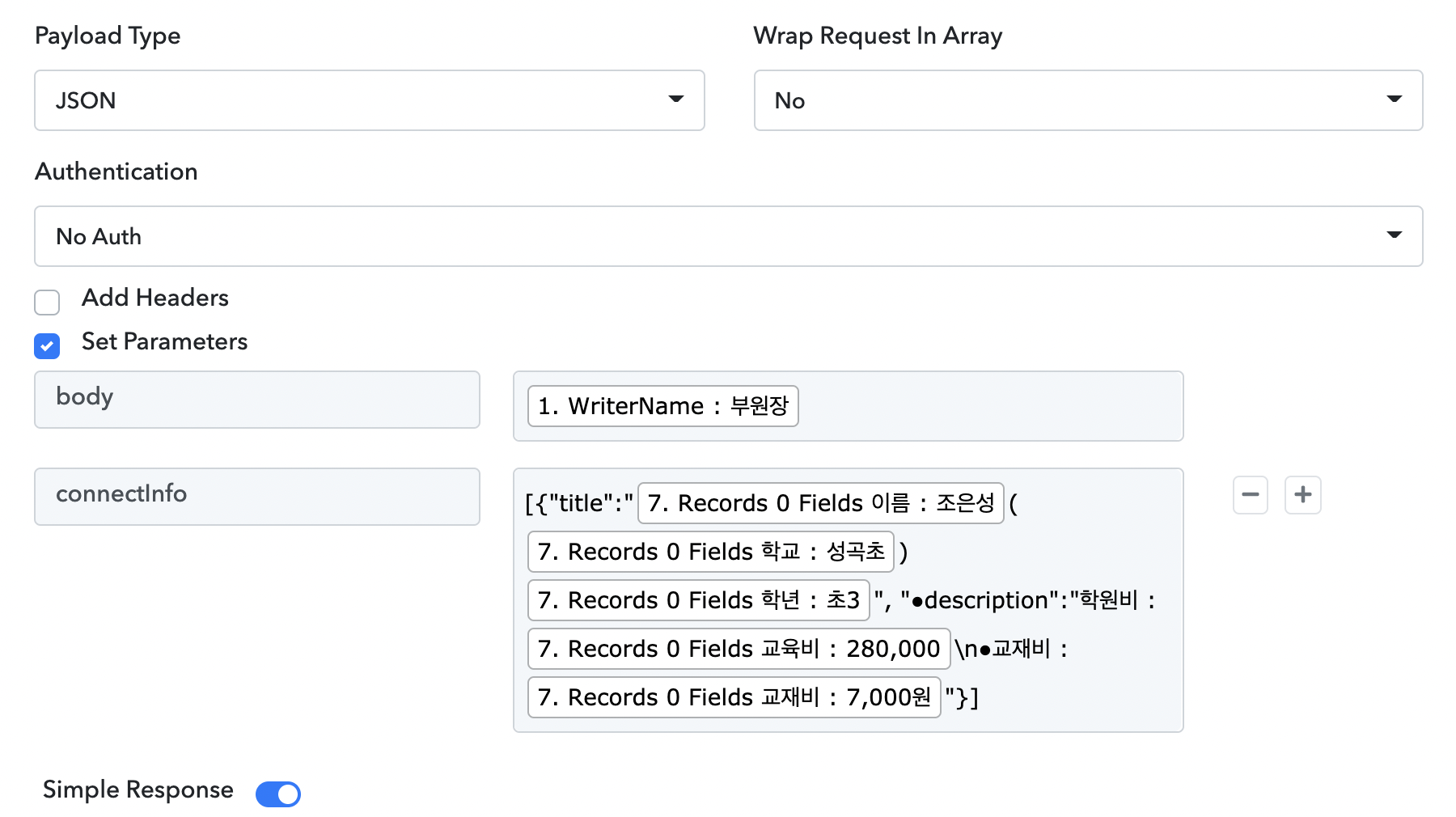
if i click "Save" then
7.0 : 이름 : 조은성 is changed automatic.
but
from 7.0 : 학교 to 7.0 : 교재비 is not changed, and. like below
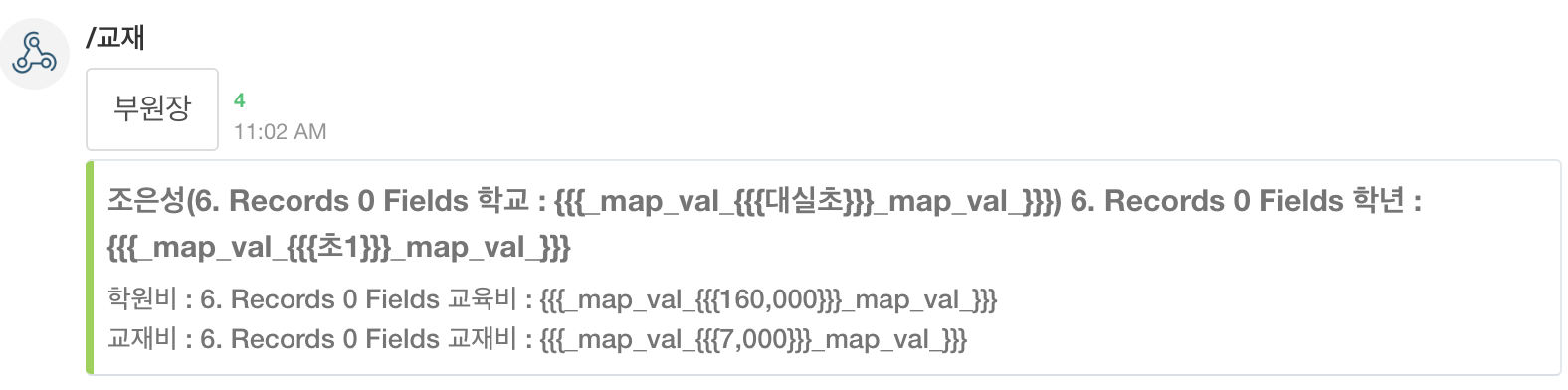
and another problem exist..
Assuming I modified the 3rd action,
There is a phenomenon that all the mapping of actions from the 4th time is broken.
When I modified the action of the above question post,
The mapping of the action result at the bottom is broken.
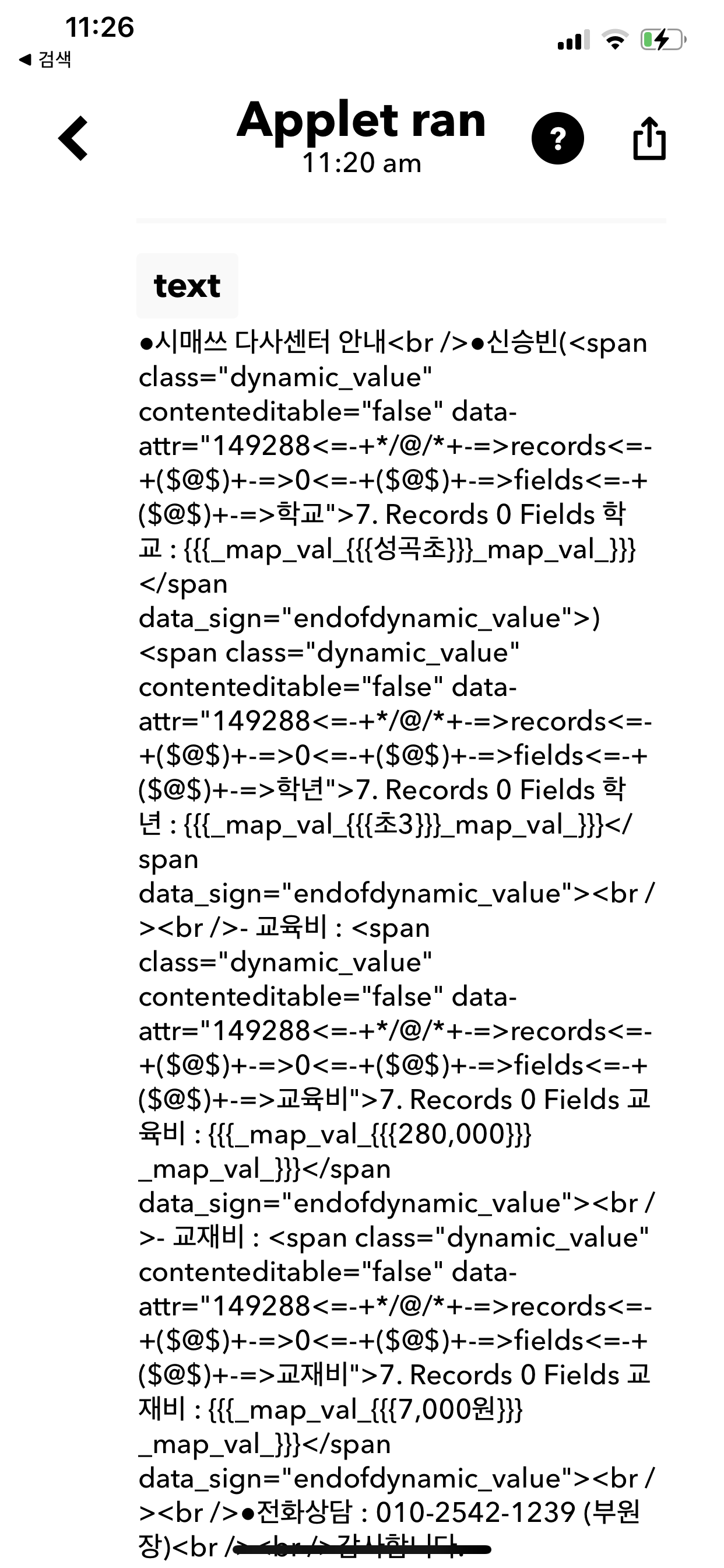
So I was afraid of modifying the workflow.
This is because in order to change an action in a workflow, you have to re-debug the entire workflow and re-specify all of the mappings.
Please take immediate action.
So I was afraid of modifying the workflow.This is because in order to change an action in a workflow, you have to re-debug the entire workflow and re-specify all of the mappings.
Please take immediate action.
Could you please share a video of what actually you are doing? It will help us to reproduce the same issues at our end. You can either email us the video at [EMAIL]admin@pabbly.com[/EMAIL] or share it in a Private Discussion as well.
Could you please share a video of what actually you are doing? It will help us to reproduce the same issues at our end. You can either email us the video at [EMAIL]admin@pabbly.com[/EMAIL] or share it in a Private Discussion as well.
I send video to mail ... admin@ ....
I send video to mail ... admin@ ....
Thanks. We will check and get back to you.
I have checked the video, what I concluded from that is you've made some changes in any of the middle step of your workflow and saved that step. You should have been reloaded the workflow after doing that, so you could have got the correct mapped values in the below steps.