BUG: Pabbly doesn't escape URLs _at all_
Status: Closed · Asked by solipsist on · 0 views
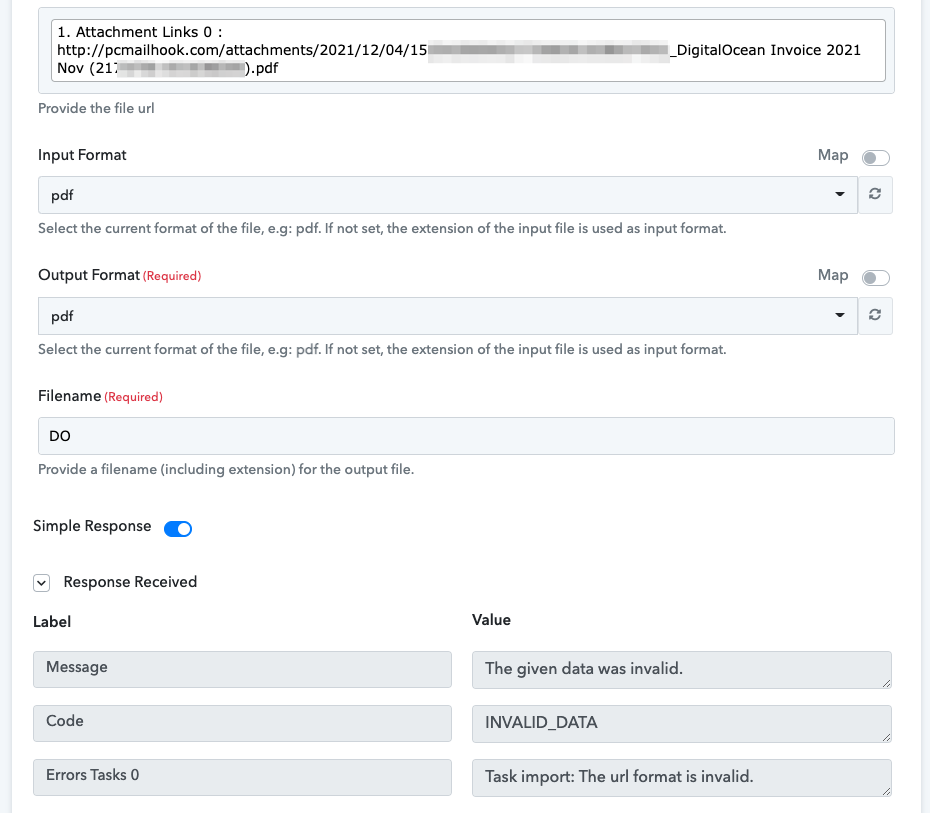
I used Email Parser to extract an attachment but neither CloudConvert nor Dropbox (upload file) can access it. After looking at cases where this did work, my conclusion is that Pabbly doesn't escape spaces in URLs correctly escape URLs at all.
This requires an immediate fix.
This was an attempt to use CloudConvert to rename the file to something non-offending... doesn't work.
I added a Text Formatter Replace step that replaced {{space}} with "%20" and Dropbox upload file works.
Please test your software!
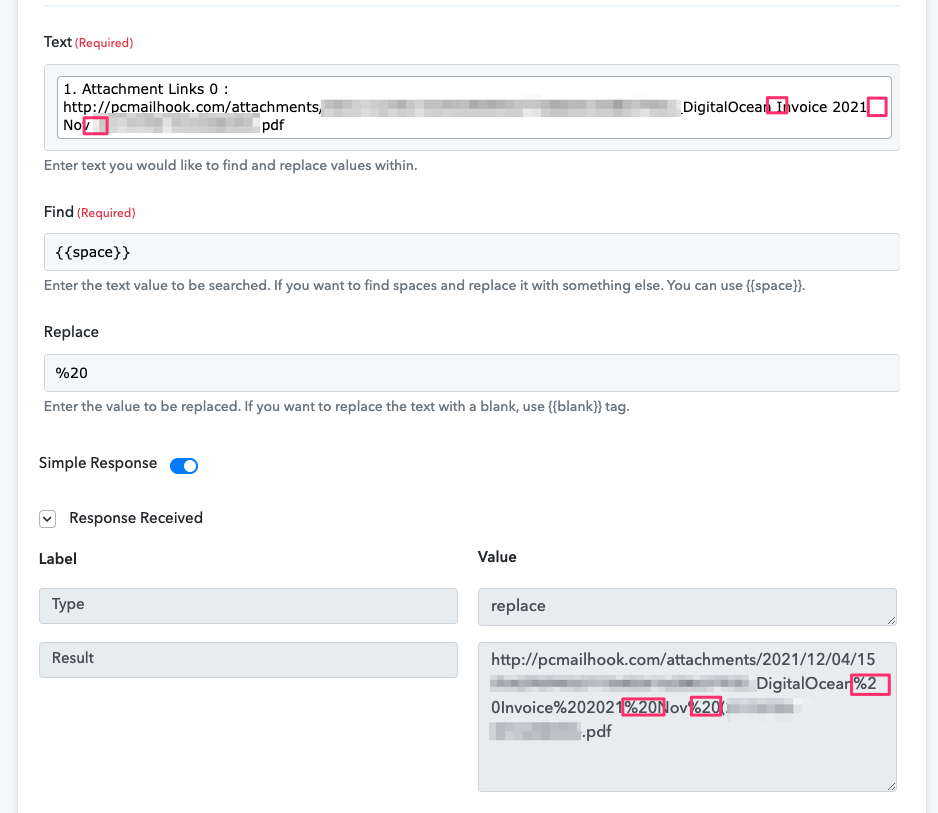
Turns out it doesn't escape anything as characters like å and ø also results in Dropbox failing due to being passed a misformed URL.
The workaround is to use Text Formatter instead. Still, it's an unnecessary step that shouldn't be needed.
Hey @solipsist
It seems like you have already solved your concern. So could you please confirm that the above workflow is working?
Further, if not then kindly let us know.
Thanks
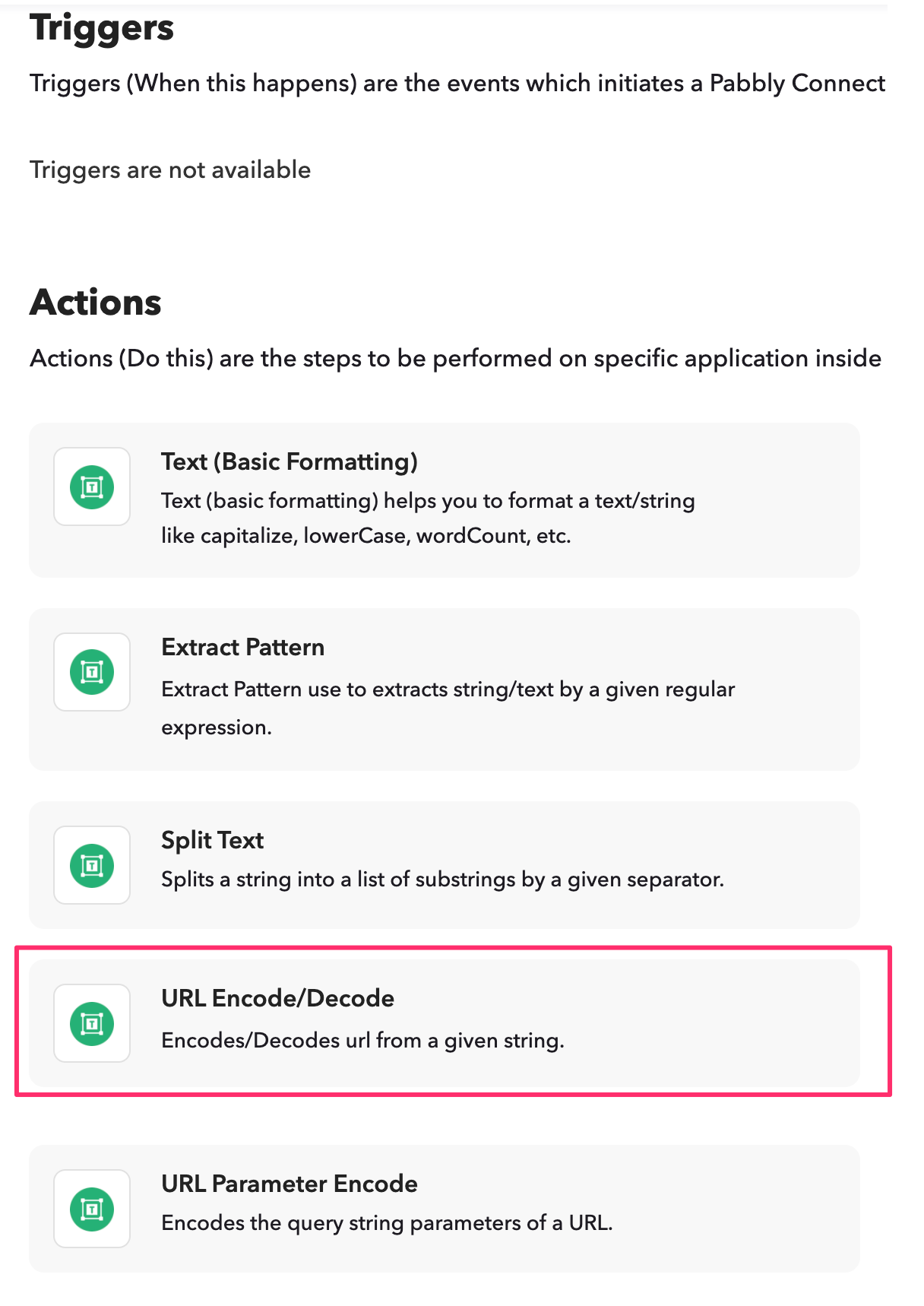
Yes, by deleting the leading "http://", encoding the string and then prefixing it with http:// again... ugly. It's a workaround. Not a proper solution. It adds two unnecessary workflow steps. You need to pass properly escaped URLs to the services you integrate with.
By the way, you might want to keep this open in case people have questions: https://forum.pabbly.com/threads/how-to-create-a-dropbox-file-from-email-content-using-email-parser-and-pabbly-api.2975/
I dont see why you locked it.
And again, people might want to reply to learn the specifics in case they search the forum and look for answers: https://forum.pabbly.com/threads/html-emails-to-pdf-advice.2969/#post-14268
Hey @solipsist
By the way, you might want to keep this open in case people have questions: https://forum.pabbly.com/threads/ho...ntent-using-email-parser-and-pabbly-api.2975/
I have shifted your query to "Tips & Roadmap" since it is a good observation of yours. And your other thread is open.