BUG REPORT Airtable 2.0 Search Record is missing critical field
Status: Closed · Asked by Blue Li on · 0 views
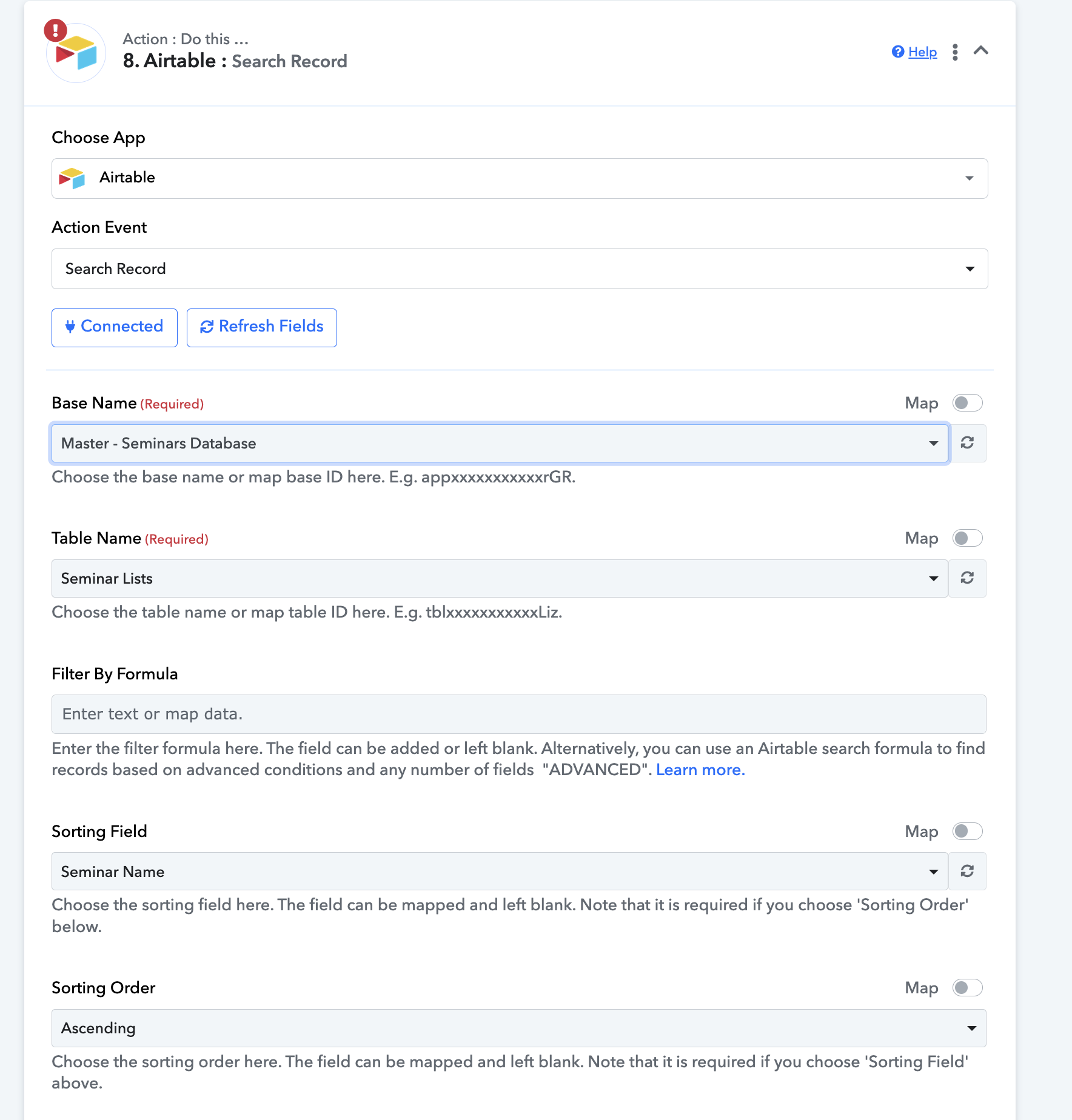
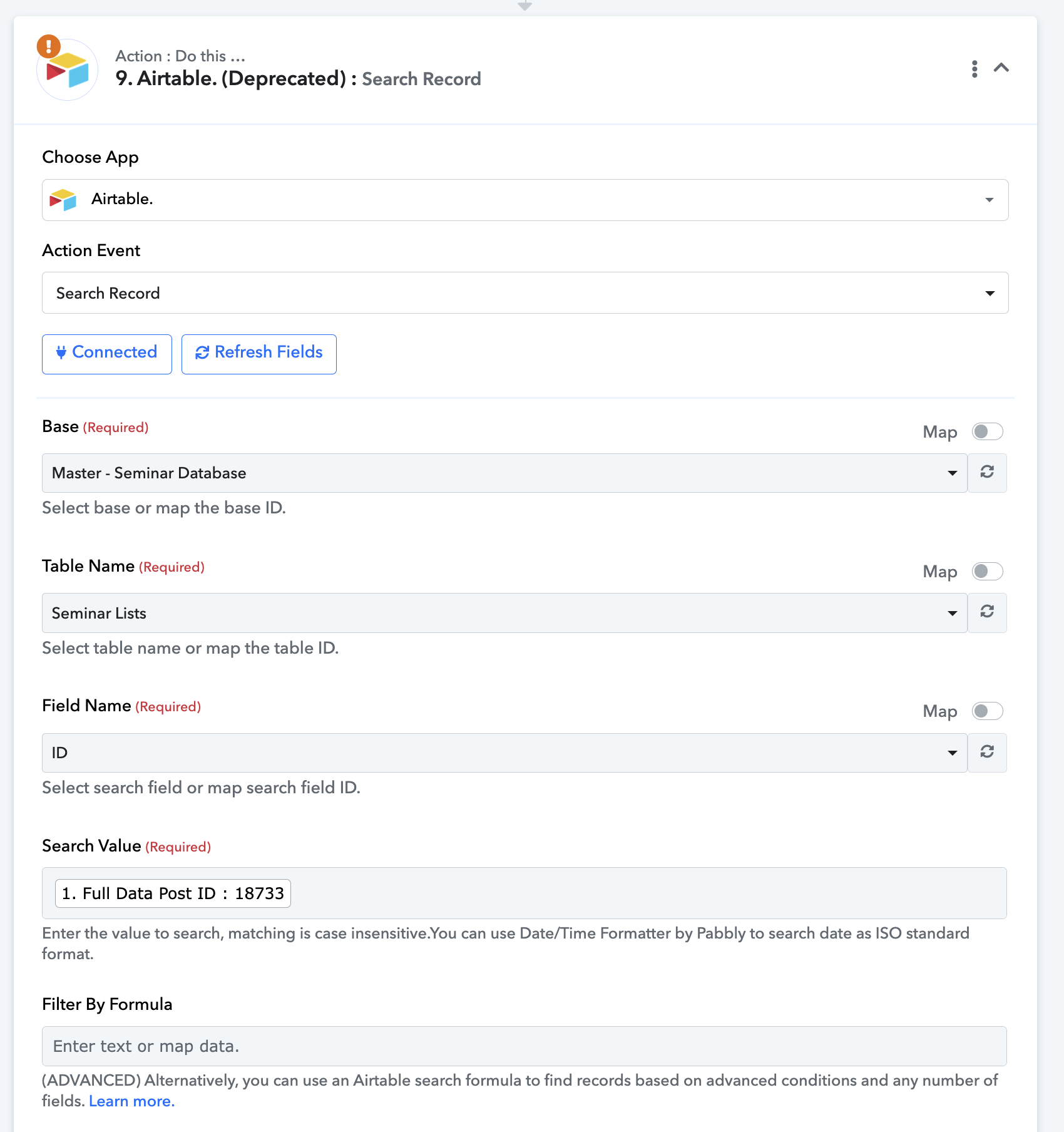
The updated one missing the search value and field ID field.
Please check
thanks
Attachments
Hi @blueli,
Please allow us some time to look into this concern. We will get back to you with an update soon.
Please try using 'Search Record by View' action event to get the Field ID and Search Value.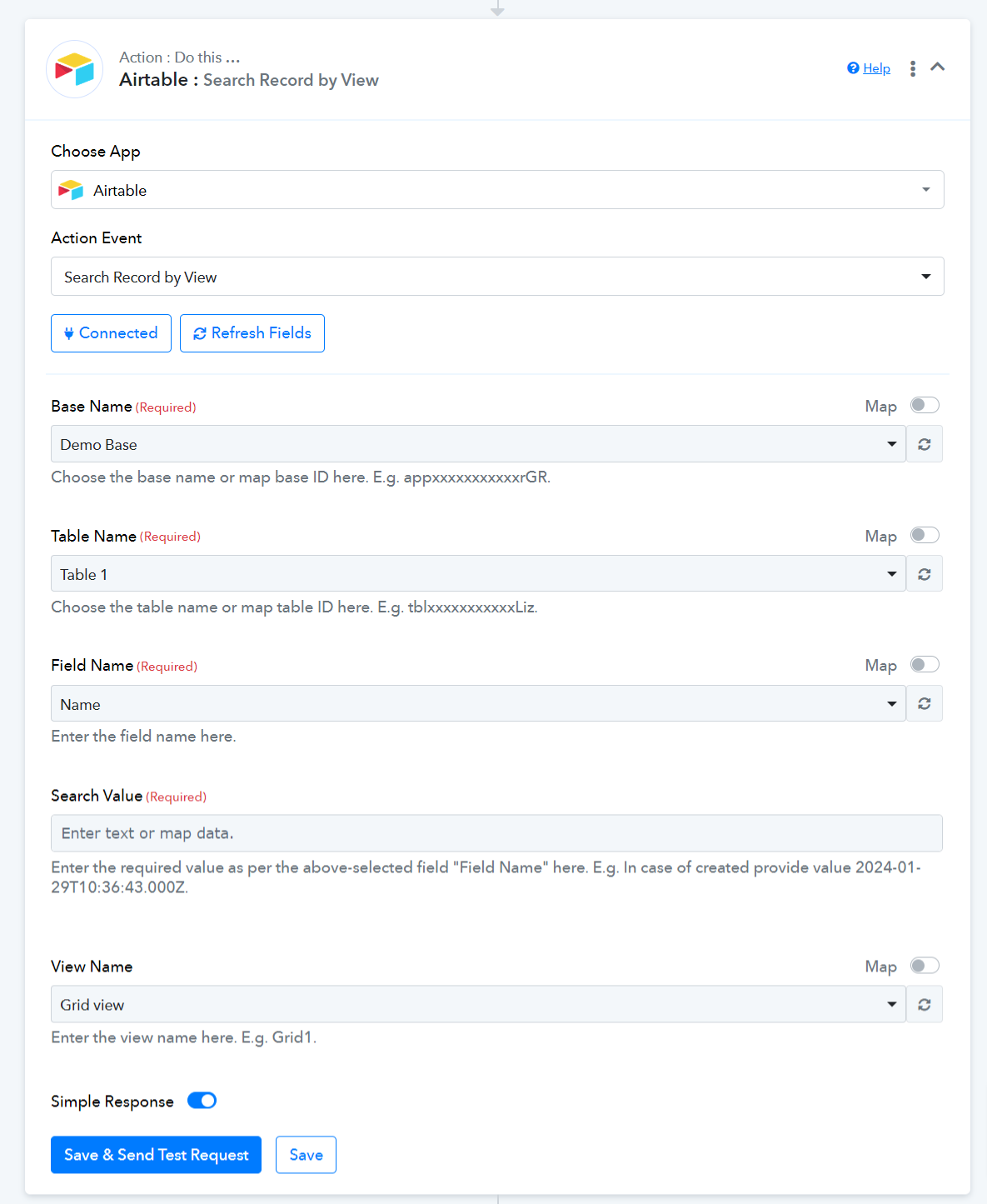
Please try using 'Search Record by View' action event to get the Field ID and Search Value.
But then what is the point of Search Record action Shouldn't that have Field Name and Search Value fields Please confirm with your developers.
Hey @blueli @Fagun Shah
The Search Record action step on the platform has been designed with an advanced approach, requiring dedicated formulas for searching records.
To achieve precise results, you can consult the provided screenshot and utilize the formula provided to retrieve the desired data accurately, utilizing the specific field created in your Airtable account.
REGEX_MATCH(LOWER(ENCODE_URL_COMPONENT({field_name})), CONCATENATE("^",LOWER(ENCODE_URL_COMPONENT("search_value")),"$"))
In the "field_name" parameter, input the name of the field where you wish to search for data values, ensuring an exact match with the value available in that particular field.
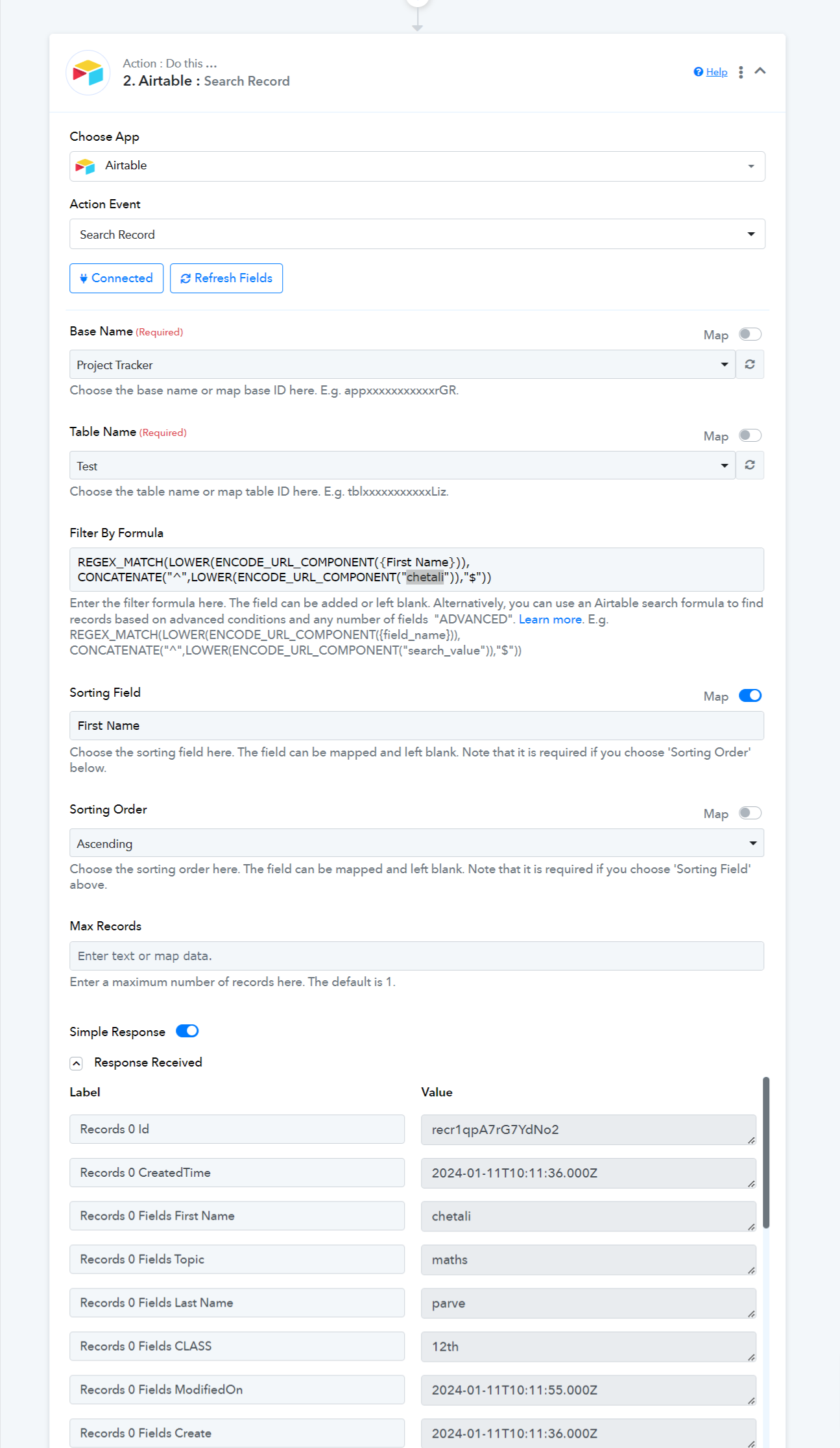
Hey @blueli @Fagun ShahThe Search Record action step on the platform has been designed with an advanced approach, requiring dedicated formulas for searching records.
To achieve precise results, you can consult the provided screenshot and utilize the formula provided to retrieve the desired data accurately, utilizing the specific field created in your Airtable account.
REGEX_MATCH(LOWER(ENCODE_URL_COMPONENT({field_name})), CONCATENATE("^",LOWER(ENCODE_URL_COMPONENT("search_value")),"$"))In the "field_name" parameter, input the name of the field where you wish to search for data values, ensuring an exact match with the value available in that particular field.
This is no where near to user friendly.
Can you please ask developers why they removed the fields for Field Name and Search Value
Both were already present in old action, Airtable only changed the authorization process, so I don't understand why pabbly team is removing absolutely necessary fields. This will only make users come your support team again and again and increase load for you. In its current stat it is not usable for new users. Please bring back those fields.
Can you please ask developers why they removed the fields for Field Name and Search Value ?Both were already present in old action, Airtable only changed the authorization process, so I don't understand why pabbly team is removing absolutely necessary fields. This will only make users come your support team again and again and increase load for you. In its current stat it is not usable for new users. Please bring back those fields.
Our team is already working on the optimization of the Airtable action step for ease of use. They are trying to make it more user friendly. But for now, you may use the provided solution.
We will keep you posted with the updates.
Our team is already working on the optimization of the Airtable action step for ease of use. They are trying to make it more user friendly. But for now, you may use the provided solution.We will keep you posted with the updates.
I am waiting for the updates, currently I can't keep asking you to write regex for me for each Search Record action step.
I've duly noted your input and will pass it along to the team.
@Supreme @blueli @ArshilAhmad this is solved now. Search Record action now have necessary fields, just like old action.