Buggy Date/time formatter
Status: Closed · Asked by adamloo on · 0 views
Hi guys,
Please see attached screenshots.
Need some help here with date/timer formatter.??
I want to convert d/m/yy to dd/mm/yy example: for 8th Feb 2023 which is 8/2/23 to 08/02/23. But somehow the formatter comes back with 2nd Aug 2023 02/08/23..
Attachments
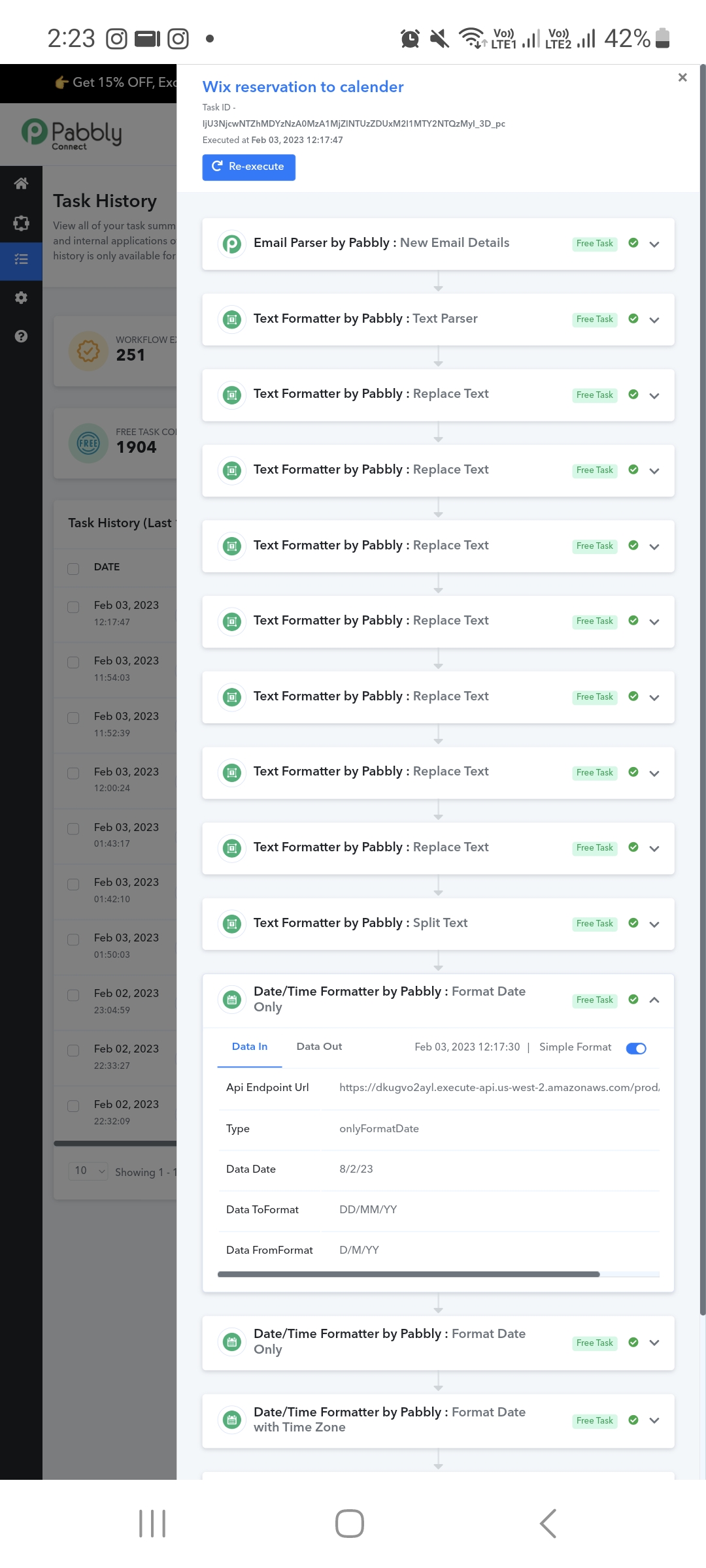
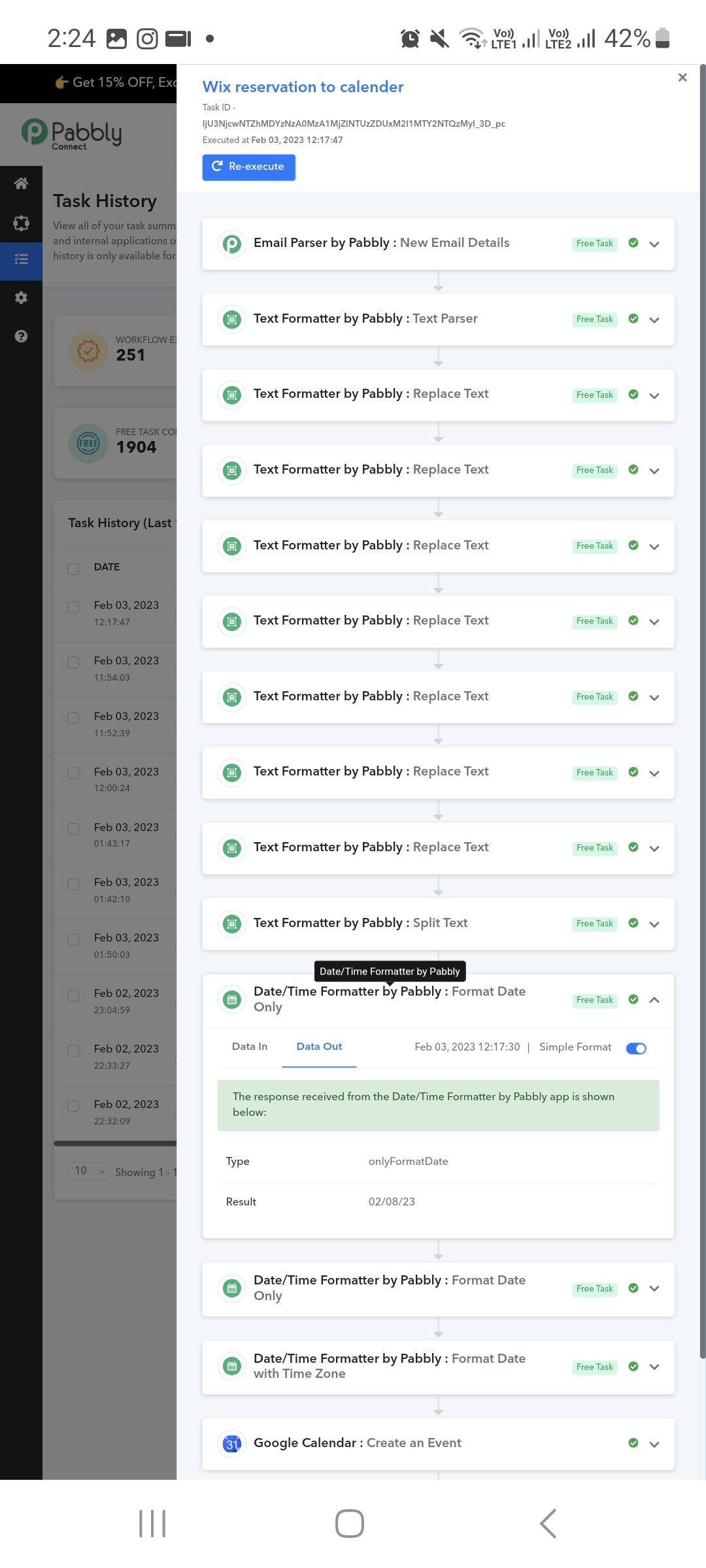
Hey @adamloo
The Date you got came from your Email which has come from your Gmail account and since the data which got retrieved in the DateTime Formatter is from Aug.
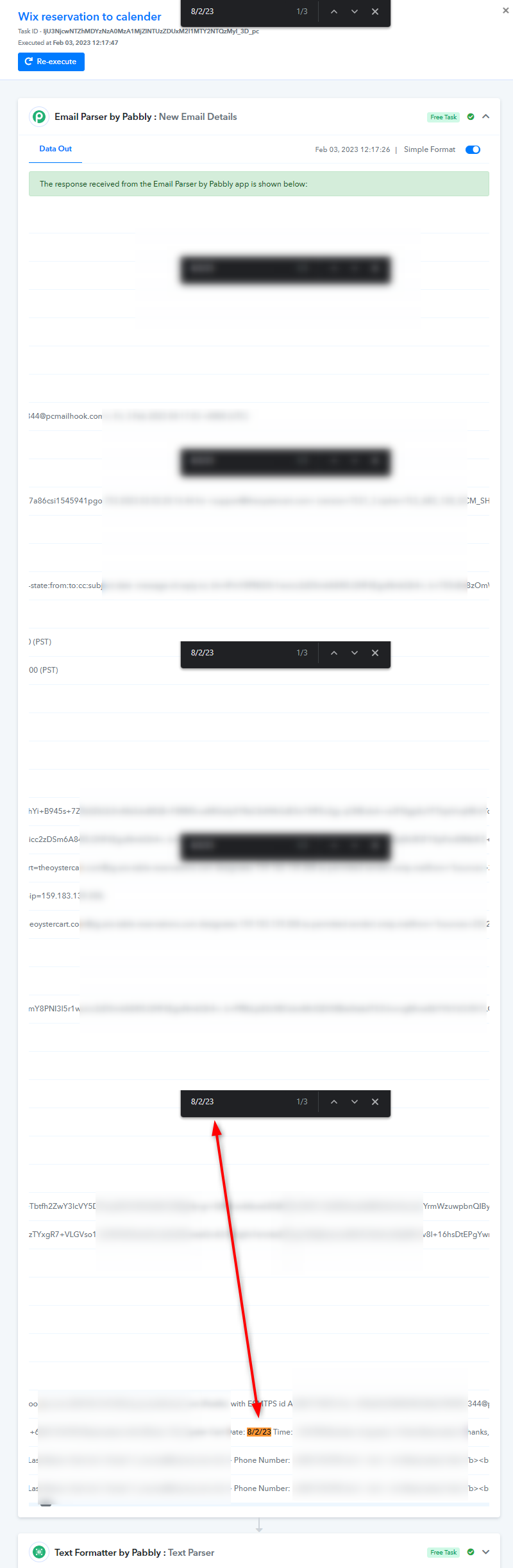
Yes, the date was parsed from email. There are no issue with the dates.
It gets formatted fine when there is a double digit day DD example: 14/2/23, but not okay when it is D i.e 8/2/23
Hey @adamloo
Can you record a short video of the complete concern once on how the date formatter action you wanted to respond to?
Hi,
I dont understand what you mean by video what I have already shared with you the issue that the date gets formatted wrongly.
I want to convert d/m/yy to dd/mm/yy example: for 8th Feb 2023 which is from 8/2/23 to 08/02/23.
But somehow the formatter came out with 2nd Aug 2023 02/08/23..
Which is evident in the screenshots I have provided
Hey @adamloo
Our technical team is currently looking into it.
thanks. Any update?
Hey @adamloo
We will let you know with an update soon.