Bulk Messages
Status: Closed · Asked by ShrutiV on · 0 views
Hi Team did exact steps as the tutorial however the messages are not gone.
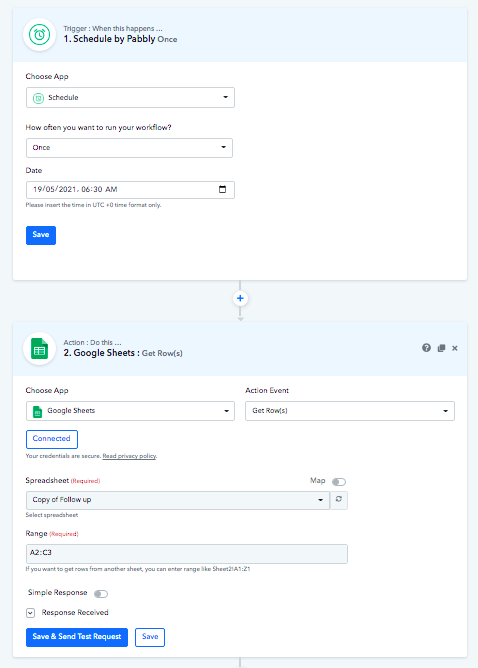
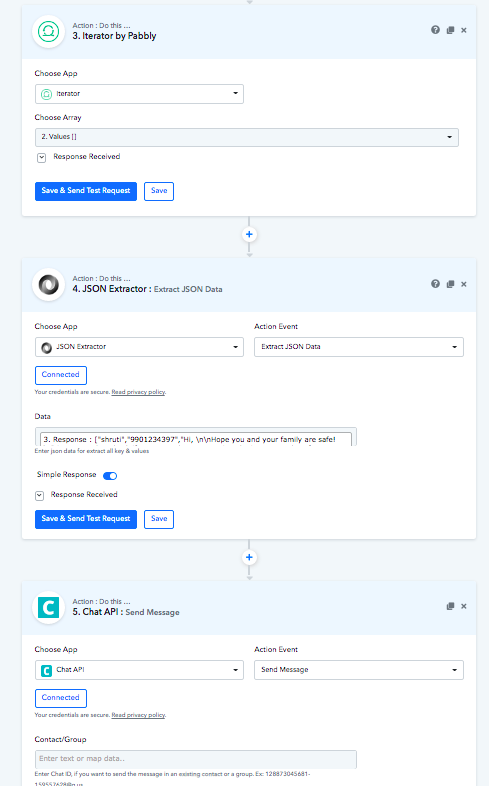

Hey @ShrutiV
We have checked your workflow, as you have used " Schedule " and it is running accordingly.
Also, we have re-executed the workflow and it is running perfectly fine, so please give it a try and let us knows it working as expected or not.
Moreover, if you face any issue further, please let us know.
I did not receive anything and my usual chat api messages are in process so nothing at their end, I had changed the UST schedule again for 1:50 I did not receive anything. Can you try adding your number and testing. I have given you the access for the sheet also https://docs.google.com/spreadsheets/d/1wUG8yeOib0sDn1AiD6Y9aqdZASNEqA3IqBfek_9s_7s/edit?usp=sharing
Hey @ShrutiV
We have checked the workflow and changed the schedule to 1 min every time just for testing purpose, so when you test at your end please change it back accordingly and we switched off the workflow so, switch it on when you test it.
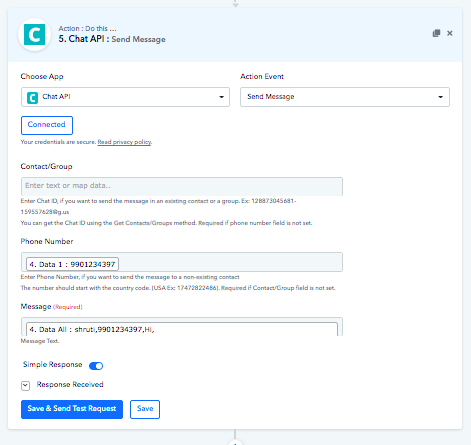
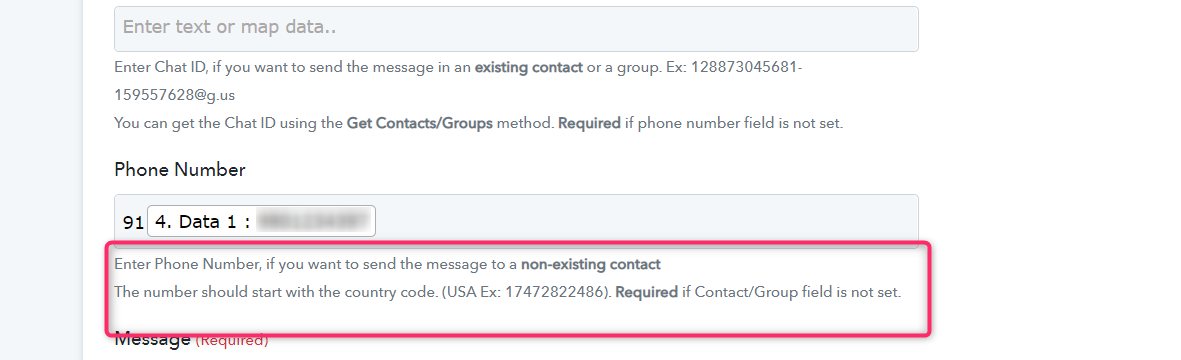
Also, we have found in Chat API Action that the number which you were mapping wasn't in the correct format, so we have done a workaround on the Phone Number field.
Please check the screenshot below-
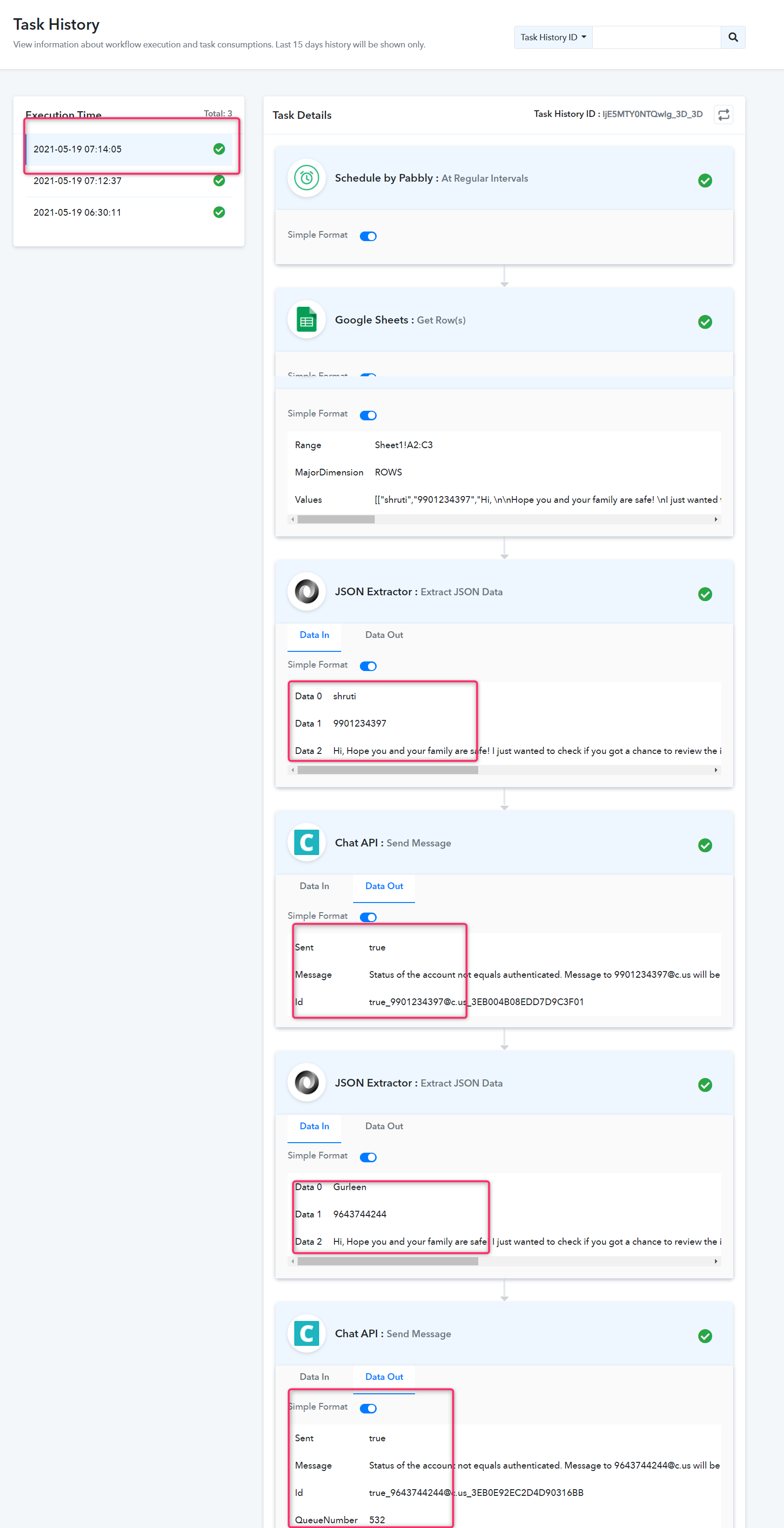
Your Workflow history, as the workflow is working now, though we have correct it for you. -
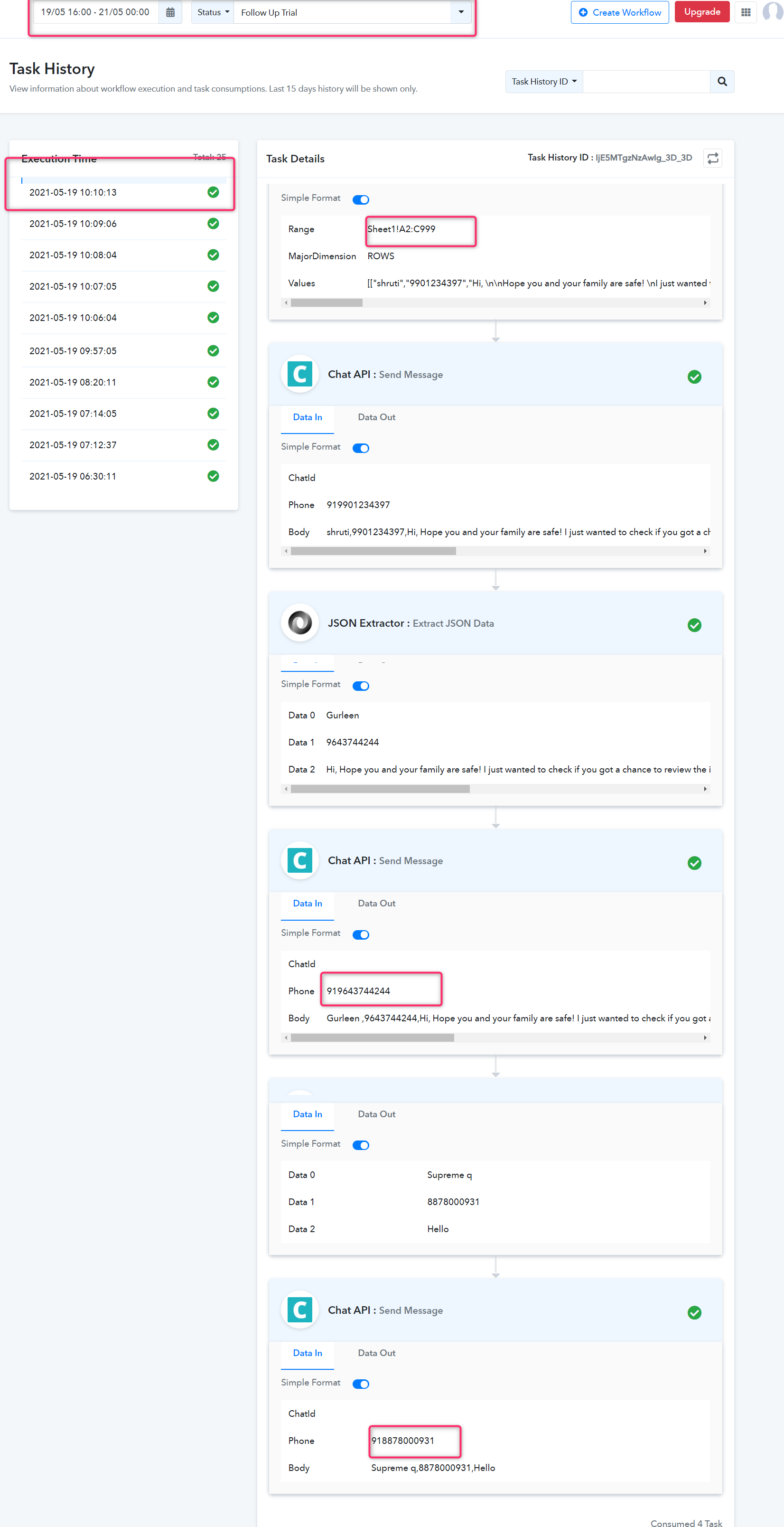
Please try this at your end and let us know if that works for you.
Also please check our other video for a different approach on sending the messages -