Calendar event time issue
Status: Open · Asked by group on · 0 views
When the event is updated, I see that time does not match although I put right data. (see history and image)
My assumption is I am not putting the right data when updating the event.
Task History ID -
IjU3NjMwNTZhMDYzZTA0MzY1MjZkNTUzZDUxMzI1MTY3NTQzOSI_3D_pc
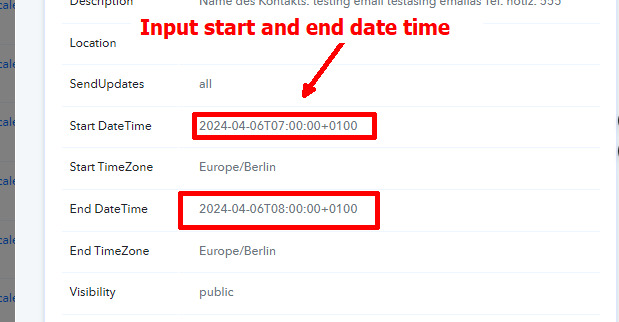
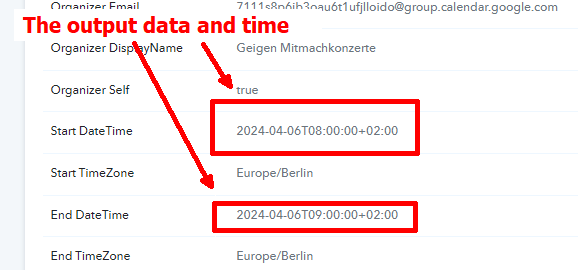
Workflow history: https://connect.pabbly.com/workflow/mapping/IjU3NjUwNTY4MDYzMDA0M2Q1MjZlNTUzMzUxMzAi_pc
Attachments
Hey @group
You need to adjust the Timezone setting in your "Google Calendar" action event to UTC because your data is already in the Berlin Timezone. This will help balance the Timezone when the event is created.
You can use the Date Time Formatter to change the timezone to your preferred one. Please check your workflow after we've made these changes.
So, what you think about now? I have set the timezone to Berlin and I do not put +0100. Would that be also a solution?
By the way, in which workflow did you make changes in?
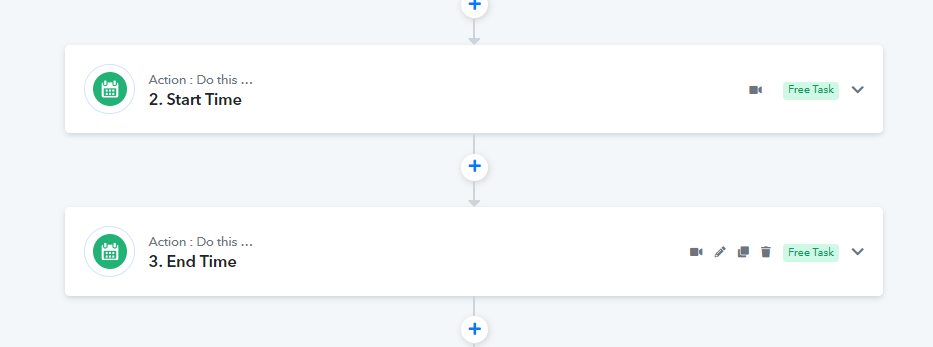
You can two Date/Time Formatters to your workflow in this manner, subtracting 1 hour from both the start time and end time, and then map the resulting values in the Google Calendar action step. This will resolve your issue.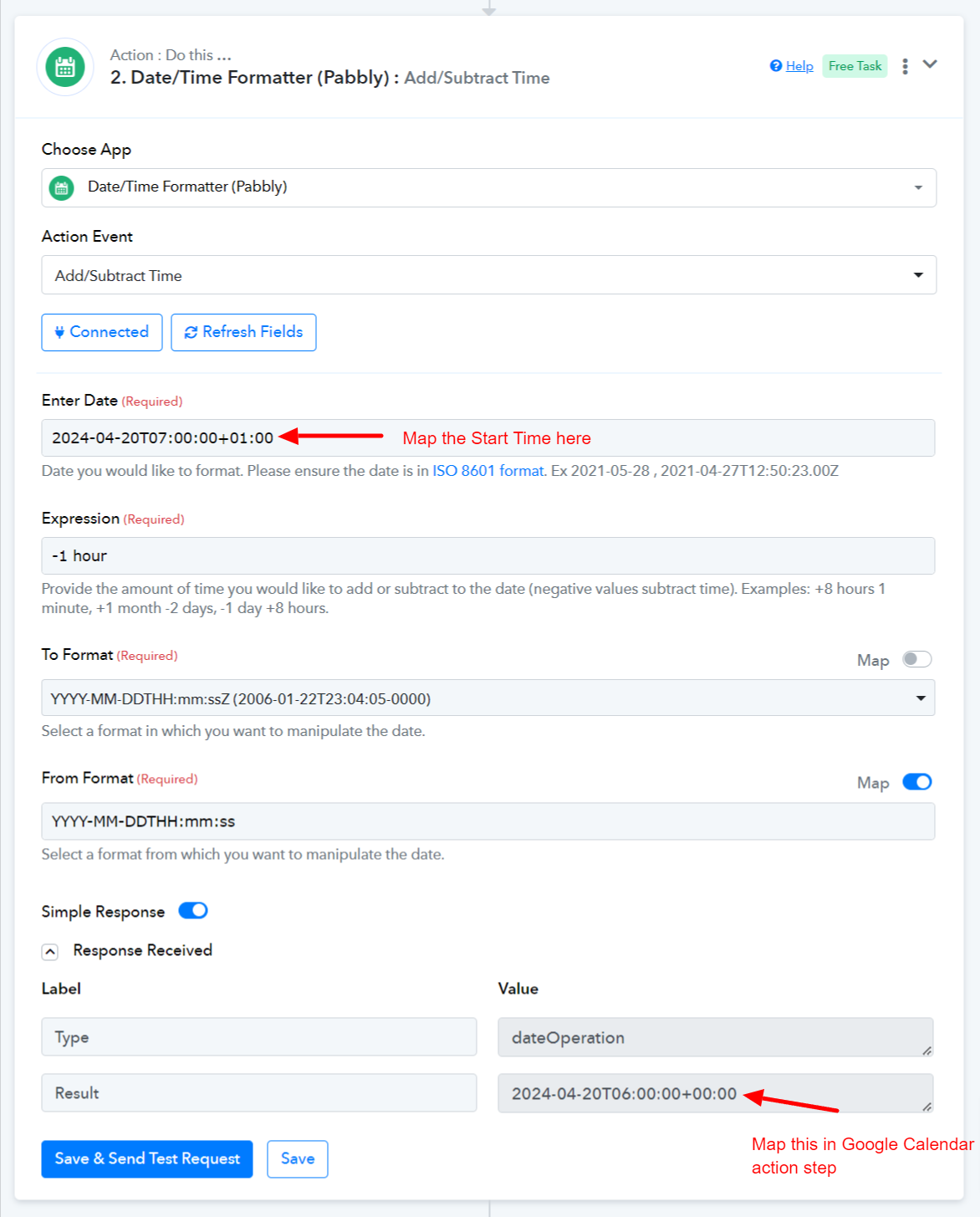
Sharing the steps for your reference.
https://connect.pabbly.com/workflow/share/DkZWZF8IB2RSGFA6B1RUc19LBwNSC1MzBx5WRF1SB39QHlMGURAIYgBMUnADQARlURgDaQVZVm1cSAIGUwVSIQcdBysBAlwmWhcEfwdKATIOUFZ-Xz4#