Calendly + Google Sheet
Status: Open · Asked by sportinvest on · 0 views
Hello,
I have Calendly Pro with
- multiple user (5 caller) and
- different Schedule Event
I have an Event (let's call "Event A"), which is linked to all of the user
I need when someone schedule only the Event A with any type of sales /user, Pabbly send me data to Google Sheet.
I know how to send data to Google Sheet but the problem is that I can't see how to:
- Scrape only the scheduled data just from the event A
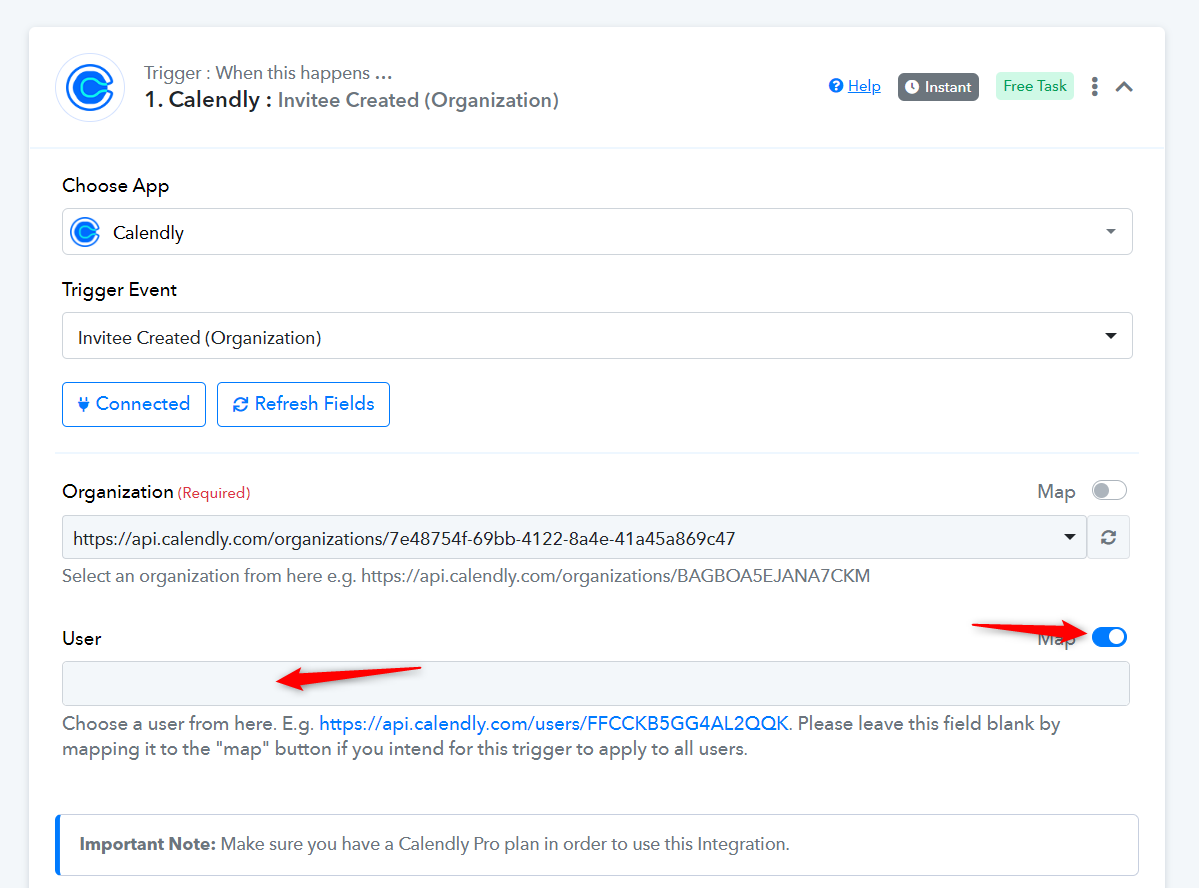
- And select the scheduled event from all the user (Pabbly ask me always which user - see attach)
Any idea?
Thanks
Attachments
Hi @sportinvest,
- Scrape only the scheduled data just from the event A
You can add a Filter as Step 2 of your workflow and set up the filter conditions so that the next steps of your workflow are executed only for Event A.
youtube.com/watch?v=dhTiB4h9lKg
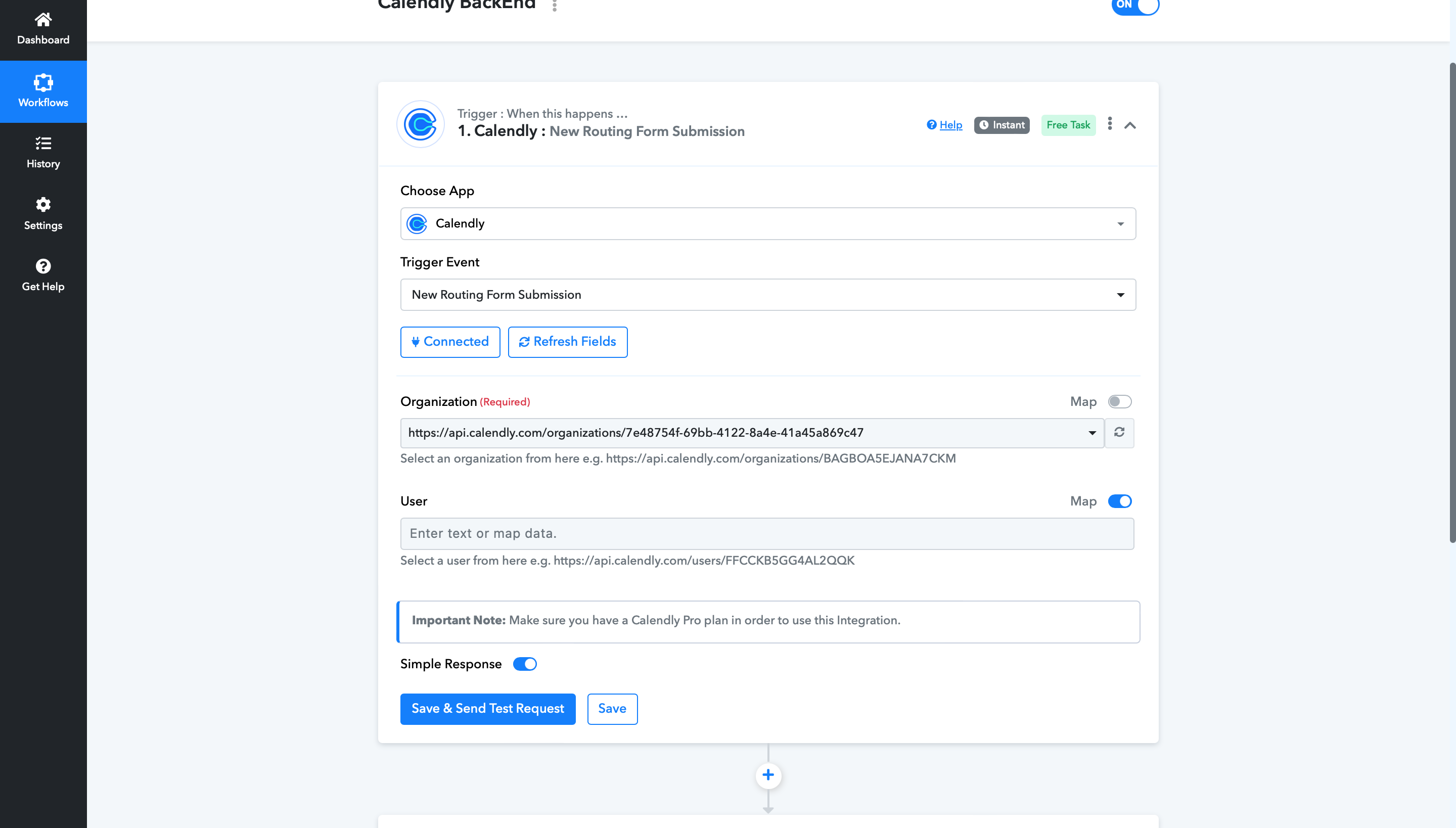
- And select the scheduled event from all the user (Pabbly ask me always which user - see attach)
In your trigger step, enable mapping and clear the User field. This will allow you to capture events scheduled for all users.