Calendly Integration Issue
Status: Closed · Asked by Gireesh Likhyani on · 0 views
Calendly Integration
We are facing a couple of challenges. Here is the flow.
Workflow 1 - Calendly Booking ---> Pabbly ---> WhatsApp and SMS to client and team members
Workflow 1 is working perfectly. [IMG alt="✅"]https://static.xx.fbcdn.net/images/emoji.php/v9/tb4/2/16/2705.png[/IMG]
Workflow 2 - Calendly Booking in Flow 1 ---> (minus) 3 hour delay - Meeting Reminder to Client and Team Members using WA and SMS
Workflow 2 isn't being fired. [IMG alt="❌"]https://static.xx.fbcdn.net/images/emoji.php/v9/t5e/2/16/274c.png[/IMG]
Workflow 3 - Calendly Booking in Flow 1 ---> (minus) 30 minute delay - Meeting Reminder to Client and Team Members using WA and SMS
Workflow 3 isn't being fired. [IMG alt="❌"]https://static.xx.fbcdn.net/images/emoji.php/v9/t5e/2/16/274c.png[/IMG]
Here is how the flow looks like -
Calendly Invitee Created (Organisation Level)
Date/Time Formatter - (Time delay in UTC checked)
Delay (Pabbly) - (Delayed until - in UTC checked)
What are we missing?
TIA
Hey @GireeshL
If you have cloned the workflow, you will be required to configure the trigger event in your application again to run the cloned workflow.
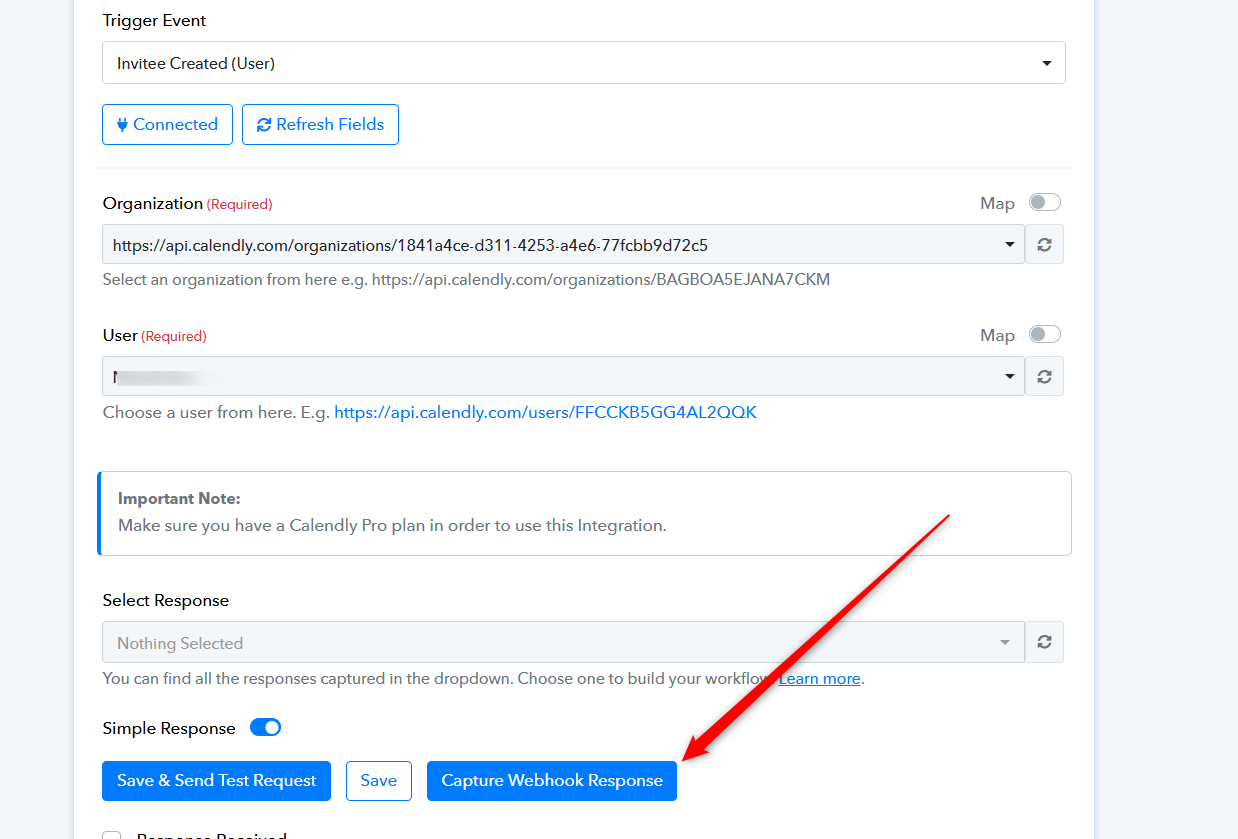
You can also refer to the first part of the video on how you can configure Calendly's trigger event.
Interesting. Let me try that once.
I have already raised a ticket though, but I can see this is what I must have missed.
Thanks
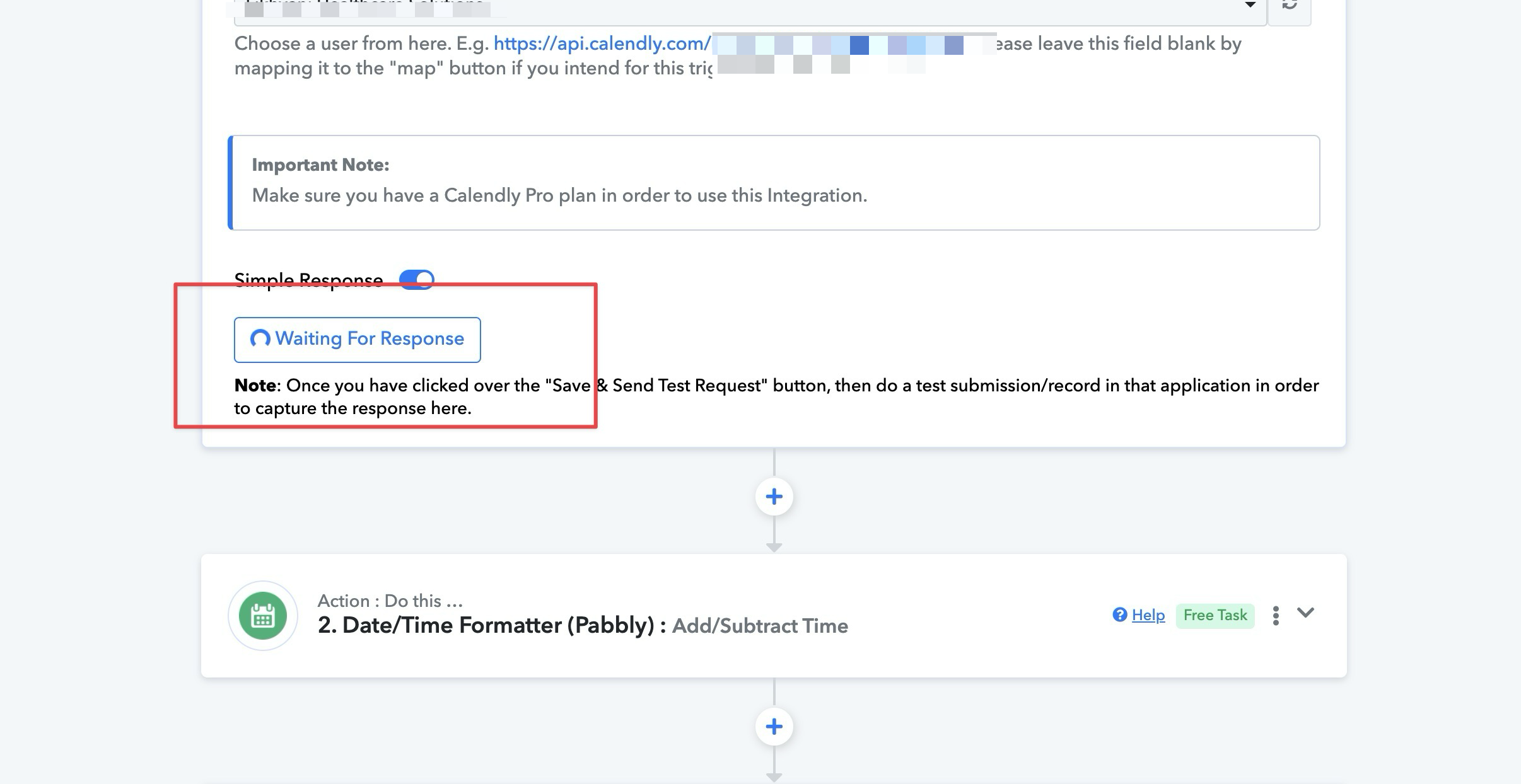
it is stuck on "Waiting for Response".
Have you filled the form after pressing the 'Re-Capture Webhook Response' button from your Calendly form response?
Also, please share the workflow URL and the Calendly form link so that we can check on it so that we can look into it.
I think it is working now, I have to reconnect calendly and then it someone captured the details.
Still testing, will also close the ticket and thread once resolved.
This has been fixed.
I had to rebuild the flow and recapture all the details once again
Also move all the date, text formatter, phone number formatter before the delay steps
The only steps after the delay step are gonna be your WA API and SMS API
Else, the flow will get stuck at delay and won't fire the rest further.
Please provide the workflow URL where you attempted the action, and inform us if you intend to send the message at regular intervals.