• Instructions to Ask a Question

    For any assistance, please click the "Ask a Question" button and select the Pabbly product for which you require support.

    We offer seven comprehensive applications designed to help you efficiently manage and grow your business:

    Our support team endeavors to respond within 24 business hours (Monday to Friday, 10:00 AM to 6:00 PM IST). We appreciate your understanding and patience.

  • Due to Holi celebrations, our team will have limited availability. While we’ll continue to monitor threads, responses may be slightly delayed.

Calendly items are not showing in Pabbly Connect as they were showing in Zappiers

Status
Not open for further replies.
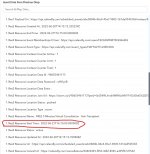
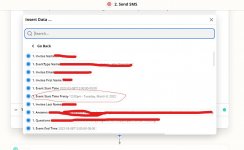
I am new to Pabbly Connect. Trying to move all my Zappier services to Pabbly Connect and noticing a few things. Tried connecting the Calendly to Pabbly Connect and the meeting start time is not in the correct format. See the attached. Any suggestion would greatly be appreciated.
 

Attachments

  • Zapier Start Time.jpg
    Zapier Start Time.jpg
    87.4 KB · Views: 138
  • Calendly Start Time.jpg
    Calendly Start Time.jpg
    149.3 KB · Views: 127
P

Pabblymember11

Guest
Hey @junaidsyed

You can use the "Date/Time Formatter by Pabbly: Format Date with Time Zone" action step to convert the date time into your desired date-time format(Free-Task).

hh:mm A dddd, MMMM DD,YYYY

2022-06-21_11h58_27.png
 
Status
Not open for further replies.
Top