Calendly + P Connect does not work
Status: Open · Asked by sportinvest on · 0 views
Hello, in the last few days, the workflow does not work anymore.
I do not know why, it was working I tried to reconnect (cancel and re-create connection) and re-create workflow but it does not track the event.
I have calendly pro plan
I created a form submission but the system does not detect anything.
3-4 days ago it was working well (i have not changed anything on Calendly).
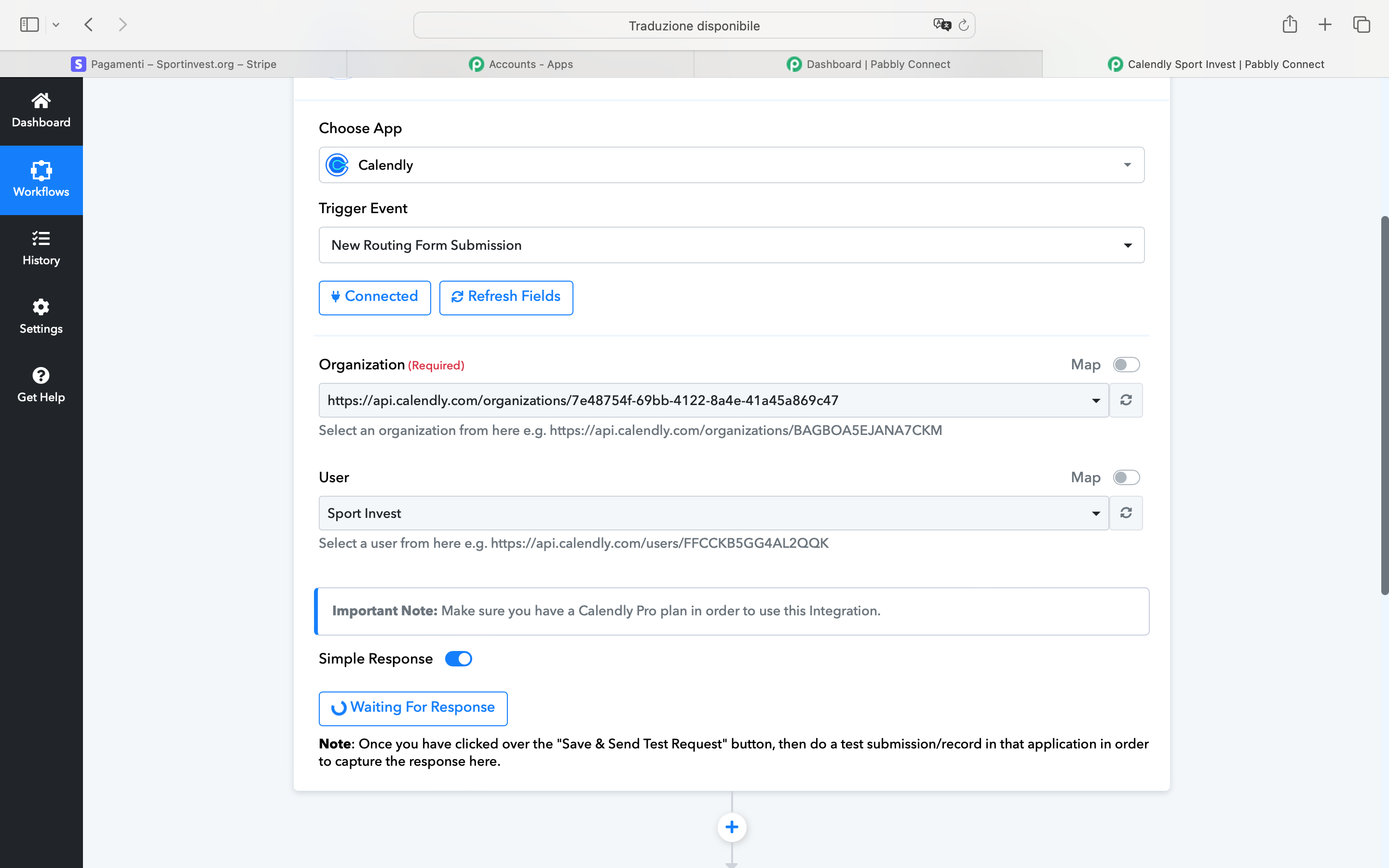
This is the state of connection in incognito mode and different browsers.
Then I retry and it is connected.
But I set up and "save and test" and no response.
Hi @sportinvest,
Please disable this workflow and create a new one from scratch. In this new workflow, set up Calendly as your trigger application and establish a new connection with your Calendly account.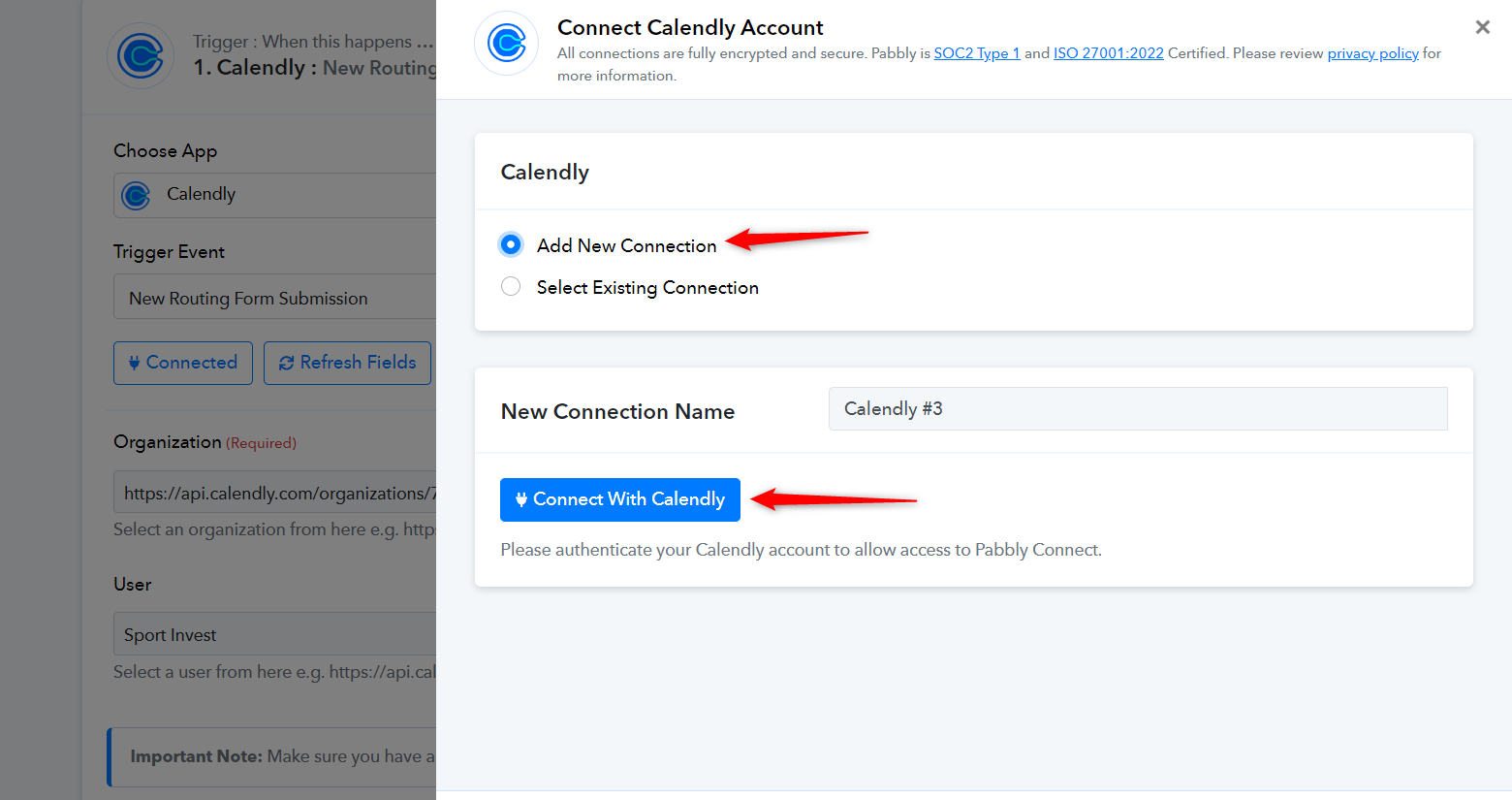
After that, click on 'Save & Send Test Request' and submit a Routing form to capture the form response.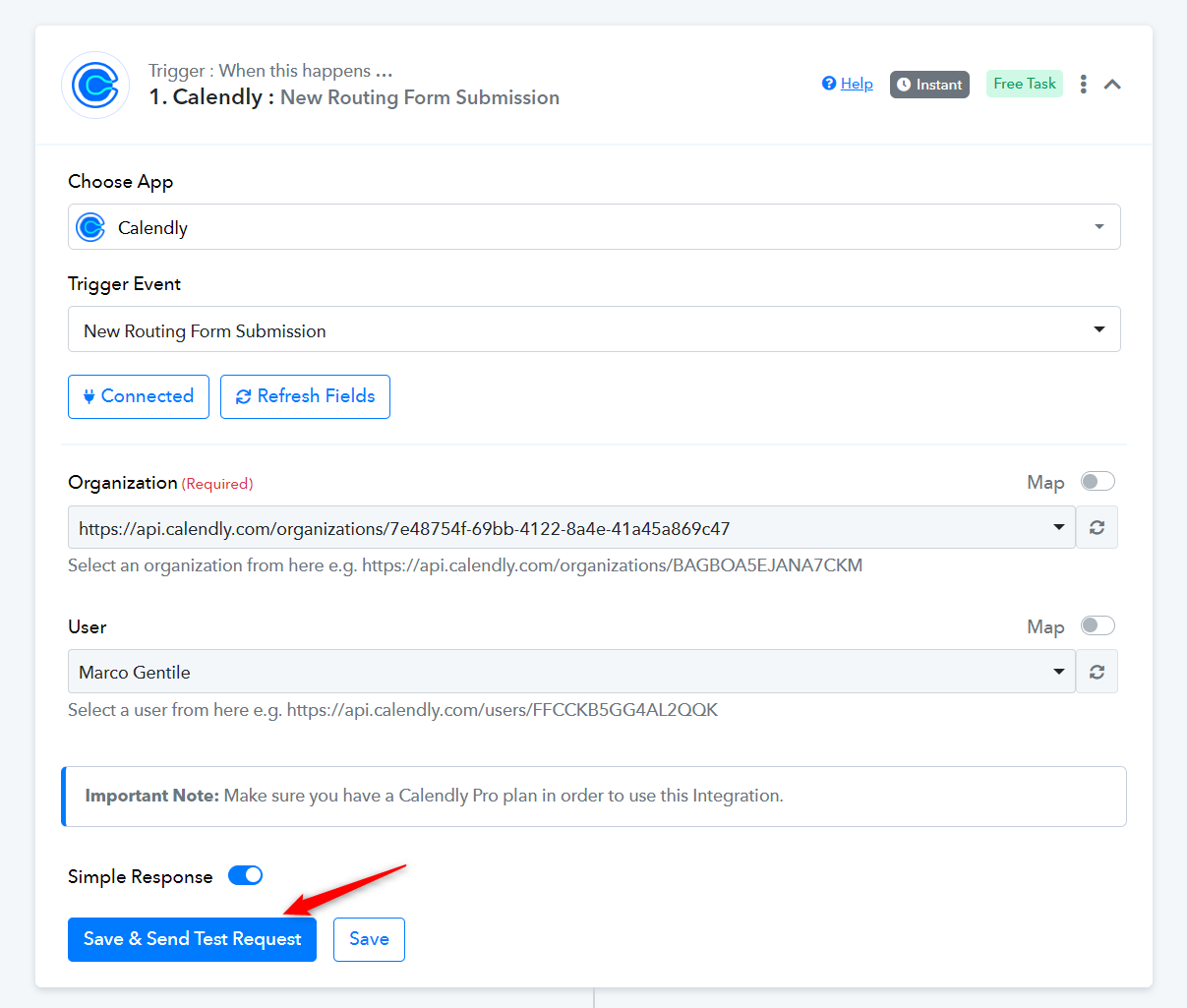
Please make a screen recording while following all the steps I suggested above, and if the response is not captured, please share that video here.
Hello,
this is the screenshare
Unfortunately, I had no big upgrade after your suggestion, the Bug still exists.
Please use 'Invitee Created' trigger event to capture the invitee details.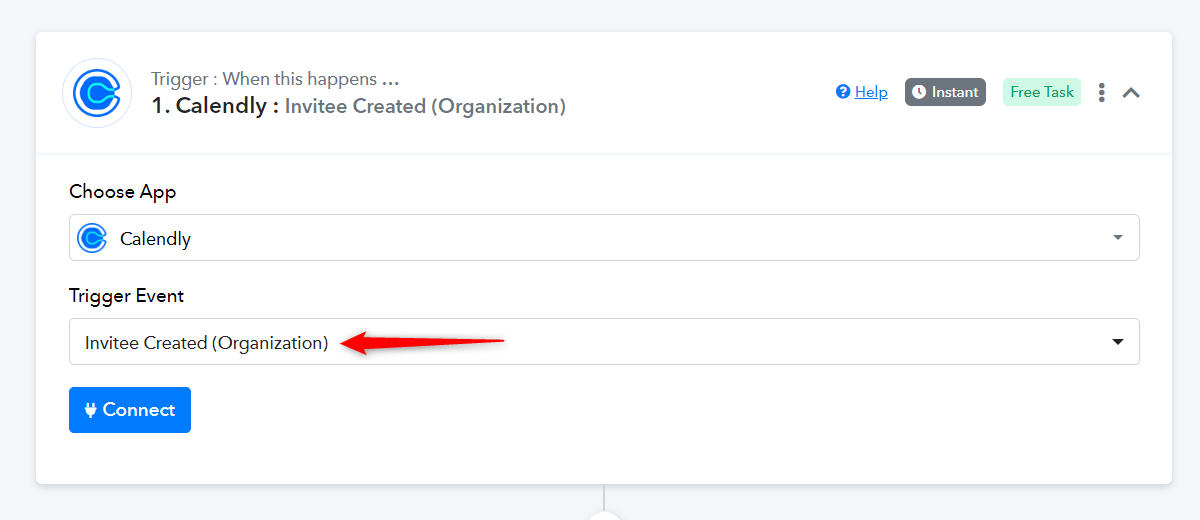
Kindly follow the steps given in the video shared below.
Hello, I do not need to receive only invitee details but all the call (data of schedule, and data of appointment) to fill a Google Sheet, so I need that feature. Any help?
Hey @sportinvest
Indeed in the trigger response, you will get both the date of the schedule and the appointment time.
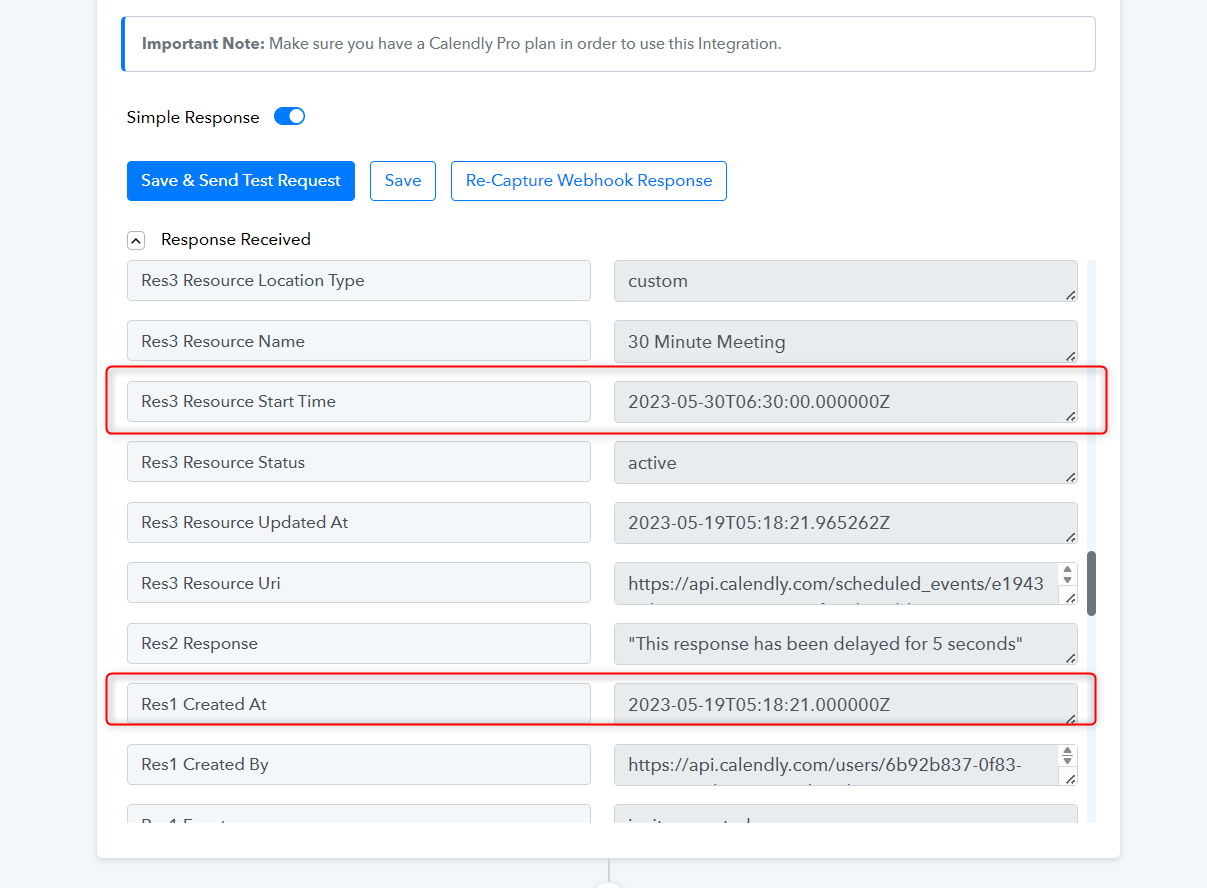
Hello,
where do i take Event ID?
This one does not work
Attachments
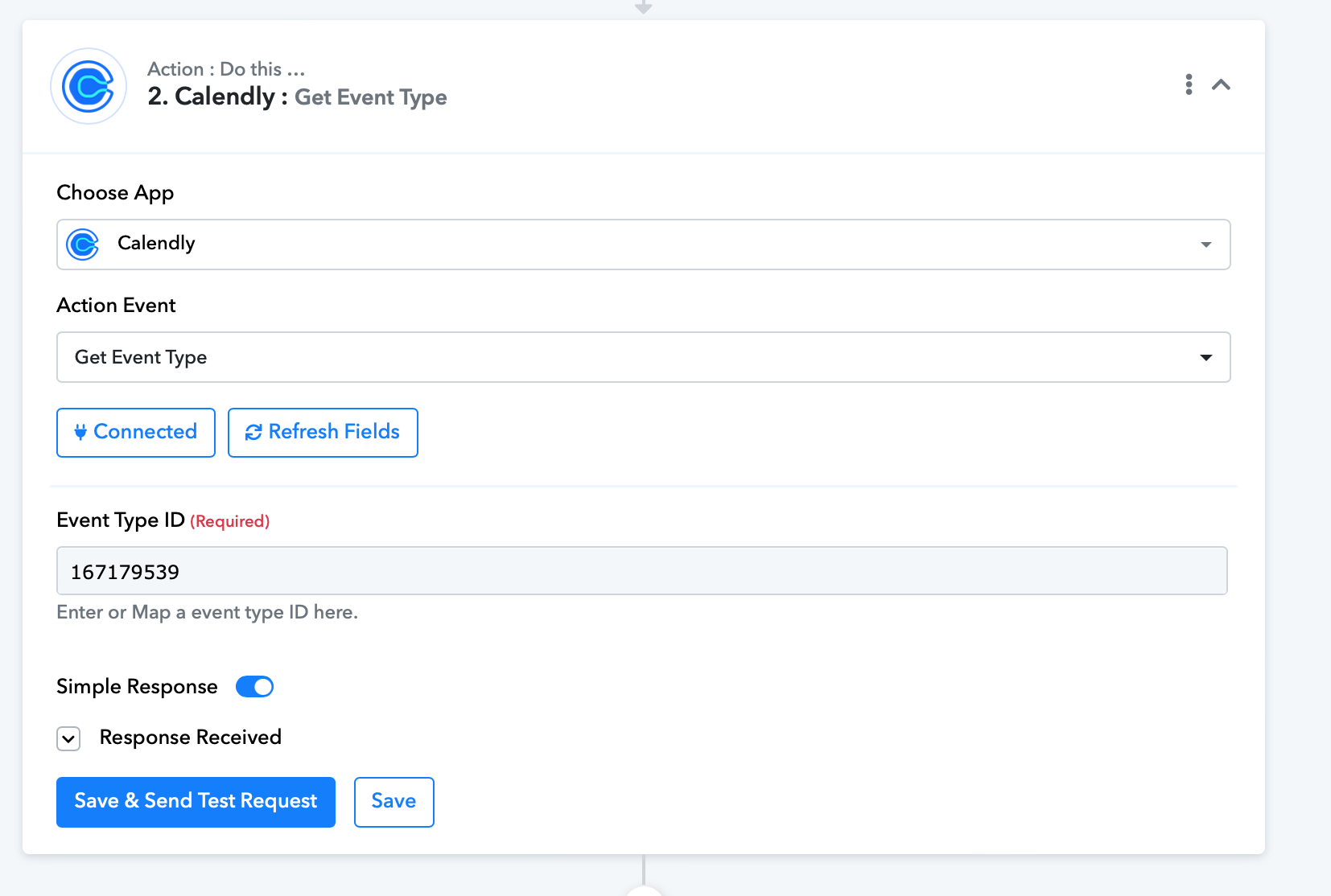
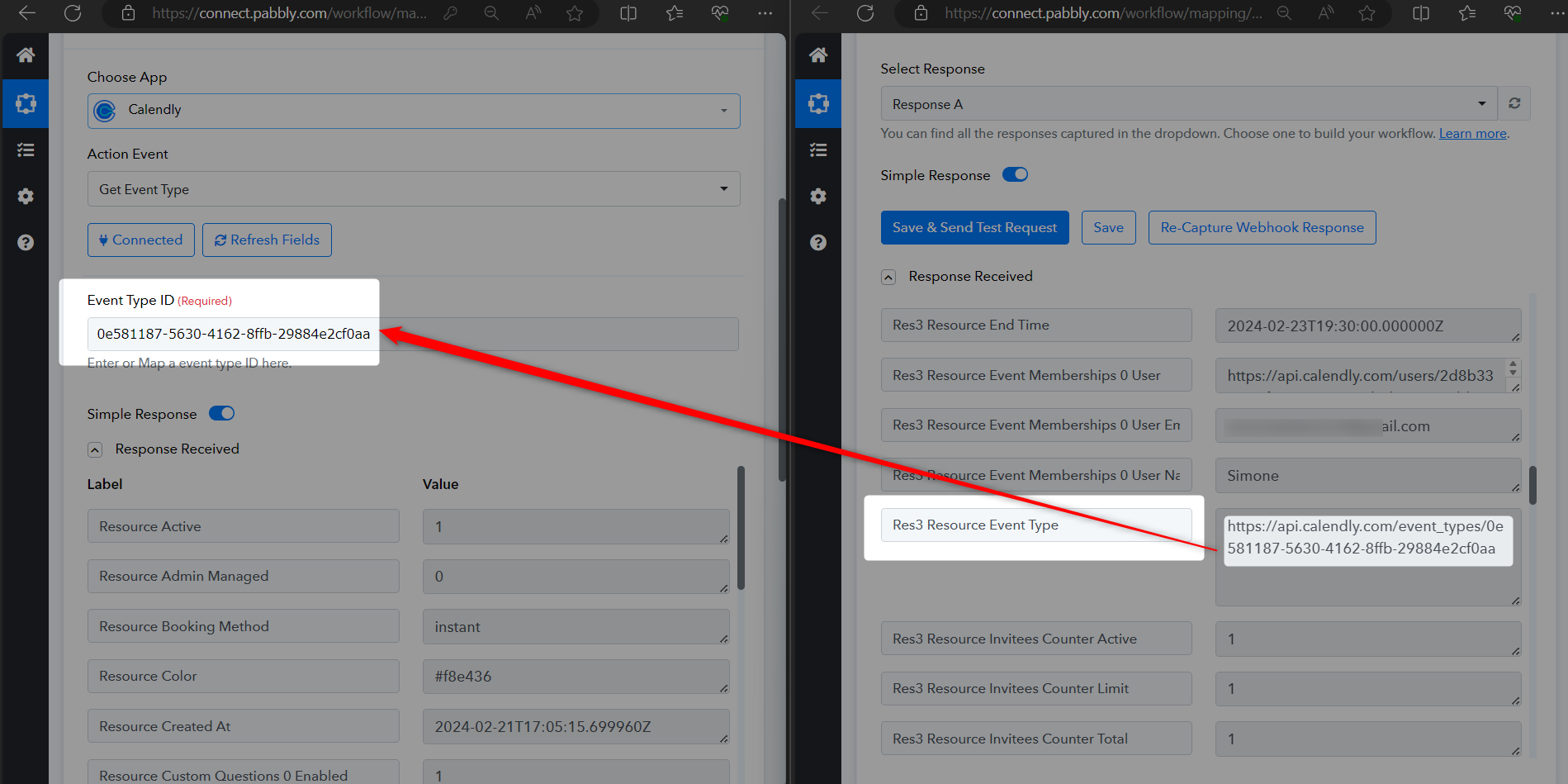
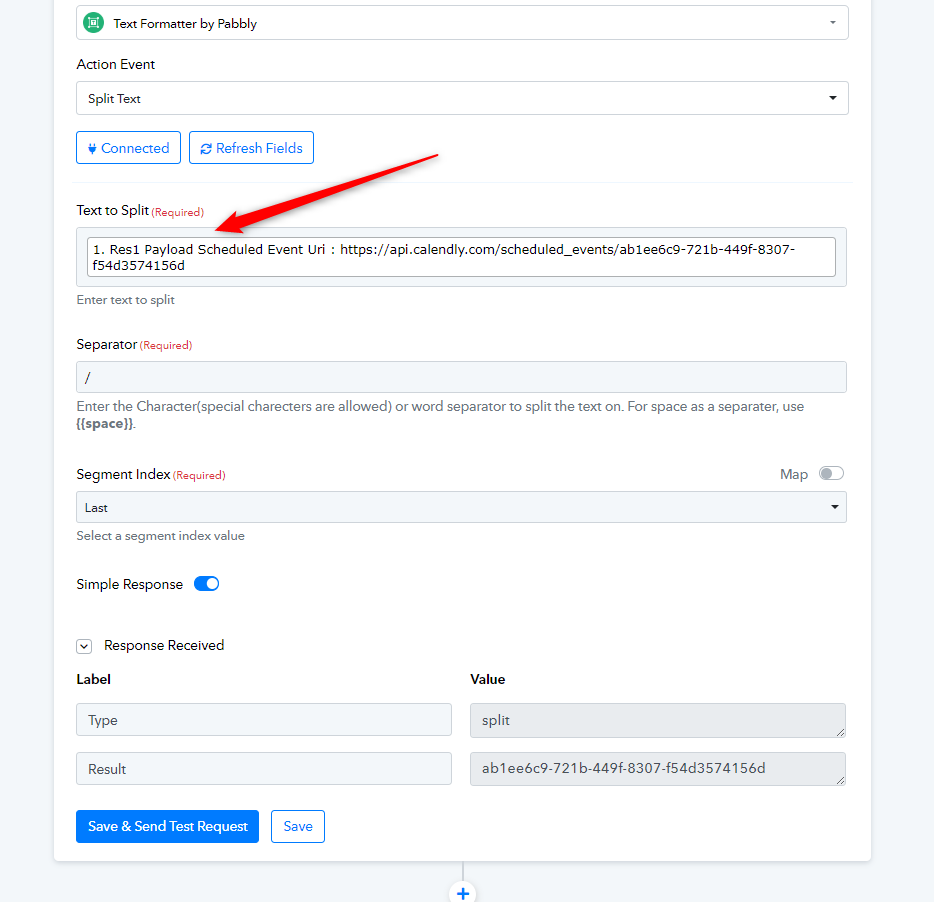
You can extract the Event ID from the event URL as mentioned in the following screenshot.
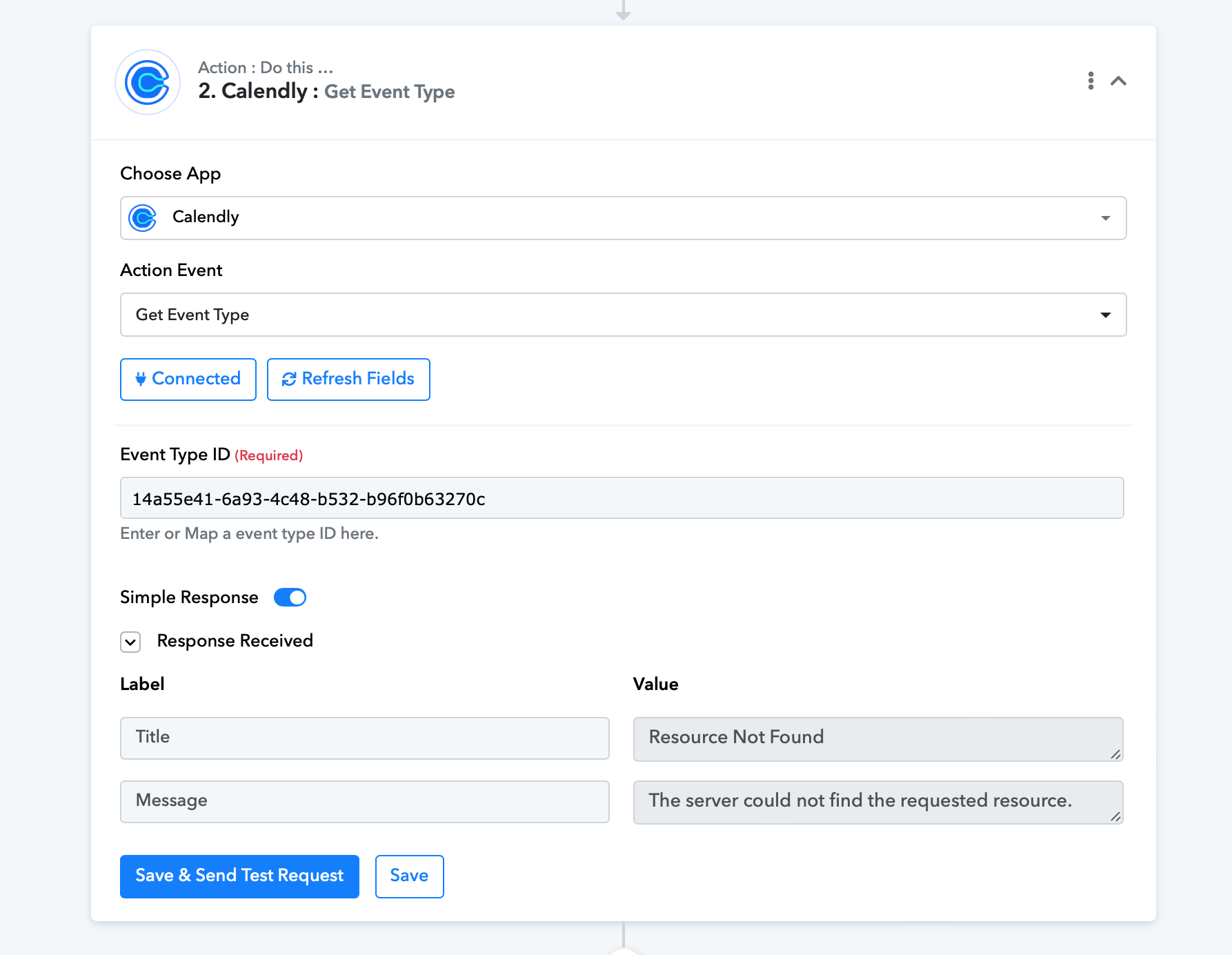
Still having problem it says server does not work
Attachments
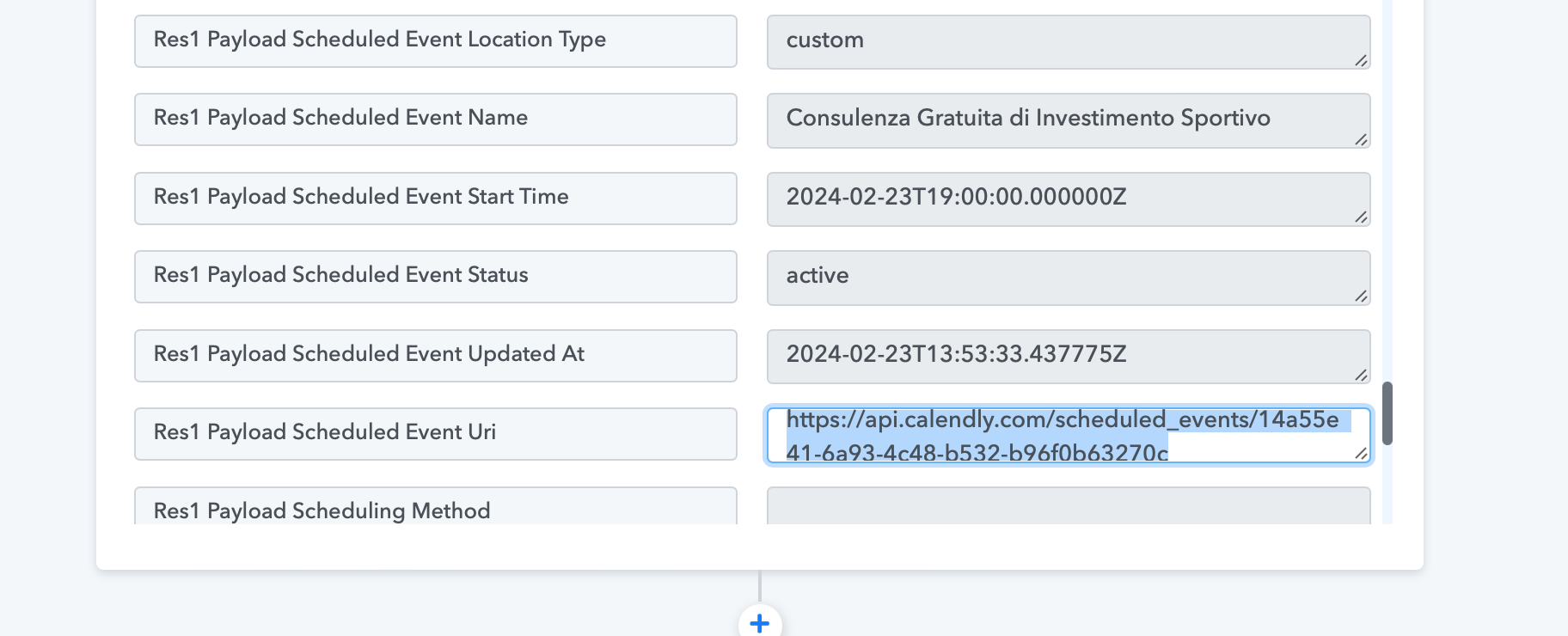
Could you please share the Workflow URL in which you have this concern?
My idea is to schedule an appointment through Pabbly with a Webhook
My idea is to schedule an appointment through Pabbly with a Webhook
Check the following screenshot from where you will get the event type ID -