Calendly to Notion Connection (for specific user)
Status: Closed · Asked by Jarrett Odorisi on · 0 views
Hi, I am trying to build a connection that sends calendly bookings, for a specific user's calendar, to a specific database in notion but keep receiving this error message when I try to access a test submission to map the fields . Not sure how to fix this. I am the owner of my calendly and notion.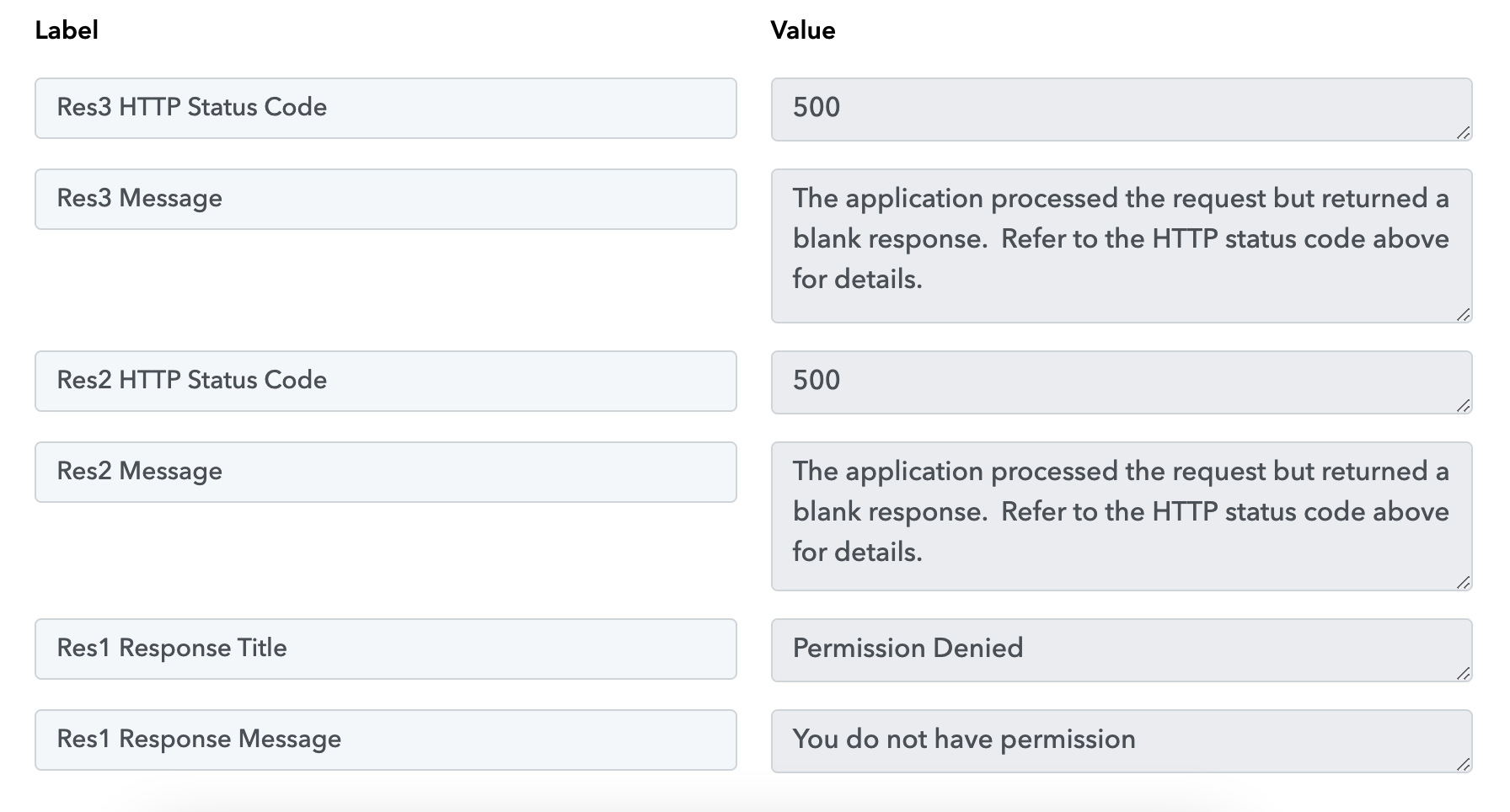
Hey @jett
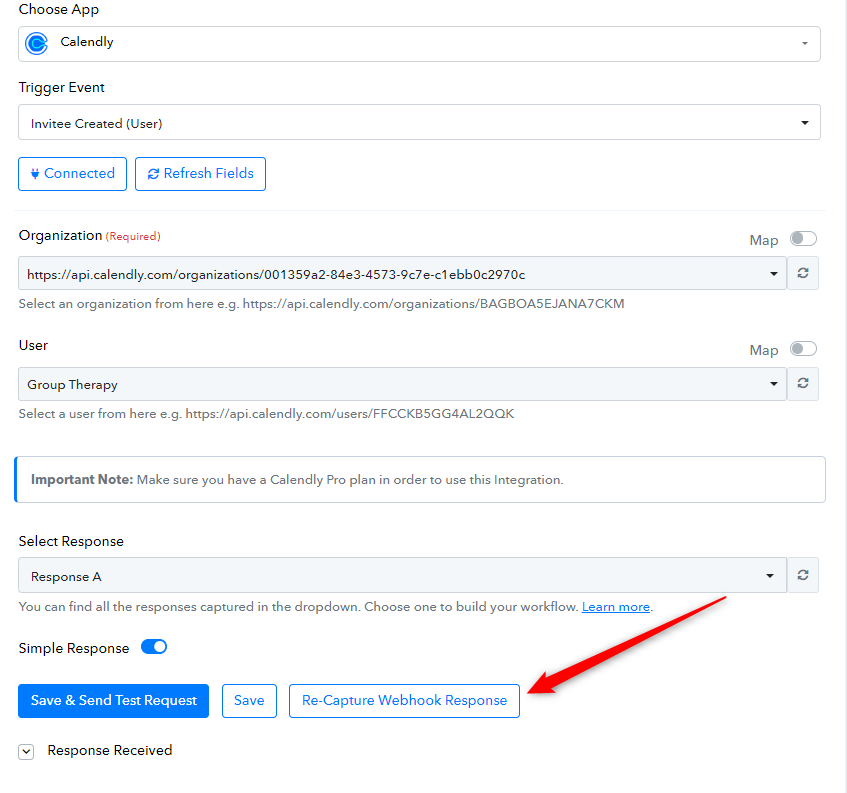
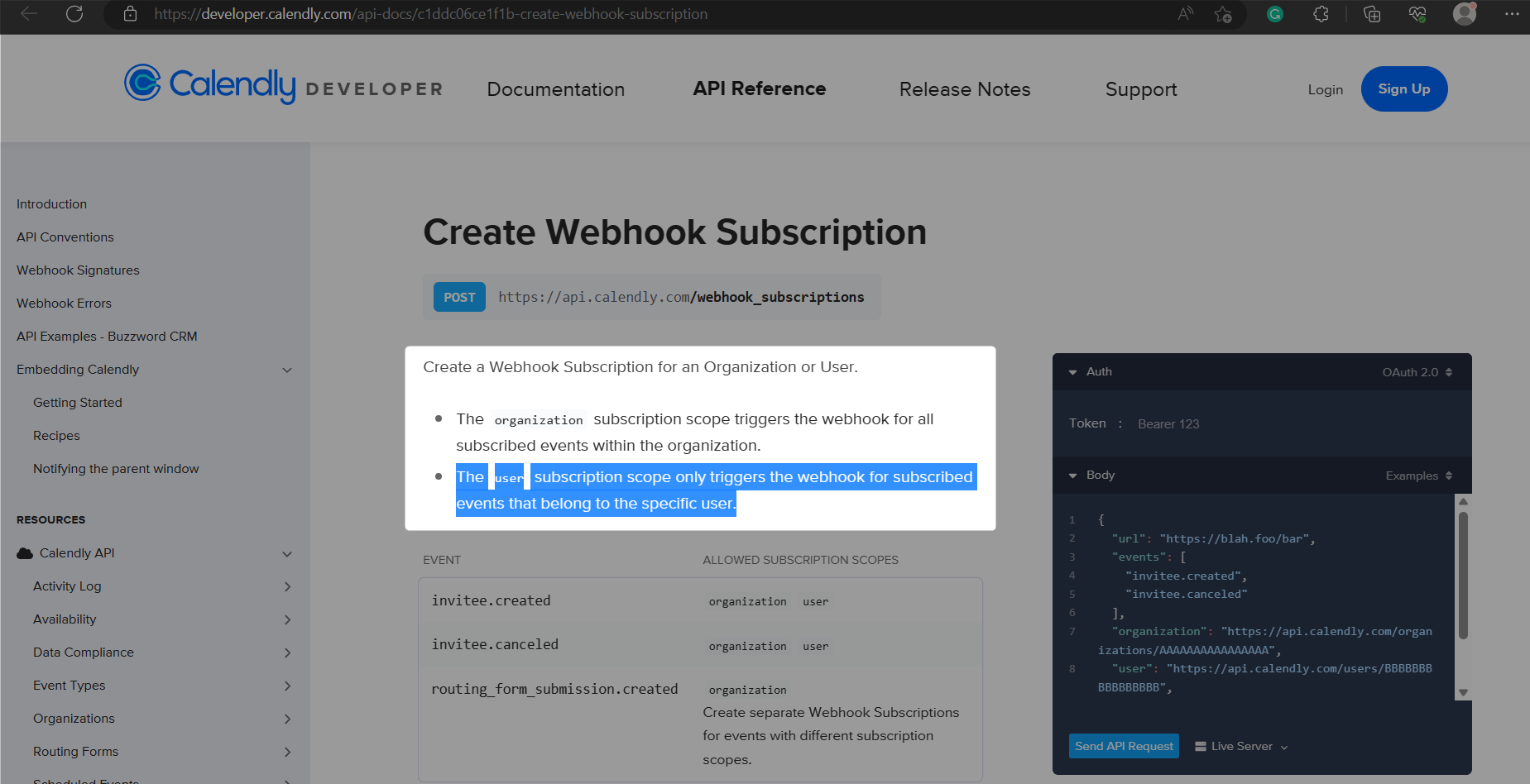
I've reviewed your workflow and identified that you have two workflows, both of which are creating an invitee in Calendly. The user "Joab Dick" is functioning properly, but when you select "Group Therapy" as a user, it encounters an issue, specifically a "Permission Denied" error. This implies that you are using the "Calendly: Invitee Created (User)" trigger event, which uses the user subscription scope, the webhook is only triggered for subscribed events that relate to the specific user.
Furthermore, if one of the users does not have the event in your Calendly then you should use the "Calendly: Invitee Created (Organization)" which will pick the details of the event in the response from the particular organization.
I am trying to have it so that any event booked on a specific user’s calendar goes to a specific database in notion.
Ex. 1: I want any event booked on Group Therapy’s calendly within the PushX organization to go to “calendar (group therapy)” database in notion.
Ex. 2: I want any event booked on Joan Dick’s calendly within PushX organization to go to “calendar (runway 728)” database in notion.
And no submissions show up to map the webhook fields to notion.
And no submissions show up to map the webhook fields to notion.
Could you please elaborate more on this concern so that I can check and help you?
Normally there is a dropdown named “Responses” that allows me to choose an example response in the trigger section of calendly. When that shows up I’m able to map the fields to the action section in notion. But it doesn’t show up when trying to connect specific user calendars to notion database.
Allow me to clarify that the response field will display a dropdown when you recapture the response.
Currently, you have manually captured the response only once, and in the workflow history, some responses are showing as captured automatically. If you wish to see the dropdown of responses, I kindly request you to click on the "Recapture" option and then try again.