Calendly to Pipedrive Integration (technical issues)
Status: Open · Asked by Emprendedores Alfa on · 0 views
Hi,
We're trying to create a very simple workflow, but it isn't working properly because we think there are some problems with Pabbly integrations, so we need help here to solve these problems and make the workflow work...
What we want to do is simple: when someone books an appointment in Calendly, if the person is already in Pipedrive and he/she has a Deal in the pipeline = find the Deal and move it to another stage. If there isn't a Person or Deal yet with this email = create a new Person and Deal and put it in a specific stage. That's it.
So the workflow we've created is:
- Trigger - Calendly: Invitee Created (User) --> We get from here: Name, Email and Phone
- Action - Filter by Pabbly --> Only trigger this workflow when a specific event is booked
- Action - Pipedrive: Find or Create a Person (using the email field)
- Action - Pipedrive: Find or Create a Deal (as a Name / Title of the Deal, we're using the email, to simplify the process)
- Action - Pipedrive: Update a Deal --> If the Deal is found, move to the proper stage of the pipeline
So, there are some problems here:
PROBLEM #1 - If I test all the steps separately, what we found is that all the steps works properly, the only thing that fails is the Step 3. What happens here is: if the Person already exists in Pipedrive, Pabbly duplicate the person in Pipedrive. Which is an error, right? So we believe that there is a technical issue here with Pabbly that is triggering the next errors...
PROBLEM #2 - If we test the complete workflow, and we create an event in Calendly using an email that already exist in a Person in Pipedrive --> It should find the Person and the Deal, and move to the new step in the Pipeline. Actually, what it does is duplicate the Person and not move the Deal.
PROBLEM #3 - On the other hand, if we test the complete workflow, creating an event in Calendly with a different email (an email that doesn't exist in Pipedrive) --> It should create a new Person with a new Deal in the correct Stage of the pipeline. Instead, what it actually does is creating a new Deal, but it doesn't link the Person ID to the Deal, so the Deal is empty.
As you can see, there are a lot of problems here. I don't know if we're doing it right or not, or maybe there is a technical issue with a command in Pabbly. In any case, could someone help us to get the workflow working please? It shouldn't be difficult, but it really is...
Thank you very much in advance.
Hi @Emprendedores Alfa,
Instead of using the 'Find or Create a Person' action step, I recommend adding 'Find Person' as the third step in your workflow. Afterward, add a Router into your workflow with two routes. Route 1 can be employed to update the deal using the 'Update Deal' action event if the person already exists in your Pipedrive account. Route 2 can be used to add a person through the 'Create a Person' action step and create a deal using the 'Create Deal' action step if the person does not already exist in your Pipedrive account.
Hi @ArshilAhmad, thanks for your feedback.
2 things:
1. What you are proposing to me is another option, but what we'd like to do with the command "Find or Create Person" should work, and it isn't working right now...
2. I've already tested your option, and it doesn't work too... It's seems that the command "Find Person" is failing too now! Whatever I write in the field "Term", Pabbly give me a 'success' (I attached to you a screenshot with a random phone and shared workflow).
Something isn't working well in Pabbly with Pipedrive. There is a technical issue.
Attachments
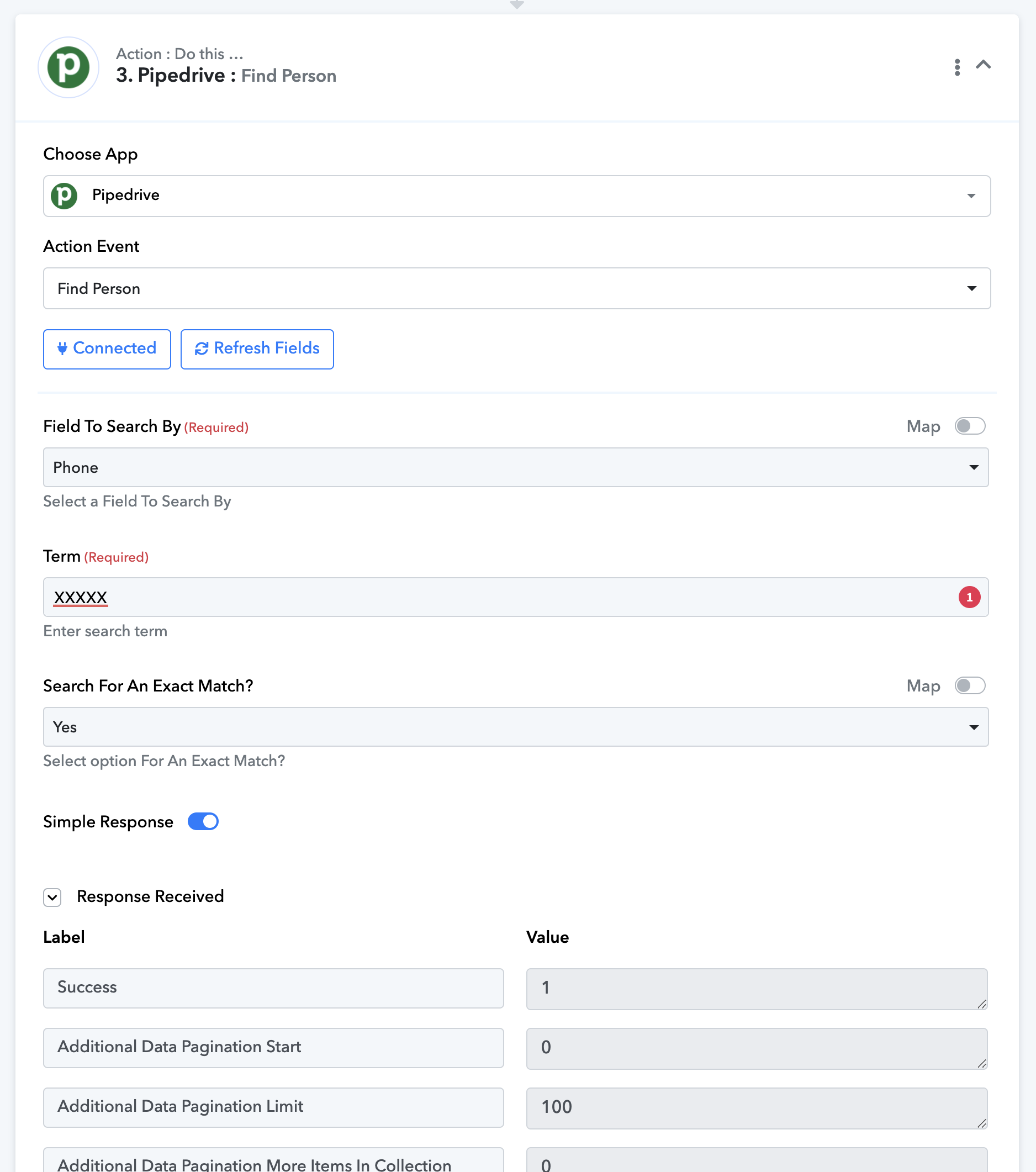
Please allow us some time to investigate the issue related to the 'Find or Create Person' action step, which is currently creating a new person instead of finding the existing person.
https://connect.pabbly.com/workflow/mapping/IjU3NjUwNTY5MDYzMDA0MzI1MjZjNTUzMjUxM2Ei_pc
In the meantime, I suggest checking out the changes made to the filter conditions in the router of this workflow.
Thank you very much for your help @ArshilAhmad.
Yes, right now it seems that the workflow is working properly. We need to do more tests, but for now it's okay. Thanks :)
Hi @ArshilAhmad,
We have been testing our configuration and it works perfectly in 2 scenarios, but fails in 1:
1-If the person does not exist, Pabbly perfectly creates the person and then creates the negotiation associated to this person.
2-If the person exists (and has a negotiation) Pabbly finds it, and updates the negotiation.
3-But if the person succeeds (and does not have a negotiation) Pabbly goes into error. Basically, this happens because there is no way to use the "Create or Update Deal" function. This would be the most practical of all. We tried, in fact, in several ways, but there is no solution. In any case, we wanted to ask you to give us some ideas on how to solve this. Surely with your experience you can see many possibilities than the one we already tried.
Thanks in advance for your help with this case!
In Route 1 of your workflow, you can add another Router with two routes. Route 1 (Deal Exists) can be used to simply update the person if the deal exists. Route 2 (Deal Doesn't Exist) can be used to create a new deal and then update the person.
Please check out this workflow for reference:
https://connect.pabbly.com/workflow/mapping/IjU3NjUwNTY4MDYzNjA0M2M1MjY1NTUzMjUxM2Ei_pc
Tested working - thank you for the help!