Calendly + Twilio meeting reminders
Status: Closed · Asked by Oleksandr Danylenko on · 0 views
Hi everyone,
Just stumbled upon a few awesome Twilio reminder videos on the official Pabbly YouTube channel, but for some reason my workflow is not being triggered automatically. The testing works just fine, and the SMS are coming through.
I have built this: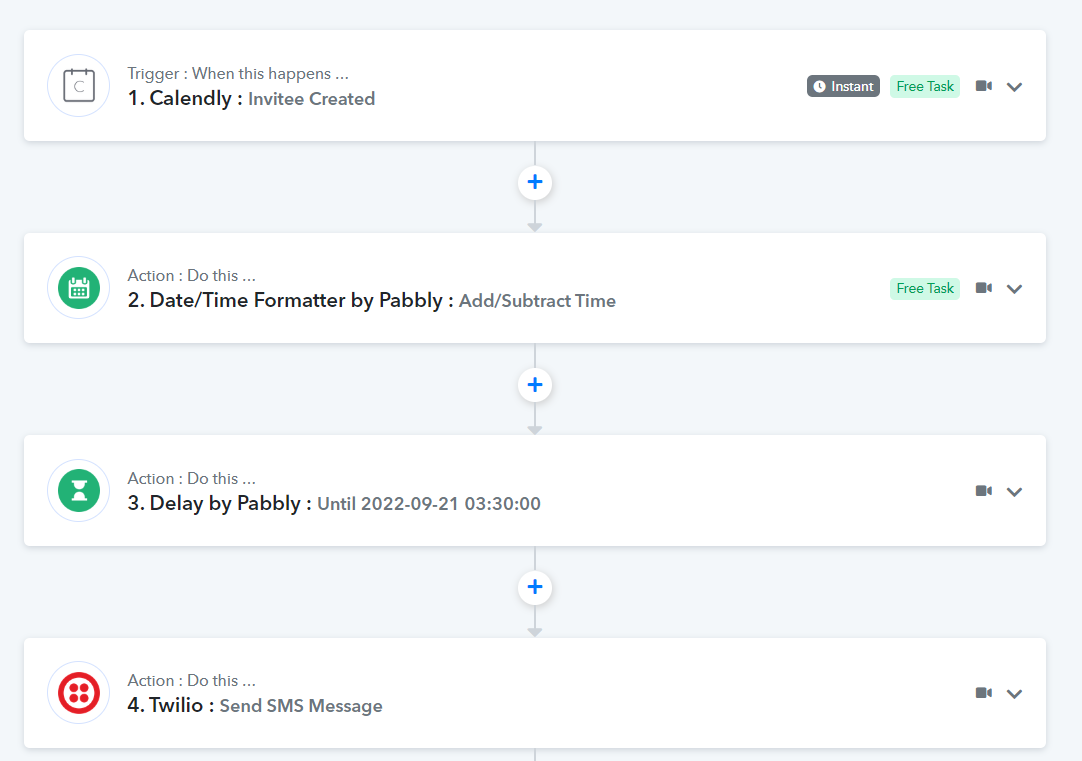
So all I want to do, is send a SMS 15 min before the actual meeting: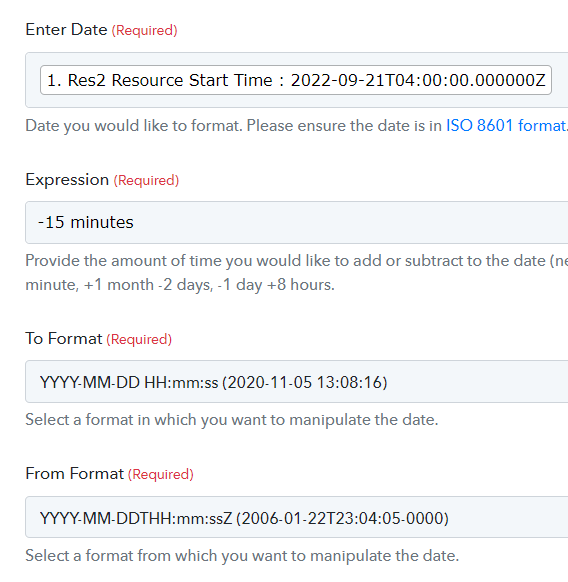
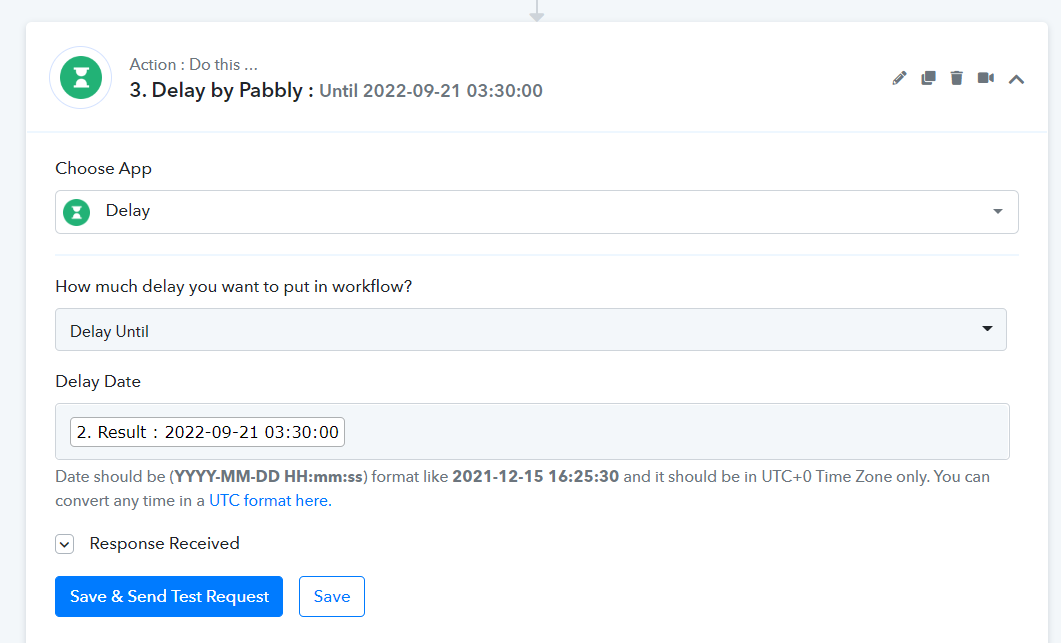
I believe something with the time zone is not right, but I don't understand where to change my input fields.
Kindly assist, thank you
Attachments
Hey @oleksandr
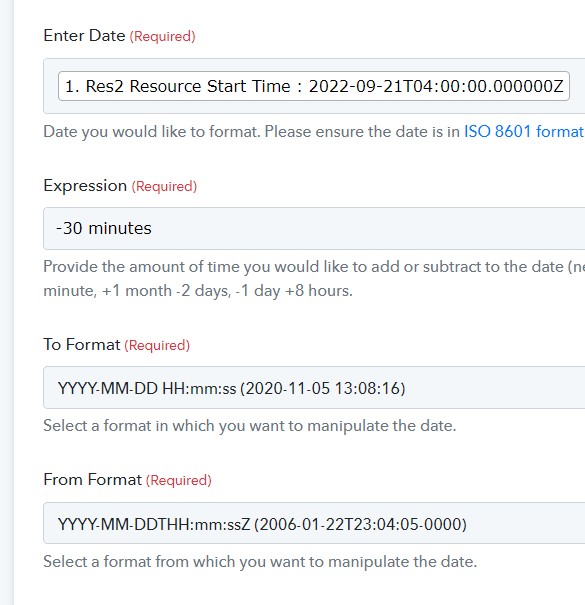
We have added delay until action in your workflow. Kindly check the action and let us know if you have any questions or comments.
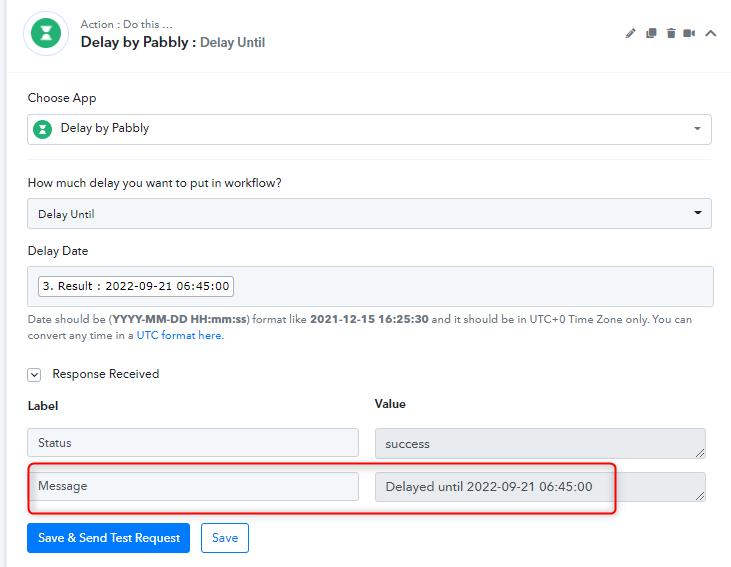
Thanks
Kunal
thank you, but it didn't work. I tried just now making an exact copy of this video
youtube.com/watch?v=IXfWKR0pJTA:137
but instead of google calendar, I just took Calendly as the trigger. Unfortunately I'm still not getting any messages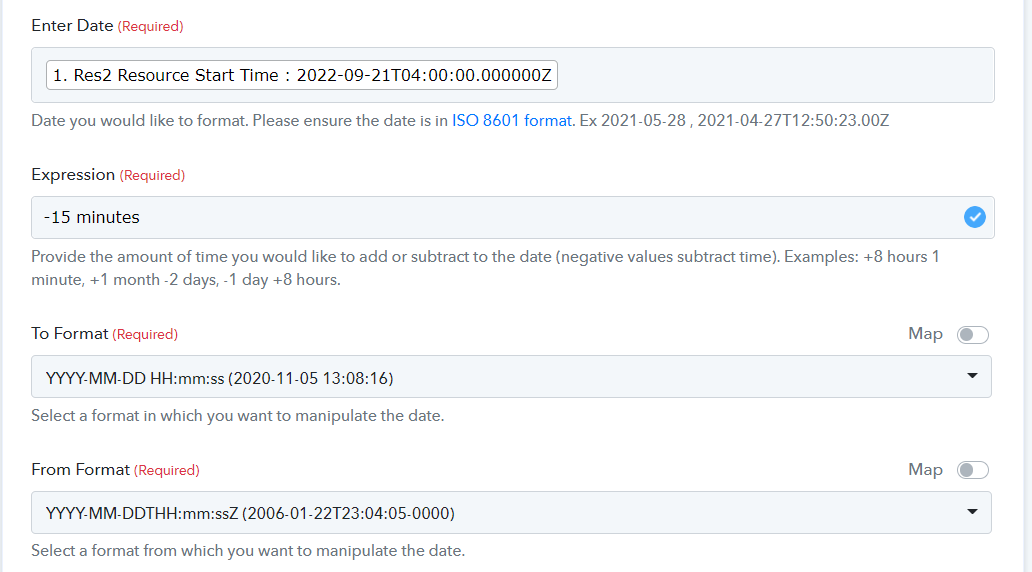
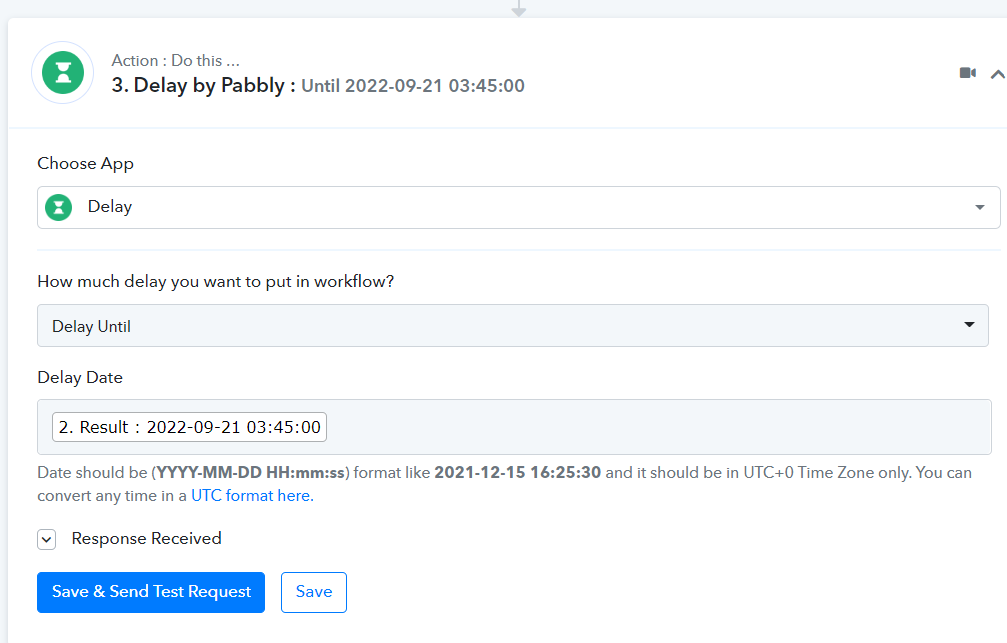
This is strange, because in the video there is no mention about the time zone, but in the delay date field is. It appears that I need to create a different time zone, convert it, but does it mean that I need to add the time zone difference hours to my delay? which I also tried, my time zone and UTC are 3 hours apart, so I also tried not 15 minutes, but 195 minutes, which unfortunately didn't work...
thank you, but it didn't work. I tried just now making an exact copy of this videoyoutube.com/watch?v=IXfWKR0pJTA:137
but instead of google calendar, I just took Calendly as the trigger. Unfortunately I'm still not getting any messages
This is strange, because in the video there is no mention about the time zone, but in the delay date field is. It appears that I need to create a different time zone, convert it, but does it mean that I need to add the time zone difference hours to my delay? which I also tried, my time zone and UTC are 3 hours apart, so I also tried not 15 minutes, but 195 minutes, which unfortunately didn't work...
We have made changes in your workflow now the SMS will be sent to your number as per your timezone. We have added another action step and converted the time from America/Argentina/Buenos_Aires to UTC. Kindly check and let us know.
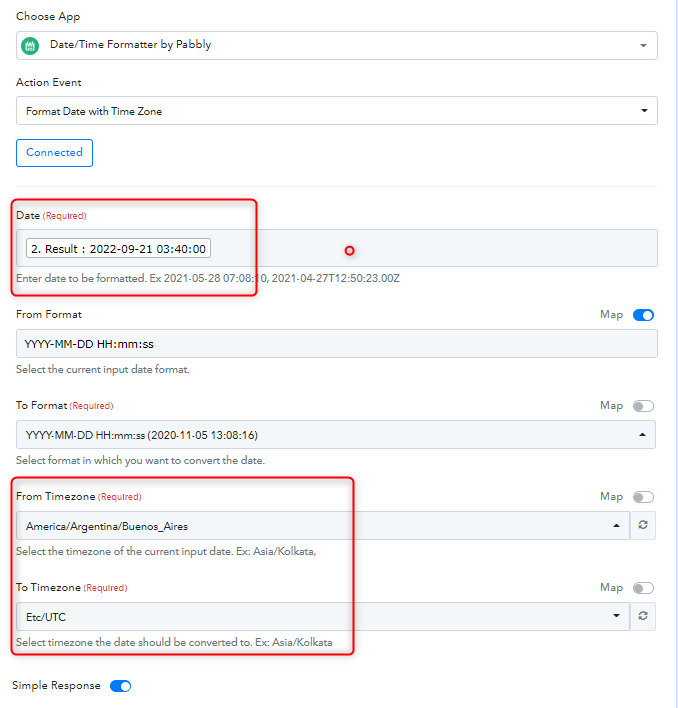
Thank you team, but its still not working, and just to confirm, that I have a paid Twilio account and upon sending the test request, it works!
I tried with -15 minutes, -1 hour, -30 minutes, and its not triggering. I'm concerned about this explanation:
"Provide the amount of time you would like to add or subtract to the date (negative values subtract time). Examples: +8 hours 1 minute, +1 month -2 days, -1 day +8 hours."
+8 hours 1 minute
+1 month -2 days
-1 day +8 hours
= why does the explanation contain 2 pieces (positive and negative)? Do I need to add something like +1 day -15 minutes?
I don't understand the logic...
@ forum: Does anyone have a functioning delay function?
I just tried a different automation: Send a twilio SMS once a calendly event was booked - I can confirm that its working(y)
So, with this case, the issue with this topic is the delay/time zones.
Please be so kind to assist.
Hey @oleksandr
We will discuss this issue with the technical team and will keep you updated on the status of this conversation.
Hi everyone,
After multiple attempts on trying to make the Twilio 15 min reminder work, I finally found a solution!!? The issue was the time zone, below I'm sharing what worked for me.
time zone from: Buenos Aires (my time zone)
time zone to: UTC (MUST BE ALWAYS UTC)
expression: -3 hours -15 minutes (3 hours is MY difference to UTC and 15 minutes is the delay for my reminder)
Here are some additional screenshots for visual reference:
Step one: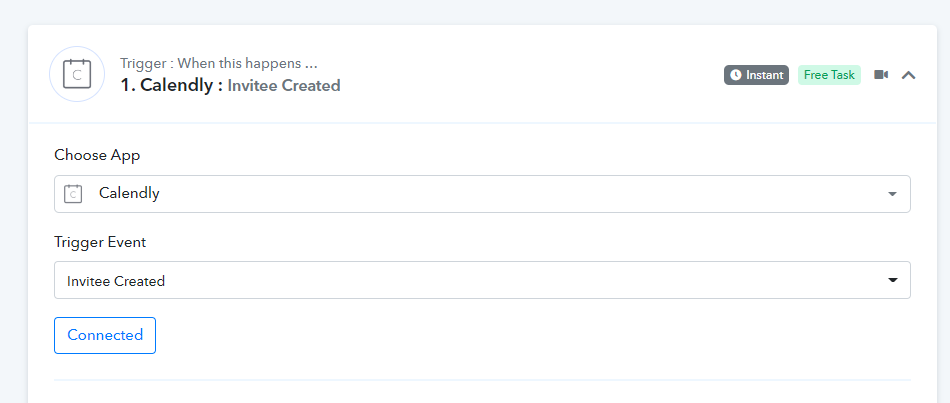
Step two: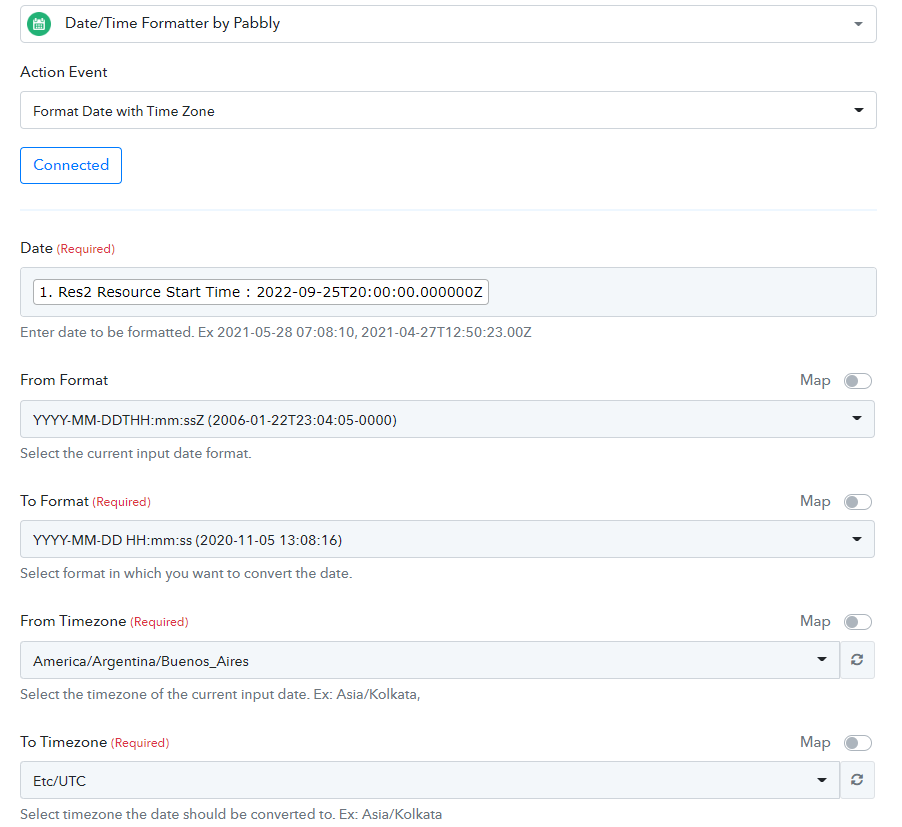
Step three: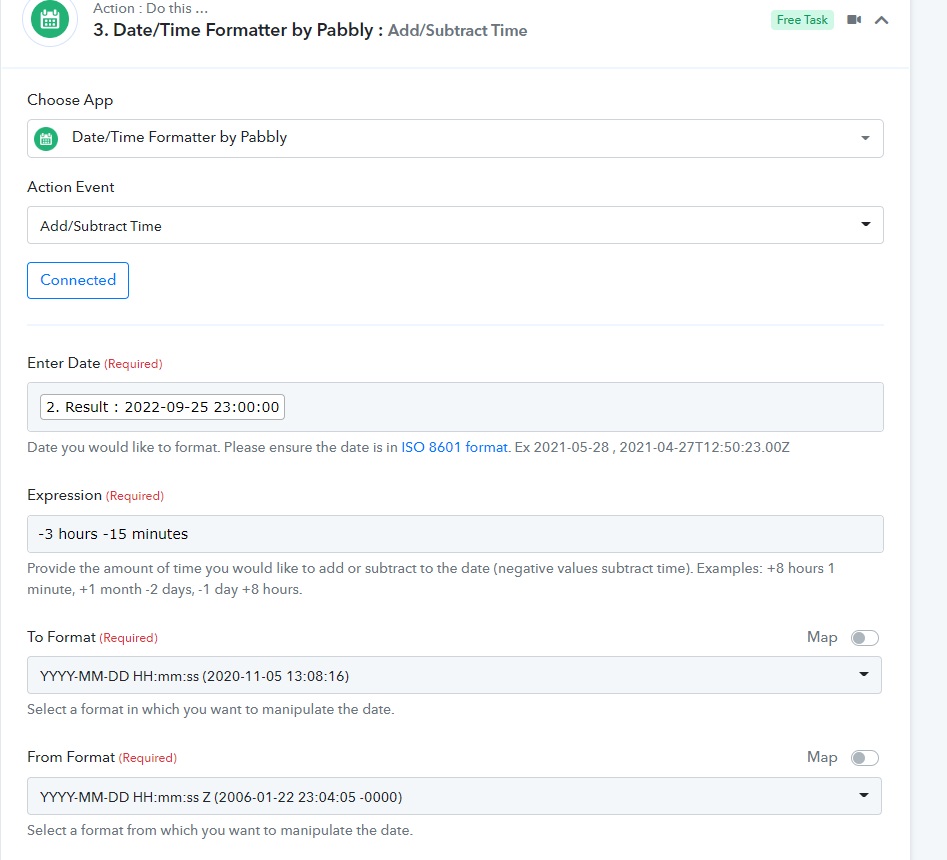
Step four: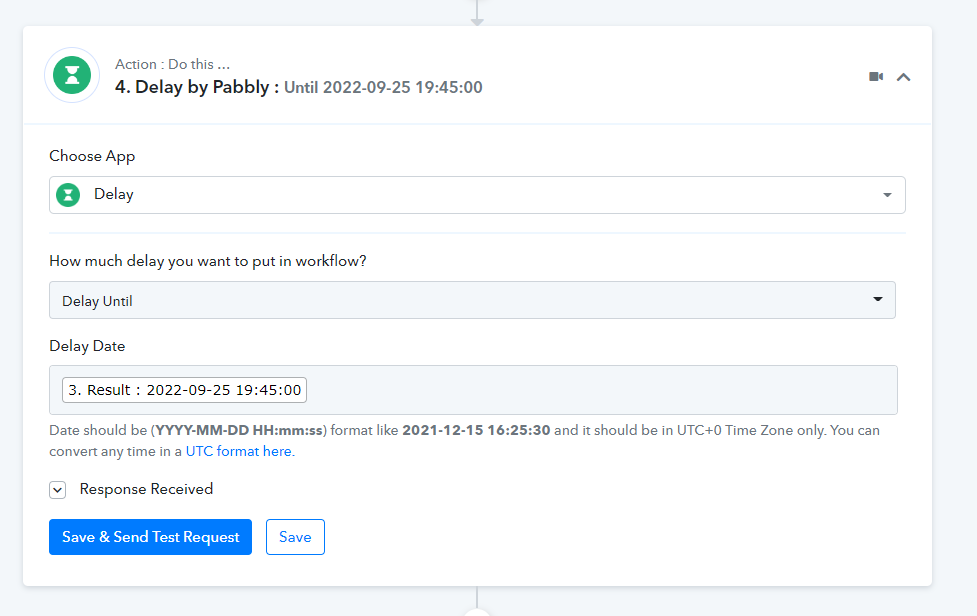
Final step: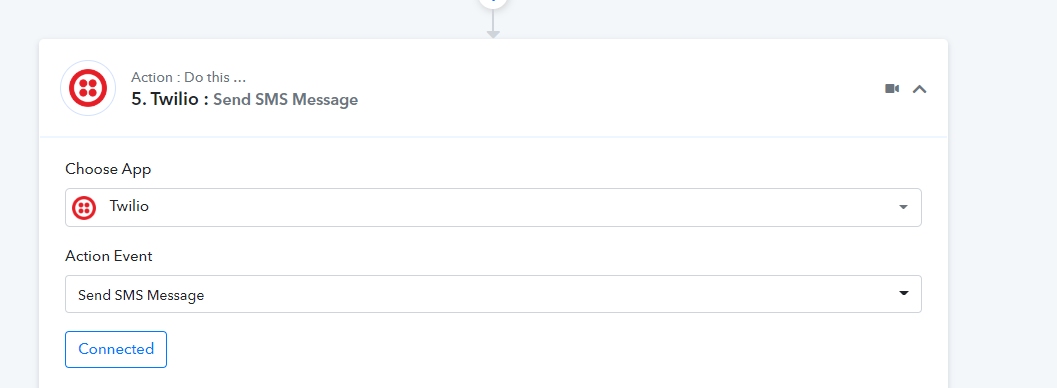
Pabbly is great!! ? Keep up the great work, team. ?
Thanks for confirmation :)