Can I use Pabbly Connect with OpenAI API (Whisper) to transcribe audio files to text?
Status: Closed · Asked by Stephen Gordon on · 0 views
Hi All,
I've set up a workflow that asks the OpenAI API to transcribe a .mp3 file from a dropbox folder into a text file.
I've followed the OpenAI documentation but despite passing the location of the file on Dropbox I'm getting the following error message.
1 validation error for Request body -> file field required (type=value_error.missing)
Can I use Pabbly Connect with OpenAI API (Whisper) to transcribe audio files to text?
Cheers
Stephen
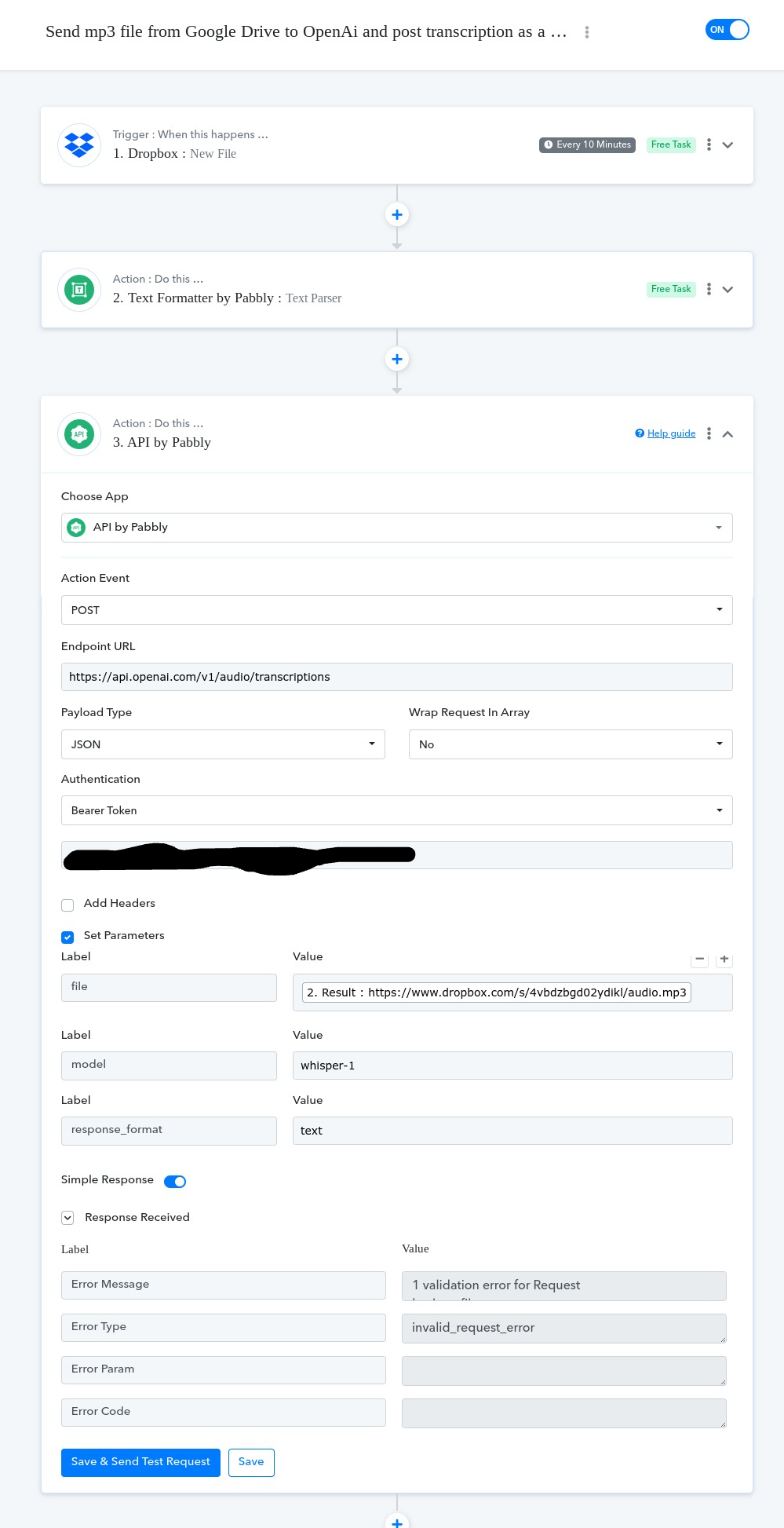
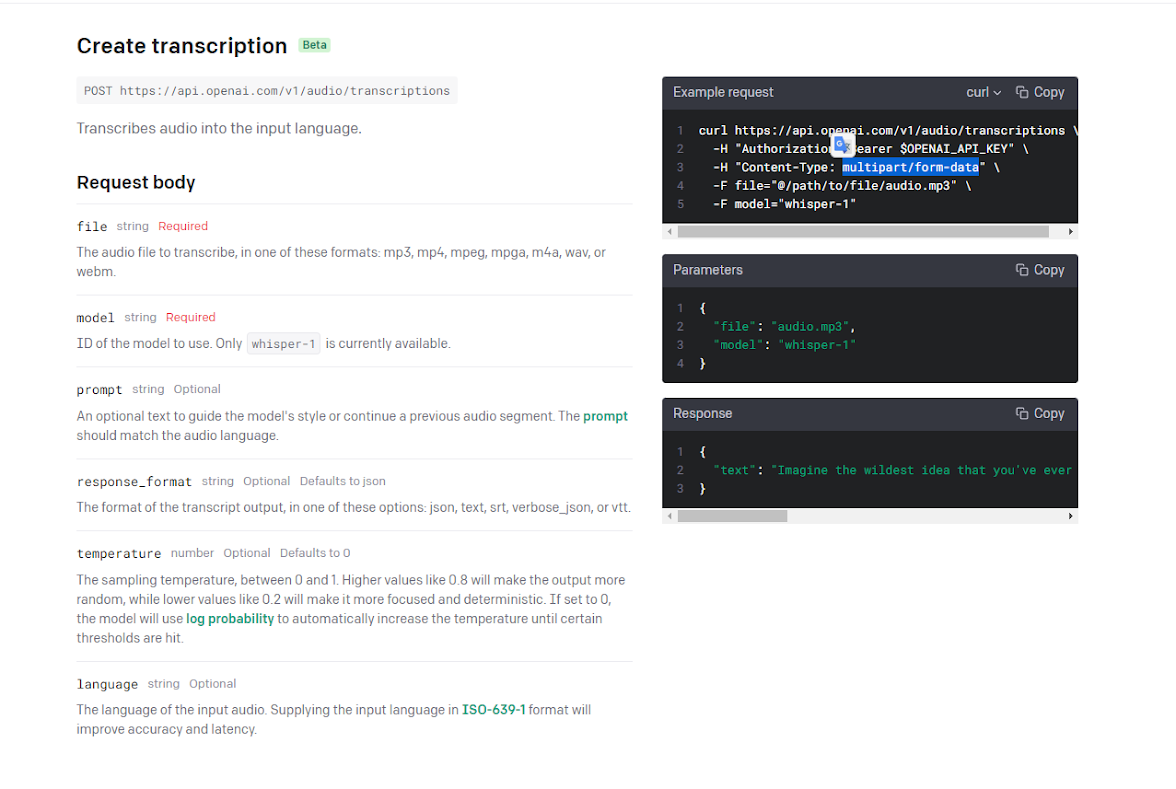
I am afraid to say that, we don't support multipart/form-data on the platform. As we can the API refers to this content type.
Hi,
I am looking for a method of converting speech to text for transcription. The input would be a voice file such as mp3 or wav. Output should be text.
Can you help with this ?
Hey @orthomax
Unfortunately, I must inform you that our platform does not currently provide support for multipart/form-data. This content type is referenced by the API, but regrettably, it is not supported at this time.
Hello @Supreme
any update on this?
Multipartt or even a dirket whsiper integration into Pabbly?
THX and best wishes
Niels
any update on this?
Multipartt or even a dirket whsiper integration into Pabbly?
Please create a submission on HelloNext at https://pabbly.featureos.app/ and upvote it. This will prompt our technical team to develop the integration you need.
Be sure to specify any feature updates required in HelloNext so that our team can implement the requirement.
Hi @Supreme,
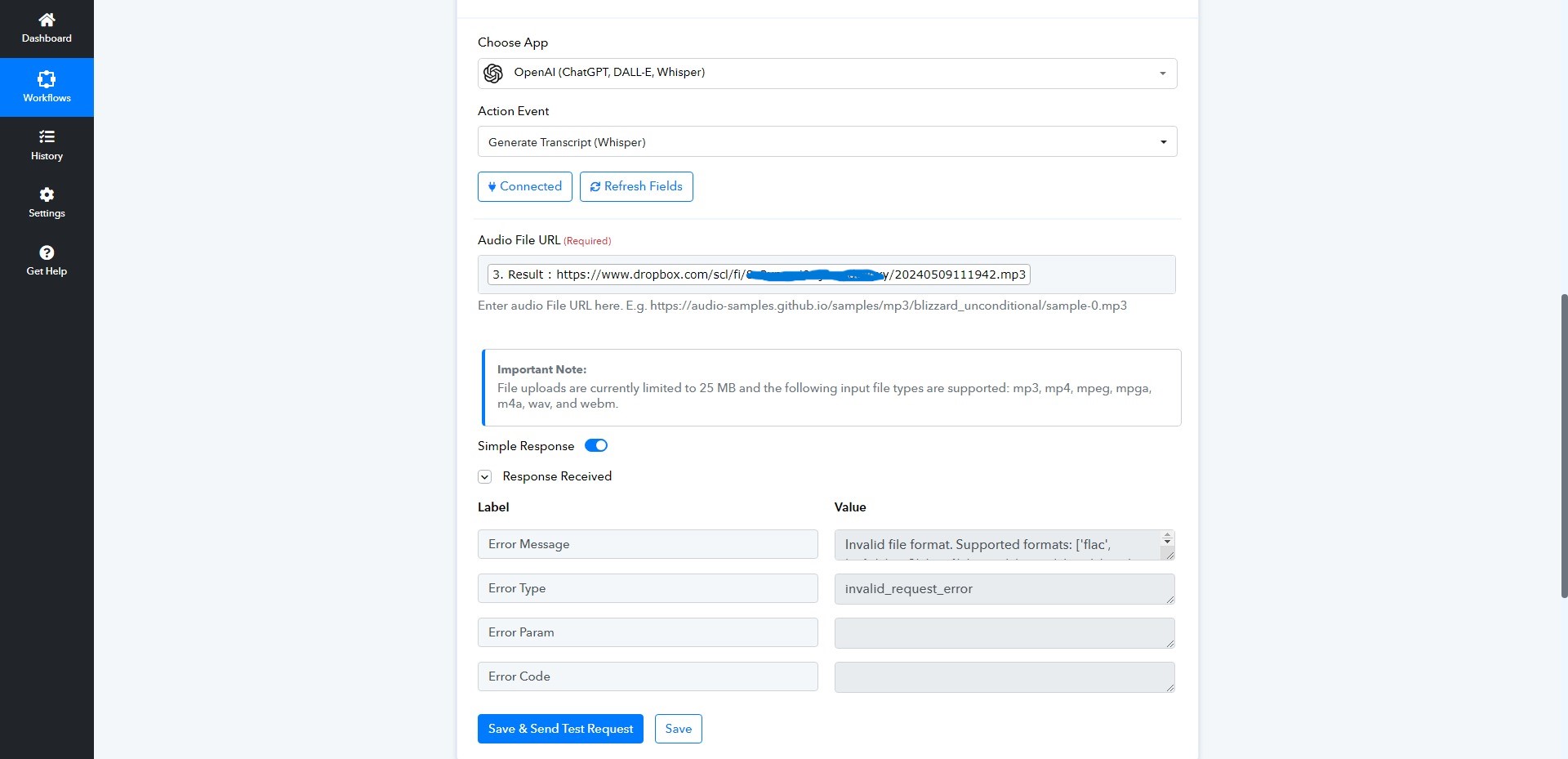
Thank you and the team for updating the OpenAI integration with a 'Generate Transcript (Whisper)' action.
I tried to use the updated action but I keep getting a 'Invalid File Format' error message (see image below). It's a 255kb mp3 file stored and shared on Dropbox. I've got plenty of credit on my OpenAI account and I've tried existing and new API connections.
Do I need to set it up differently?
Cheers
Stephen
Attachments
Hey @Stephen Gordon
Please share the workflow URL where you have attempted the same, and confirm if the file size is under 25 MB.
@Supreme
Here's the shared link to the Workflow URL and yes the file is under 25 MB.
Since the file URL you are passing doesn't have direct access to files on Dropbox due to access restrictions.
While it is not possible to convert the provided URL into a playable MP3 URL, here are some options you can try first to convert the audio file to a direct MP3 file.
You can use the Cretomate application to render the ".mp3" file.
In the tutorial video, we demonstrated using a .mp4 file, but you can apply the same method to .mp3 files as well.