Can not update monday.com items multiple columns
Status: Closed · Asked by kuldeep on · 0 views
Hi
we are connecting shopify with monday.com
Our requirement is to do following things
1. when a order payment received /refunded in shopify
2. check if the customer exist in monday.com (any group , not in specific group )
3. if it doesn't exist then check if customer has any of tag : trade,desing,designer etc . if no then ignore and exit
4. if tag exist then create new customer .
5. if customer already exist then update multiple columns for this customer (last order no, last order amount, total orders, total amount spent )
I did not fin anything related to that . can you guide how we can achieve this .
Many Thanks
Hey @kuldeep
1. when a order payment received /refunded in shopify
You will need to create 2 separate workflows, one with "Shopify: Order Payment" and another one with " Shopify: New Refund".
2. check if the customer exist in monday.com (any group , not in specific group )
You can use the "Monday.com: Search Items by Column Value" action step to check for the desired details.
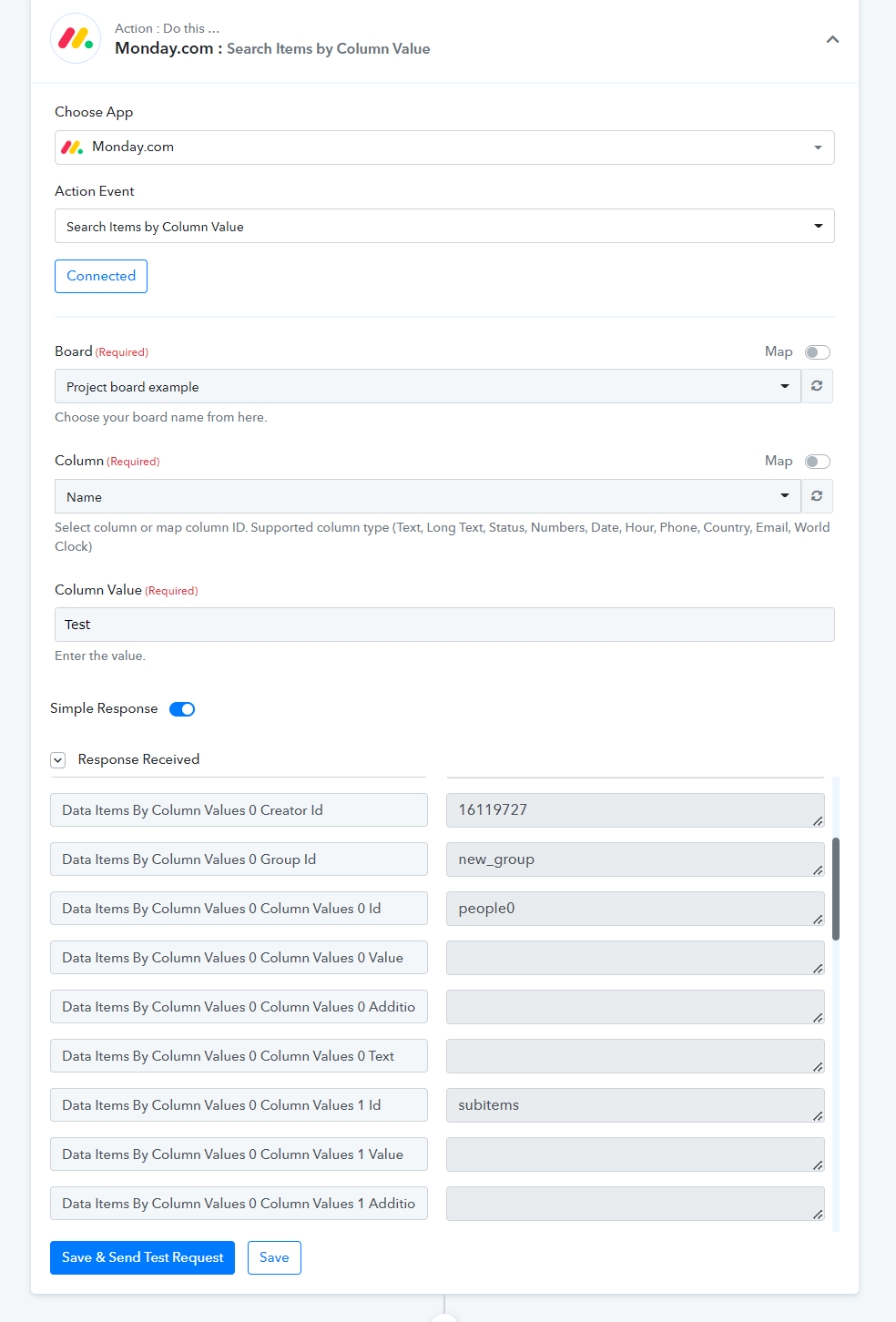
3. if it doesn't exist then check if customer has any of tag : trade,desing,designer etc . if no then ignore and exit
You can capture the data in advance response by toggling the "Simple Response" in the action step and then passing the JSON in the Filter action step to check for the condition.
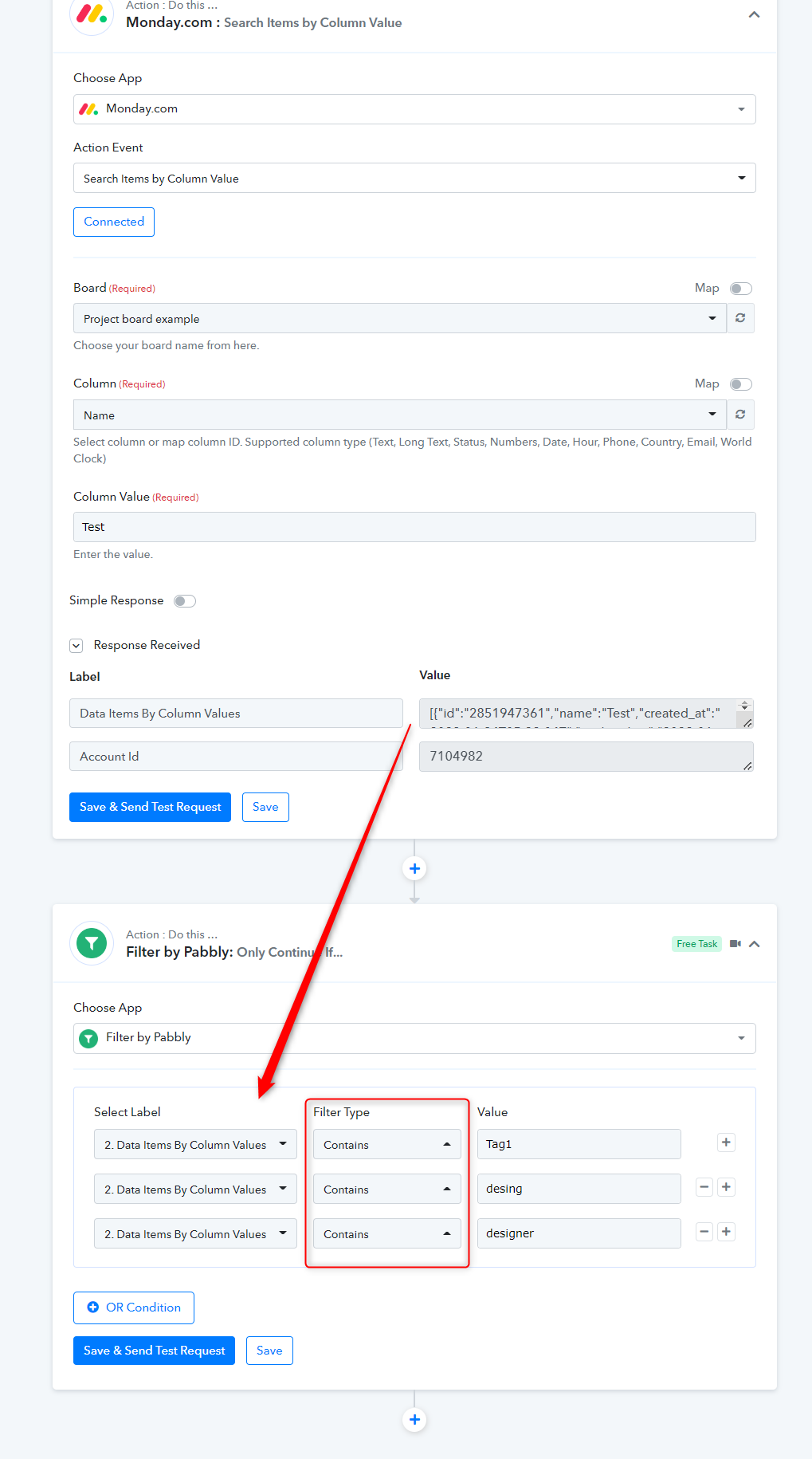
4. if tag exist then create new customer .5. if customer already exist then update multiple columns for this customer (last order no, last order amount, total orders, total amount spent )
Then you can add the Router actions step to add the condition when you wanted to add the customer or Update the customer.
You can refer to the following video tutorial for your better understanding.
youtube.com/watch?v=6XDASZVv3tw
Kindly try this at your end and let us know if you get stuck at your any step.
Thank you so much for the prompt reply .
I will follow this and will let you know !
Hi Team
We are understanding pabbly . can you please help us to complete a task in pabbly .
we followed your above message but stuck on last point
Let me explain what we are trying
1. We need to update the column values of existing customers in monday.com when payment process/ refund in shopify
2. I think we will need 2 workflow . so let's go ahead with payment process .
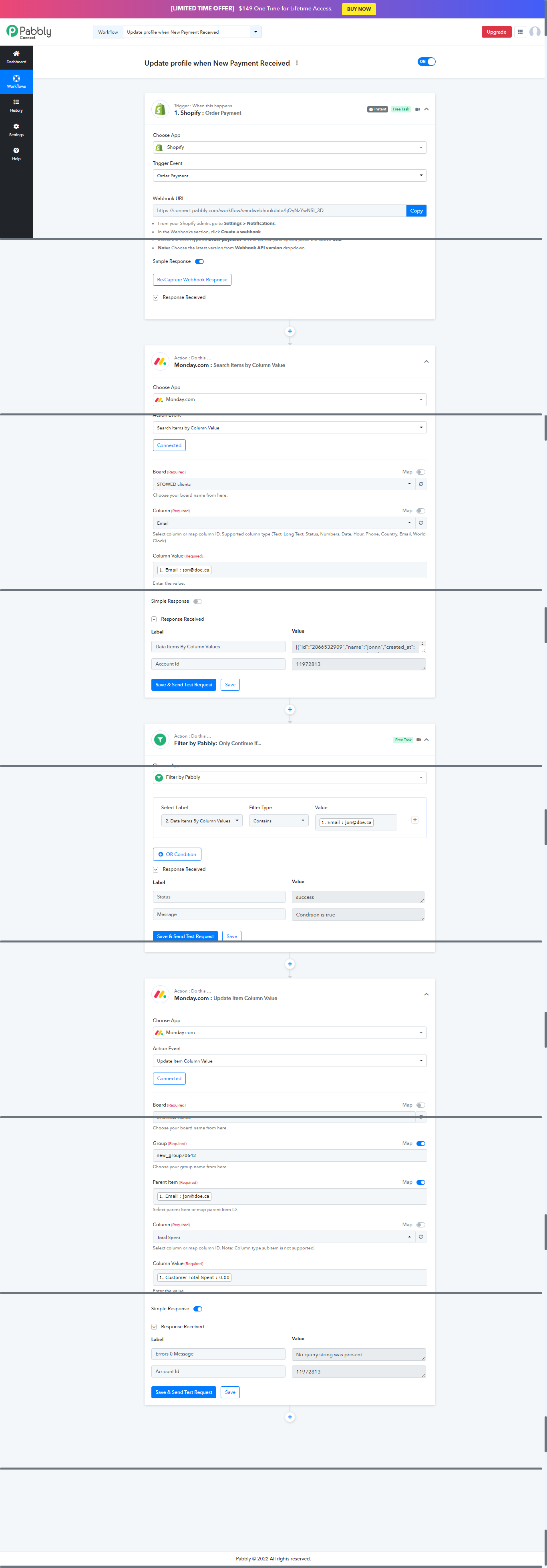
3. workflow we are working on is " Update profile when New Payment Received "
4.
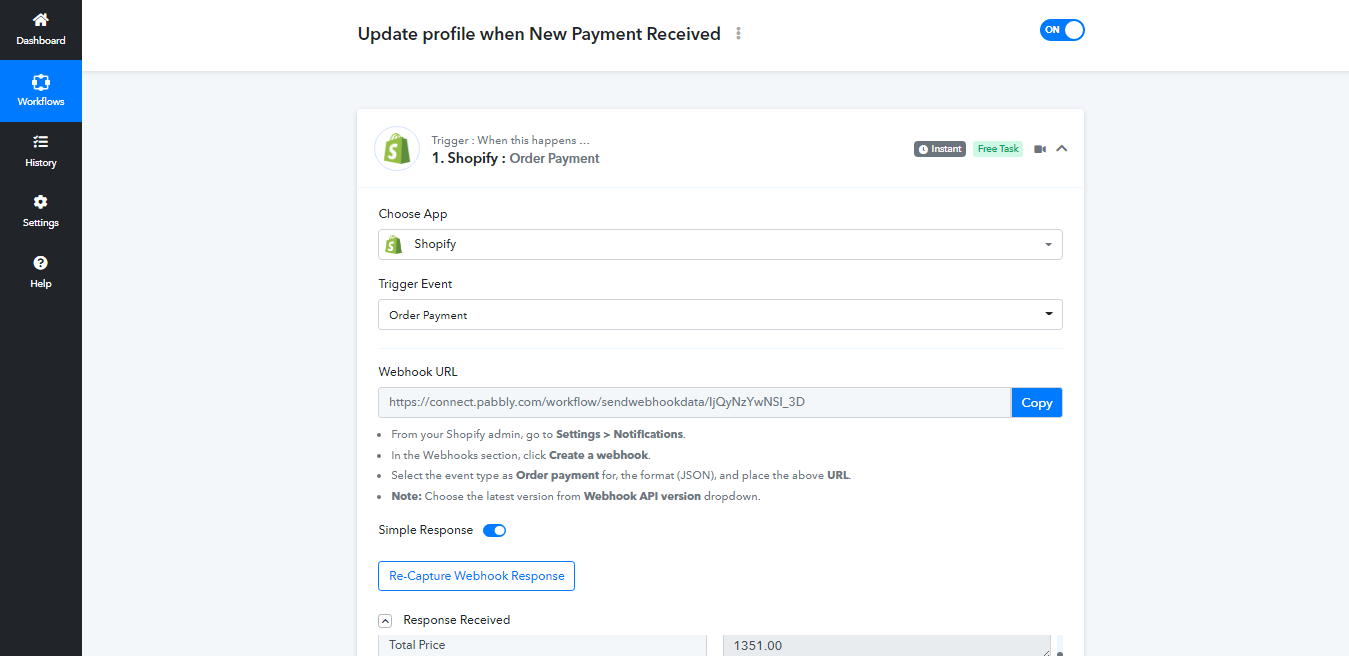
Step 1: Trigger when payment process on shopify
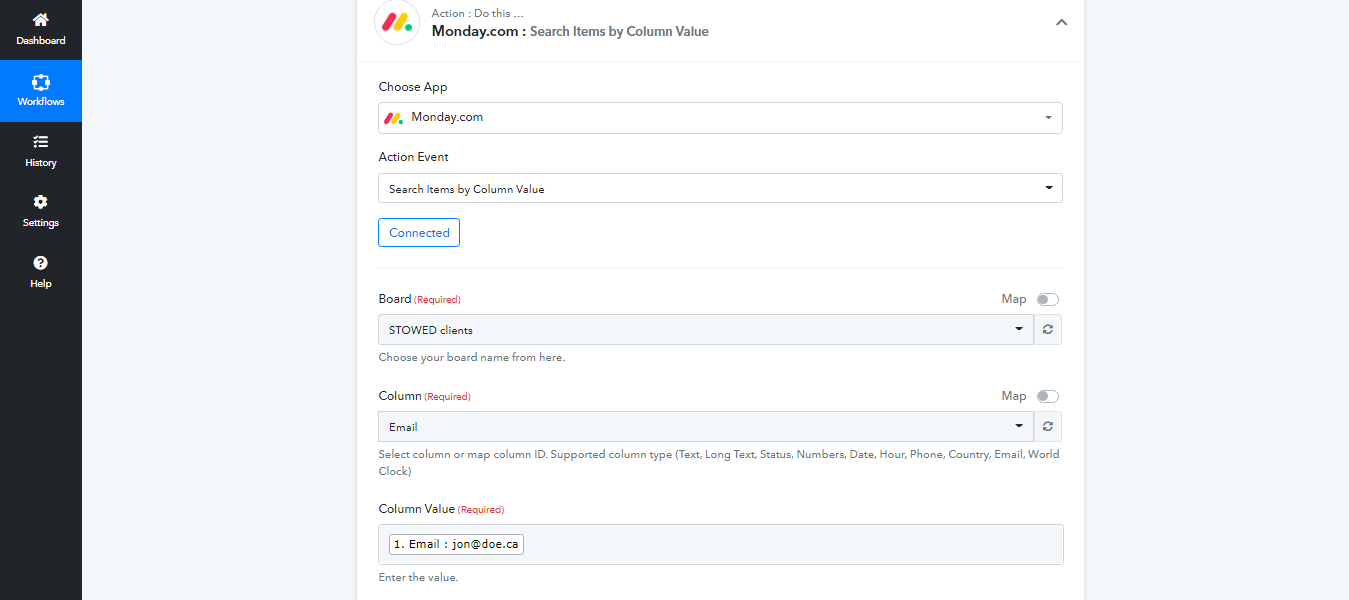
Step 2: Search item in monday by column value
Step 3: Filter in Pabbly by column value (email ) . successfully matched
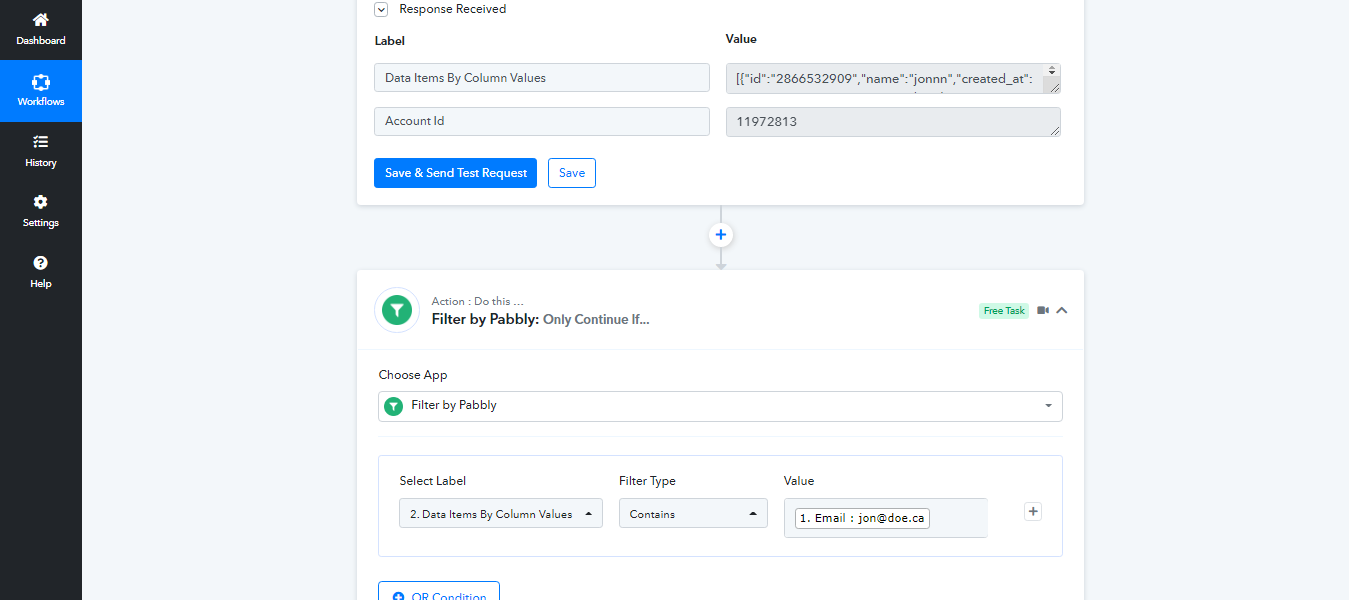
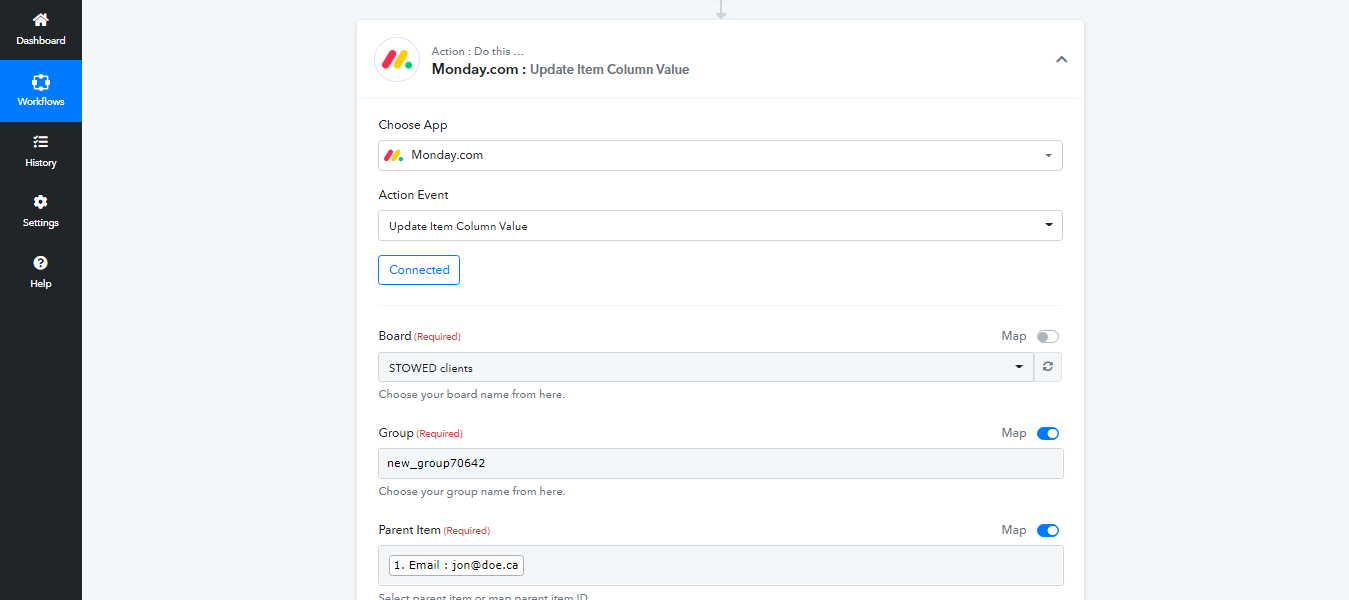
Step 4: Now we are unable to find solution to update column values of existing item in monday.com . we need to update following columns
Total spend , Last order id, Last order amount
Can you please help on this . we did not find a way to update multiple columns of an item . we got upate column value of item but it asks for group and parent item .
Our items can be in any group . it should just ask for board name only .
Many Thanks
Hey @kuldeep
As we can see in your "Update profile when New Payment Received " workflow and it seems like you have already configured the action steps to update the column values in your Monday.com
Kindly try the complete execution and let us know if you get stuck at any step.
Hi
Thank you for your response . Yes i have figure it out .
I will let you know if in case we need your help .
all set for now .
Thank you