Can you force a scheduled workflow to run?
Status: Open · Asked by pmarshalla on · 0 views
Your Workflow URL: https://connect.pabbly.com/workflow/share/C0MDMVMECGtTGQBqA1ANKltPUlYEXQBjXUQGFFFeUytWGwRvA0IIYgBMBSdeDQdmA0oBaw5RBmMAFFJWVAIAcwMZCTVUV1YsB0pWLQZlDT4LVQMrUzI#
Task History ID: IjU3NjEwNTZkMDYzMDA0MzM1MjY5NTUzNTUxM2I1MTY3NTQzNSI_3D_pc
I have a scheduled workflow set for every 12 hrs, I'm still trying to figure out when that is set for. I changed my time zone as well. How can I force a workflow to run entirely? If I make one update early on in the workflow, I can't save and run the whole workflow again, I have to individually save and test each step (which takes forever as the page keeps timing out even through I only have 12 tasks). Does the re-execute function in task history execute the updated workflow or the old one?
Can we add a run workflow option?
I have a scheduled workflow set for every 12 hrs, I'm still trying to figure out when that is set for.
Based on your Task History, I can see that the workflow is executed at an interval of 12 hours. The first execution was at 10:40:13, and subsequent executions occur at 12-hour intervals.
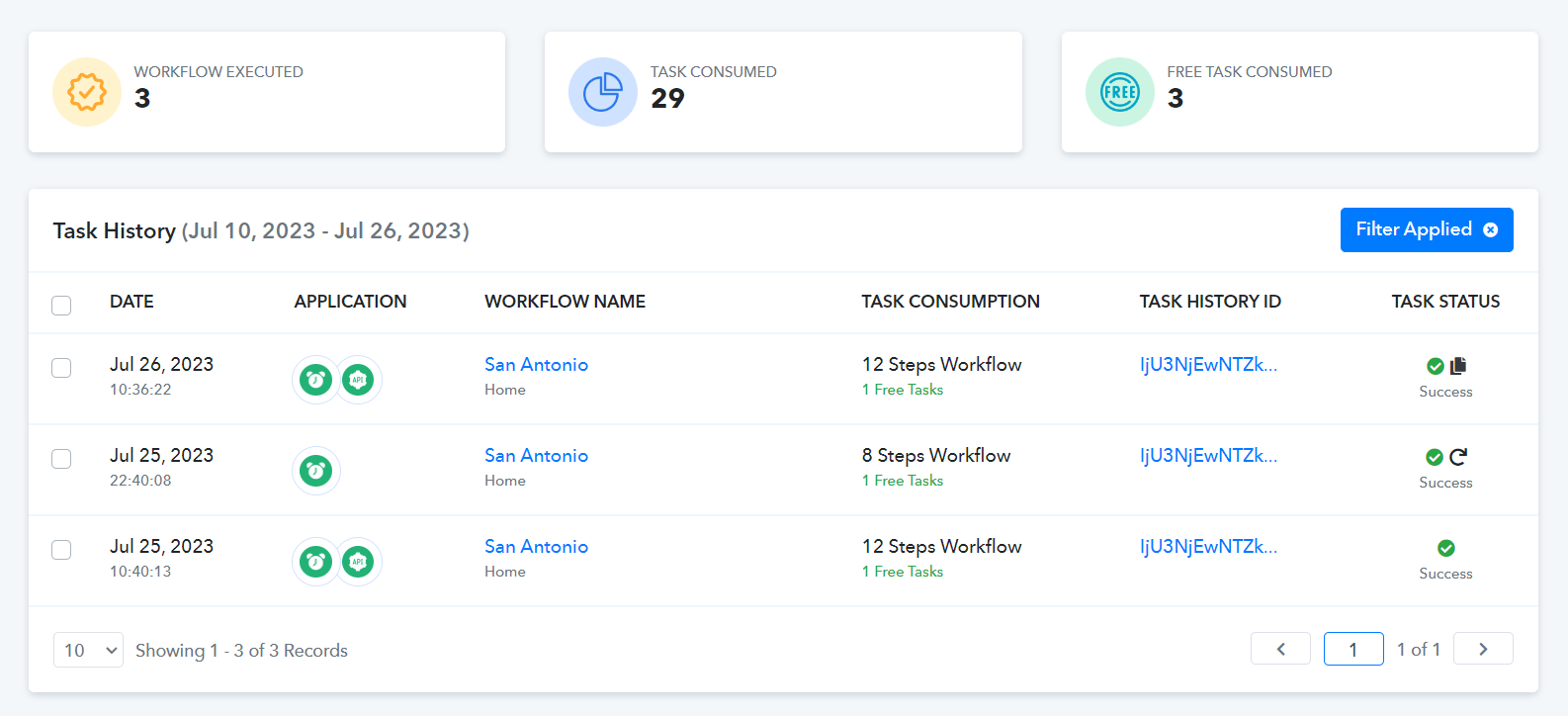
Does the re-execute function in task history execute the updated workflow or the old one?
It executes the updated workflow.
Can we add a run workflow option?
Currently, you can only re-execute the workflow; there is no "run workflow" option. If you wish to see such an option added to Pabbly Connect, you can place a request on our dedicated platform: https://pabbly.hellonext.co/