Can you help me verify this workflow?
Status: Closed · Asked by FileSure on · 0 views
Hello,
I have created the following workflow but it isn't working, it's supposed to update a custom field inside Freshsales Suite called 'EOI Response' based on a Google Form response.
https://connect.pabbly.com/workflow/mapping/IjU3NjUwNTZlMDYzMjA0MzI1MjZjNTUzMDUxMzci_pc
Facing the same issue with this one as well
- https://connect.pabbly.com/workflow/mapping/IjU3NjUwNTZlMDYzNDA0MzM1MjY4NTUzNjUxMzAi_pc
It's intended to update a custom field inside freshsales suite based on the form response.
I have created the following workflow but it isn't working, it's supposed to update a custom field inside Freshsales Suite called 'EOI Response' based on a Google Form response.
Could you kindly specify the custom fields from your Freshsales account that you are attempting to update? This information will enable us to investigate the matter effectively.
For the first workflow, the custom field is 'EOI response'
For the second workflow, the custom field is 'Onboarding Form Filled'
We have a third workflow as well with the custom field 'EOI response'.
Here's the URL for the third workflow. https://connect.pabbly.com/workflow/mapping/IjU3NjUwNTZlMDYzMjA0MzI1MjZjNTUzMDUxMzci_pc
These are all the workflows on our account and currently, they seem to be consuming tasks but the action isn't being executed inside the CRM.
They were working fine before.
Request you to upgrade the priority of this ticket.
Thank you.
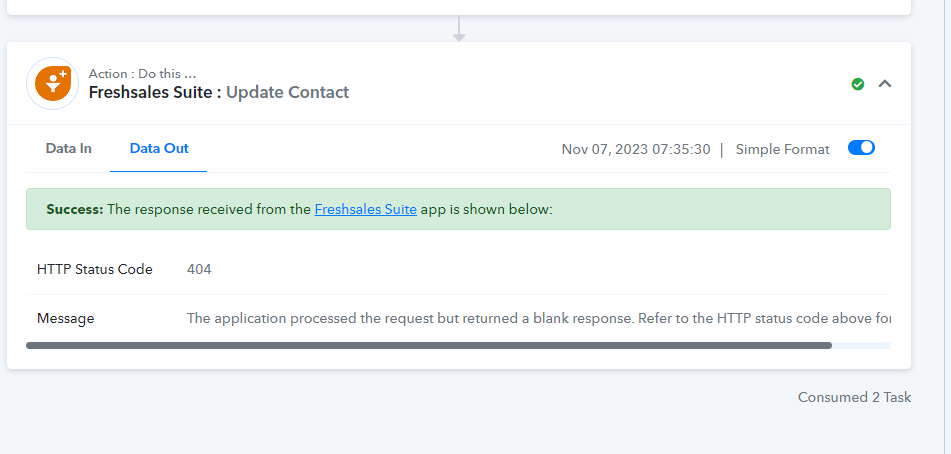
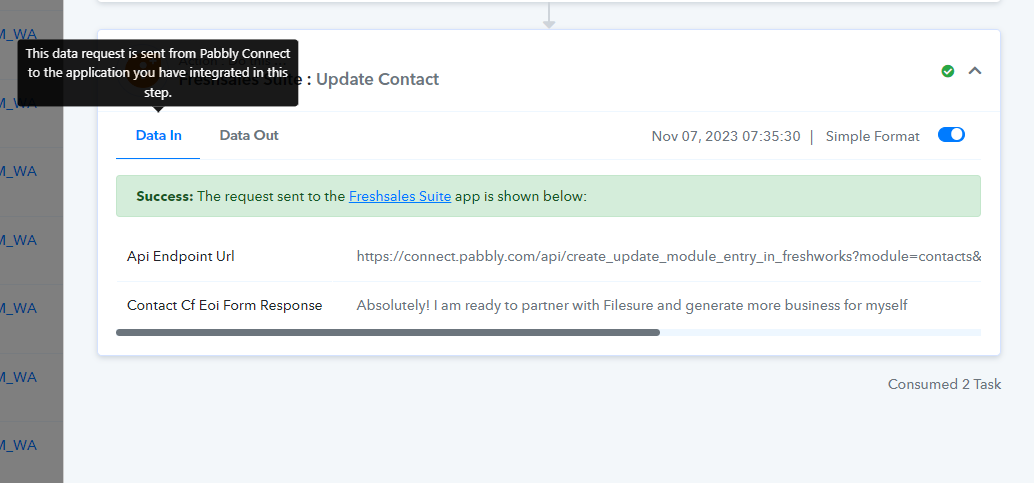
Spotted the following error in the Task History for the first workflow.
Awaiting response.
Attachments
Awaiting response.
Here's a task history ID that shows the error I highlighted in the screenshot sent earlier.
IjU3NjIwNTZjMDYzNjA0MzA1MjZkNTUzMTUxMzI1MTYyNTQzNSI_3D_pc
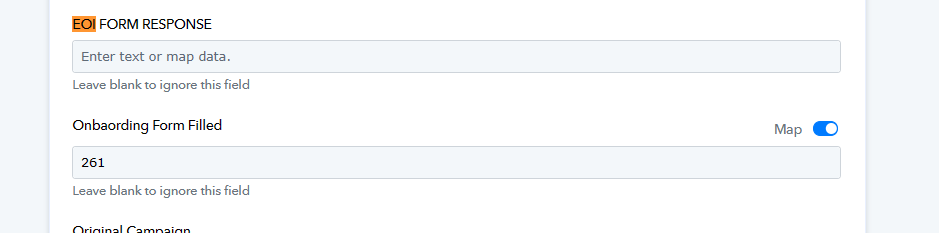
In this particular workflow https://connect.pabbly.com/workflow/mapping/IjU3NjUwNTZlMDYzNDA0MzM1MjY4NTUzNjUxMzAi_pc you need to pass the code for Yes which is 261 and in EOI Form Response you are not passing anything.
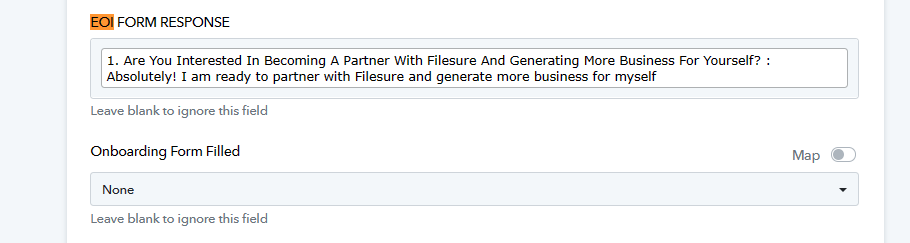
And in this workflow https://connect.pabbly.com/workflow/mapping/IjU3NjUwNTZlMDYzMjA0MzI1MjZjNTUzMDUxMzci_pc you not selecting anything in Onboarding Form Filled option.
So, please pass data in the desired fields accordingly.
1. For this one https://connect.pabbly.com/workflow/mapping/IjU3NjUwNTZlMDYzNDA0MzM1MjY4NTUzNjUxMzAi_pc
I'm not looking to capture EOI response, I intend for anyone that fills it up to have the custom field 'Onboarding form filled' to be marked as 'Yes'
will the setup in the screenshot fix this?
Attachments
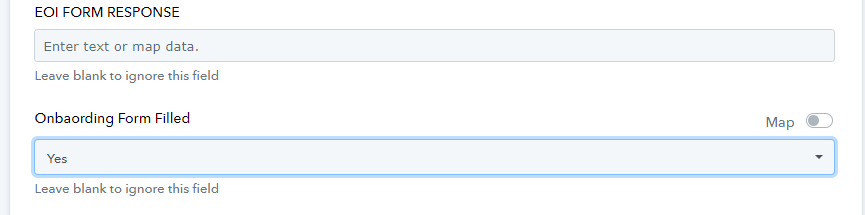
2. For this one https://connect.pabbly.com/workflow/mapping/IjU3NjUwNTZlMDYzMjA0MzI1MjZjNTUzMDUxMzci_pc
I intend to only map the custom field 'EOI response' to a question inside my Google Form, does the setup in the screenshot work?
3. Any updates on the errors in this one?
https://connect.pabbly.com/workflow/mapping/IjU3NjUwNTZlMDYzNDA0MzI1MjY5NTUzZDUxMzEi_pc
I intend to only map the custom field 'EOI response' to a question inside my Google Form, does the setup in the screenshot work?
Based on the most recent task history ID, it's evident that the custom field data is being transmitted correctly.
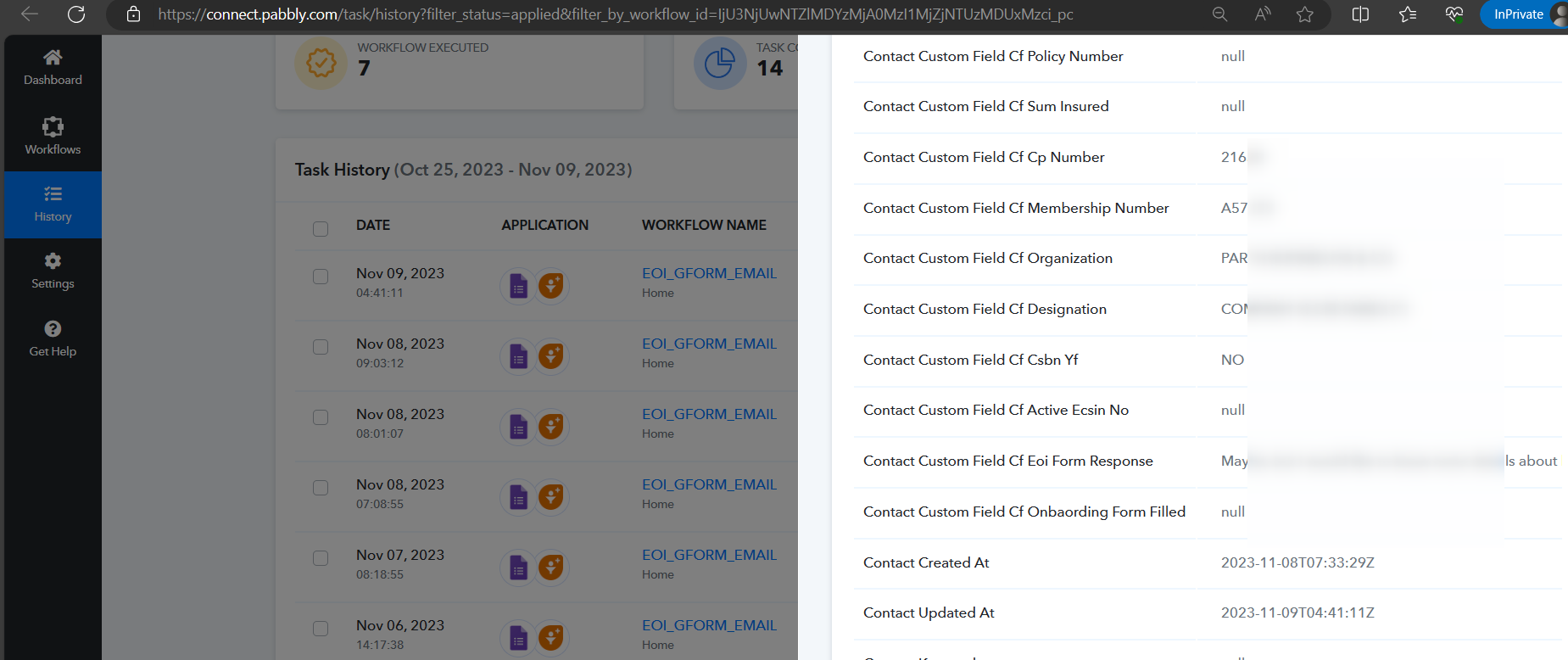
3. Any updates on the errors in this one?
We thoroughly examined the matter and recommend reviewing the previous message for insights into refining your workflow concerning custom fields.
I would highly appreciate it if you could take another look at the workflows in our account to verify them since I have made the changes to the best of my understanding.
For mapping the code'261' for Yes, it wasn't working. So I changed it to Yes and after then it worked for the contact I was testing for but I'm not sure of the contacts moving forward.
In this particular workflow https://connect.pabbly.com/workflow/mapping/IjU3NjUwNTZlMDYzNDA0MzM1MjY4NTUzNjUxMzAi_pc you need to pass the code for Yes which is 261 and in EOI Form Response you are not passing anything.
Within the identical workflow, you continue to transmit an affirmative response while employing the mapping feature. You can either opt for "Yes" from the dropdown menu or specify the option ID 261 to represent "Yes."
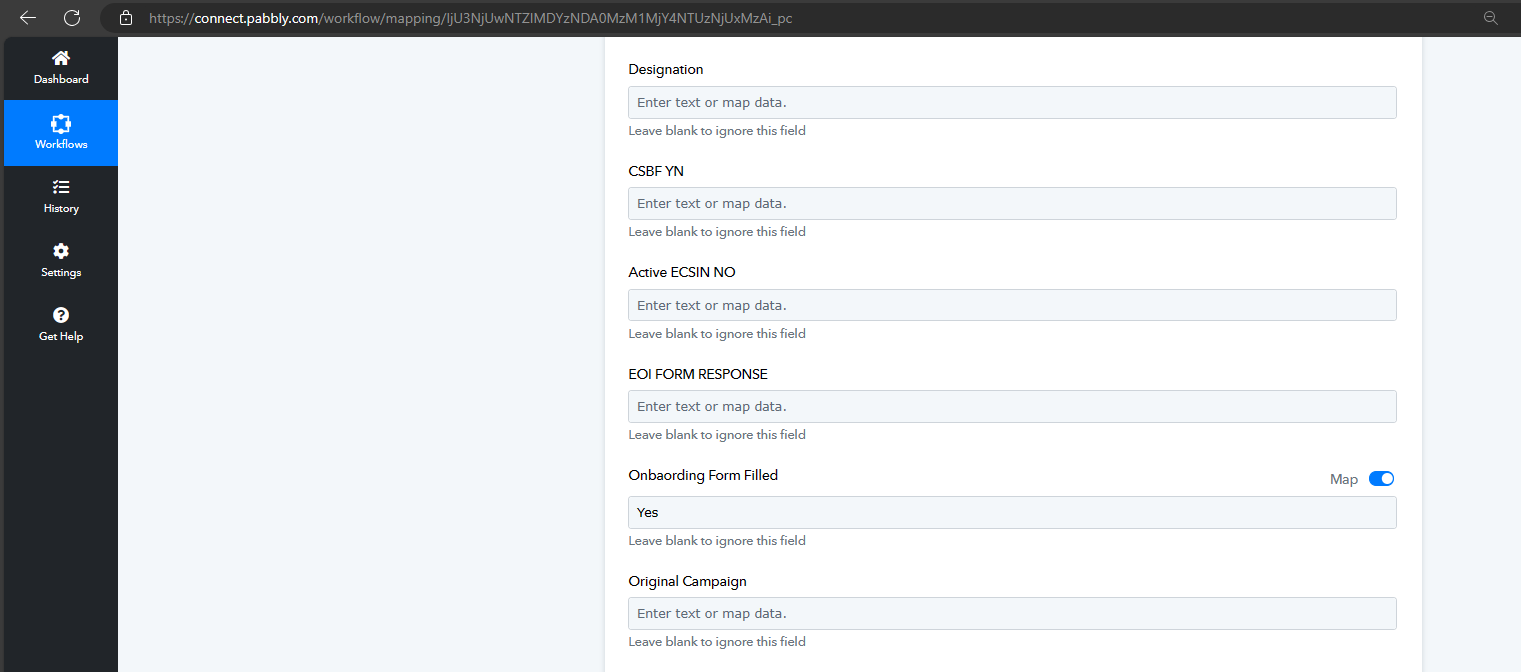
Please, verify if this is alright since it wasn't working when I mapped and added the code for Yes(261)
Attachments

Indeed, the workflow should function as intended. Kindly attempt it once.