Can you please map the "board section ID" to Pinterest Pins ?
Status: Closed · Asked by Gustavo Pulcherio on · 0 views
Please let me know if you guys could add this to the Pinterest integration.
"board_section_id": "string",
Thanks
Hey @GusP
Can you please tell us the concern briefly in which action step you want to make the changes? So that we can discuss it with our team and do the necessary stuff.
Sure,
I need to publish on my Pinterest account and place the posts (pins) on different Sections. Pinterest API offers the mapping of the Section, but Pabbly doesn't have it mapped as one of the elements. It would be under Pinterest -> Action Event -> Create Pin -> Section Board Id (not the same as board)
Please refer to https://developers.pinterest.com/docs/api/v5/#operation/pins/create
{
"id": "813744226420795884",
"created_at": "2020-01-01T20:10:40-00:00",
"link": "https://www.pinterest.com/",
"title": "string",
"description": "string",
"dominant_color": "#6E7874",
"alt_text": "string",
"board_id": "string",
"board_section_id": "string",
"board_owner": {
"username": "string"
},
"media": {
"media_type": "string"
},
"parent_pin_id": "string"
}
Thanks
Hey @GusP
Our team has added the Board Section Id in the Pinterest action step.
Please review this once and let us know if that works for you.
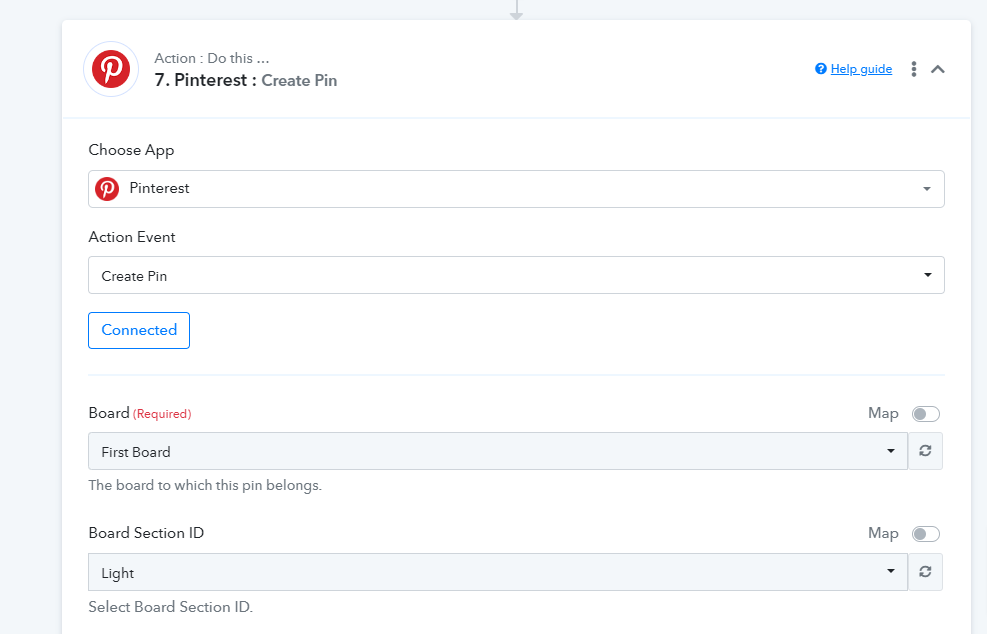
Thank you so much