Cannot delete/edit Google Sheets sheet created by Pabbly "create spreadsheet"
Status: Closed · Asked by calvs777 on · 0 views
Hello! My flow:
- Connect Google Sheets
- Create spreadsheet which I will call "spreadsheet new" (also required to name a sheet, which I named "new sheet")
- Copy sheet (named "old sheet") from an existing Google sheet to "spreadsheet new"
"spreadsheet new" now has two sheets, "new sheet" and "old sheet"
I want to delete "new sheet" but it doesn't seem to exist! "list sheets" command does not list "new sheet". I have tried to hardcode the name and reference "new sheet" (from the create spreadsheet data) but I get an error code 400 with message "invalid value". "new sheet" is not in the drop down menu either when I try to delete.
When I check the Google sheets, the sheet "new sheet" is indeed there.
Any help would be much appreciated!
Hey @calvs777
We have checked the workflow and found that you are statically giving the Sheet name in the Select Sheet column. You have to map it from the step no 2. Kindly map the sheet id from the step no 2 and then delete it.
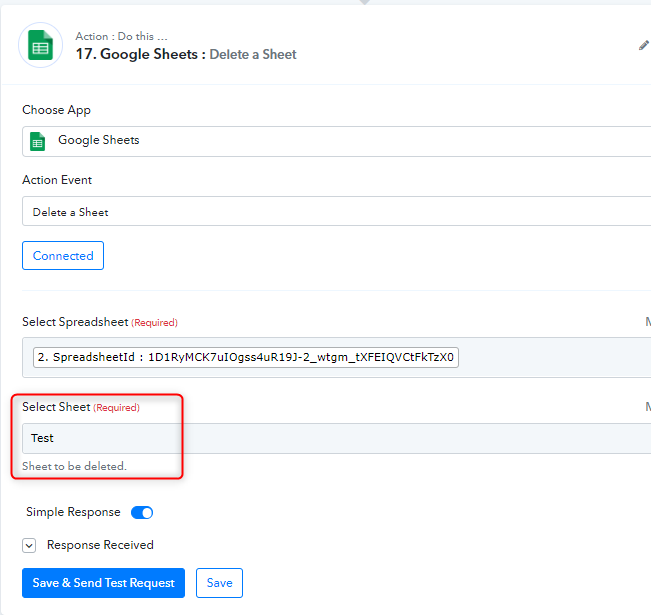
Thanks for your quick reply. As mentioned in my original post, I have tried to reference the sheet ID (from the Create Spreadsheet step) and even sheet name. I'm still getting error 400. If possible, can you check my flow again? Thanks.
Attachments
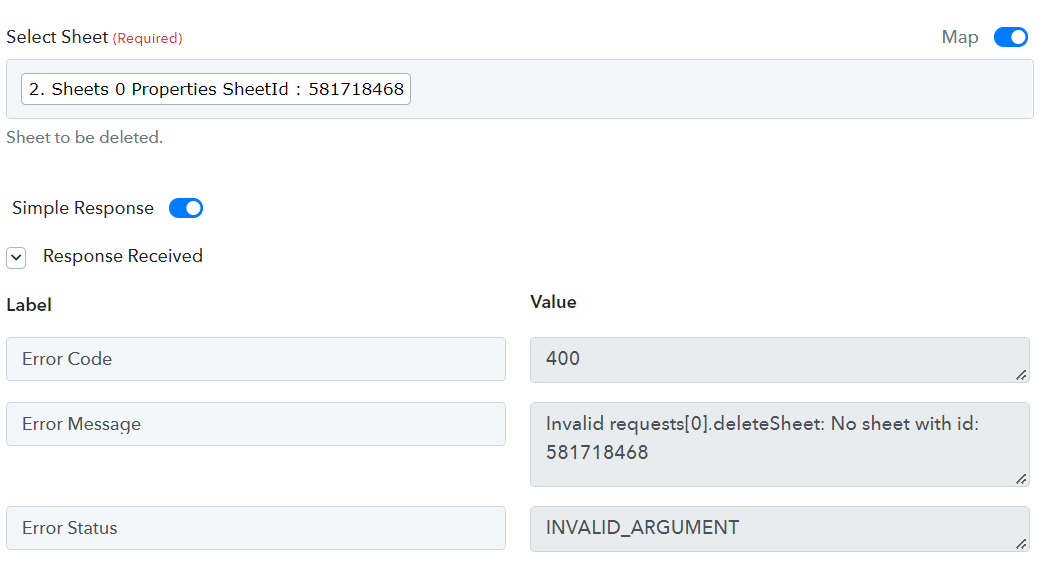
Hey @calvs777
It seems like you have already deleted the sheet with the id 581718468. Could you please recapture the response from Formloo and then recapture the response in step2? Then you will get the Spreadsheet and sheet id respectively.
After getting both the values you need to map it in all the steps and sheet id in the Delete Sheet action step.
Kindly follow the above steps and let us know if you have any questions or comments.
Thanks again for your reply. As per your message I recaptured the response from Formaloo and then in the Delete Sheet step I repactured the sheet (it still is the same ID).
Thanks again for your help! Yes, recapturing step 2 (create spreadsheet) created a new sheet ID which I can now use to delete. I believe I had recaptured everything already but I guess I forgot to recapture that step. I believe what I learned is to recapture everything when I make a change.
Is this a place where I can ask for a feature request? For Google Sheets can you add "Create a Spreadsheet from a Template" or a "Copy Spreadsheet"? This will save us time and effort. Thanks!
Thanks for making changes and recapturing the spreadsheet and sheet id and mapping them again.
If you want to request for updating any existing integrations with triggers or action, please send us the request here and upvote it - https://pabbly.hellonext.co/b/Update-Existing-Application