can't connect to SQL
Status: Closed · Asked by iankerry on · 0 views
Hi there,
am attempting my first connection - and getting stuck. and lets face it, it seems pretty simple!
I am trying to connect to you SQL database on AZure.
I am added the 44.224.... address to the firewall.
I have checked credentials many times. And I have tried a lot of port names - could this be the answer?
thanks for any help,
Ian
Attachments
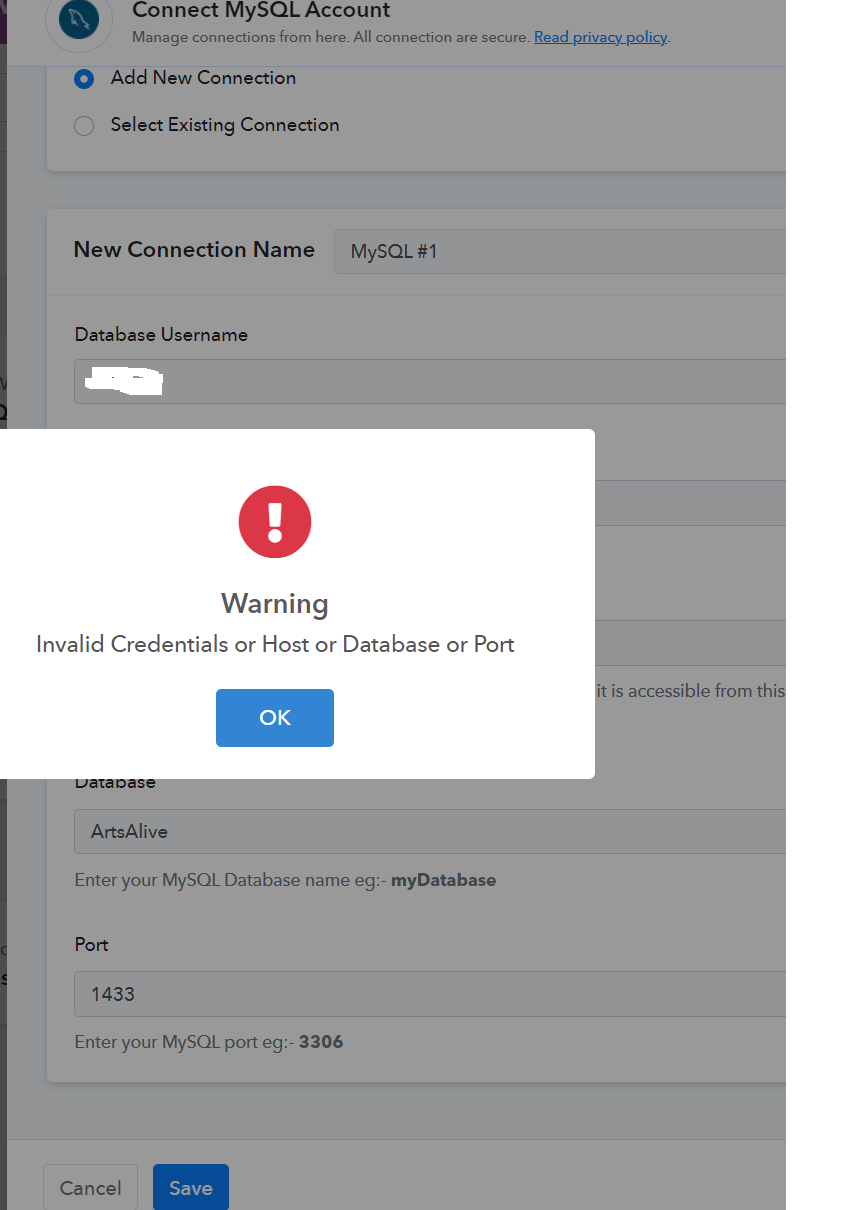
Are you connecting MySQL with localhost? Please confirm.
not quite sure of your question sorry. I am trying to connect Pabbly task with our SQL server, with all our data in it. Not sure what localhost is!
thanks
ian
ok, i guess no-one can answer my question. it is a shame that i failed to even connect to my SQL, on my first attempt at an automation!
Maybe this is a sign for me, that pabbly isnt the one for me?
Ta
Ian
ok, i guess no-one can answer my question. it is a shame that i failed to even connect to my SQL, on my first attempt at an automation!Maybe this is a sign for me, that pabbly isnt the one for me?
Ta
Ian
You should connect your MySQL Database with proper Host, Database, Port and Password as shown in this video:
youtube.com/watch?v=ukrRzyyD7fw:434
If you are connecting SQL server then, it won't work.
thanks for replying.
what?? "if i am connecting to an SQL server then is wont work?" - this was in my original query that i wanted to connect to an SQL server.
So do you mean that i cant use Pabbly? as all our data is in an SQL server?
Unfortunately, SQL server is not available inside Pabbly Connect.
If you can use MySQL then, you will be able to automate your application.
ok thanks. i wish that was made clearer somewhere to save us both a lot of time.
ok, i'll look at deleting my account. thanks for your help
ian