Can't create a task in Flowlu
Status: Closed · Asked by Oleksandr Danylenko on · 0 views
Hi team, I want to create a task after a form submission, but in the drop downs, I can't select a project or anything else.
I guess the issue is the missing Model ID. What is the format and how do I find it?
Attachments
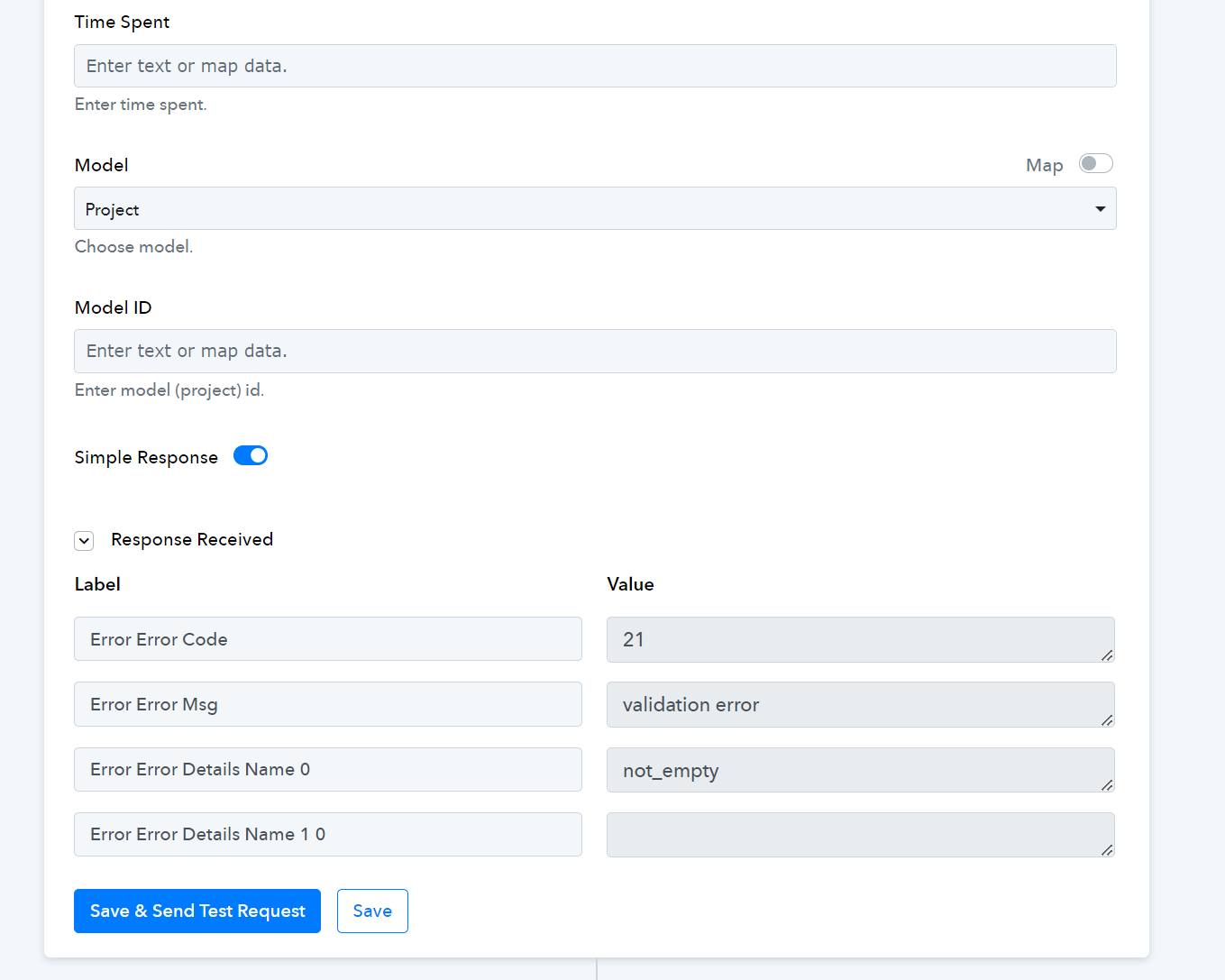
Hi @Oleksandr,
Please follow the steps provided in the video below to establish a connection with your Flowlu account and see if this resolves the issue for you.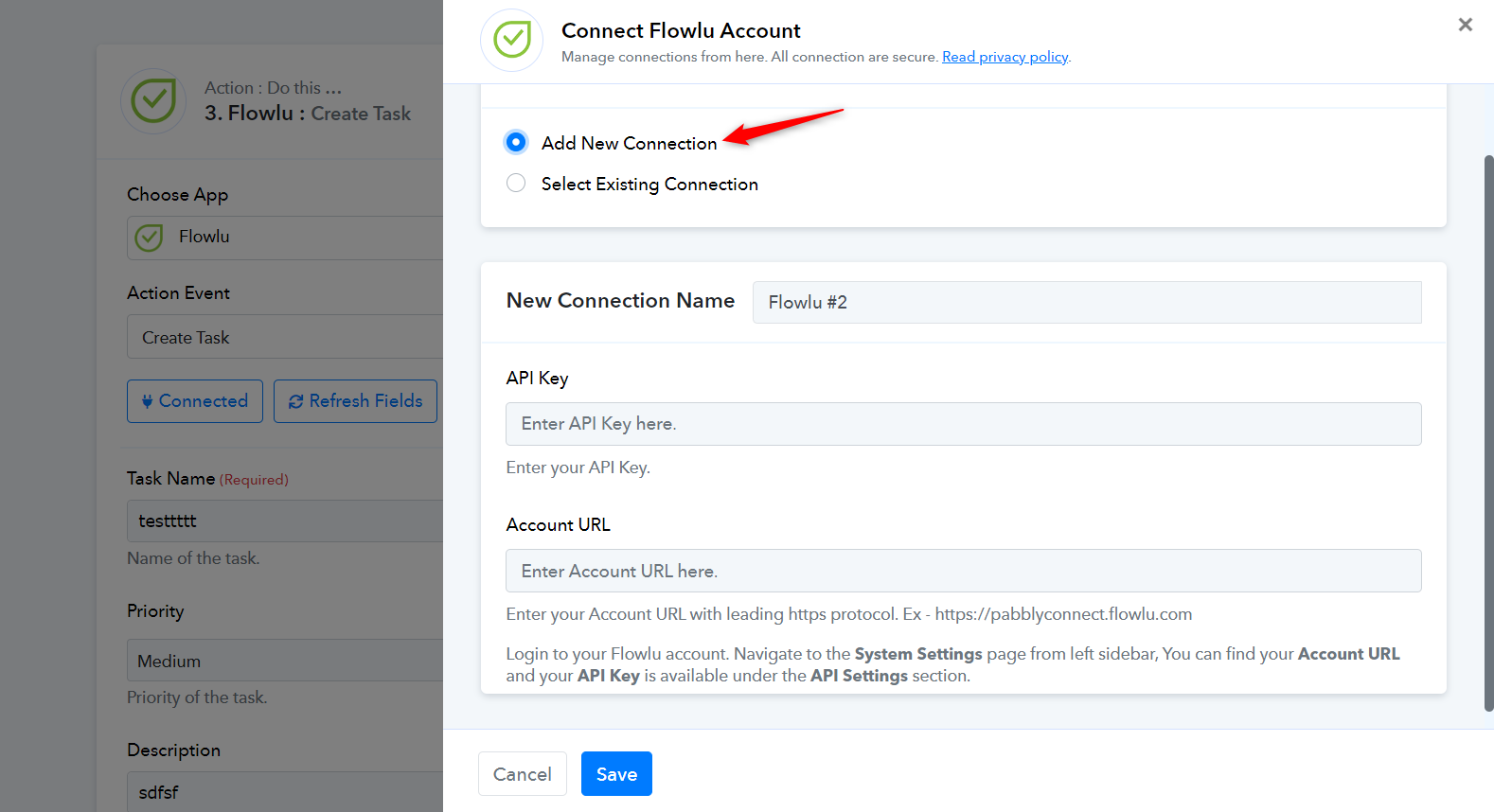
youtube.com/watch?v=rJ9fE3EzBBo
Make sure to choose 'Tasks' as your application when creating a new API Key, instead of the application selected in the video.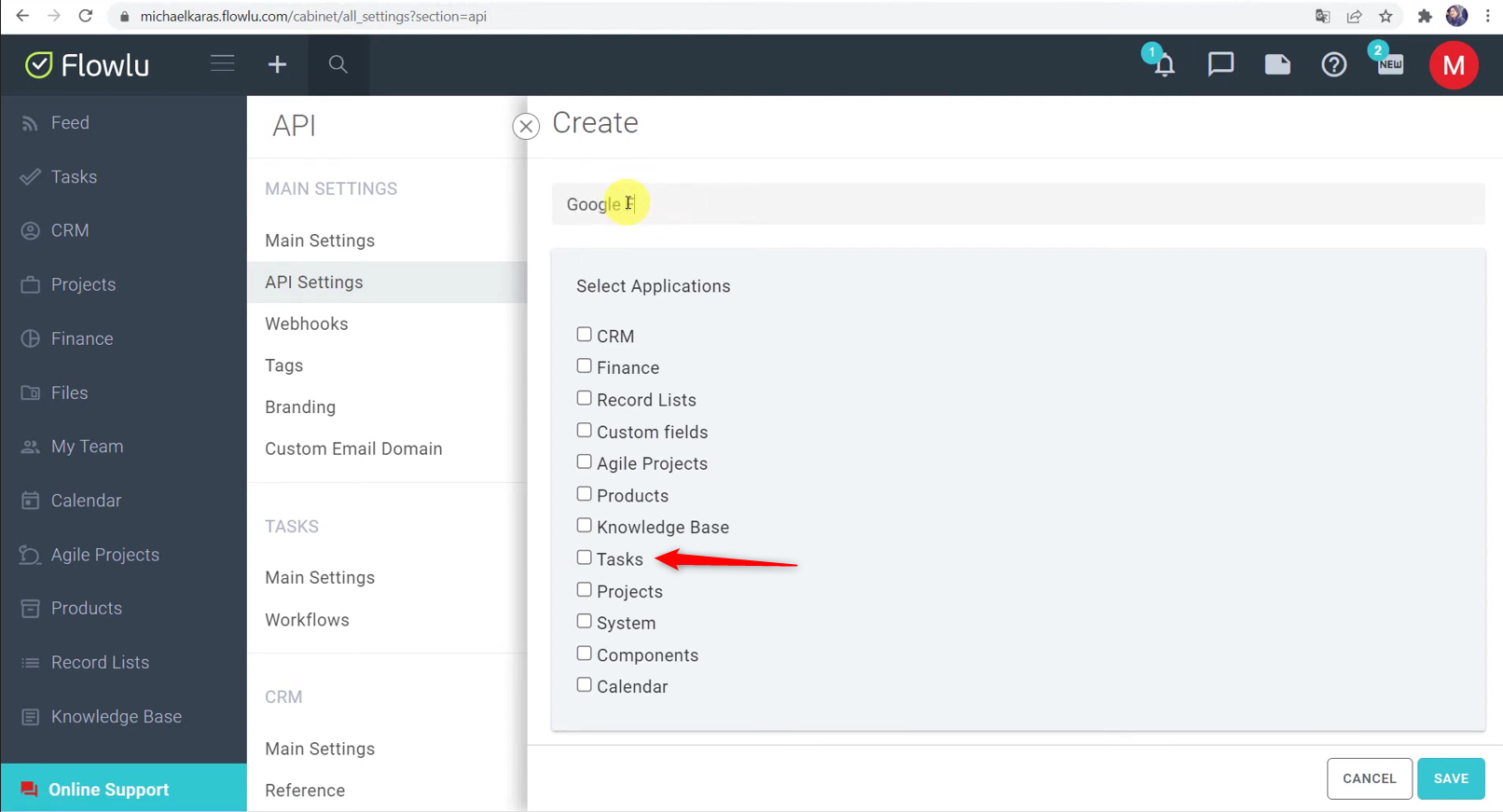
Thank you! I successfully established the connection, but it's still not working.
Please make another connection in the manner stated above; otherwise, I won't be able to diagnose the issue.
Thank you, just created a new connection called Flowlu Task Only
https://connect.pabbly.com/workflow/mapping/IjU3NjUwNTY5MDYzNzA0M2M1MjZlNTUzMzUxMzYi_pc
Could you please share your Flowlu account credentials via the given email address so that we can test the issue from our end?
Email: support@pabbly.com
Could you please share your Flowlu account credentials via the given email address so that we can test the issue from our end?
Email: [EMAIL]support@pabbly.com[/EMAIL]
Thanks, email sent
Thank you for sharing the details. Please allow us some time to look into this concern. We will get back to you shortly.
Could you please try to fill the workflow stage ID, workflow ID, assignee user ID and owner ID and then try again?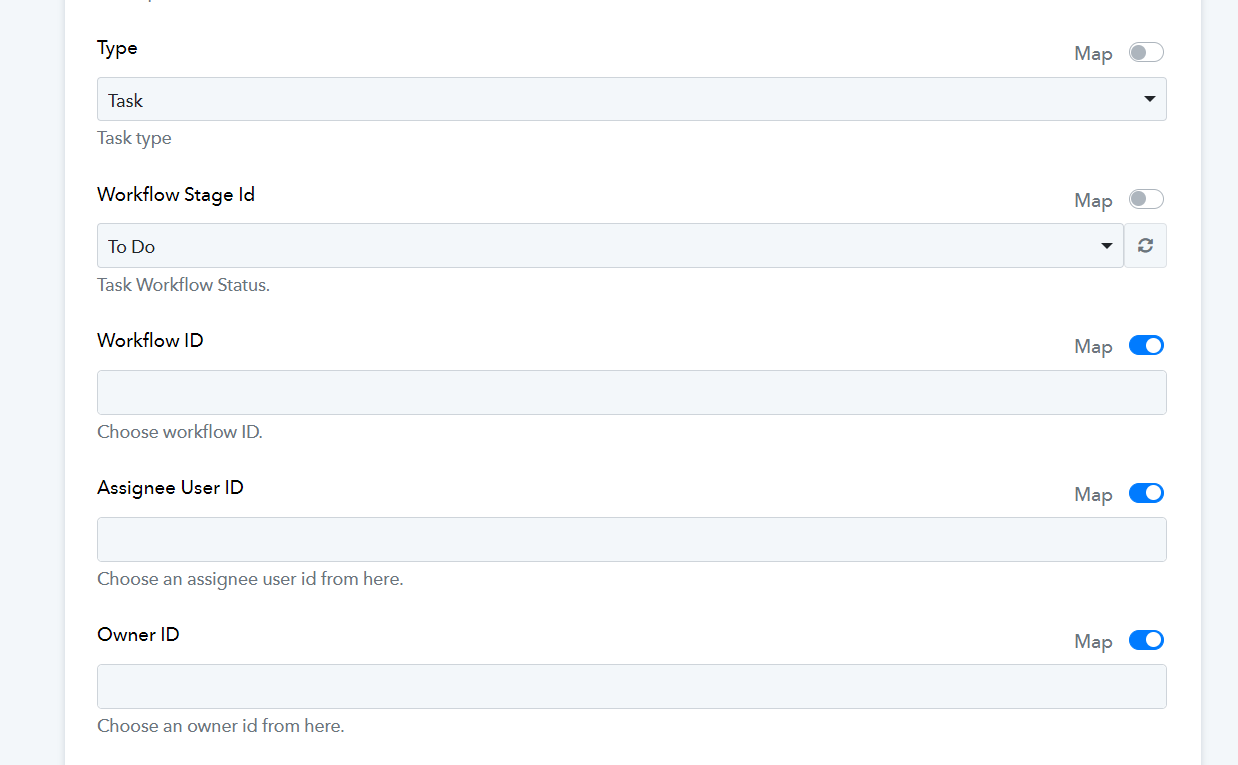
Unfortunately I don't know what those IDs are or where I can find them.
I ran a test on this workflow, which seems to have created a Task in your Flowlu account.
https://connect.pabbly.com/workflow/mapping/IjU3NjUwNTY5MDYzNzA0M2M1MjZlNTUzMzUxMzYi_pc
I ran a test on this workflow, which seems to have created a Task in your Flowlu account.
https://connect.pabbly.com/workflow/mapping/IjU3NjUwNTY5MDYzNzA0M2M1MjZlNTUzMzUxMzYi_pc
I can confirm that it worked, thank you! Just one more question:
How can I specify what project to add the task to? For example, I have a project called "Data".
You can enter the Model ID associated with a particular Project into its designated field to specify the project.
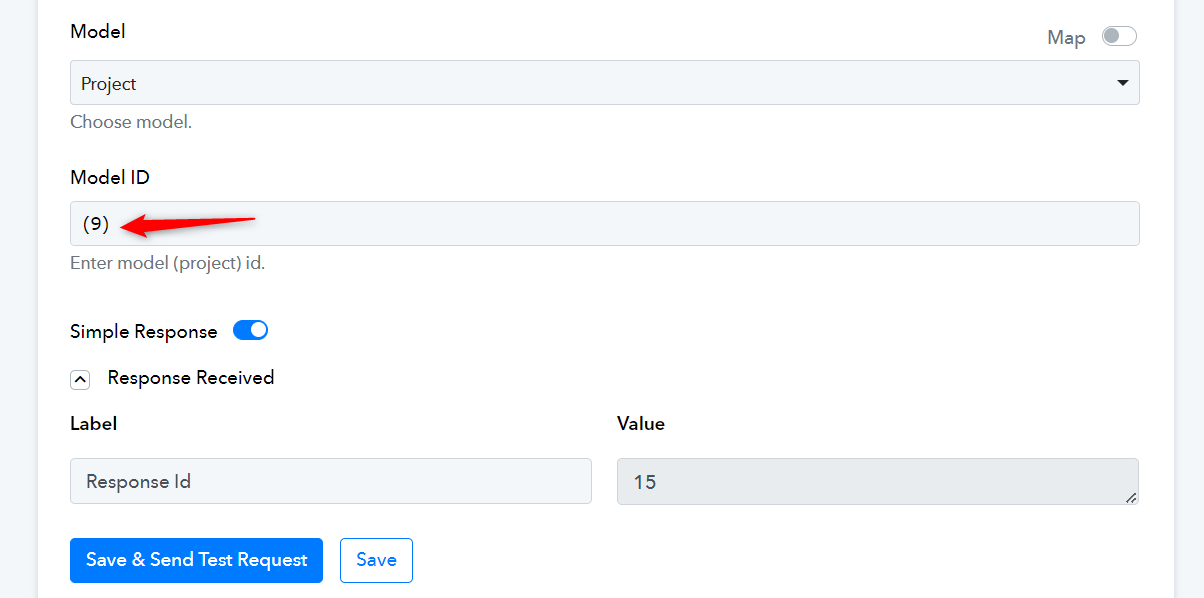
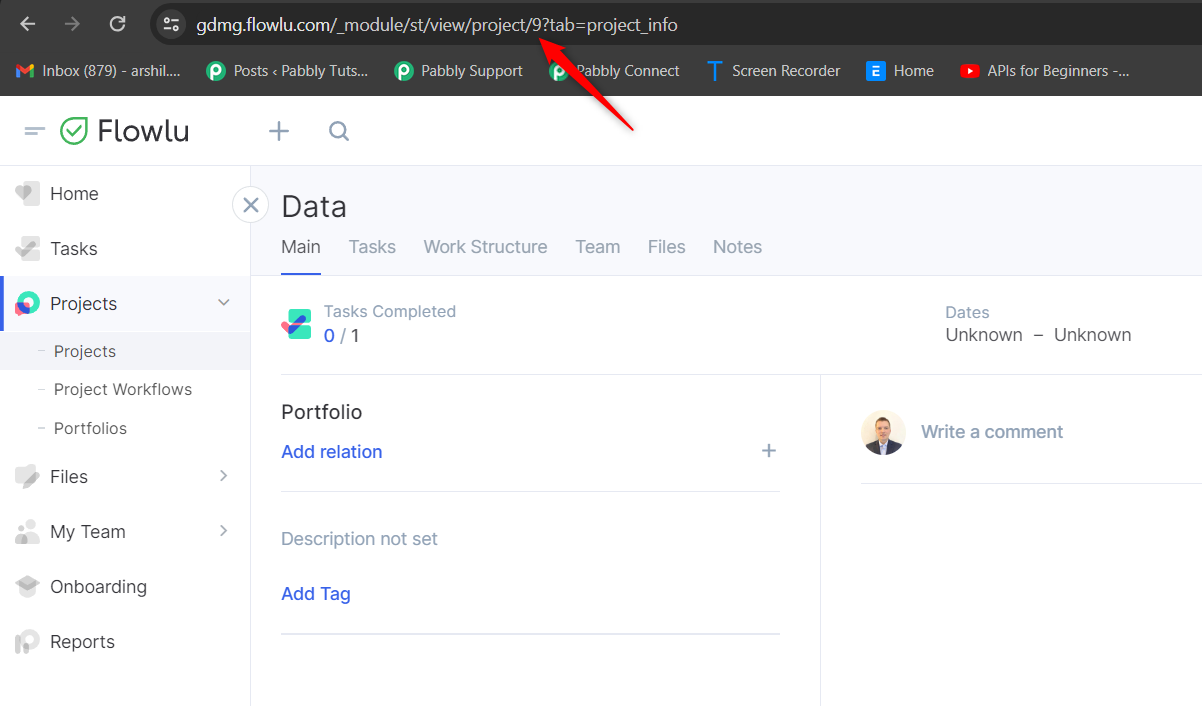
Wonderful, thank you very much for your prompt assistance! You may close this topic now.