Can't edit re-execute fields
Status: Closed · Asked by Zishan Hussain on · 0 views
Hello. Normally when a flow fails, I can click re-execute, change a field and then submit and it works fine. However, I have a flow that failed but I can't change any of the fields although it still allows me to re-execute with the same field. Please advise?
Thank you in advance.
Hey @zishan555
Kindly provide us the workflow name in which you are getting the re-execute issues so we can check on it and guide you further.
ICE07 Applicatin for khula
connect.pabbly.com/task/history?filter_status=applied&filter_by_task_id=IjU3NmMwNTY1MDYzMjA0MzM1MjZjNTUzNTUxM2E1MTYwNTQzMyI_3D_pc
Please use the current date of the Date/Time Formatter instead of the deprecated one, and then remap the date in the subsequent action step.
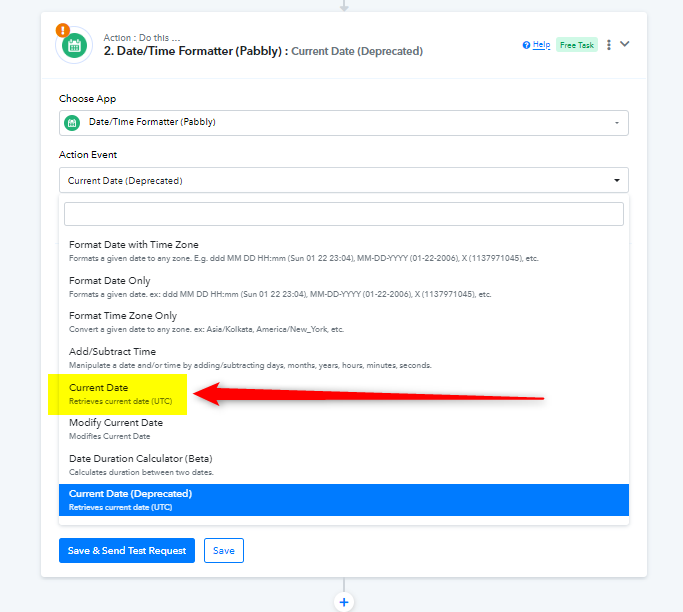
For better understanding, I suggest reviewing the video tutorial on how to use the current date of Date/Time Formatter.
Okay thank you.
I've changed that in the workflow.
However, when I try to re-execute the workflow it still does not allow me to change any of the field values.
This seems to be same issue with all of my workflows, ie the 'Re-execute workflow' popup window doesn't allow me to change any fields.
Thank you.
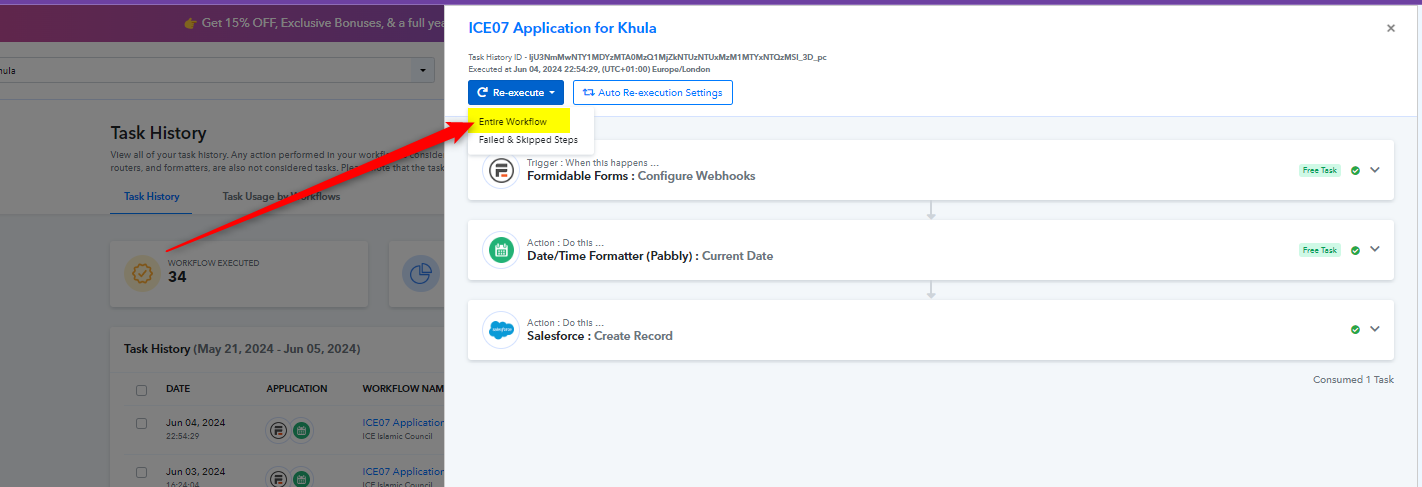
You can click on the 'Re-execute > Entire Workflow' option and edit the field as needed. Then, you can re-execute the workflow.