Can't place iterator or loop in workflow in Visual Builder
Status: Open · Asked by TimPonting on · 0 views
Your Workflow URL: https://connect.pabbly.com/v2/app/workflow/mapping/IjU3NjYwNTY0MDYzZTA0M2Q1MjY1NTUzMzUxMzEi_pc
Consent to Access & Modify: I authorize Pabbly Support to log in to my account and make changes to the specified workflow for troubleshooting.
Private Comment: https://pm.magnetbrains.com/project/pabbly-support-team/issue/601
Hi Pabbly
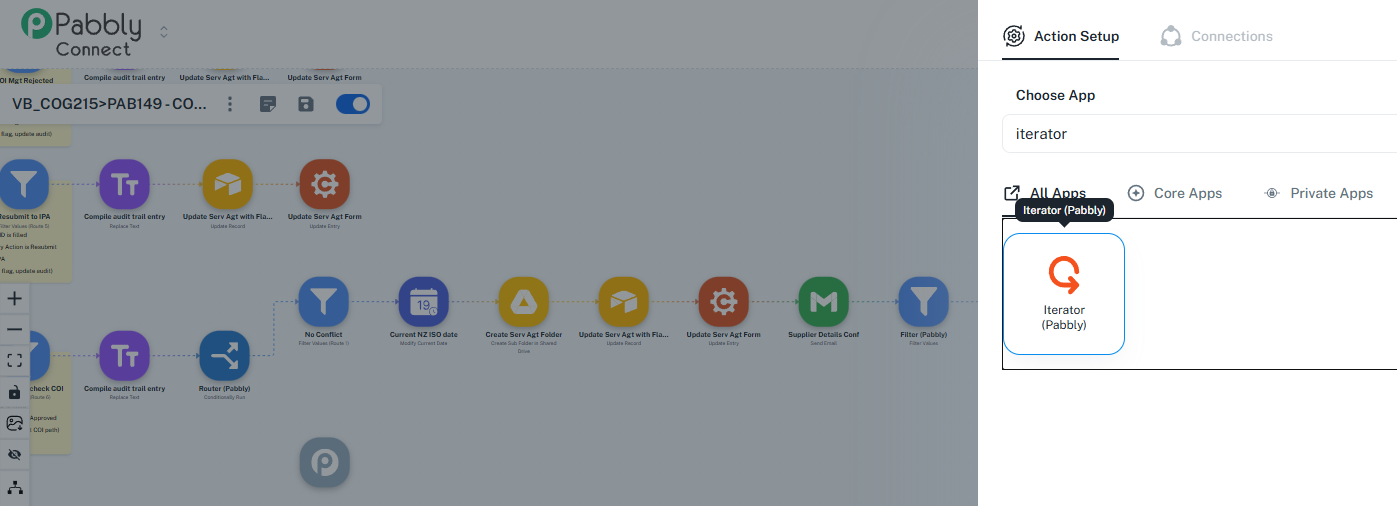
Just building my first automation in the new Visual Builderm I wanted to let it bed in for a while. Works fine until I try to place an Iterator or try the new Loop - it refuses to place these action steps. Screenshot attached. No matter what you do, all you can do is close the setup window. There is definitely an array for the Iterator to access.
Attachments
Hi @TimPonting,
Please allow us some time to look into this concern. We will get back to you with an update soon.
Thanks & Regards,
Arshil Ahmad
Customer Support Associate
Pabbly.com
?Rate your support
Hi @TimPonting,
The issue is now resolved. You would be able to add the required nodes now.