Catalogue connecting issue
Status: Closed · Asked by icce.org.in on · 0 views
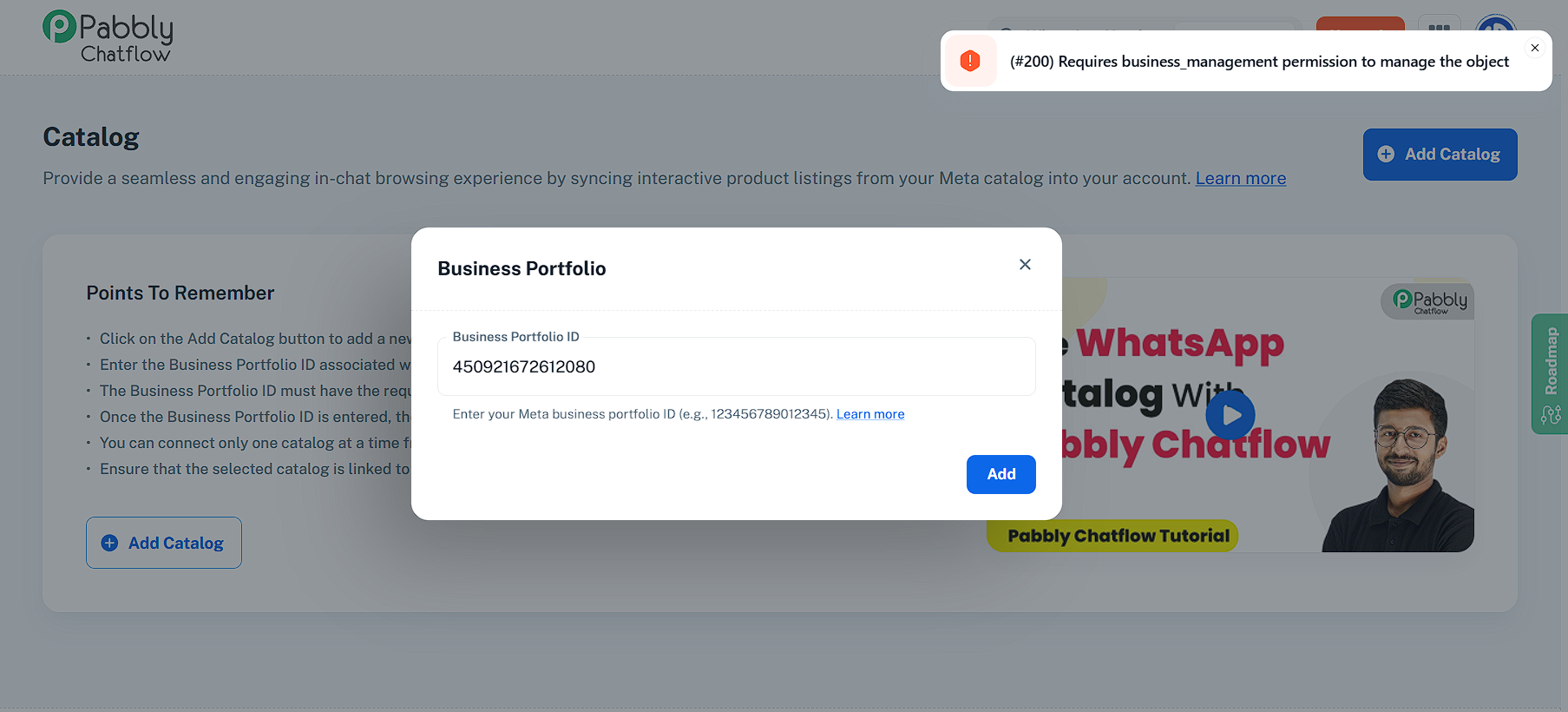
Created a catalogue. trying to connect it with chatflow with meta business portfolio ID. but error showing. please help.
Attachments
Hello @icce.org.in
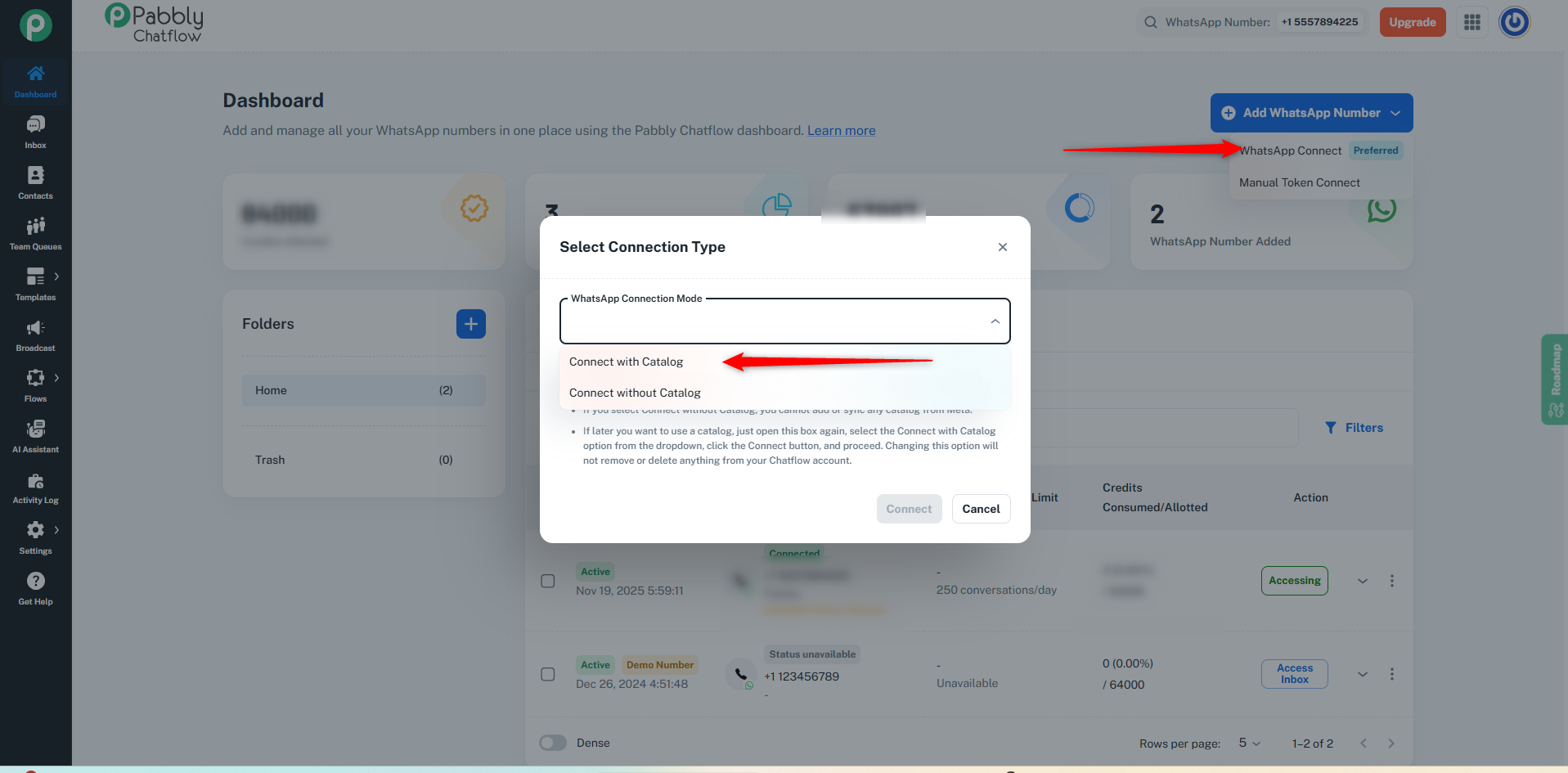
Could you please let us know whether, while connecting the number in the WhatsApp Connection Mode, you selected “Connect with Catalog”
If not, please follow the steps below:
On the dashboard, click Add WhatsApp Number, then select the WhatsApp Connect option. Click Next, and under WhatsApp Connection Mode, choose Connect with Catalog.
After that, proceed with the steps — add the same WhatsApp number again and continue by clicking Next → Next → Finish to complete the connection.
Please note: You do not need to delete the number from Chatflow.
You simply need to add the same number again and go through the steps so the required permissions for using the Catalog option are granted.
If you need any further help, feel free to let us know.
Soumya Tripathi
Customer Support Associate
Pabbly.com
Rate your support
[QUOTE]
[/QUOTE]
This issue is resolved. thank you.
Hello @icce.org.in
As your issue has been resolved, we’d appreciate it if you could share quick feedback on the support received:
https://forms.gle/GAjS4wdPYKuhnEYV9
Thank you for your time.
PS: We are closing this thread as the issue is resolved. Please feel free to reach out to us if you face any issues in the future.