Characters errors
Status: Closed · Asked by lfilippi on · 0 views
Hi.
A few days ago I started having some characters errors in my workflows.
I have automations to send name and email from Whatsapp leads to Google Sheets.
And to send data from Google Sheets to Google Docs.
Accented names now have characters replaced. For example: "Flávia" becomes "Flu00e1via".
What can I do? Thanks.
Hey @lfilippi
Kindly allow us some time we are currently looking into it. We will update you shortly.
Thanks
Hi.A few days ago I started having some characters errors in my workflows.
I have automations to send name and email from Whatsapp leads to Google Sheets.
And to send data from Google Sheets to Google Docs.
Accented names now have characters replaced. For example: "Flávia" becomes "Flu00e1via".
What can I do? Thanks.
Please check the workflow and test it. The issue will not appear anymore.
Hi!
I did some tests and now it appears to be working normally.
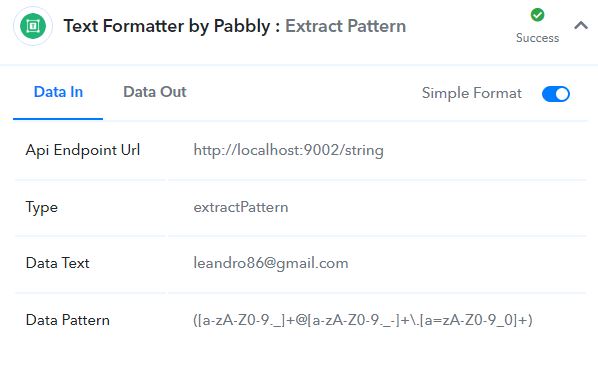
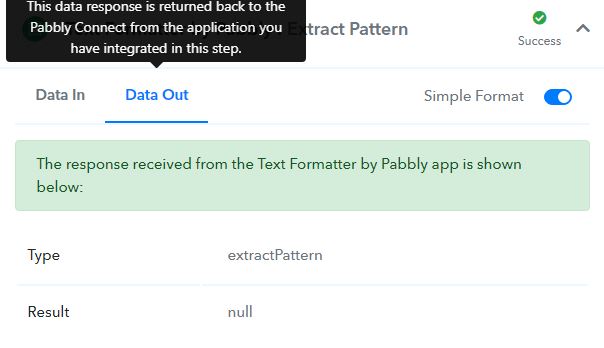
But I found a problem to extract emails from Whatsapp conversations and send to Google Sheets.
I use an Extract Pattern action with regex to extract and it stopped working. Look at the screenshots.
Thanks.
Attachments
Hey @lfilippi
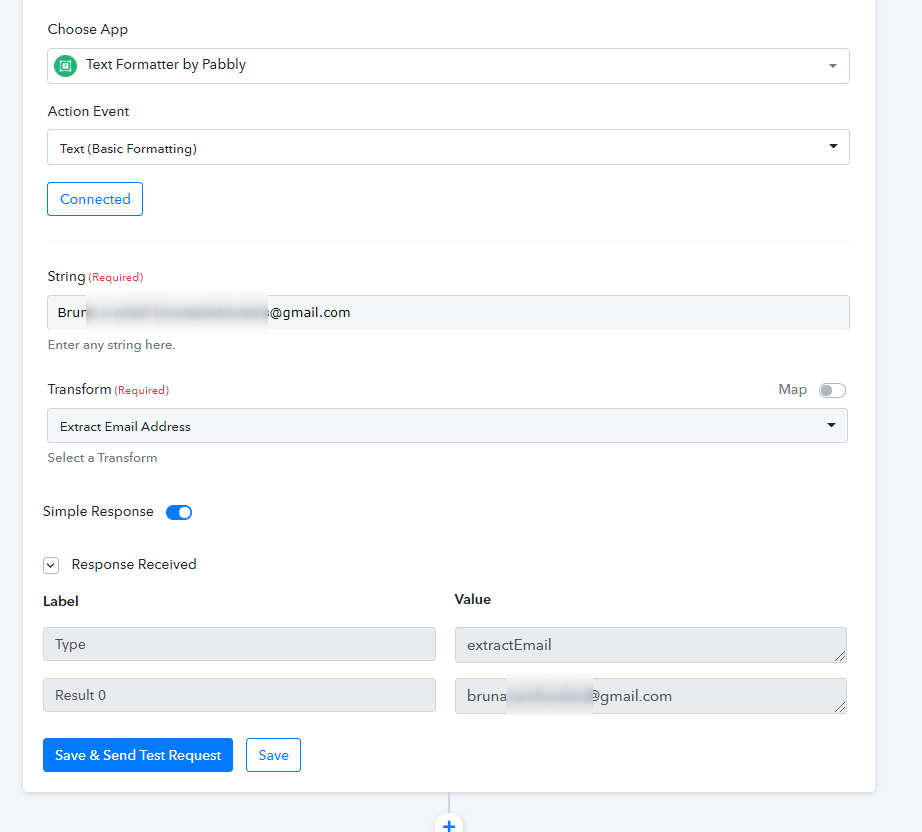
You can try using the Text Foramtters' "Extract Email address" action event to extract the email address.
Hi!
It's ok now @Supreme
Thanks!