Checkboxes - Webflow Forms to Google Sheers
Status: Closed · Asked by Hana Mondekova on · 0 views
Hello,
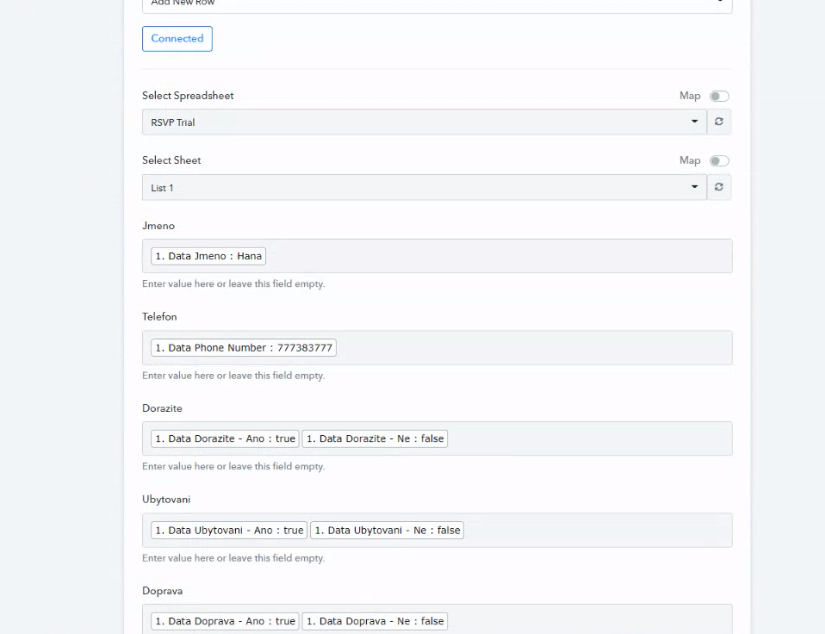
I tried to set up a workflow to connect my form submissions from Webflow to Google Sheet. I am struggling to get the data from Webflow in a meaningful way. In my form, I am using checkboxes which means users can choose only one or another; however, when it is sent to the google sheet, the data interpretation doesn't make sense.
Is there a way I can show only what has been selected by the user in the sheet? For example - the question Do you need accommodation? If the user chooses yes - I want to have in the sheet, yes, but if the following user chooses no - I want to have no below the same title in the column.

Hey @Hana Mondekova
You should map the corresponding label into the respective data field.
Hey!
I’ve done so exactly as you’ve attached in screenshot, however, when I use that mapping the results in the google sheets always put both answers. I only need one answer - the one that has been selected by user
Hey @Hana Mondekova
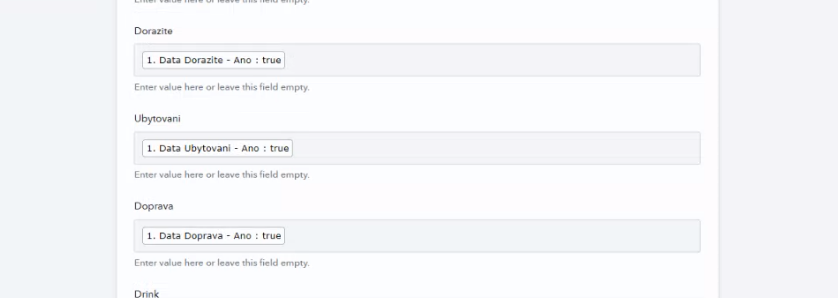
Kindly map the corresponding data label in the respective field of the Google Sheets action step.
E.g. -
Hello,
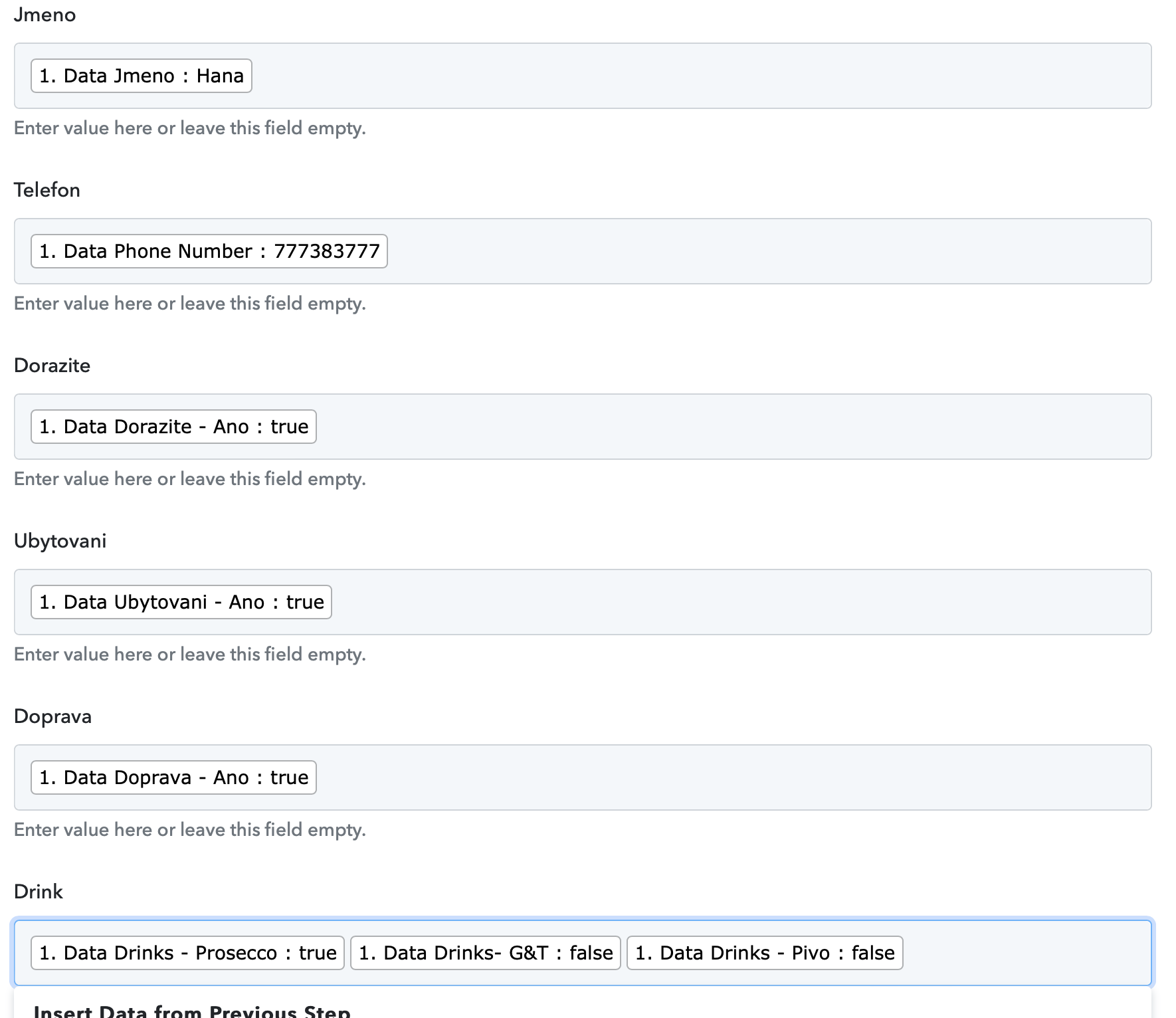
Can I somehow change what will display in the sheet for example: Data Ubytovani - Ano:true. I want to display ano instead of true or if it would be Data Ubytovani - Ne: false, I would like to Ne.
Another example: is when I have a drinks checkbox: Data Drinks - Prosecco: true. I need to display "Prosecco" instead of true.
Is it somehow possible?
Hey @Hana Mondekova !
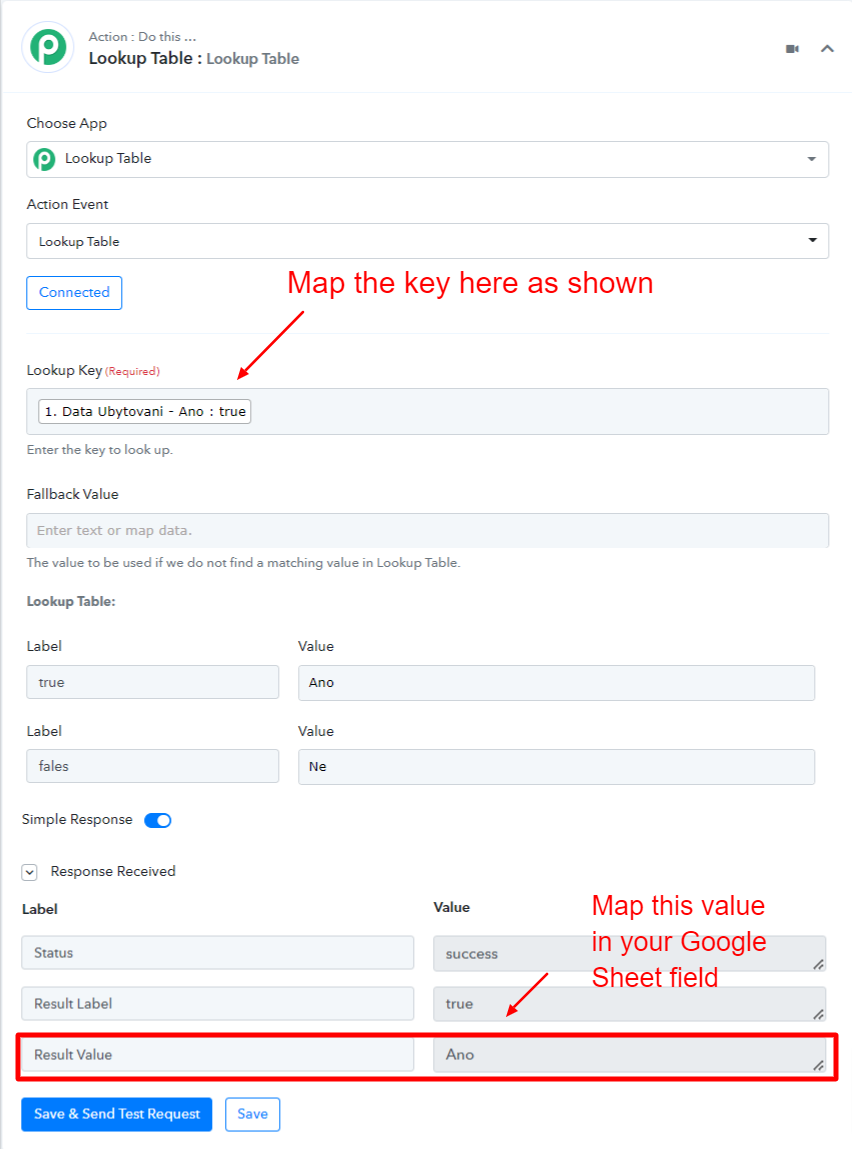
Sure, you can use Lookup Table to make it work as per your use case.
Kindly check below image which you need to use after your Webflow step-
You can check on this video tutorial as well on how to use the "Lookup Table"-
youtube.com/watch?v=0umsoycOlfo
Do check and let us know if this works for you.