Click up. I cannot set the due date
Status: Closed · Asked by brainpower on · 0 views
When I try to set the start and due date, I make the conversion according to the tool you suggest but is not working. It creates the task in Click up with a due date of December 31, 1969, at 7:02 pm. Can you advise on this? I need the start date "today" and due date "in 2 days"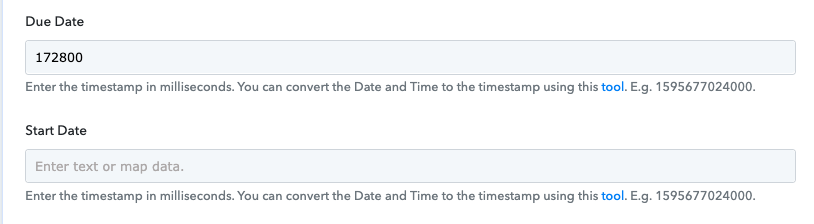
Click Up task:
Thank you!
Hey @brainpower !
You have added incorrect timestamp format in your ClickUp Step-

You can use Date/Time Formatter to change or add a Milisecond timestamp for smooth working without any error as shown below-
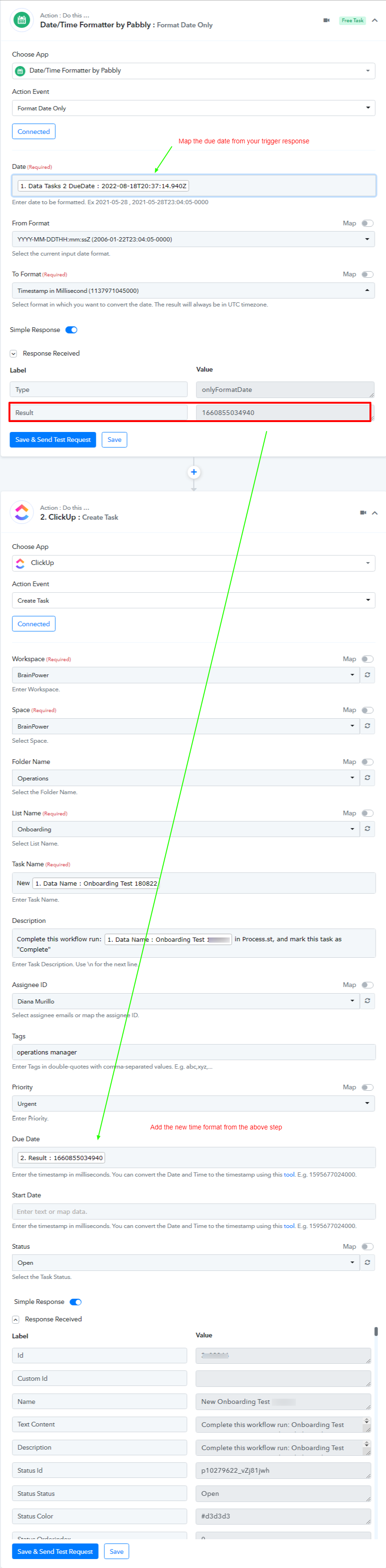
This will work for you.
Kindly check and let us know if this works for you now.