ClickUp custom task value
Status: Closed · Asked by Shane Harris on · 0 views
When getting Task by Id, we are trying to get the value of a custom field (dropdown box) - it shows us the custom field and the options, but not the selected option.
We need to be able to extract the actual text that makes up the option name (not the option ID) to pass through to the next step - anyone have any idea?
Hey @shane6836
Can you provide more details with a screenshot, explaining what you want and what you are currently experiencing?
This will assist me in understanding the situation better and offering the necessary assistance.
hi @Arshita - see attached screenshot from Clickup 'Get task from ID' action.
Custom Field shows the options available under the dropdown custom field menu ('Statement of Advice Workflow (existing)' and 'Advice Production - SoA'), however i cannot see anywhere that shows which value is actually selected in the task.
we need to be able to capture which item in the dropdown is selected so we can pass this on to the next action to make a new task from a template.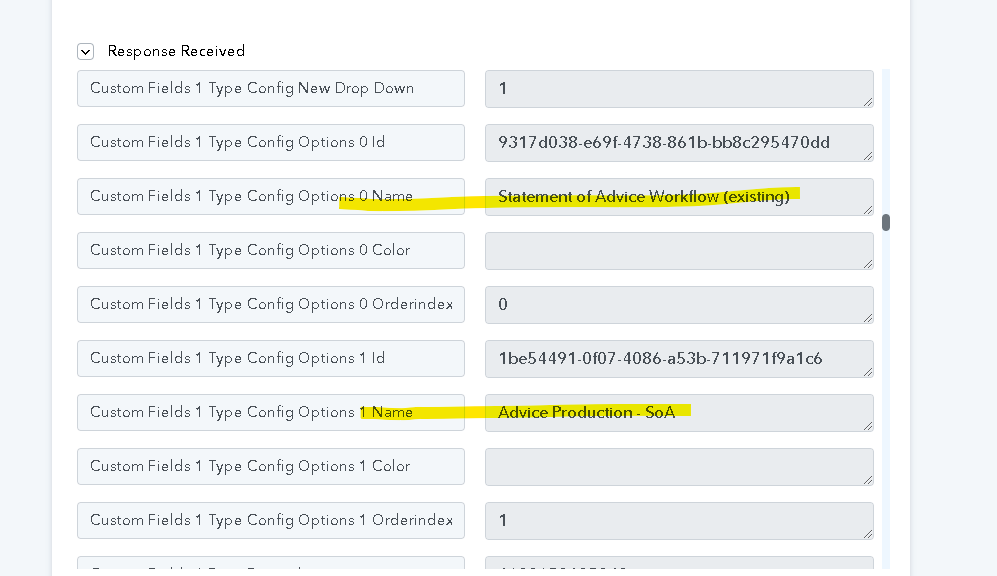
Please allow me some time to check your concern with your team I will get back to you soon.
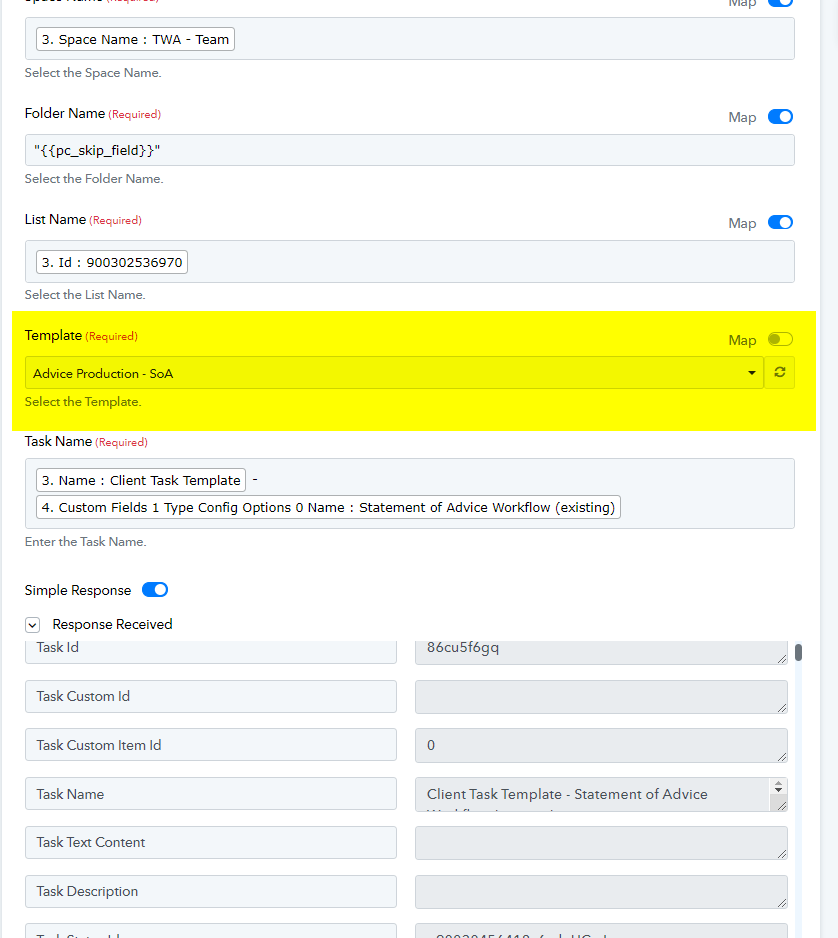
I've checked your concern with our team and determined that to locate the template, you need to enter the template ID into the designated template field.
Consequently, I recommend turning off the map button and selecting the template from the dropdown menu. I have already performed this action on your behalf, and it is functioning as expected. Kindly check and confirm whether it is working on your end.