Cloned RSS workflow stopped working after a few days, for a few days now
Status: Closed · Asked by tsuiwilliam on · 0 views
It hasn't fired sinced the 20th, it was okay before that. please help. thanks!
Hey @tsuiwilliam
Once you clone the workflow, you will be required to configure the trigger event in your application again to run the cloned workflow.
it's reconfigured already and was working for a while, please look at the log
it just stopped working all of a sudden on the 20th, i tried turning it off and back on again, no luck
Kindly allow us some time, we are currently looking into it. Shall notify you with an update soon.
Could you please inspect your end of the RSS feed to determine whether it can be configured to send a 200 response instead of a 304 response?
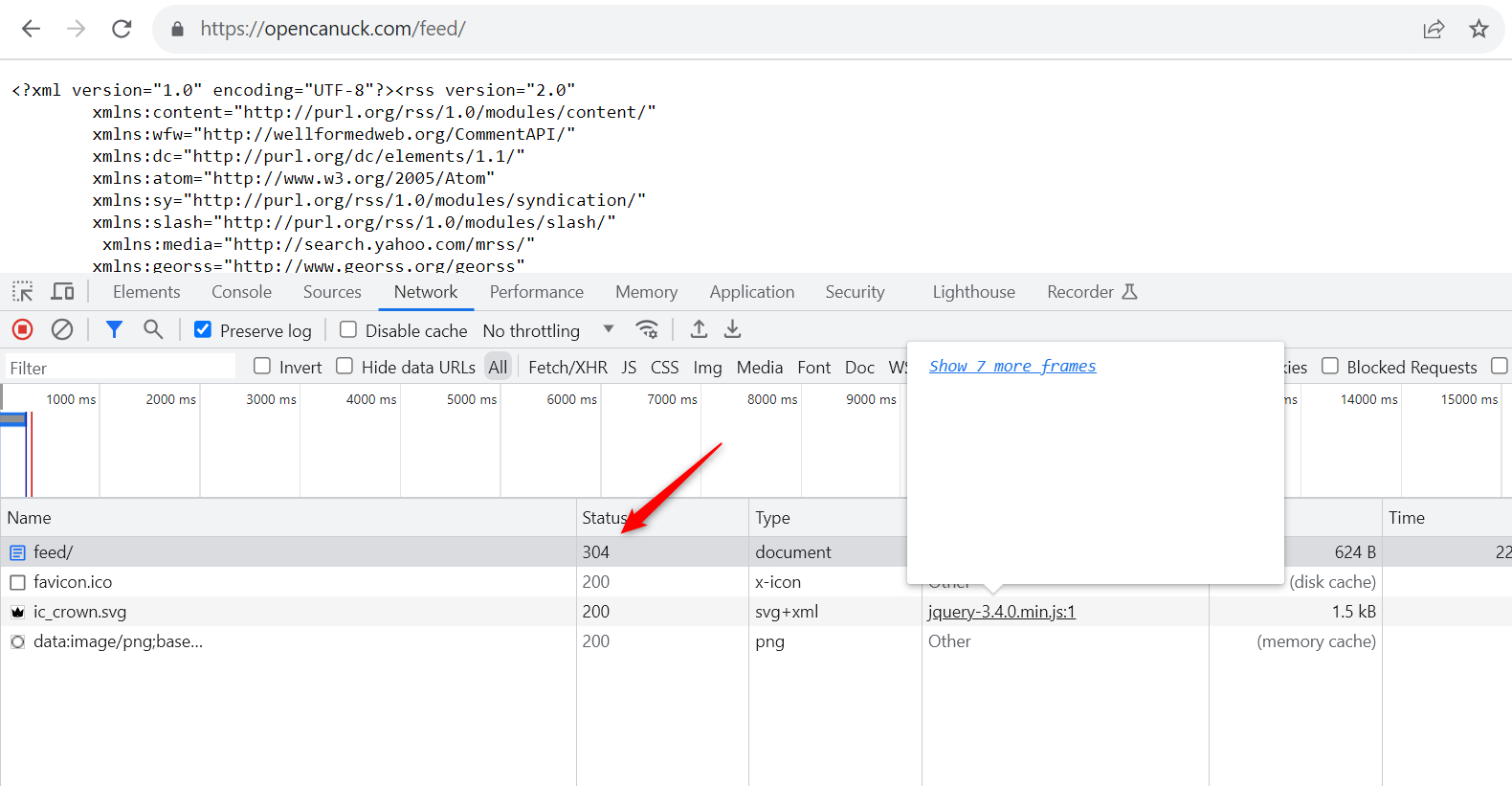
How do I check it on my end? This is hosted on Wordpress.COM ... like THE official wordpress hosting
HTTP's 304 response is a key element of efficient web browsing, signaling that a requested resource hasn't altered since the last time it was accessed by the user's browser. This response advises the browser to utilize its locally stored version of the resource instead of downloading it anew from the server. This process, known as HTTP caching, helps conserve bandwidth and enhances page loading speed. When you load a web page or request any online resource, your browser includes a timestamp called "If-Modified-Since" in its request to the server. The server then checks if the resource has changed since that timestamp. If it hasn't, the server responds with a 304 status code, indicating that your cached version is still up-to-date. If the resource has been modified, it returns a 200 status code along with the updated content. Therefore, encountering a 304 response when accessing an RSS feed or any web resource is not an error but a normal part of efficient web caching, demonstrating that your browser's cache is still accurate, ensuring faster and more efficient browsing.
but even with https://opencanuck.com/feed/ pabbly still output value 0 unlike before.
can we rule out this 301 problem now?
tested with https://www.webfx.com/tools/http-status-tool/
with these urls:
https://opencanuck.com/feed/
https://opencanuck.com/feed
https://opencanuck.com/
https://opencanuck.com
https://opencanuck.com/feed (without the ending slash) is the only one that returns 301
Hey @tsuiwilliam
Your concern has been relayed to our technical team, who will investigate it thoroughly.
Consequently, please be aware that this thorough examination may require some time to assess the feasibility and address the issue you've raised.
Hey @tsuiwilliam
Our technical team has made some changes in the RSS integration and it should work accordingly.
Please give it a try and let us know.
still show below when save and send test request, will it work? i turned it back on to wait for the next scheduled run
Label
Value
Response
0
still failed, please help @Supreme
still show below when save and send test request, will it work? i turned it back on to wait for the next scheduled run
As we can see from your workflow, you haven't passed the feed URL correctly.
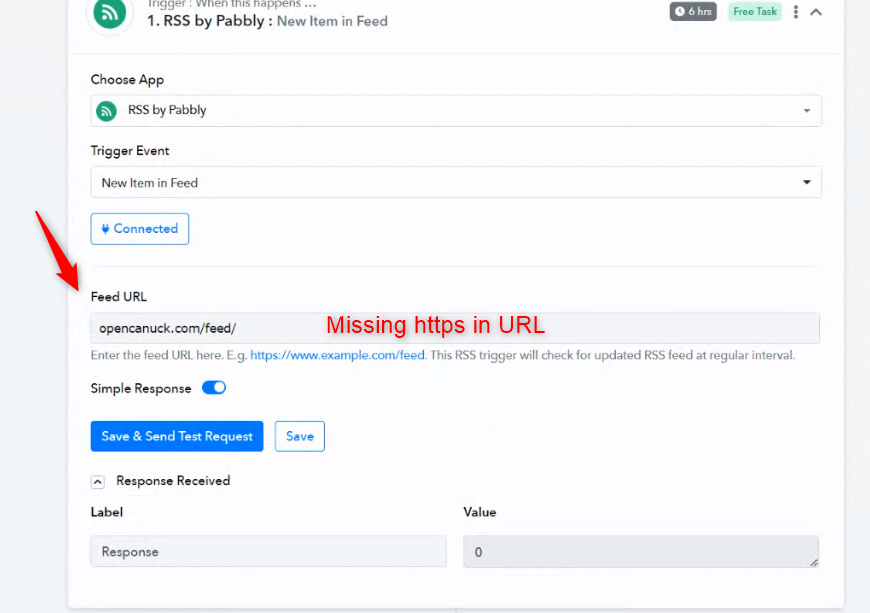
After passing the correct URL.
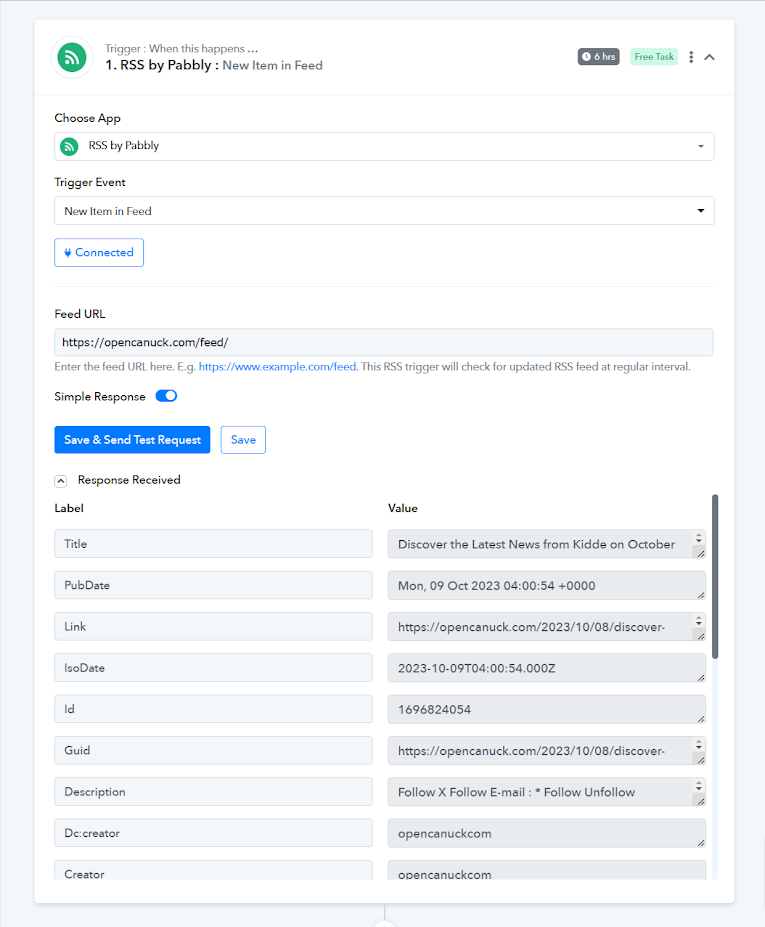
weird, i didn't change anything manually. should i be worried that the system is modifying/losing data on its own without human input?
No, this is not the case it is impossible for the system to input data or make modifications on its own.