Collecting data from Survey Monkey's completed form including the responses on checkboxes
Status: Closed · Asked by annaleahjust on · 0 views
Hello team,
I am trying to create an automation where I can collect all data from Survey Monkey filled out form and transfer these data/details to a Google Sheet. However, the checkbox data only shows the ID number of the question. I want to be able to collect data whether they ticked "yes" or "no" on the checkbox.
How can I proceed with this automation?
Thanks!
Best,
Anna
Hey @annaleahjust
Kindly provide us with the workflow name in which you are getting issue.
So we can check on it and guide you further.
Hello, the workflow name is Faculty Disclosures. Our goalis to get the data from Survey Monkey form, specifically the data when they tick the checkbox or if they answered "yes" or "no" and/or "agree" or "disagree". JUst more of the info from the checkboxes.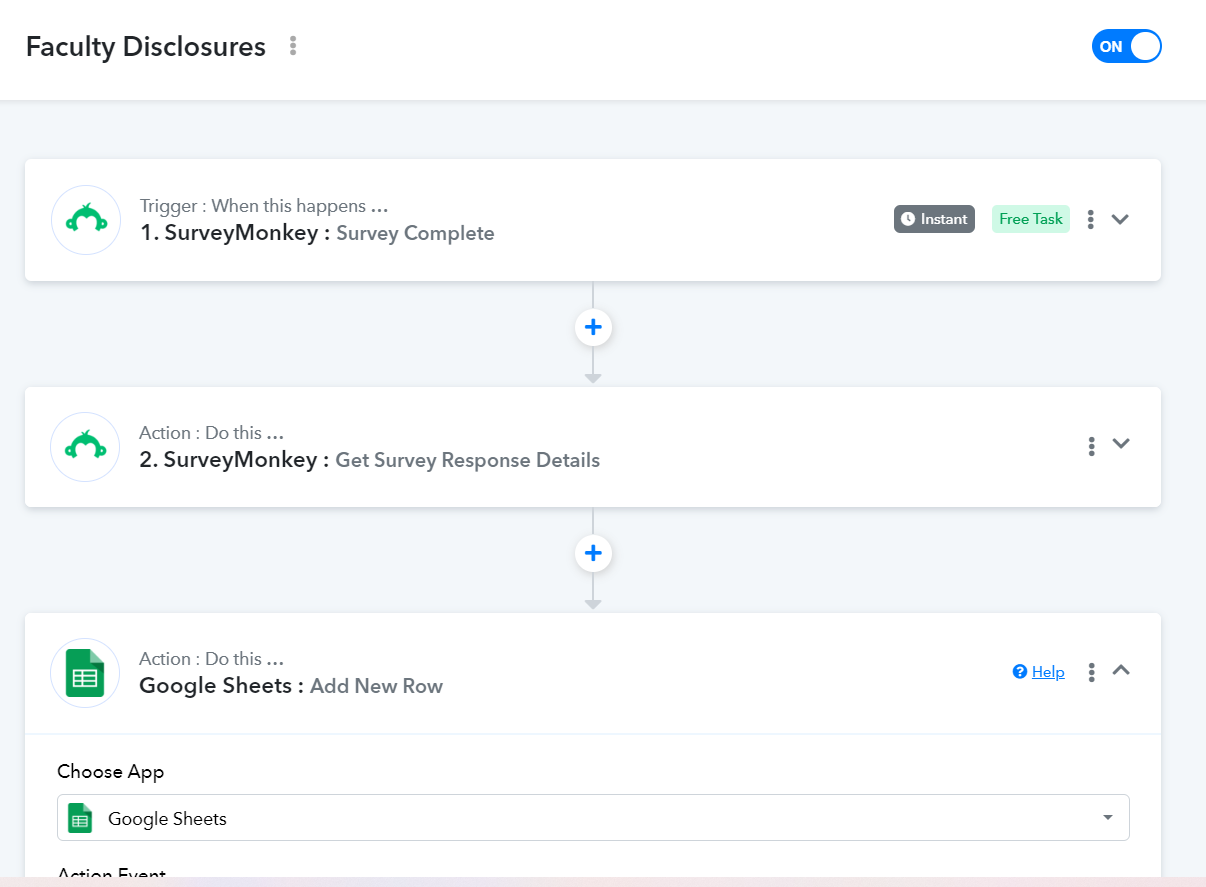
Please allow us some time to check. I will get back to you soon.
I cannot locate any workflow with the name you provided.
Please provide the correct email address associated with the workflow so that I can access and review it appropriately.
Hello Arshita, we have received an email saying that there's an error due to "required field Response ID missing". I have now connected the response ID and is showing response details. Would you be able to check the this flow again? Our main concern here is that we want to get all data from Survey Monkey form. specifically the data when they tick the checkbox or if they answered "yes" or "no" and/or "agree" or "disagree". JUst more of the info from the checkboxes.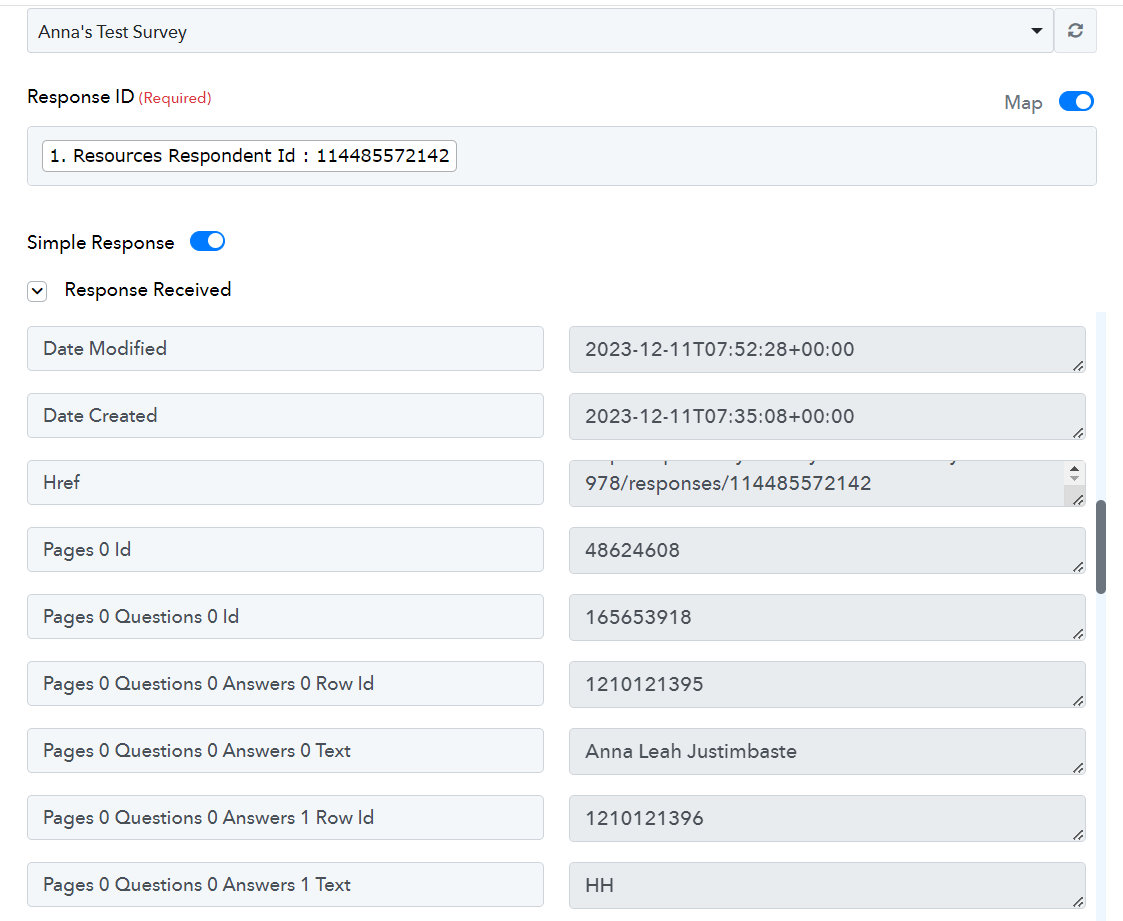
I cannot locate any workflow with the name you provided.
Please provide the correct email address associated with the workflow so that I can access and review it appropriately.
Here is the email address associated with the workflow: [email hidden]
Thank you for providing the email address.
I've checked your workflow, and in the SurveyMonkey: Get Survey Response Details action step, you are receiving responses that include "yes" and "no" in the answer field.
In light of this, I suggest using the filter step to sort the data based on conditions such as "yes" or "no" or "agree" and "disagree." Subsequently, update the filtered data in the Google Sheet.
Please refer to the video tutorial below on how to use the filter condition, and then proceed with the task again.
Thank you. The responses only shows ID numbers.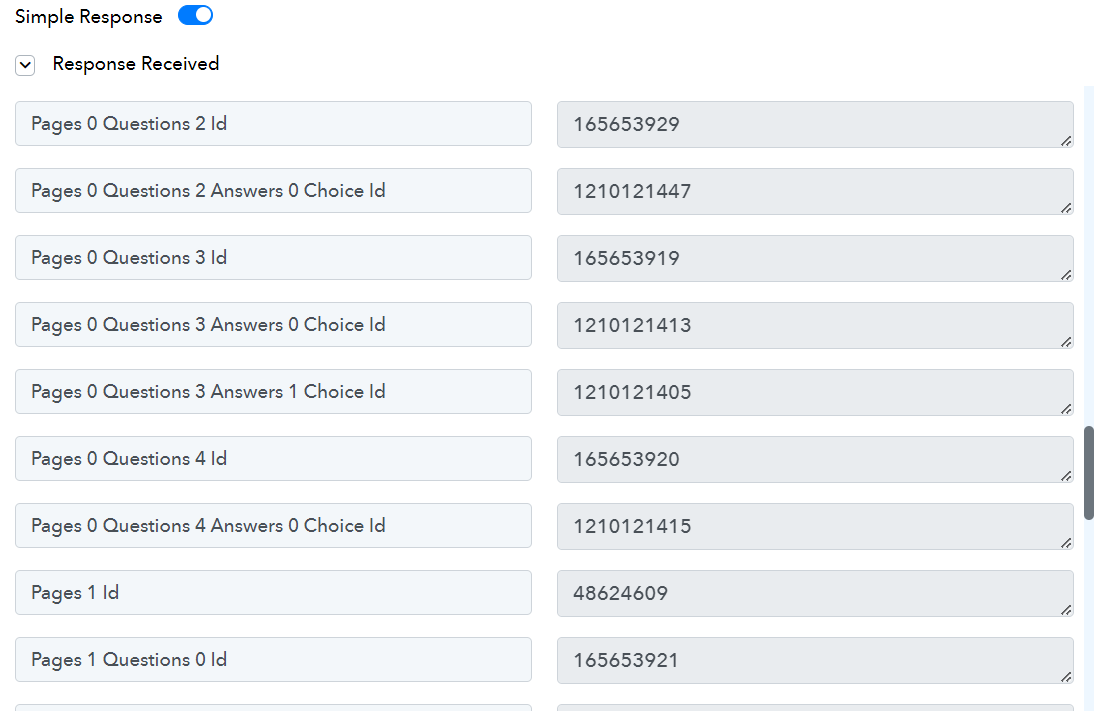
As I can see, the response is receiving "Yes," so you can set the filter condition based on this.
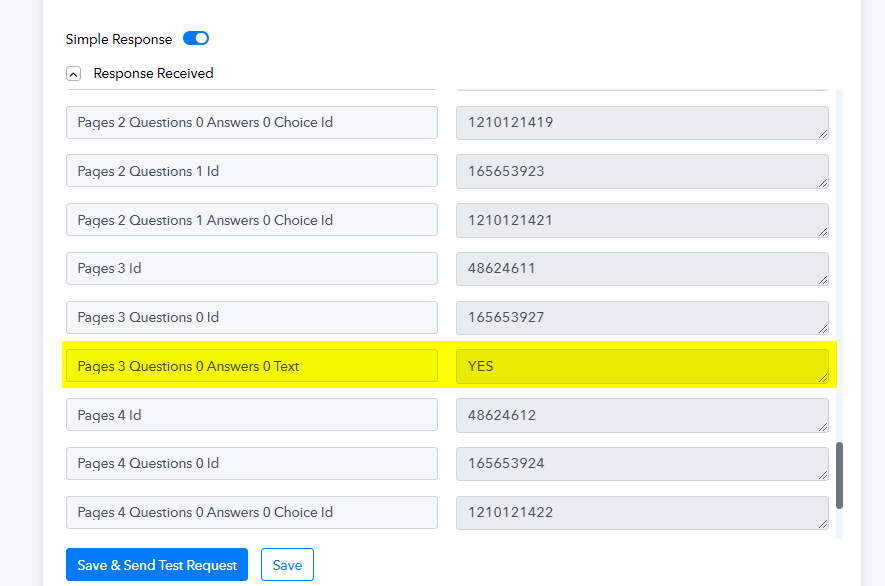
Hello, I did not set any filter condition for that it's an actually data from the Survey Monkey form where they needed to type the word YES. But the data from the checkbox data are not there it's only showing ID numbers. How can we get data from the checkboxes?
Can you please provide me with access to the survey form so that I can check it from our end and assist you further?
Here's our survey form: https://www.surveymonkey.com/r/ZQ9B69Z
Inside the form there are checkboxes to whether they choose "yes" or "no" and/or "agree" or "disagree" and we want to collect their responses.
We have forwarded your concern to our technical team, and they are actively addressing it. Please allow us some time to conduct a thorough check, and we will get back to you soon with an update.