Conditionnal Router not working when value doesn't exist
Status: Open · Asked by Hugo Hamel on · 0 views
Hi,
I am trying to check if a customer exist in Quickbooks to then decide which "route" to take.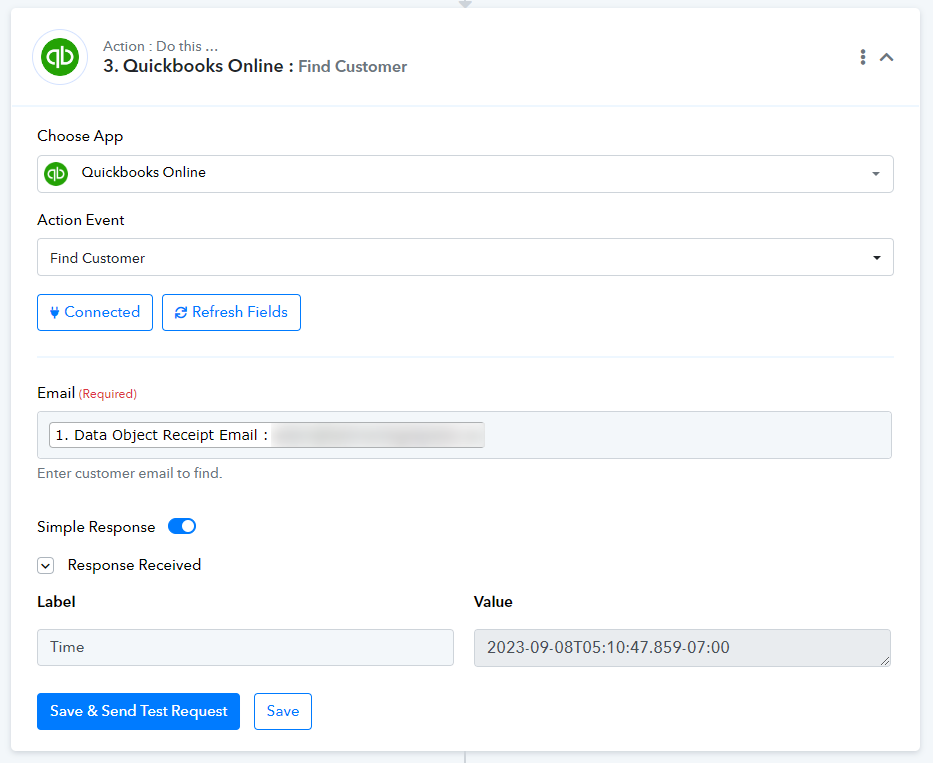
When the customer doesn't exist Quickbooks returns only the Time.
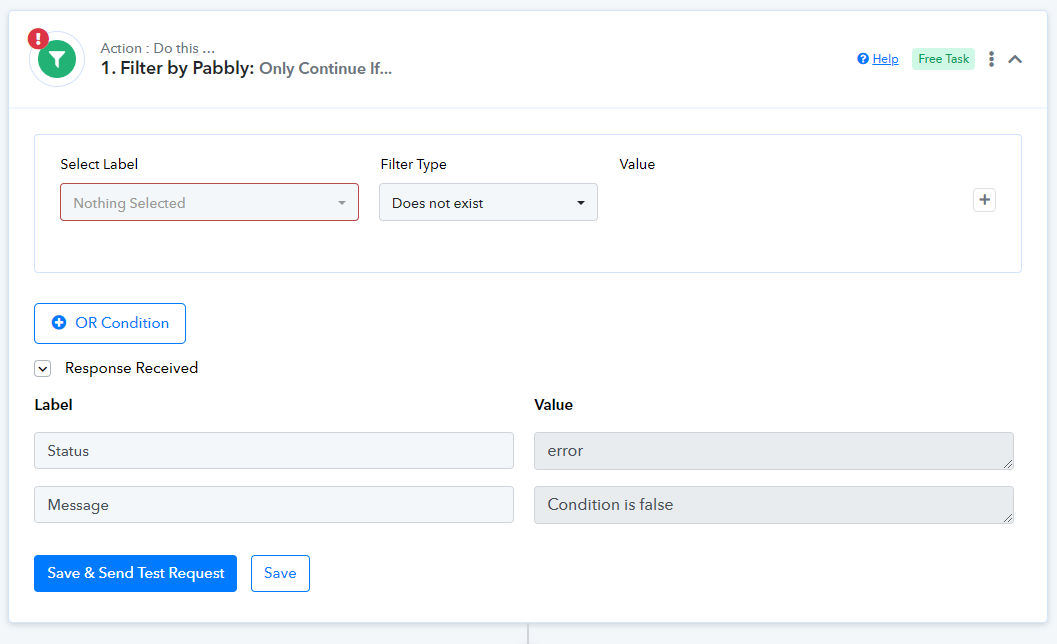
And I am trying to assign a field to check if the field exist or not.
First I get the data for an existing customer, then I set the field and make the filter for it to be true when it doesn't exist.
Then, I get the data for a customer that doesn't exist.
The issue is that when the customer doesn't exist, the router still indicates as FALSE when the field doesn't exist.
How can I solve this issue?
Thansks!
Hi @hugohamelcom,
Please enter the email address which already exists in your Quickbooks Online account and use that response as Filter condition of both routes.
That's what I did, but then when I test with previous data (in the workflow history) it still doesn't go through.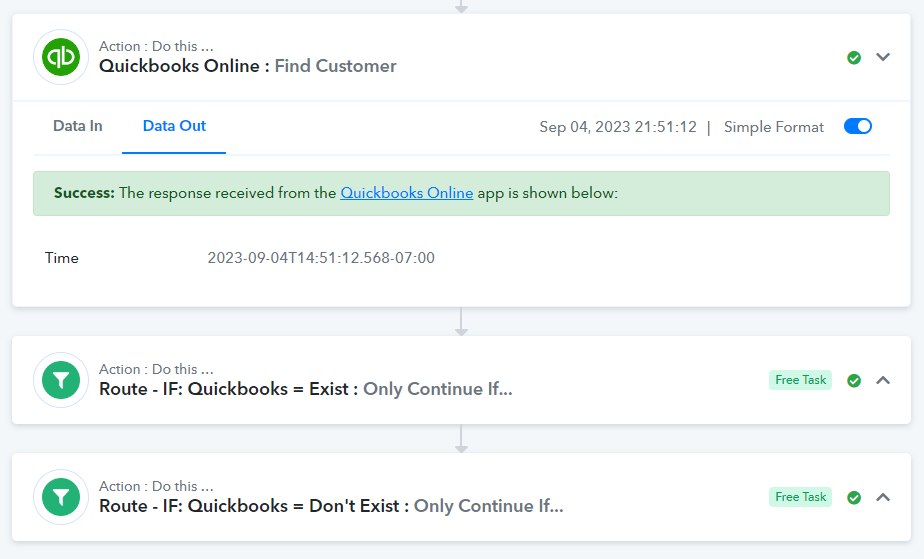
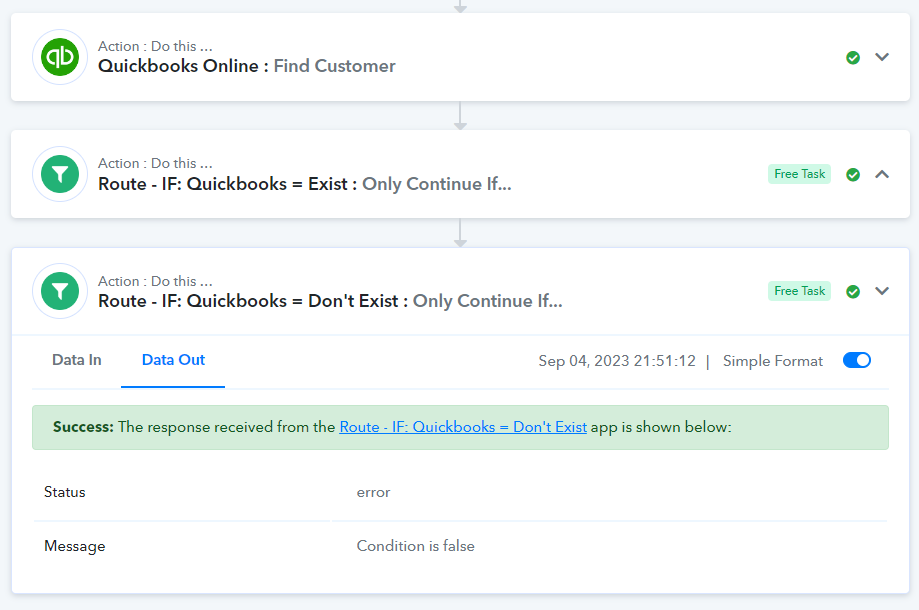
That's what I did, but then when I test with previous data (in the workflow history) it still doesn't go through.
I think @ArshilAhmad meant that you need to enter the email address that already exists in QBO while setting up the workflow and then use something like Customer ID exist or doesn't exist in filter conditions.
Yes, that's exactly what I did. Then, when I re-executed the entire flow with it configured correctly, for some reason, it returned false when it should have returned true.
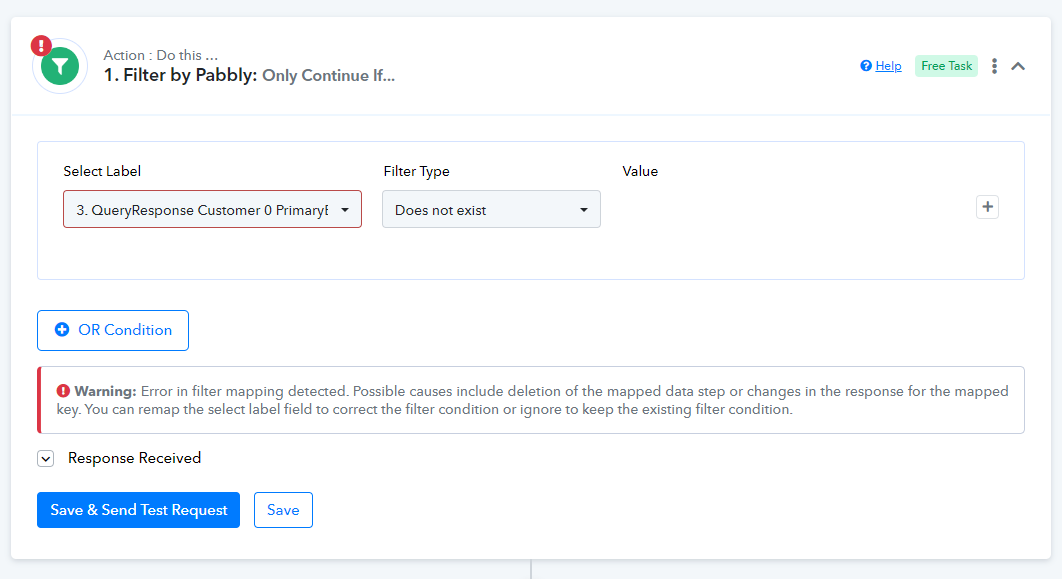
Could it be a logic problem in the backend of Pabbly, @Supreme ? Or is there something wrong that I did?
Please enter an existing customer email address in "Find Customer" action step.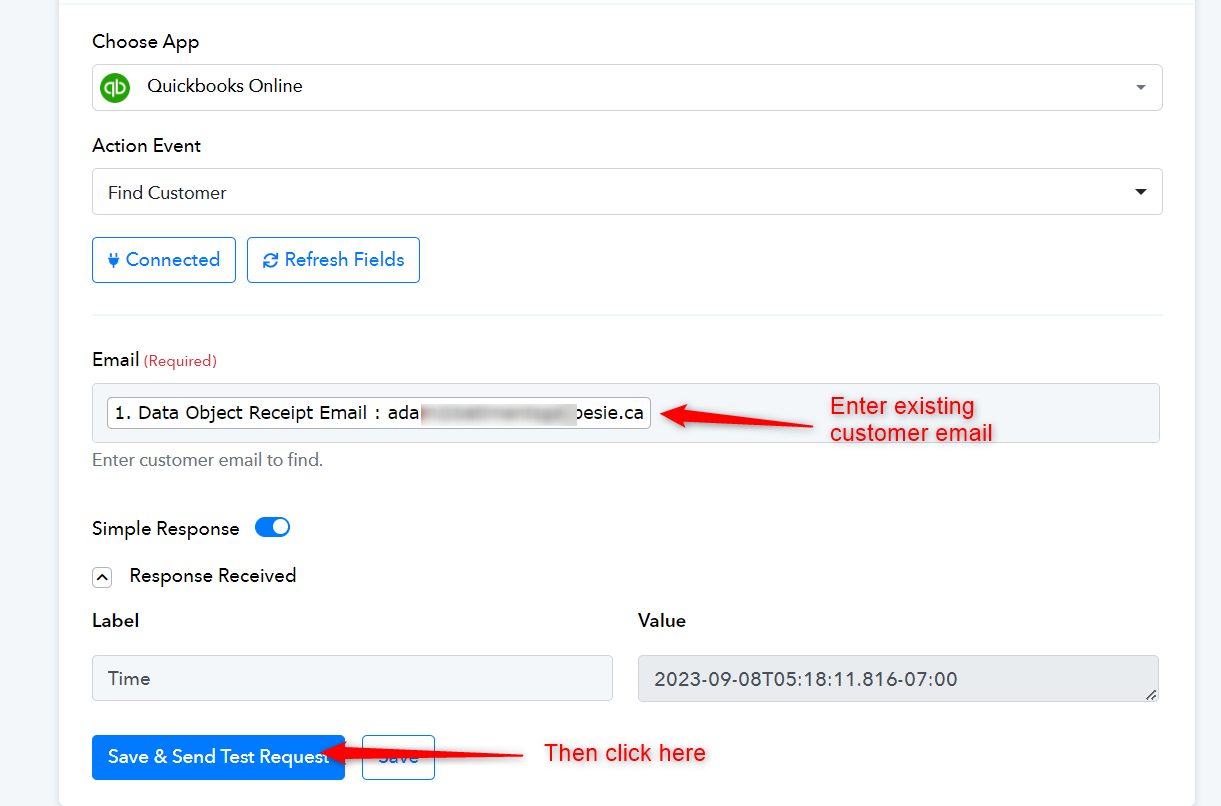
Yes, I already did all of that @ArshilAhmad. Here's the explanatory video: https://www.loom.com/share/7c155910e7b24247990de6940c7a9421?sid=e751d7bf-c918-48c3-8200-b3d2b189ff81 (Sorry, the audio is not that good)
Yes, I already did all of that @ArshilAhmad. Here's the explanatory video: https://www.loom.com/share/7c155910e7b24247990de6940c7a9421 sid=e751d7bf-c918-48c3-8200-b3d2b189ff81 (Sorry, the audio is not that good)
In Don't Exist router you mapped value in condition from 2nd step instead of 3rd step.
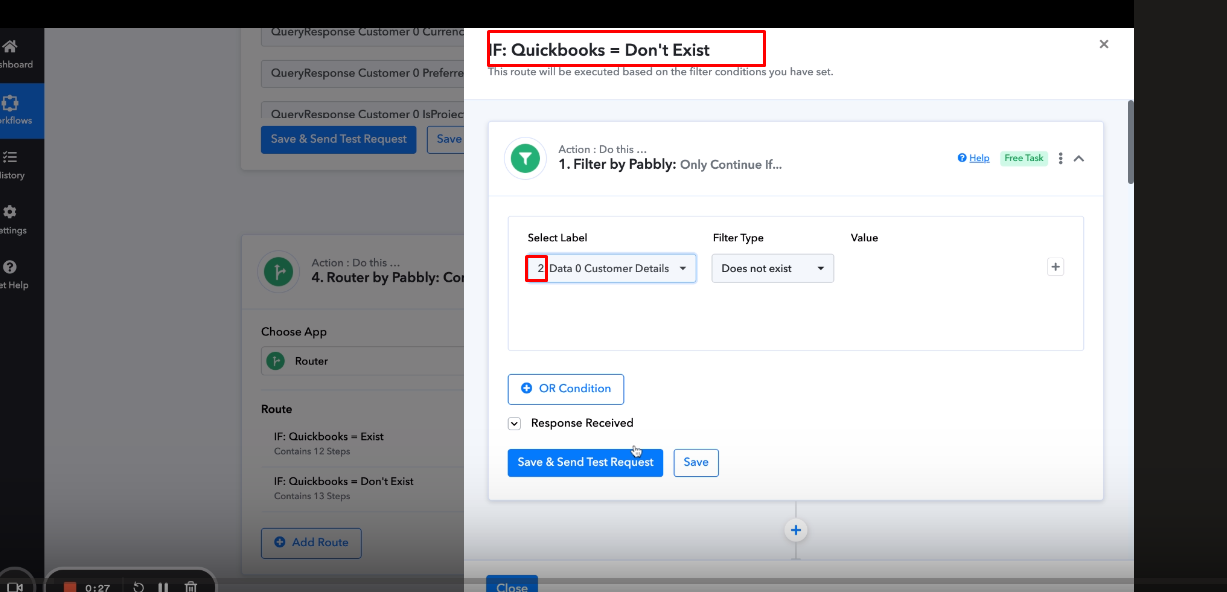
I had linked it to #3 but you're right, when I recorded the video, I linked it to #2.
Just relinked it to #3.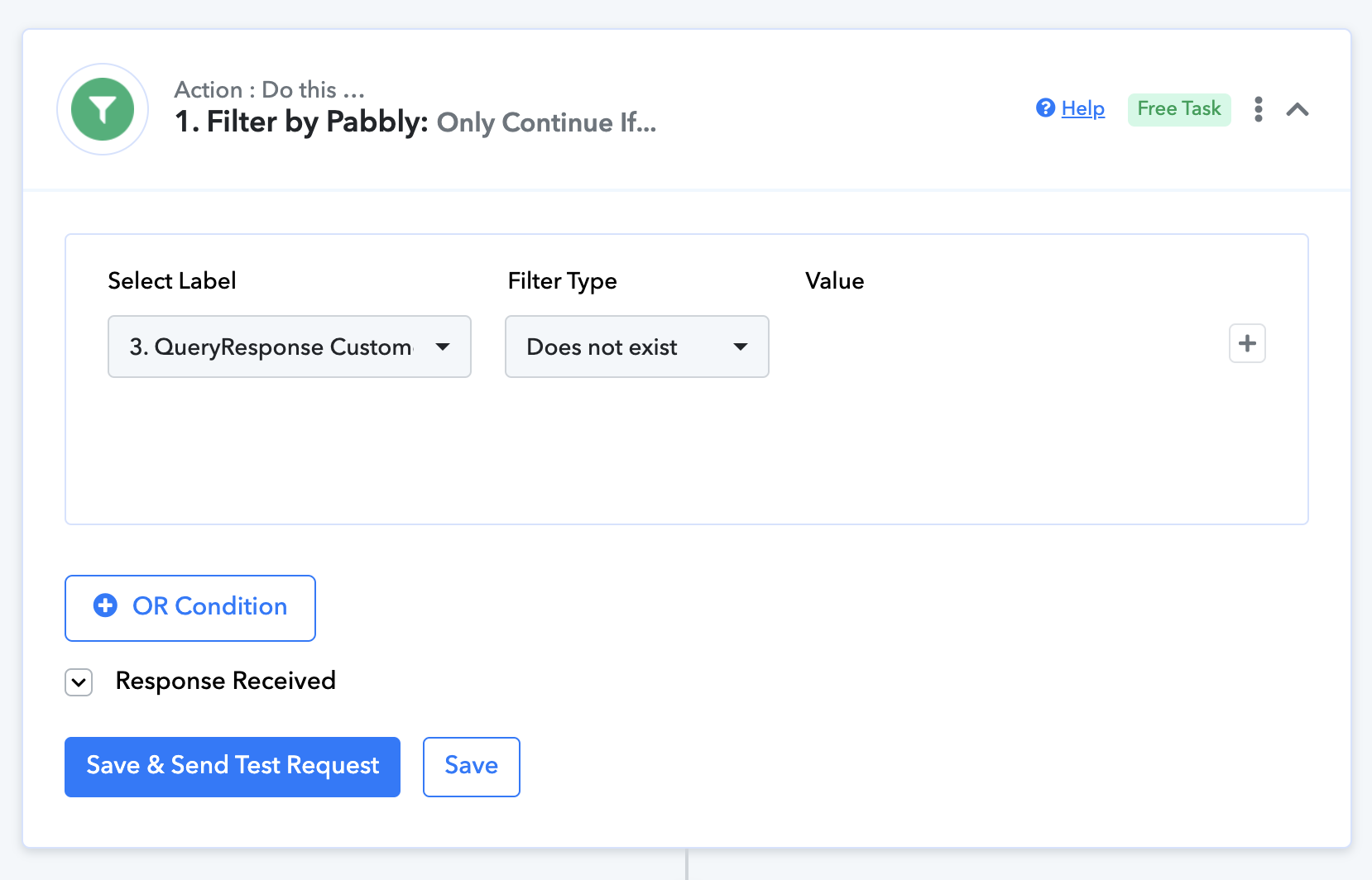
Yet, when I re-executed the entire workflow after fixing my mistake when I recorded the video, it still doesn't go through.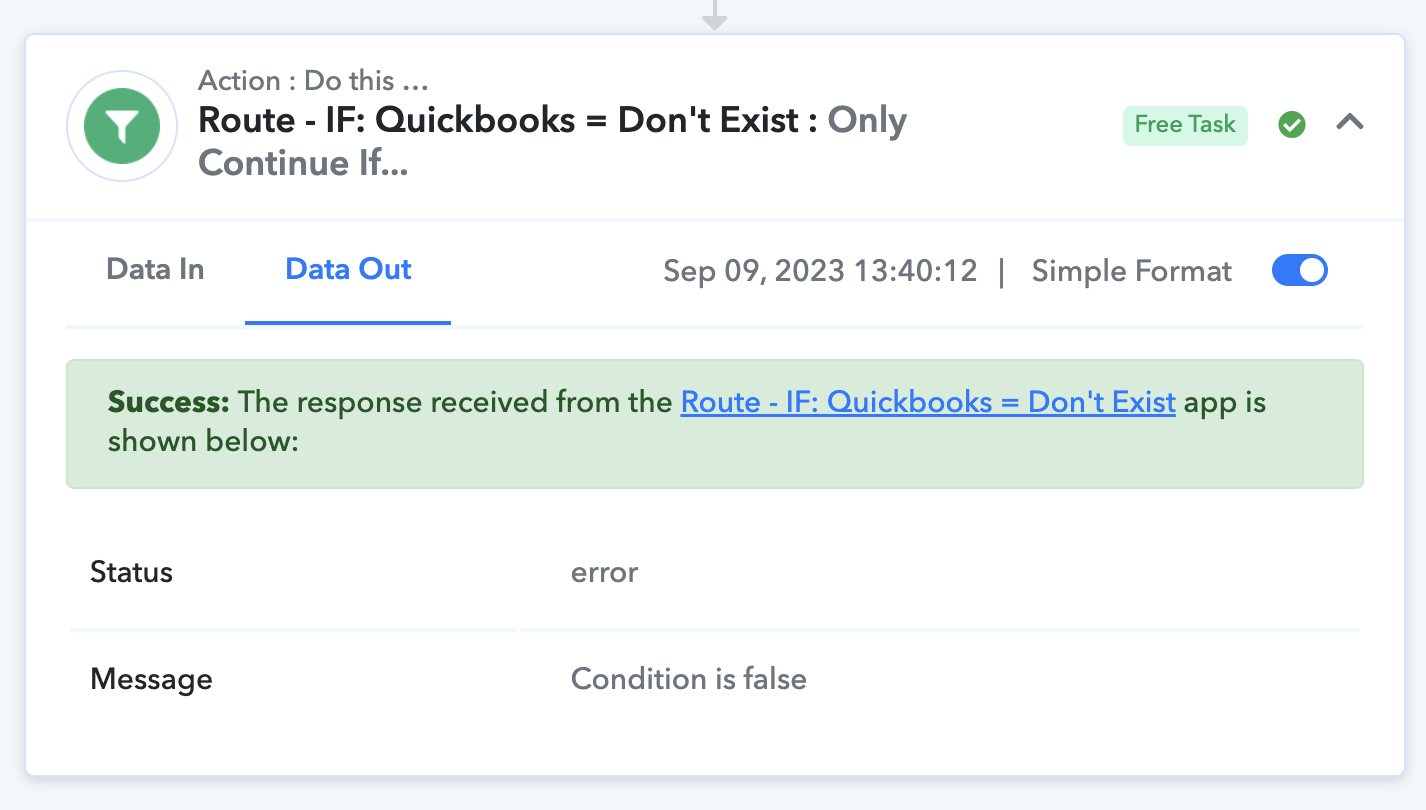
I am really confused of why it still return false...
I had linked it to #3 but you're right, when I recorded the video, I linked it to #2.
Just relinked it to #3.Yet, when I re-executed the entire workflow after fixing my mistake when I recorded the video, it still doesn't go through.
I am really confused of why it still return false...
Can we do a quick zoom call to check this in detail DM on FB messenger.
@hugohamelcom
This may solve your problem:
https://forum.pabbly.com/threads/how-pabbly-connect-solves-issues-of-partial-failures-in-automations.16623/
@ArshilAhmad Just had a call with @Fagun Shah and he can confirm that there's an issue with the workflow itself.
We tested another workflow, with similar logic and it worked: https://connect.pabbly.com/workflow/mapping/IjU3NjUwNTZmMDYzNTA0MzY1MjY0NTUzMjUxMzci_pc
Yet, in the workflow I was referring to, the same logic doesn't work: https://connect.pabbly.com/workflow/mapping/IjU3NjUwNTZjMDYzZTA0MzM1MjZkNTUzNzUxMzUi_pc
It seems to be an issue on Pabbly's side, but I'm wondering if there's anything I could do to solve the issue faster?
Thanks!
Please allow us some time to look into this concern. We will get back to you with an update soon.
Perfect, thank you!
@ArshilAhmad Is the any update or some progress regarding this issue? Thanks :)
Our technical team is currently investigating your concern. I kindly request that you allow us some additional time. We will provide you with an update as soon as possible
@ArshilAhmad Should simply create a new workflow instead? Would it be more simple and faster? Or have you found the issue?
Our technical team is still working on finding a solution for your issue. While you can try creating a new workflow, please note that since the issue is related to the router condition, I am not sure if that will resolve your problem.
@ArshilAhmad I cloned the workflow and it is now working. It seems to have been related to the workflow itself.
Thank you for the update. I am glad your new workflow is functioning correctly.