Connect and PSB issue
Status: Open · Asked by Hector Elias on · 0 views
Hello everyone!
I'm looking to sell a service through PSB and have several plans for it.
I'm looking to create different automations with Connect depending on the plan.
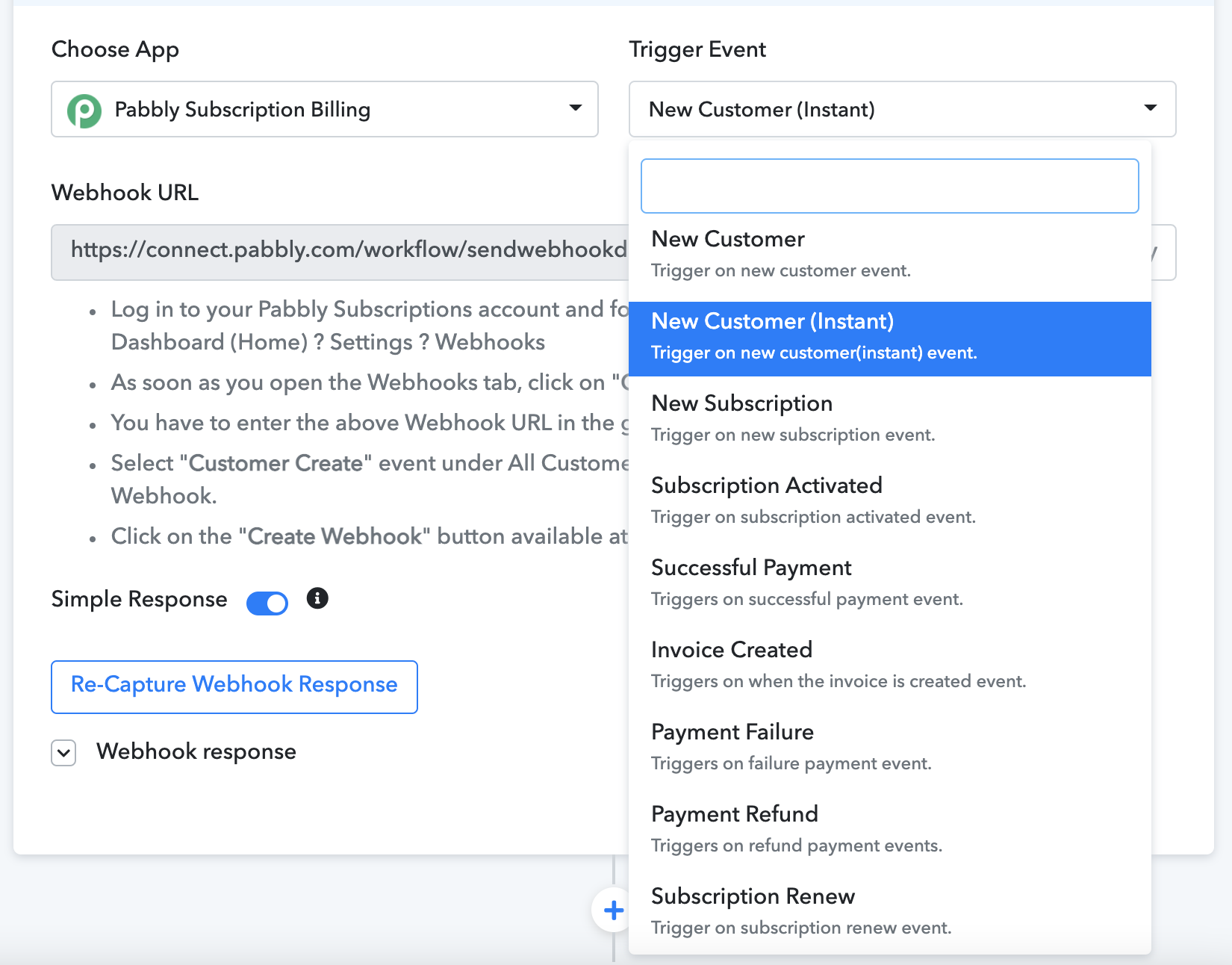
I chose the trigger "Pabbly Subscription Billing" and tried using the trigger events for 'New Customer (instant)' and 'New Subscription'.
I set up the webhook accordingly.
Then I went to a Router and wanted to use a Plan ID, however, the Plan ID never appeared.
Neeraj Agarwal suggested that I use a purchase event in the PSB but I don't have that option.
Here are my available options:
- New Customer
- New Costumer (instant)
- New Subscription
- Subscription Activated
- Successful Payment
- Invoice Created
- Payment Failure
- Payment Refund
- Subscription Renew
Any suggestion?
Thank you so much!
Attachments
You can get data of Plan Id by selecting the webhook event type as subscription_activate.
In this webhook response, you'll get data such as plan id, plan type, plan name, plan code, customer email, and the customer_id,
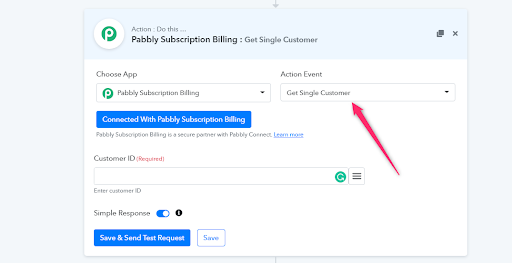
Use this custmer_id at Pabbly Connect to get all the customer-related details by triggering the event of Get Single Customer on Papbbly Connect.
Note: For one-time payment collection you need to select subscription_activate webhook event, and for recurring payment collection you need to select the subscription_renew webhook event.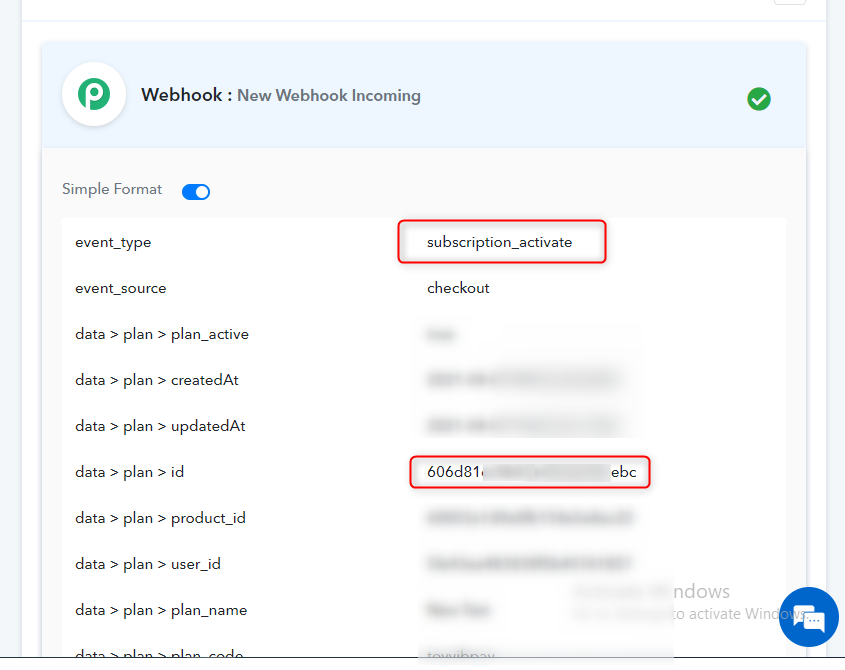
Ok, so this now works! Thank you!
However, now I've encountered a new problem... Since I changed it to Subscription Active, now I don't have access to the client's information...
Is there an option that gives me everything?
Thanks
Ok, so this now works! Thank you!
However, now I've encountered a new problem... Since I changed it to Subscription Active, now I don't have access to the client's information...
Is there an option that gives me everything?
Thanks
Hector, once you get the customer ID from your Subscription Active Webhook.
You can create another action step named "Get Single Customer". On that "Get Single Customer" action point, you can add That action point will allow you to get all the data for that specific customer id.
Do check this thread here.
https://forum.pabbly.com/threads/how-to-get-customer-details-after-successful-payment-trigger-in-pabbly-subscription-billing.107/
Feel free to post if you still have any questions.