Connect Jotform API
Status: Closed · Asked by Omar Pineda on · 0 views
Hello, I would like to know what is the correct way to place POST within the API structure by Pabbly
Since I have tried in many possible ways but I have not been able to access, can you help me?
https://api.jotform.com/docs/#user-login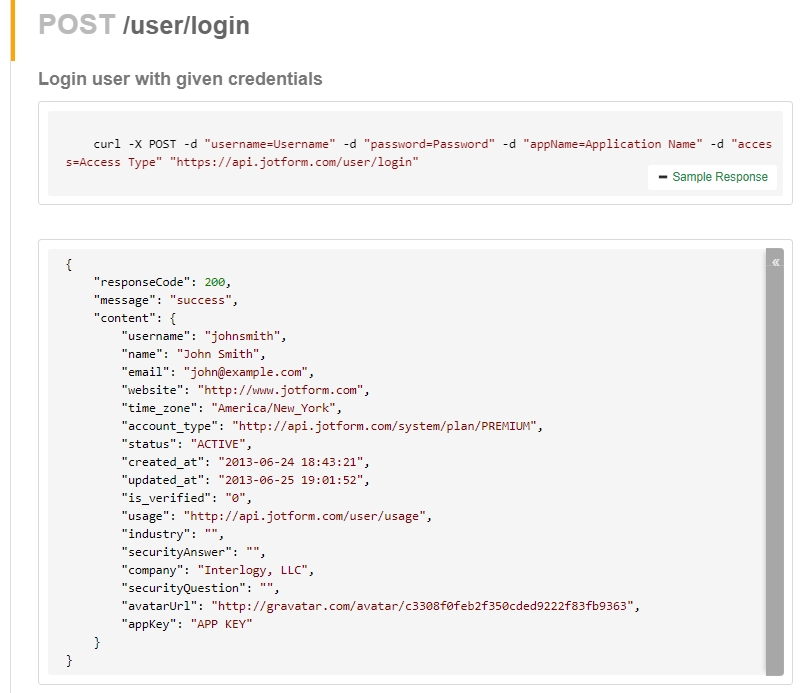
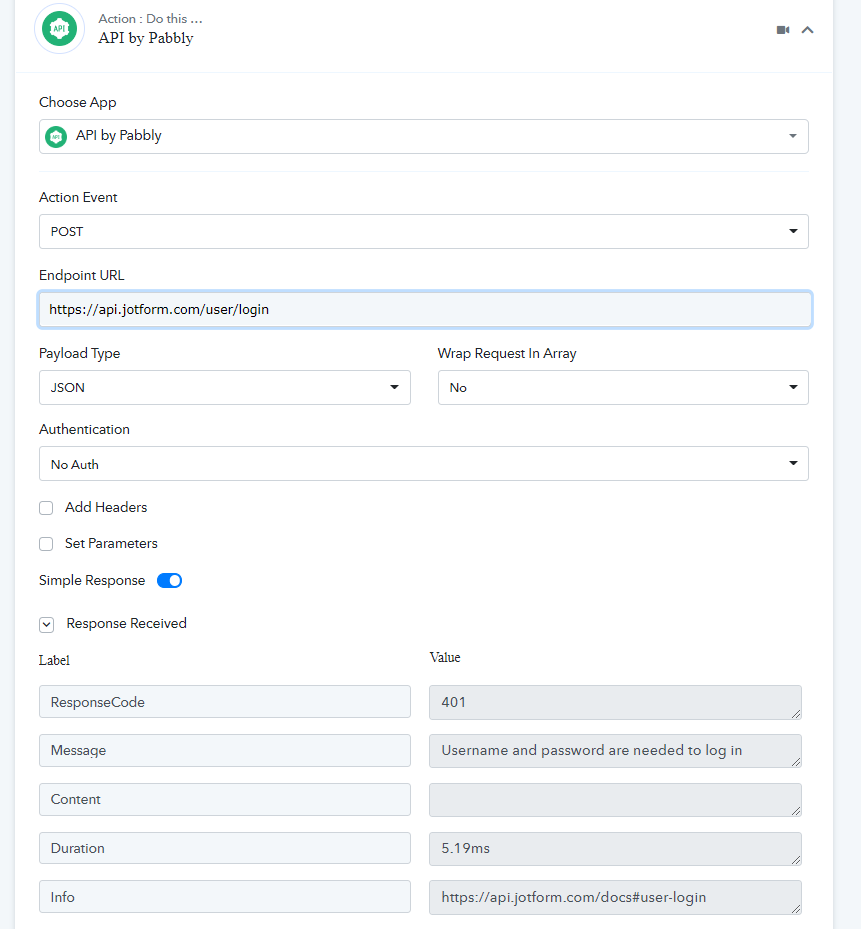
Hey @omarpineda
Hello, I would like to know what is the correct way to place POST within the API structure by PabblySince I have tried in many possible ways but I have not been able to access, can you help me?
As we can understand from your API response you haven't passed the username and password.
So, kindly try the below mentioend API requrest and let us know if that works for you.
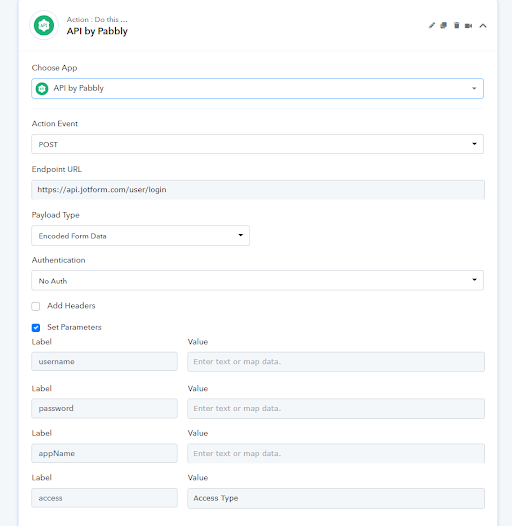
Hi, thanks for your response,
In relation to the configuration it worked correctly
But it didn't solve our problem, and we want your help to find the root of the problem.
There are two ways to get the PDF file generated by Jotform, one is through the following link
https://www.jotform.com/server.php?action=getSubmissionPDF&sid=SubmissionID&formID=FormID
Which unfortunately does not meet our needs
the second way is with the following url
https://www.jotform.com/pdf-submission/SubmissionID
This second URL is necessary to have a session started in JotForm, but when launching the trigger and not having access, the 404 error appears for not being logged in
We would like to make the system understand that we are logged in to obtain the PDF through that same URL

I understand that the problem may not be in the connection with Pabbly, but I would like to understand where the problem may lie
The current existing connection is
Jotform + Pabbly + Wati
To send our PDF to WhatsApp
Hey @omarpineda
We would recommend you to contact their support team for the same, since the problem has been occurring from their API.