Connecting Google Calendar to WhatsApp
Status: Open · Asked by chen on · 0 views
היי, ראיתי את אחד הסרטונים שלך של חיבור יומן גוגל לוואטסאפ והתנתקתי בשלב 5, זה לא נותן לי לדלג לפורמט כמו שאמרו בסרטון לדלג, אז בשלב מעצב המספרים אני לא יכול לדלג המשך כי שלב 5 לא נתן תאריך
Hi @chen,
I've made some changes to Step 5 in your workflow; it should now provide the correct date.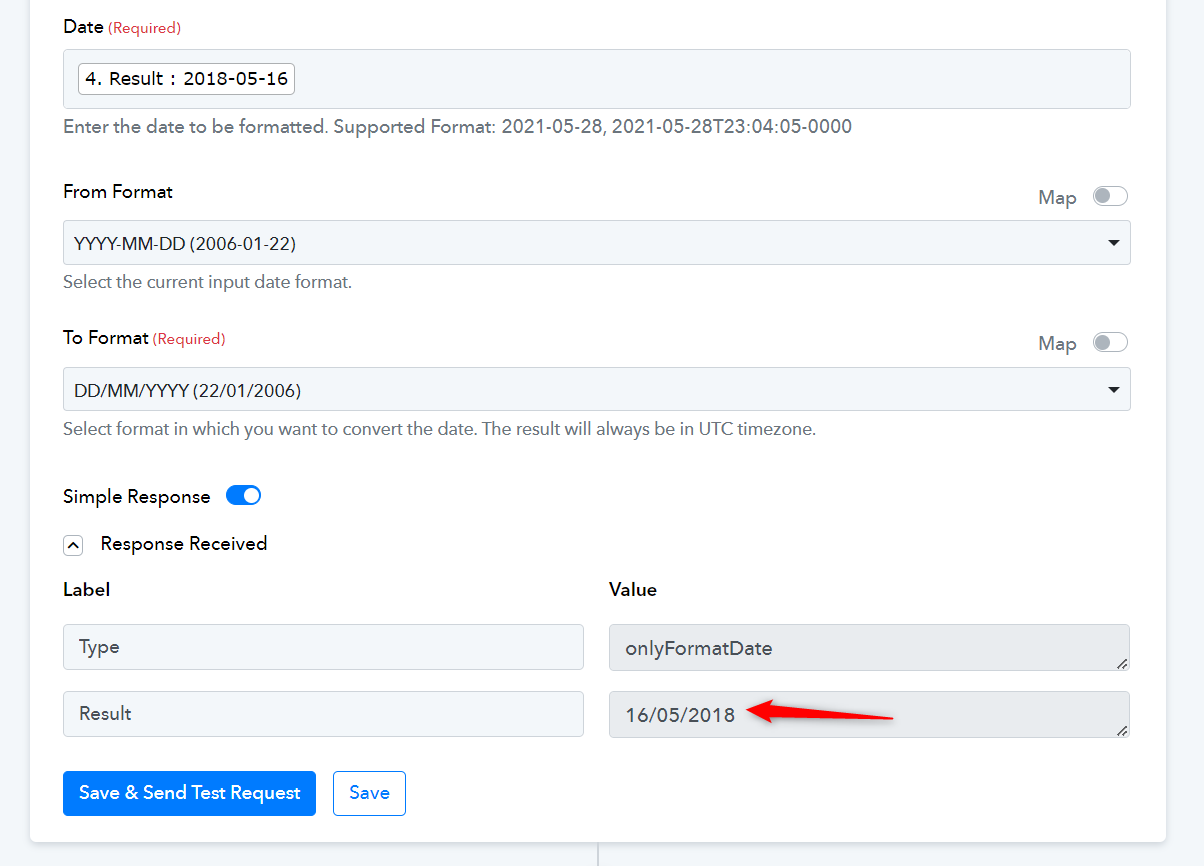
Hi @chen,I've made some changes to Step 5 in your workflow; it should now provide the correct date.
Now I'm disconnected in step 7 doing crosswords and it doesn't work for me no matter what I've tried several ways
Please watch the video below to understand how to use the Date/Time Formatter in your workflow. It appears that you have made changes to Step 5 of your workflow again. You need to watch the video shared below to understand how to use the Date/Time Formatter.
Please watch the video below to understand how to use the Date/Time Formatter in your workflow. It appears that you have made changes to Step 5 of your workflow again. You need to watch the video shared below to understand how to use the Date/Time Formatter.
I can tell that I succeeded now, the problem is that I reached the end of the video and explanation and I don't know how to do it
I can tell that I succeeded now, the problem is that I reached the end of the video and explanation and I don't know how to do it
youtube.com/watch?v=6A5XtFiwPVA
This is the video in the last step, I worked on it, I can't do it alone
Could you please elaborate a bit more on what exactly your concern is? Steps 1 to 8 of your workflow are already correct. You need to establish a connection with your WATI account the way it's shown in the video you shared.