Connecting Systeme io and Membervault
Status: Closed · Asked by carlajayne on · 0 views
I'm trying to connect my systeme funnel to add a Membervault user.
I'm using a custom domain in my Membervault so the video which shows Thrivecart/MV connection would be almost the closest but not quite. So I'm not sure if I'm not connecting it through Systeme correctly or not, or if its something I need to do in MV.
My issue is being unable to see my courses show up in the Course ID section. I used the webhooks, gave my subdomain (which is members.newleafyourlife.com) and it comes up with a 500 error or absolute gibberish in the response.
This should be simple I have no idea why my courses/products arent showing up with the connection.
Please help!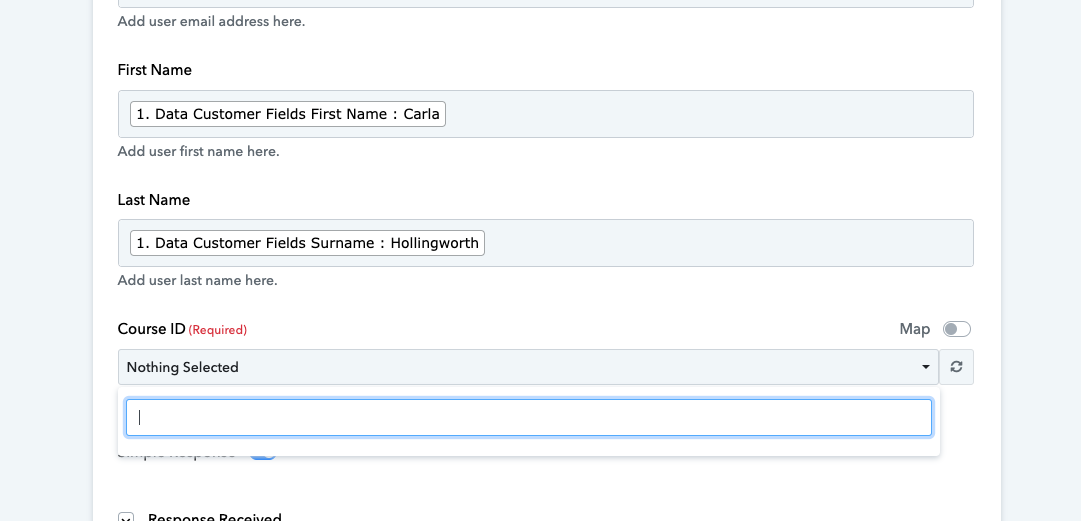
Hey @carlajayne
It seems like the connection you've set up isn't quite right, which might be causing the error you're seeing.
To get things back on track, why not give it another shot by creating a fresh connection? You can also check out the final section of our video lessons, where we walk you through making a new connection step by step.
Hey @carlajayneIt seems like the connection you've set up isn't quite right, which might be causing the error you're seeing.
To get things back on track, why not give it another shot by creating a fresh connection? You can also check out the final section of our video lessons, where we walk you through making a new connection step by step.
This didnt work. I did create a new MV connection and it still wasn't coming up with my courses.
I JUST decided to try another way - this is IMPORTANT for your training and for anyone who now uses a custom domain with their MV (which is now thanks to Facebook, quite a LOT of people. They don't have the old vipmembervault website either.)
I put in my original subdomain when I first signed up, and THAT worked. My courses showed up.
Please do update your training to let people know this because that has been frustrating me for a good couple of weeks.
Hey @carlajayne
Thanks for the update, I hope now your automation might be working accordingly. Rest assured, we'll promptly update our guides to include this vital information.