connecting telegram channel with discord channel
Status: Closed · Asked by maxcw on · 0 views
OK. Here's my problem. I folowed this guide (https://forum.pabbly.com/threads/pabbly-telegram-pictures-not-sending.2172/post-11760) but it's still not sending any pictures, only text. Also sometimes I want send only text and sometimes only pictures and sometimes only videos. So when I setup everything to send picture with text, and I send only text, it doesn't show up in discord.
Maybe you should implemented also "when there's no picture, skip "get file" step".
Hey @maxcw
You need to set up the telegram action step "Get File" where you need to get the file URL with the help of file id and then you have to set the image URL in the Discord message field in HTML format.
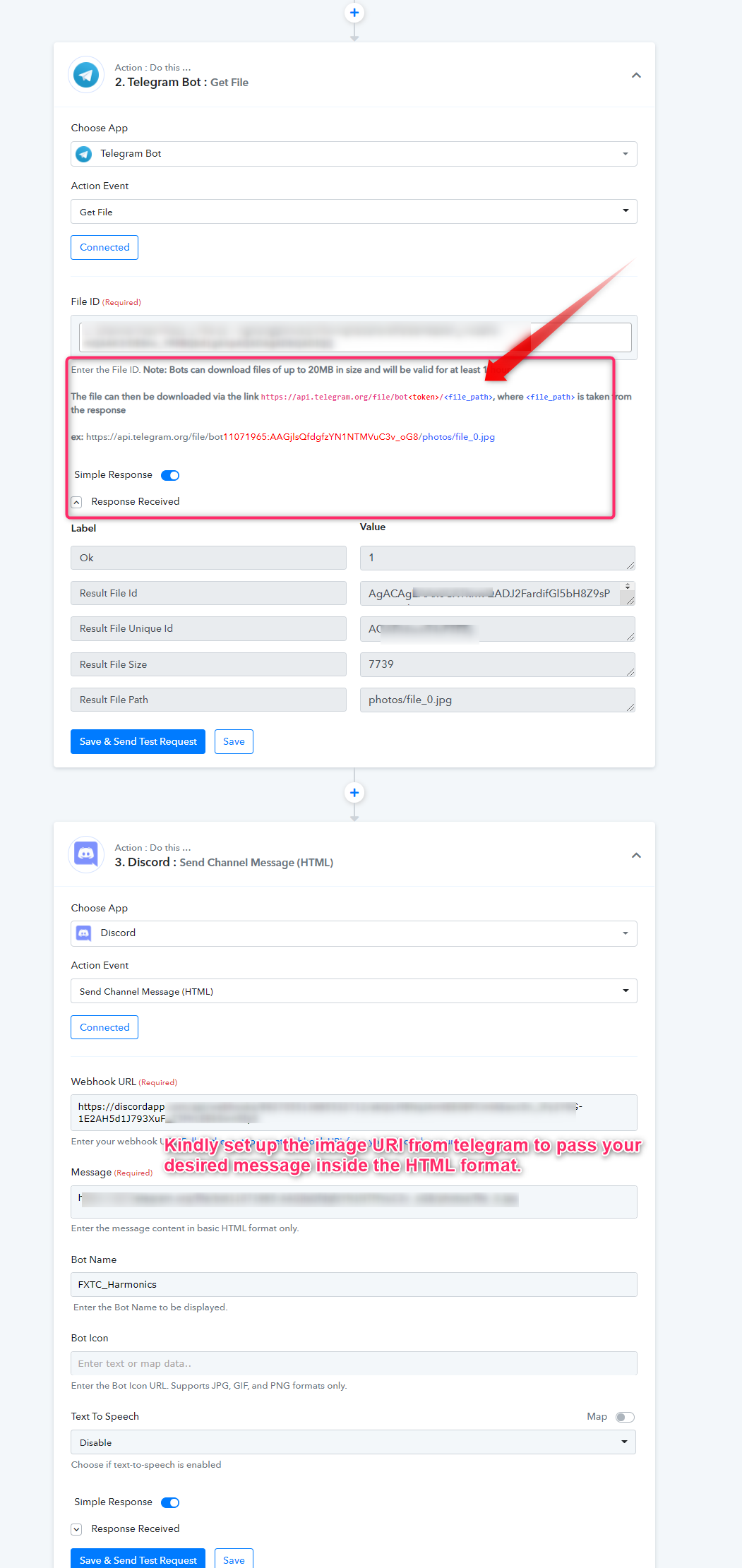
For better understanding, kindly check out the following thread.
https://forum.pabbly.com/threads/pabbly-telegram-pictures-not-sending.2172/#post-10452
In this thread you posted that in "bot icon" session. https://forum.pabbly.com/threads/pabbly-telegram-pictures-not-sending.2172/post-11760
your instruction are really unclear mate
never mind. I'm gonna post telegram messages without photos.
Hey @maxcw
Users need to use the addition action step of Telegram where the image can be retrieved as telegram stores the image in their database separately.
Well, the process could be a bit tricky for users like you, so we have tried again with the layman way. Please check out the screenshot mentioned below.
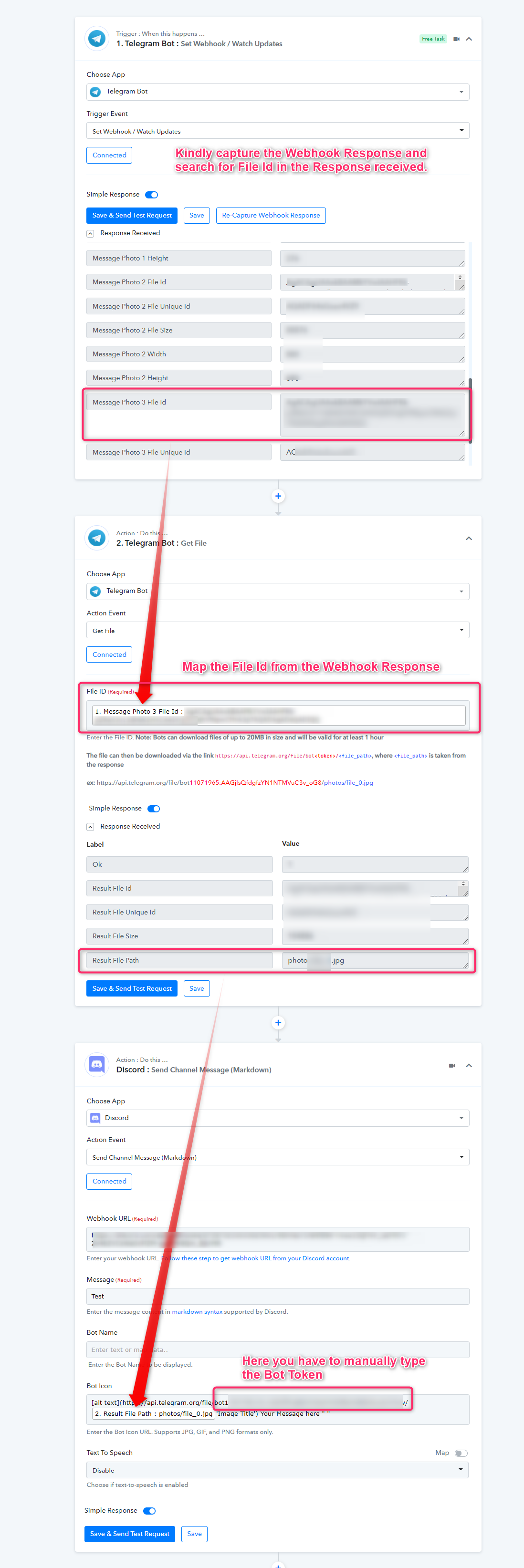
To capture the webhook response, you can refer to the tutorial video -
(Watch the first part of the video)
youtube.com/watch?v=665VZQHQ2Q8
To receive the Bot token, you can get your telegrams bot token in the chat section when you have created that bot.
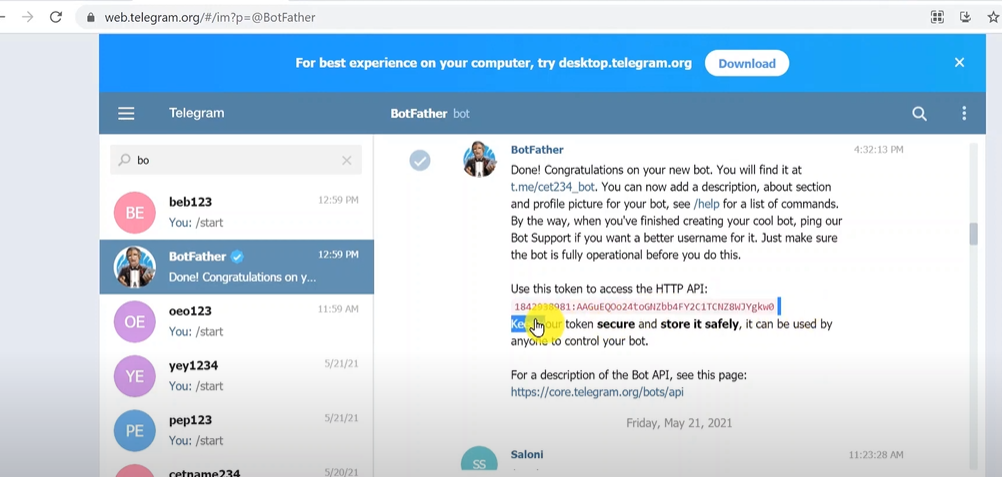
Else you can check this video for a better understanding of how you can get the bot token of your telegram.
youtube.com/watch?v=BOZVPHb2qbs
Regards
I know what webhook is and token number and i know that you need extra step. I'm dealing with discord and telegram all day. But I'm not receiving picture. I only receive picture path in plain text format.
And also as I said sometimes I want to send just text, sometimes just picture and sometimes both, and if I setup with "get file" and send only text there's error in history logs because pabbly can not send only text if it's set up for picture and text
Hey @maxcw
also as I said sometimes I want to send just text, sometimes just picture and sometimes both, and if I setup with "get file" and send only text there's error in history logs because pabbly can not send only text if it's set up for picture and text
For that, you can use the router action step for that you can establish conditions when the image file is coming to route 1 will work or if the normal text is coming the other route 2 will work.
As we can see from your screenshot, you didn't pass the preceding single quotes from your image URL, and to pass the bot Icon you can use the direct image URL.
Kindly review the changes in your workflow.

You can remove "alt Text" from the square bracket. Also, check out the following screenshot where we have passed the video and a Jpg file.
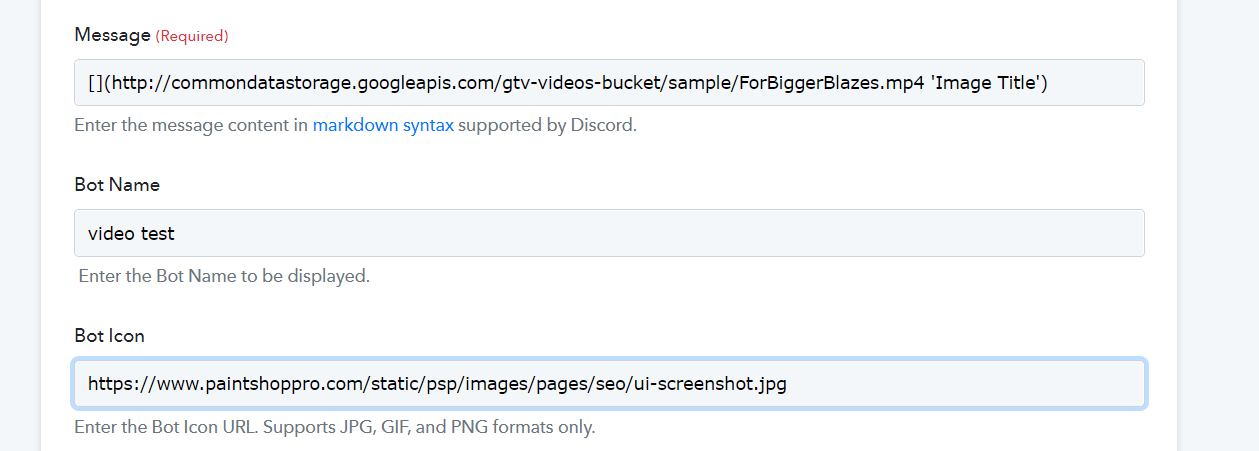
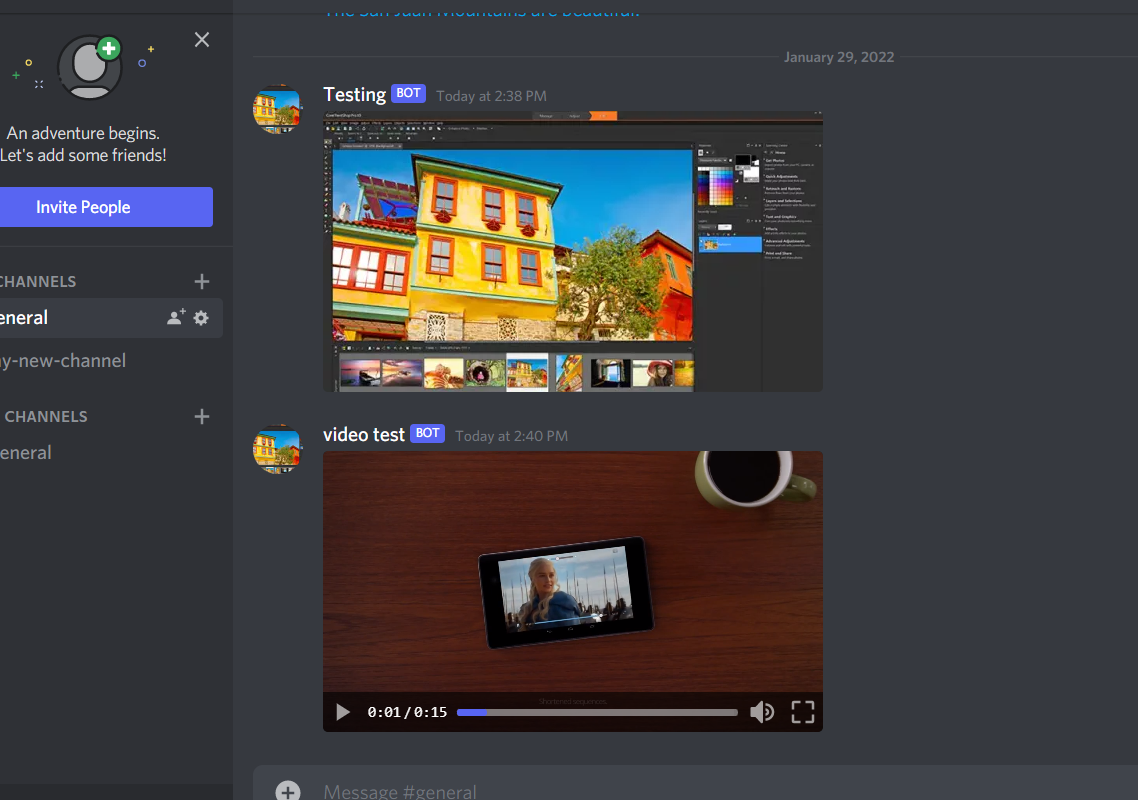
You can use 3 different workflows with text, image and one with a video. And you need to use a file size of less than 20MB to use the action event as instructed by Telegram.
Please allow us some time, we will look into your concern query shortly.
You can create your own thread on our private section of the forum.
You can remove "alt Text" from the square bracket. Also, check out the following screenshot where we have passed the video and a Jpg file.
How did you manage to send just the photo, without the "api.telegram.org..." link appearing?
How did you manage to send just the photo, without the "api.telegram.org..." link appearing?
We have replied to our query on your other thread, please check that out.