Connecting two different ClickUp accounts
Status: Closed · Asked by Khandiz on · 0 views
Hi
I am trying to connect two different ClickUp accounts - so that tasks created and assigned to me on my client's account can trigger a workflow that sends a task to my own ClickUp account.
When attempting to set up the second part of the workflow, I was not prompted to choose a second account (ie: my account) which is already connected via an API to pabbly.
Any ideas how I can make this work?
Hey @Khandiz !
Kindly try to integrate both the Pabbly Connect workflow and your preferred account for ClickUp in Incognito mode.
It will work for you.
Do check and let us know about this.
Hi @Subin , I have tried in incognito mode but I am still not getting the option to select my own clickup account
Hey @Khandiz !
On checking your account, we can see that you have successfully added two credentials one for your client and one for yourself.
You can check on the workflow action step-
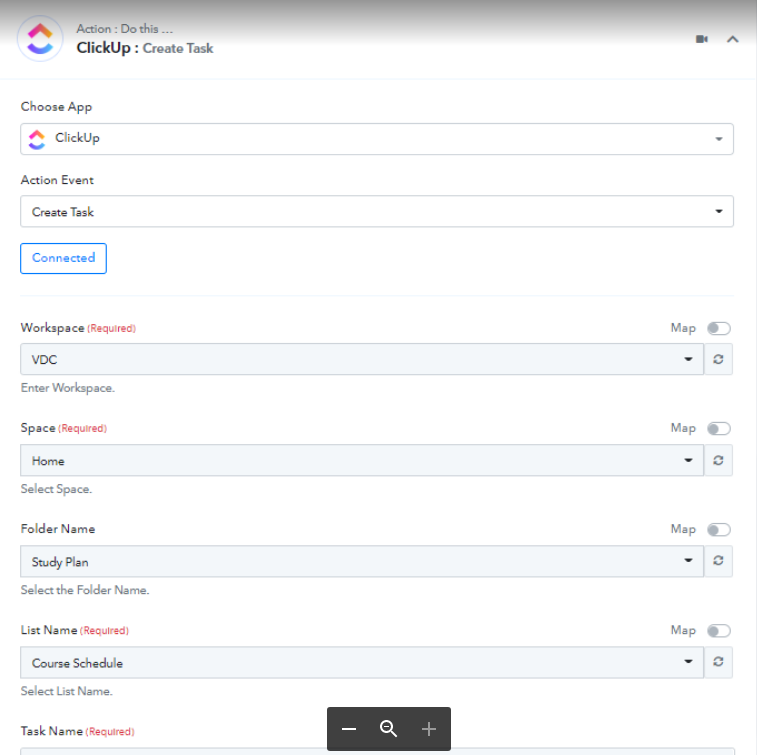
Do check now and there connections, they are attached successfully.
Thank you. I think I have the working. It's still quite "clunky" and I can't seem to capture from multiple lists but it's okay for the time being. Thanks for your assistance @Subin