Connection issues
Status: Closed · Asked by mdbooking on · 0 views
Hi I'm trying to connect to softwares together..
I'm trying to make a "Create a Delivery" POST request by following this doc: https://waiteer.stoplight.io/docs/openapi/b3A6NjczNTAxNQ-create-a-delivery
however, I'm getting a 500 response.. Can anyone see whats wrong?
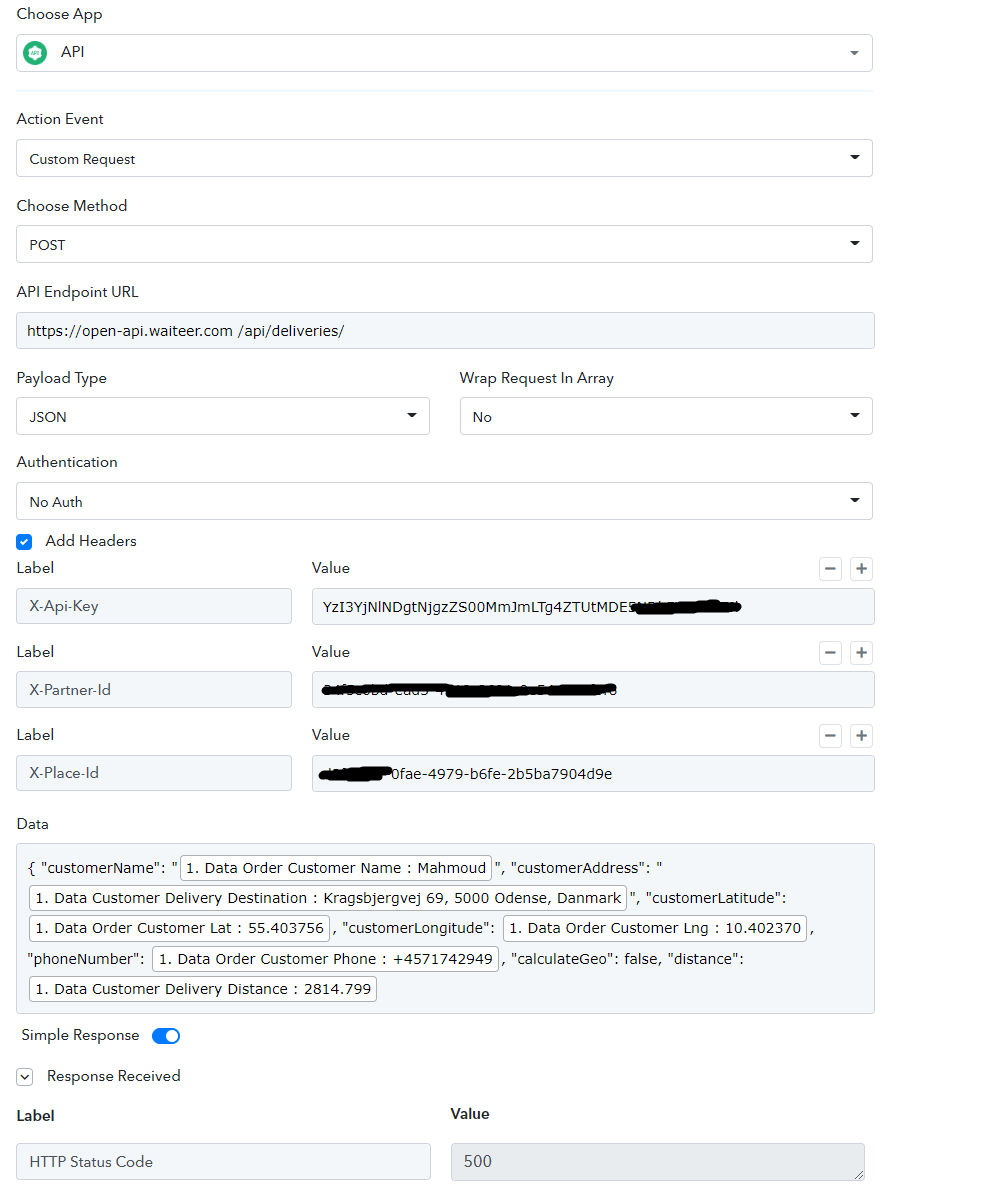
Hey @mdbooking
As we can see from your API by the Pabbly action step you have not passed your Zip Code and the Distance field correctly which seems required from their API.
Kindly contact the Waiter's support team for the same.
Thanks for the support, I will talk with them and get back to you with update :)
Hi again, I manged to make it work..
now I have 1 issue I hope you can help with..
The pickupTime and deliveryTime needs to be in this format YYYY-MM-DD HH:mm:ss , however we map it differently:
is it possible to convert the Ready in Timestamp value to the format needed by waiteer api?
Hey @mdbooking
is it possible to convert the Ready in Timestamp value to the format needed by waiteer api?
Yes, you can use the "Date/Time Formatter by Pabbly: Format Date Only" action step to convert Timestamp with Millisecond to YYYY-MM-DD HH:mm:ss.
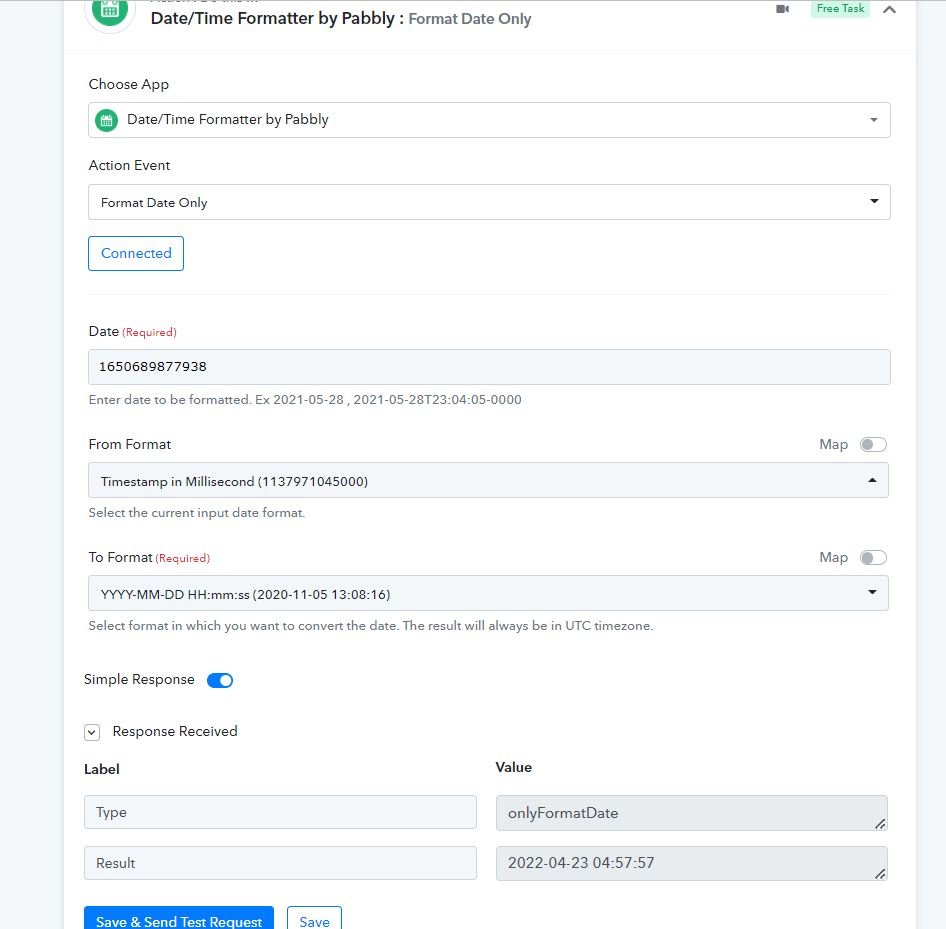
Hi I just tried but it doesnt seem to pass the correct format to the api waiteer workflow, can you please have a look and let me know what I'm doing wrong..
As you can see I have made 2 time formatter workflows to format ready timestamp and another to format delivery timestamp, but when I map it in the data section of the waiteer Api workflow its not processed, however, when I add the correct time it works fine?
Hey @Supreme
Nevermind, I found out the solution, we are all good from here!