Contact Added and custom fields [ActiveCampaign]
Status: Closed · Asked by Lorenzo Giacomini on · 0 views
Hello,
I'd like retrive ActiveCampaign contacts from a list and put them into a Google Sheet as soon as they are added into an ActiveCampaign list.
I'd like to retrieve also the custom fields but in the captured webhook response the custom fields don't appear.
Is there a way to retrieve them? Thank you
Lorenzo
Hey @888lorenzo
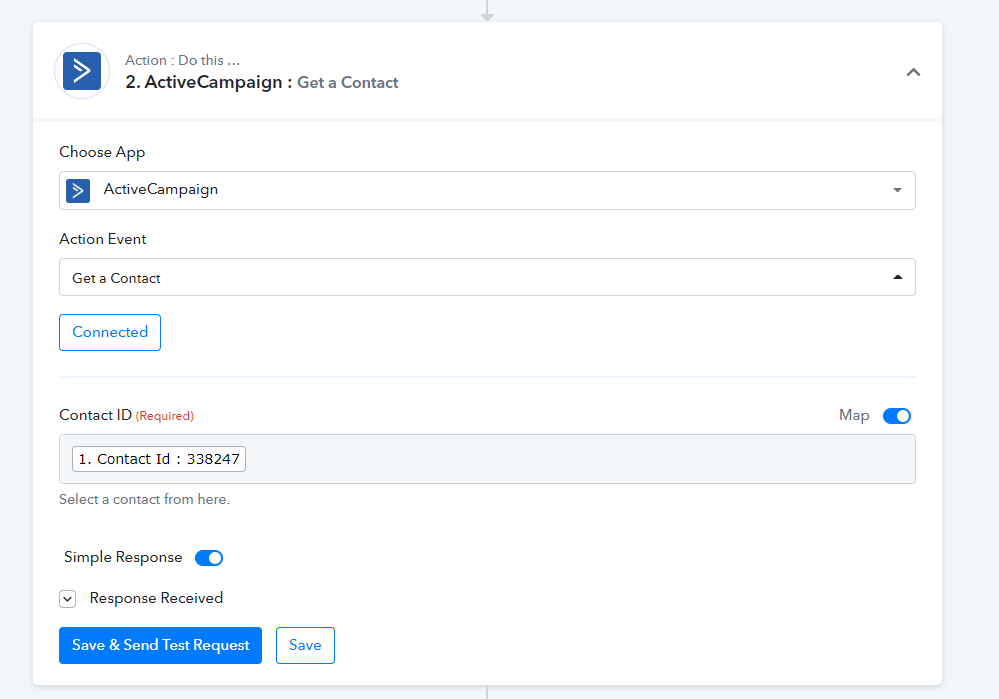
You can use the "ActiveCampaign: Get a Contact" action step after the trigger event, which will retrieve all the necessary details of the contact.
Kindly try this at your end and let us know if that works for you.
Thank you, I notice that the Get a contact option is missing:
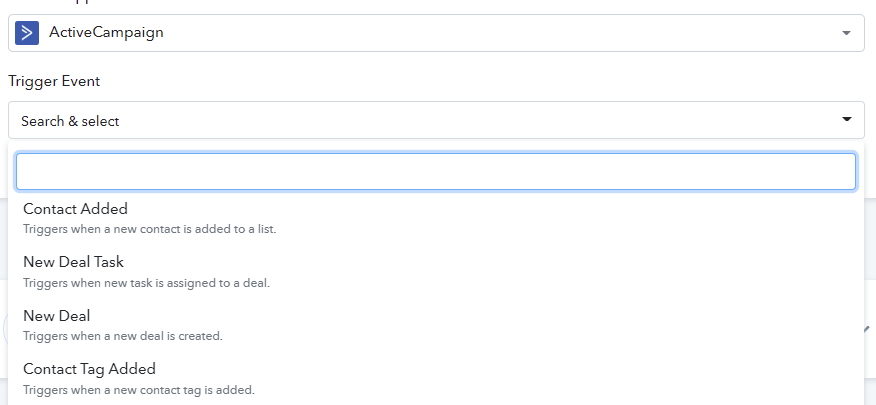
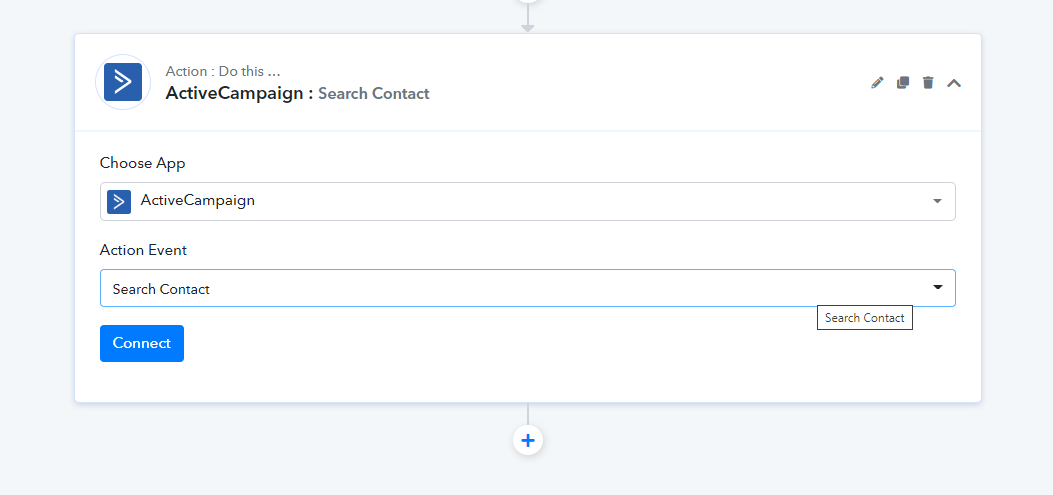
You can use "Search Contact" action for that -
HI Pabbly,
Using 'Search Contact" does not resolve the issue.
'Search Contact' only return the core contact values. It does not return that contact's custom fields - which is what ActiveCampaign users need. Custom Fields are what makes ActiveCampaign so useful.
Pabbly Connect only brings in the core contact details for ActiveCampaign Triggers.
Pabbly Connect brings in core contact details and custom fields for ActiveCampaign Actions.
Pabbly Connect only really allows us to assign values to Active Campaign Custom Fields. It does not allow us to retrieve Custom Field values and then assign. So, if we have a custom value in ActiveCampaign, we have no way of sending that info to any other app.
The Map toggle does not solve the issue.
How can we get core contact details AND custom fields for both contact add/update/search ActiveCampaign Triggers and Actions?
Hope this helps to understand the issue your ActiveCampaign users are having.
Let us know.
Thanks!
Hey @PMG
To get the additional data from your Active Campaign of contact then you can try the "Get Contact " action step.
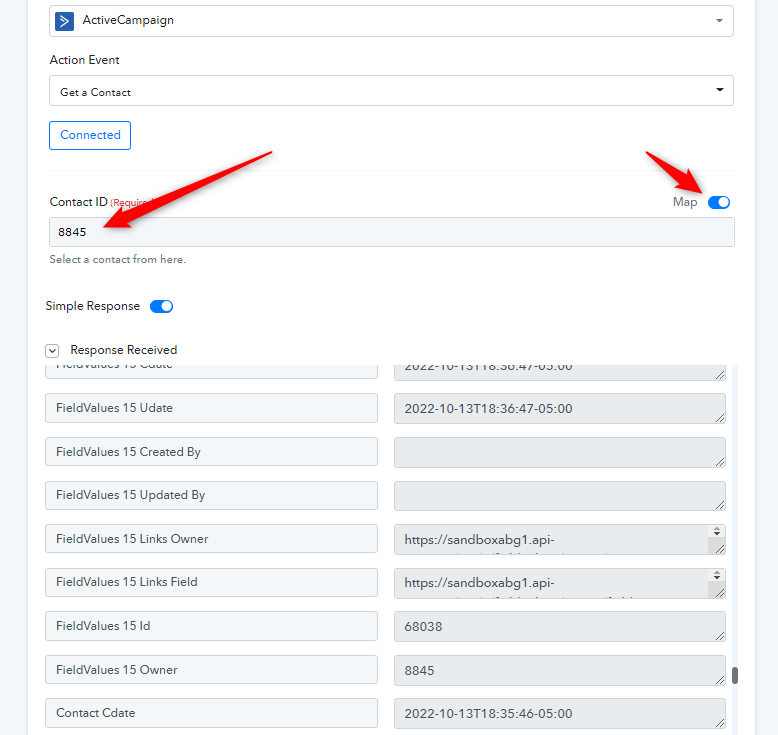
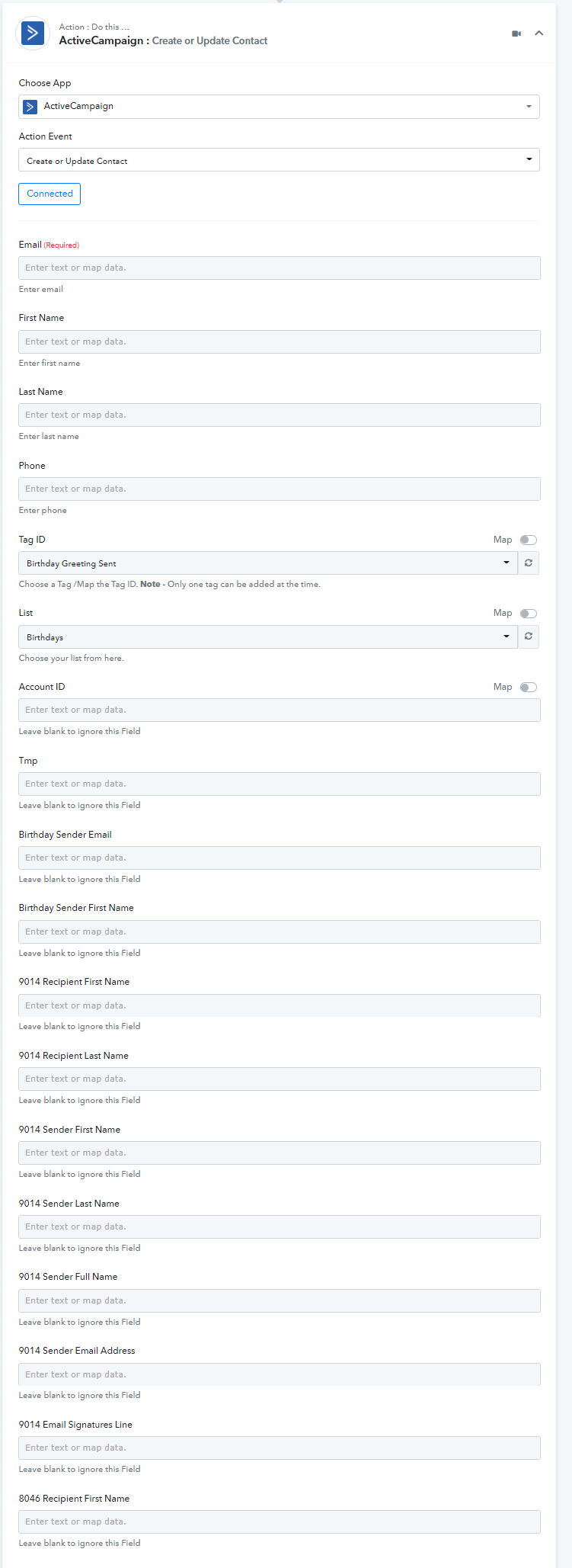
And to fetch all the custom fields from Active Campaign while creating or updating contact "ActiveCampaign: Create or Update Contact" action step.
Please check out the following screenshot for a better understanding.
HI @Supreme,
Yes. "Get Contact" worked, but there is a little more to the story that may help others as I indicated here.
Thank for your help!
PMG
Hey @PMG
We have replied to your query on your another thread, please check that out.