Contact details not capturing
Status: Open · Asked by Saurabh Arora on · 0 views
Pabbly workflow is not capturing contact data being generated in zoho CRM
URL Shared Below
https://connect.pabbly.com/workflow/mapping/IjU3NmQwNTZlMDYzZjA0MzQ1MjZjNTUzNCI_3D_pc
Hey @Souravarora,
Please share your workflow with us at the provided email address so that we can gain a better understanding of your issue. Once you have shared it, do let us know the name of your workflow.
Email: arshil.ahmad@pabbly.com
Also, remember to revoke access once your query has been resolved.
Attaching a video for your reference:
Mail has been shared
Flow name was as below :-
Zoho Contacts - Appointment Confirmation Msg to Patient/Dr.
Let me know if anything else is desired
Hey @Souravarora,
Please add me as a team member, so that I can access the workflow that you are referring to. You can refer to the provided video for guidance.
Hey @Souravarora,Please share your workflow with us at the provided email address so that we can gain a better understanding of your issue. Once you have shared it, do let us know the name of your workflow.
Email: [EMAIL]arshil.ahmad@pabbly.com[/EMAIL]
Also, remember to revoke access once your query has been resolved.Attaching a video for your reference:
Details shared please resolve. Thanks
Hi @Souravarora,
Kindly re-authenticate your account by adding a new connection and make a new submission.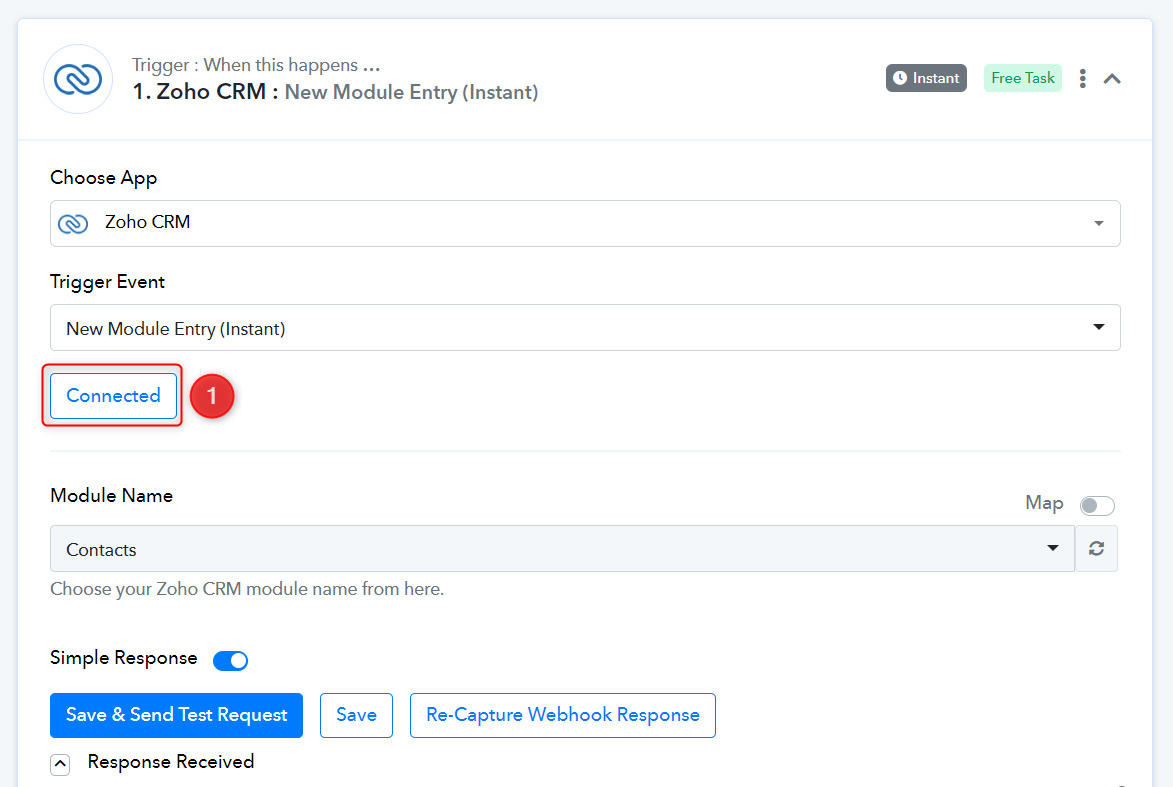
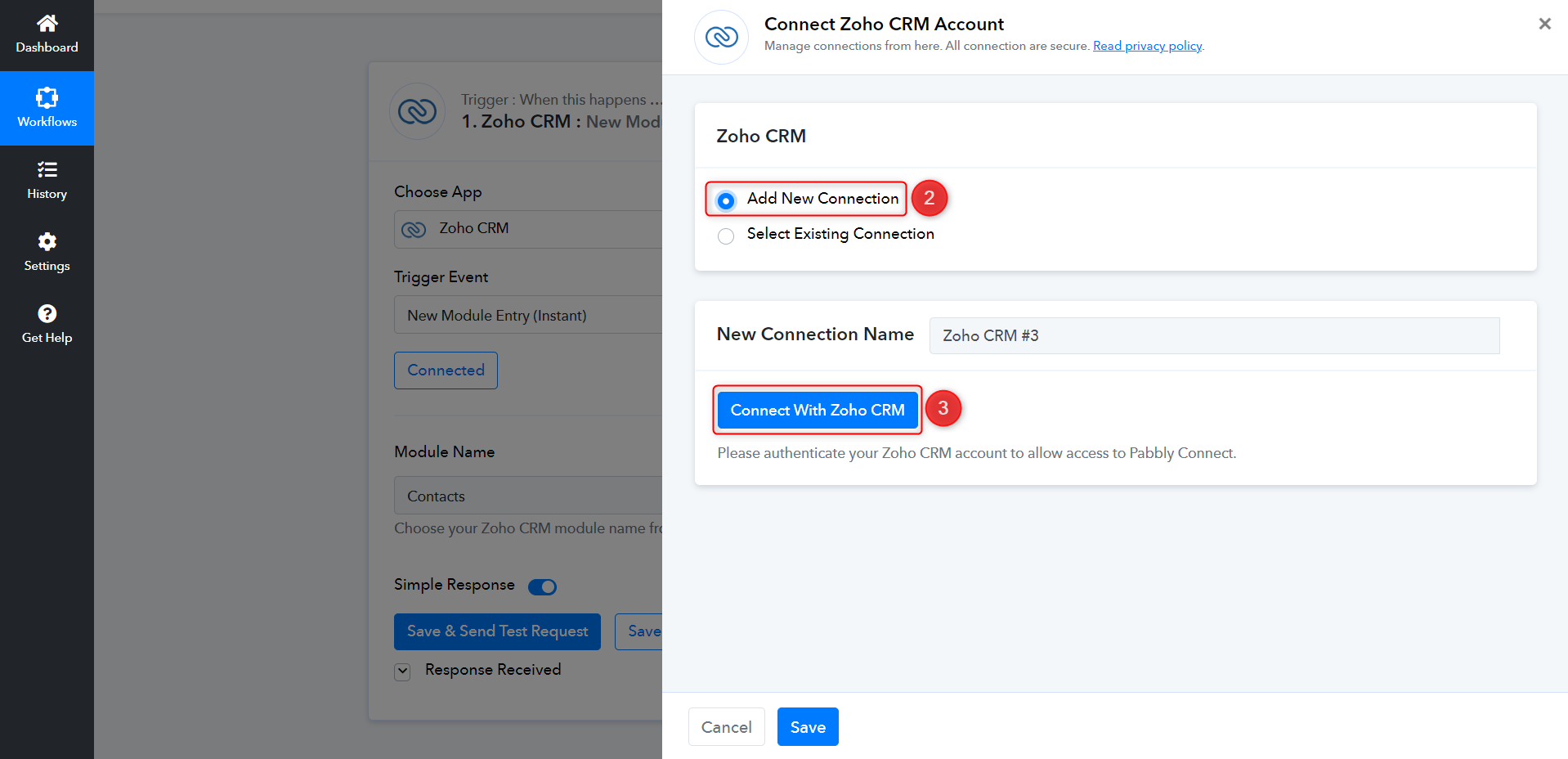
Only the first half is relevant for your use case. (Skip to 2:37)
Hi I have not received any resolution yet. Please update
Hey @Souravarora
Please refer to the following short recorded video once where we have shown how you can connect the Zoho CRM and capture the webhook response from CRM by creating the contact.
Hi Team, tried several times. Sharing a link as well for your ready reference. Would request a 10 min google meet. Thanks
https://drive.google.com/file/d/1SdCc9v7Dd8e6IS1Gy_Coeagj57e70Wp2/view?usp=share_link
I have been struggling since long request you to prioritize it
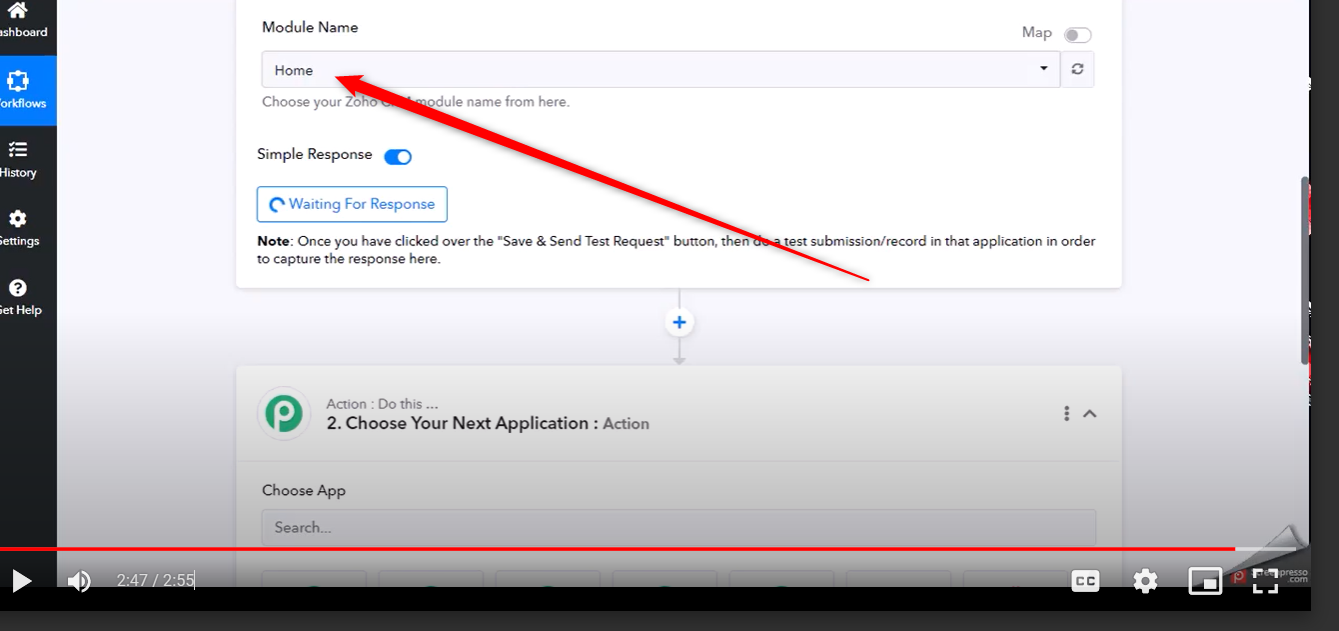
As we can see from your video, you have selected the "Module Name" as Home whereas you need to select the Contact Module Name which we have mentioned in the previously shared video.