Convert Kit "Get Subscriber Tags" Not Working as Excepted
Status: Open · Asked by SurferLee on · 0 views
Hi, the "Get Subscriber Tag" from a new Convert Kit subscriber and forward the data to Gmail isn't working as excepted.
The workflow is:
- ConvertKit : New Subscriber - This response works fine,
- ConvertKit : Find a Subscriber - This response works ok,
- ConvertKit : Get Subscriber Tags - this works ok, ,and receives all the tags from that subscriber,
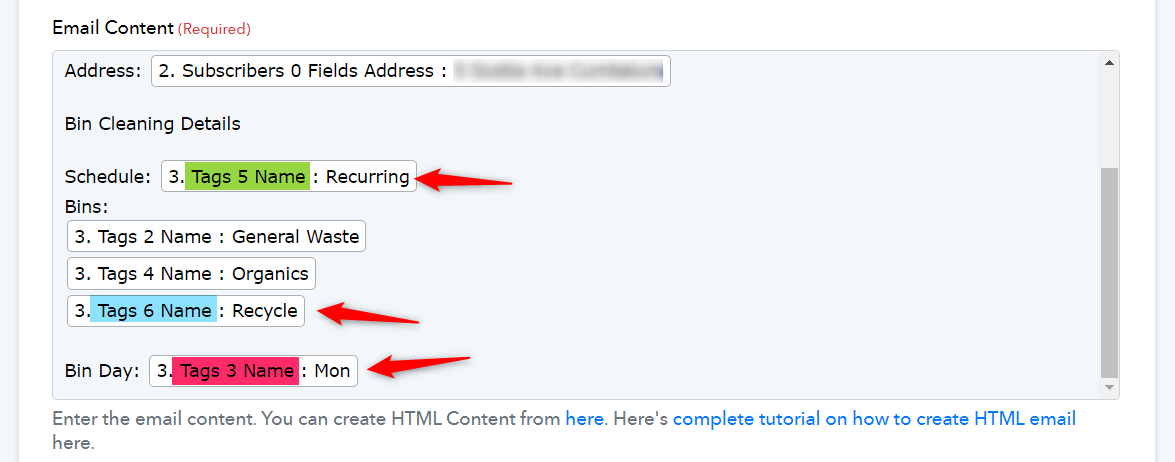
- Gmail : Send Email - When I write the email in the work flow and insert data from previous steps 2 & 3 (these are specific customer tags, customer details) The data is correct when I test, but in a real live situation when email is received the data is not in the same order as written in the workflow step.
Any suggestions would be gratefully received.
Lee
Hi @SurferLee,
Based on your Task History, we can see that the keys associated with tags are different for each subscriber. Because of this, the tags you mapped in your email content will keep changing their position. Since the data comes from ConvertKit in this manner, I'm afraid there is no workaround for this.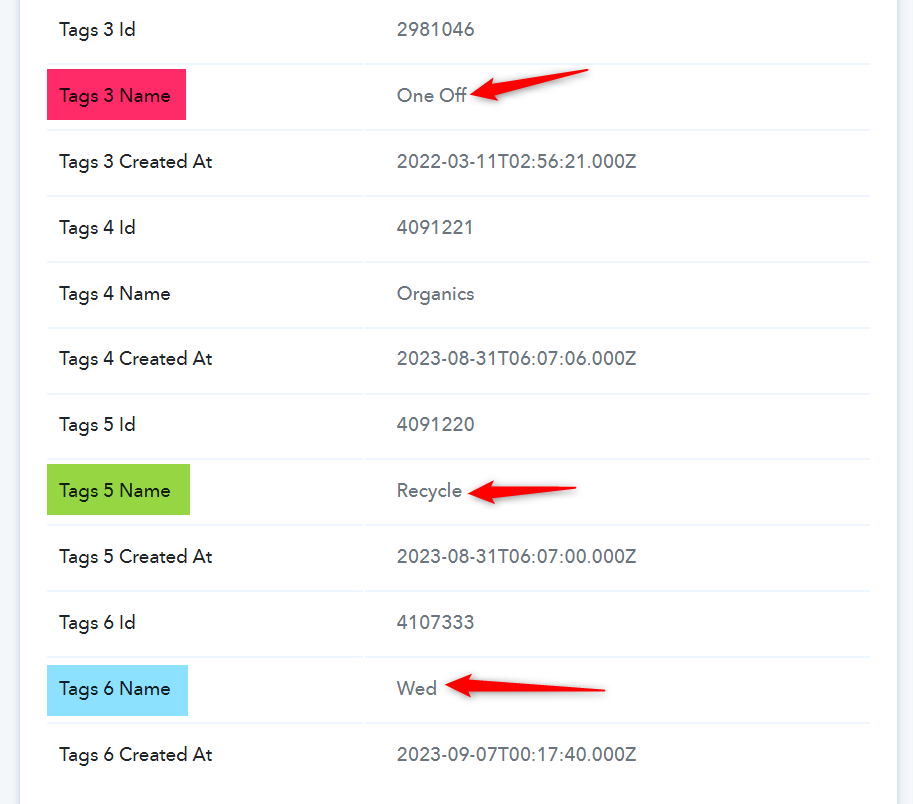
Thanks for the really fast reply.
I think I understand....
Customer "A" would select a specific tag and customer "B" would select a different tag, so the email out put would always be a different order.
Maybe the best option would be to create my emails with all the tags in no particular order, so when the customer selects their relevant tag they would be included in the email output, does that make sense?
Yes, exactly. You need to compose an email in such a way that the order of tags does not matter.