Converting milliseconds to mm:ss
Status: Closed · Asked by salasia on · 0 views
Hi, I think there is a small bug in your Date/Time converter.
I need to convert the duration of a video in milliseconds to this format: mm:ss
But it works only starting from around 276000 ms (which is 04:36). Below that (as per my screenshot), the response is always 00:00
Could you please check and let me know if you can fix it?
Regards
Sergio
Attachments
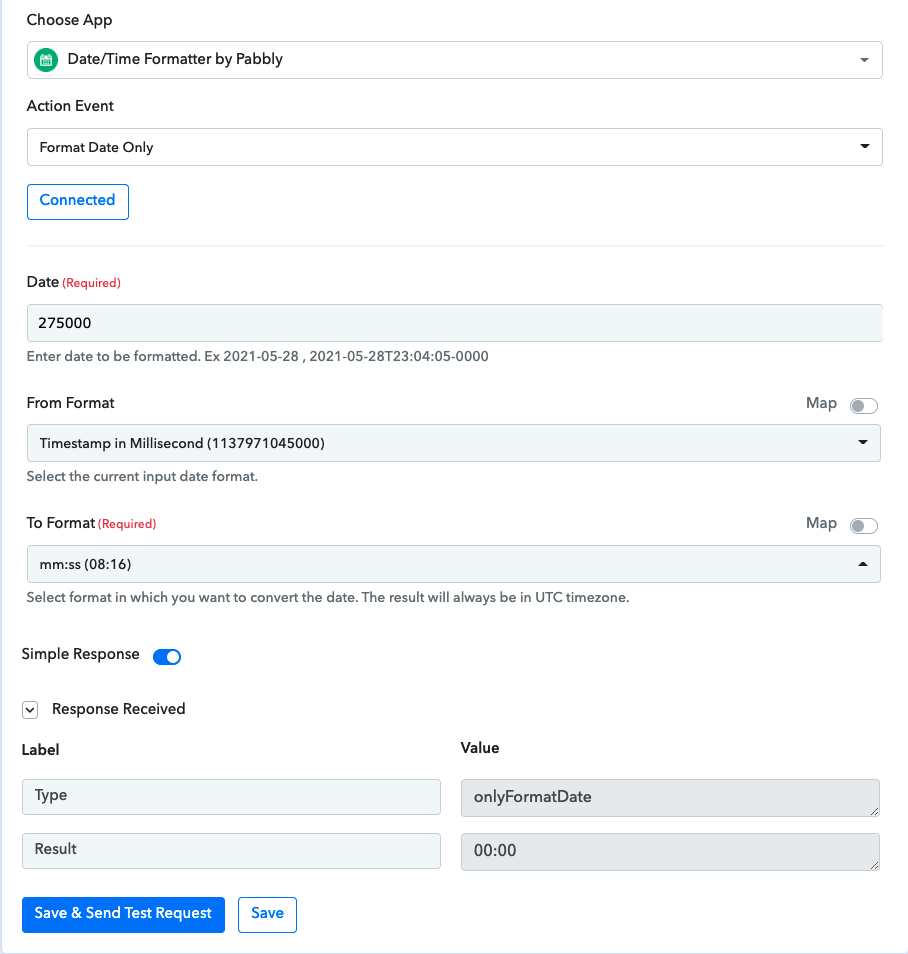
Hey @salasia
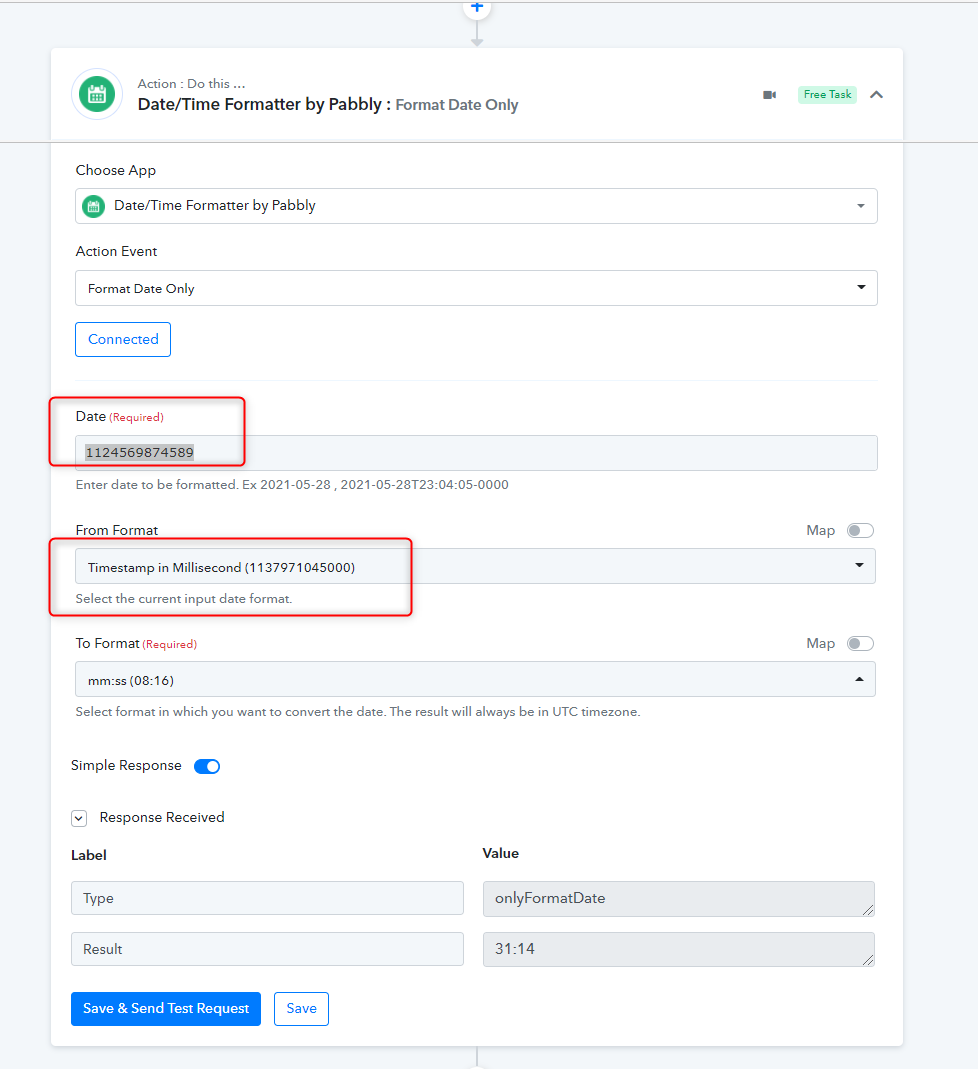
It seems like you didn't pass the timestamp in the correct format in the Date Time Formatter action step.
Timestamp with millisecond format has 13 digits on it- 1254741245896, where you have passed the time with only 6 digits.
Kindly try passing the timestamp in the correct format and try again.
Hi Supreme,
thank you for your reply. I don't need to format a proper timestamp, but the duration of a video, between 00:01 (one second) and 59:59.
I take this value from Google Drive, so for example:
5,000 ms = 5 seconds = 00:05
60,000 ms = 1 minute = 01:00
etc.
Now, after many experiments, I've realised that (for my purpose) Pabbly works only when the duration is over 4 minutes 36 seconds, otherwise it will just return 00:00.
Here for example:
600,000 ms = 10 minutes = 10:00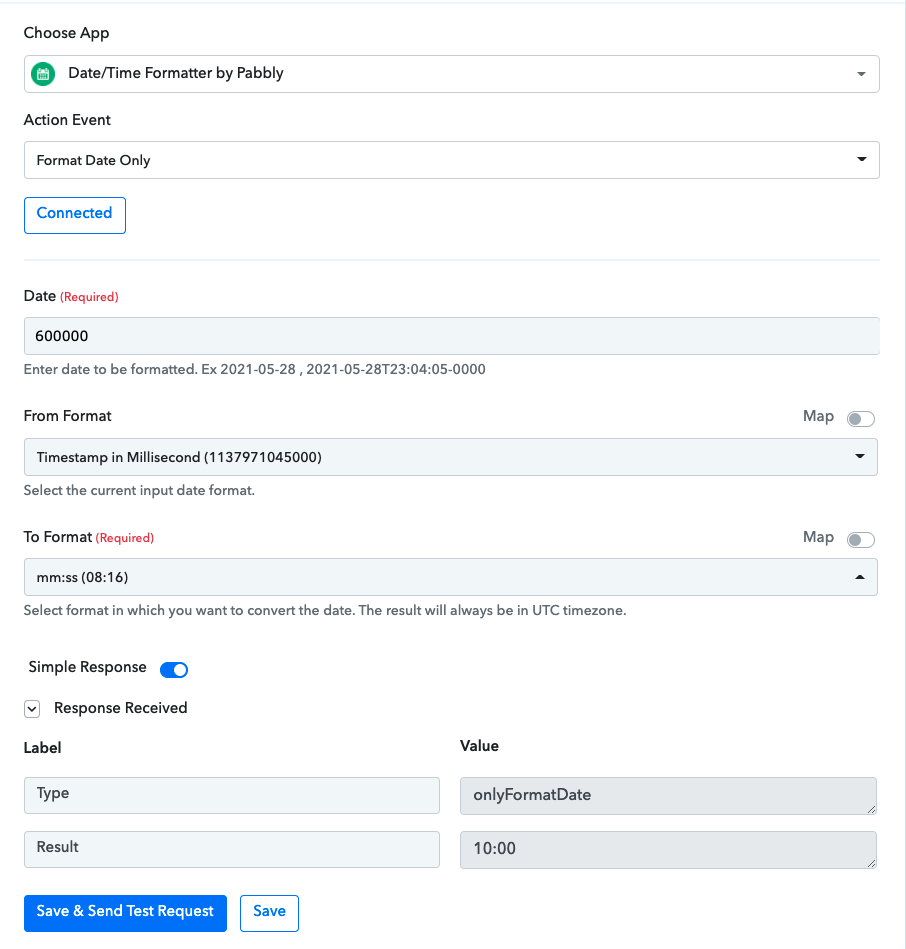
I was just wondering if this was something that can be fixed because it doesn't make sense that it works for higher values and it doesn't for smaller values.
Bests
Sergio
Hey @salasia
Date/Time Formatter doesn't work that way, it basically converts the date from one format to another. It doesn't convert time from milliseconds to mm: ss.
And if you want to convert the time from millisecond to minutes and seconds, you can try the mathematical formula for that.

Hi @Supreme,
apparently it does work like that, as I've tried a lot of small millisecond values and it returns the right min:sec value. But weirdly enough it doesn't work for very very small values (below ~280000 ms) but I think it should. Because it would be like converting the very early timestamps that were used just past midnight Jan 1st 1970, example: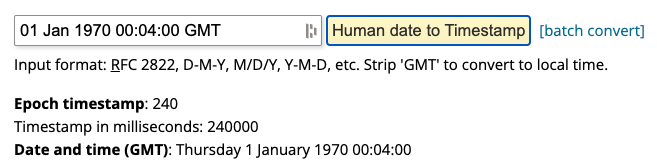
I know I can use the math formula to convert it, but it gives me the decimal seconds, not the "0-59" seconds. So for a video that is 4 and a half minutes long, I want to see 4:30 instead of 4.50.
Thanks for your patience ;)
Sergio