Copper Api connection
Status: Closed · Asked by Saul on · 0 views
Hello,
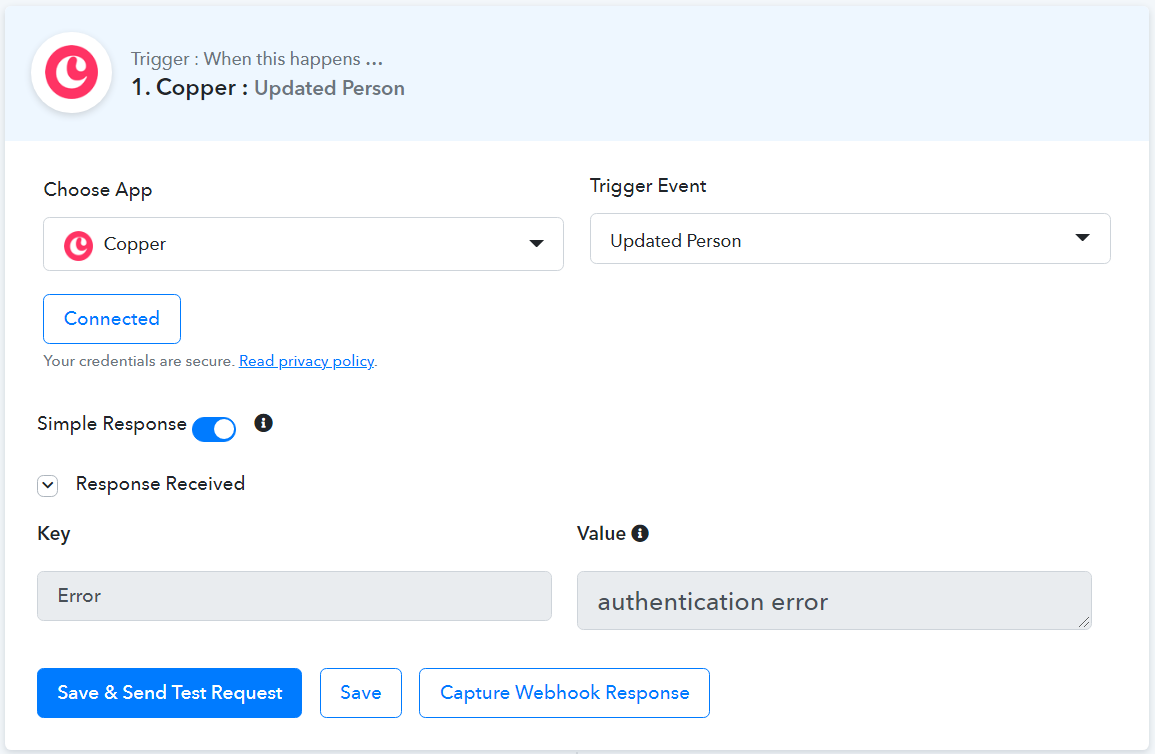
I am trying to make a connection with Copper CRM, but after creating API in Copper and filling Pabbly with it, I get error... :(
What am I doing wrong?
thanks!
Hey @Saul
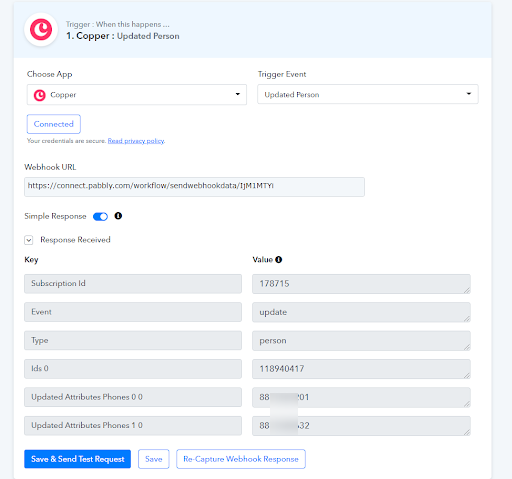
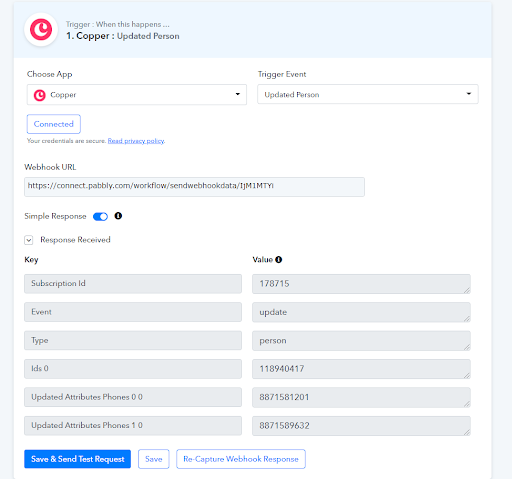
We have fixed the Triggers of Copper with their team and tested every trigger.
Please do test this at your end and let us know if that works for you.
Attachments
Hello!
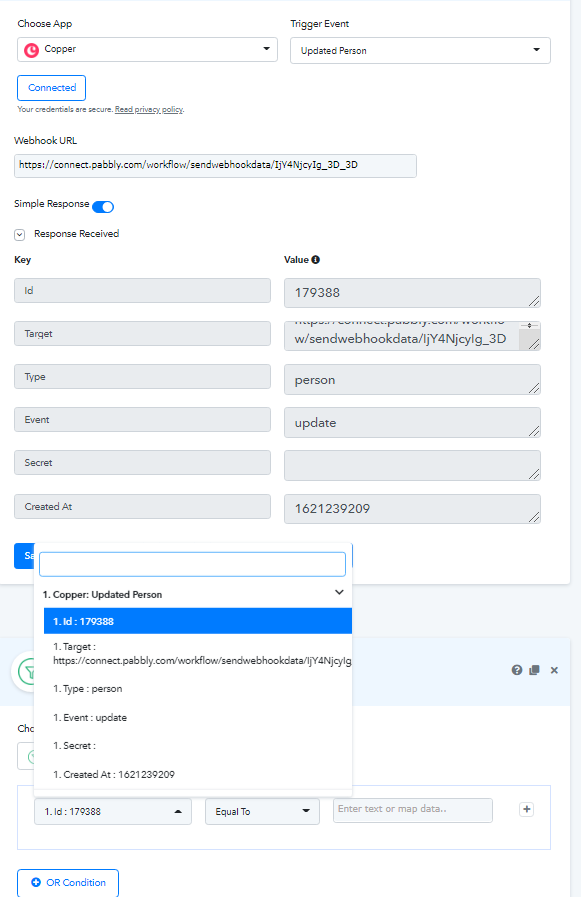
thanks for your reply. Now it seems it is conecting well.... but when I try to set a filter, no fields from the record are available to choose.
Hey @Saul
You can search for the field in the filter by typing in the empty bar, if your desired " field " is in your API response, it will appear in the filter as well.
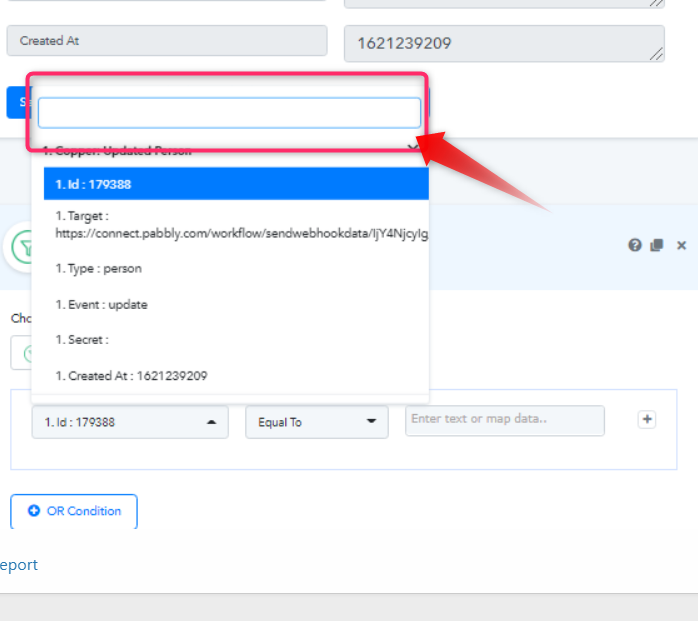
Yes I know, but it returns "No results matched" because although API is connected, there are no fields in the API response... :(
Yes I know, but it returns "No results matched" because although API is connected, there are no fields in the API response... :(
Then please check that the field which you are looking for in the filter is preset in the Trigger's API response or not!!
Hello,
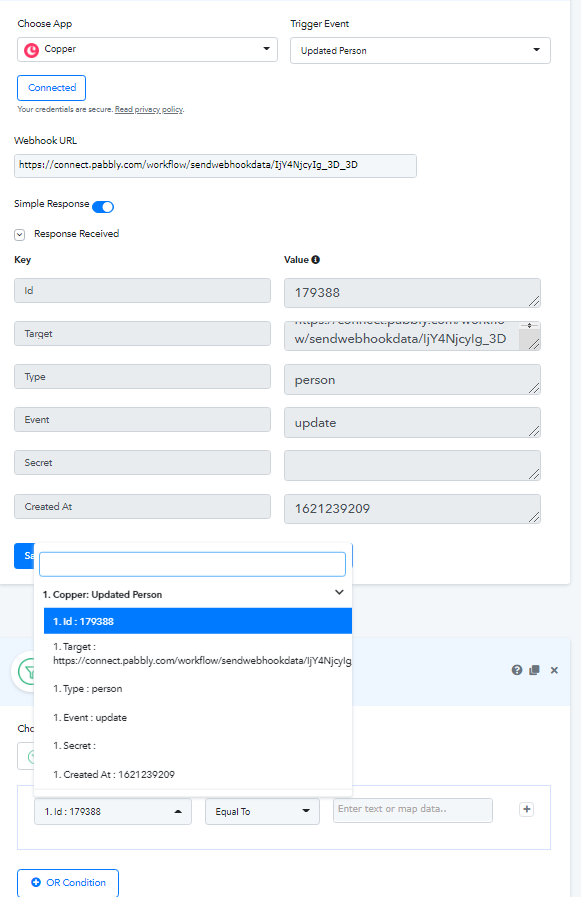
as you can see in the image I previously uploaded... NO, the Api response gives no usefull fields, only ID , type and event...
@Saul
Then in Filter's field, you cannot pick something which is not in the API Response. It always maps the field which is already being present in the API Response.
@SaulThen in Filter's field, you cannot pick something which is not in the API Response. It always maps the field which is already being present in the API Response.
Then, if the API has no fields, the connection is Useless. With other apps like zapier, the api has real fields... there is something I am missing???
Hey @Saul
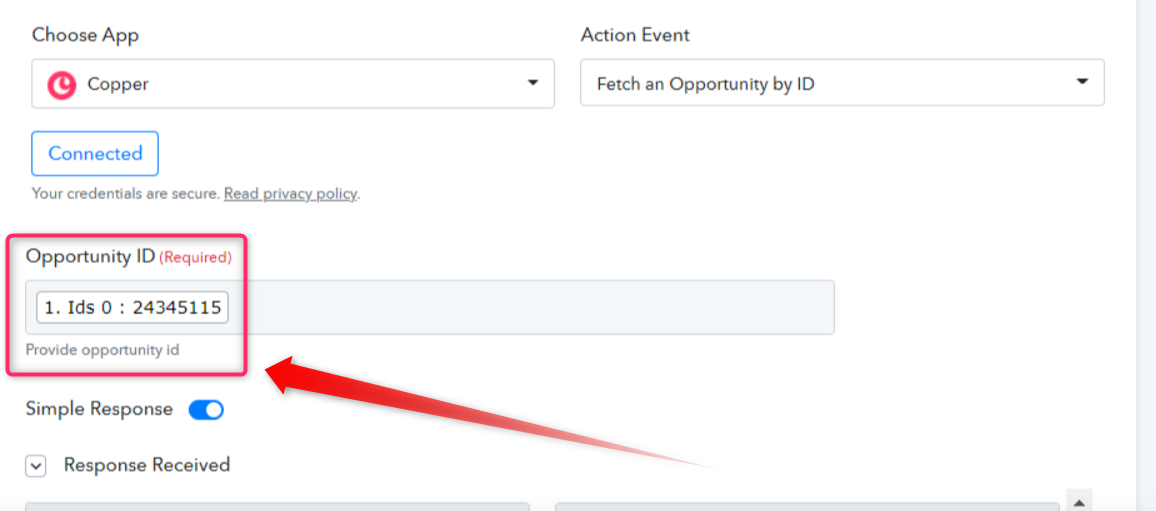
As we checked the Copper Trigger in your workflow, the details which you were looking for. You have to fetch it with the help of another Action Event of Copper's " Fetch an Opportunity by ID " then you will get the entity to use it in Filter Module.
The Following ScreenShot will guide you to get the data -
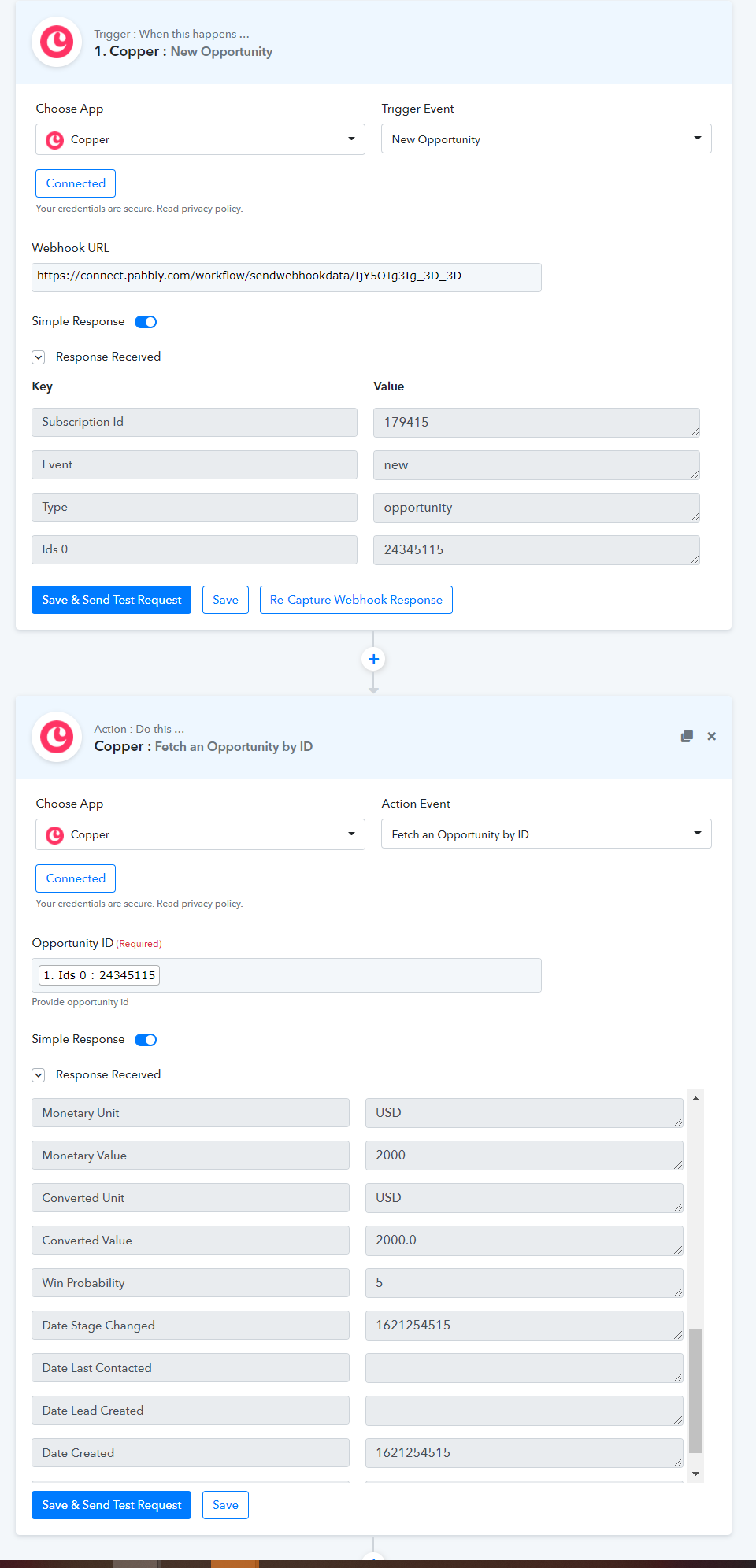
Please try this at your end and let us know if you need any help.
Hello,
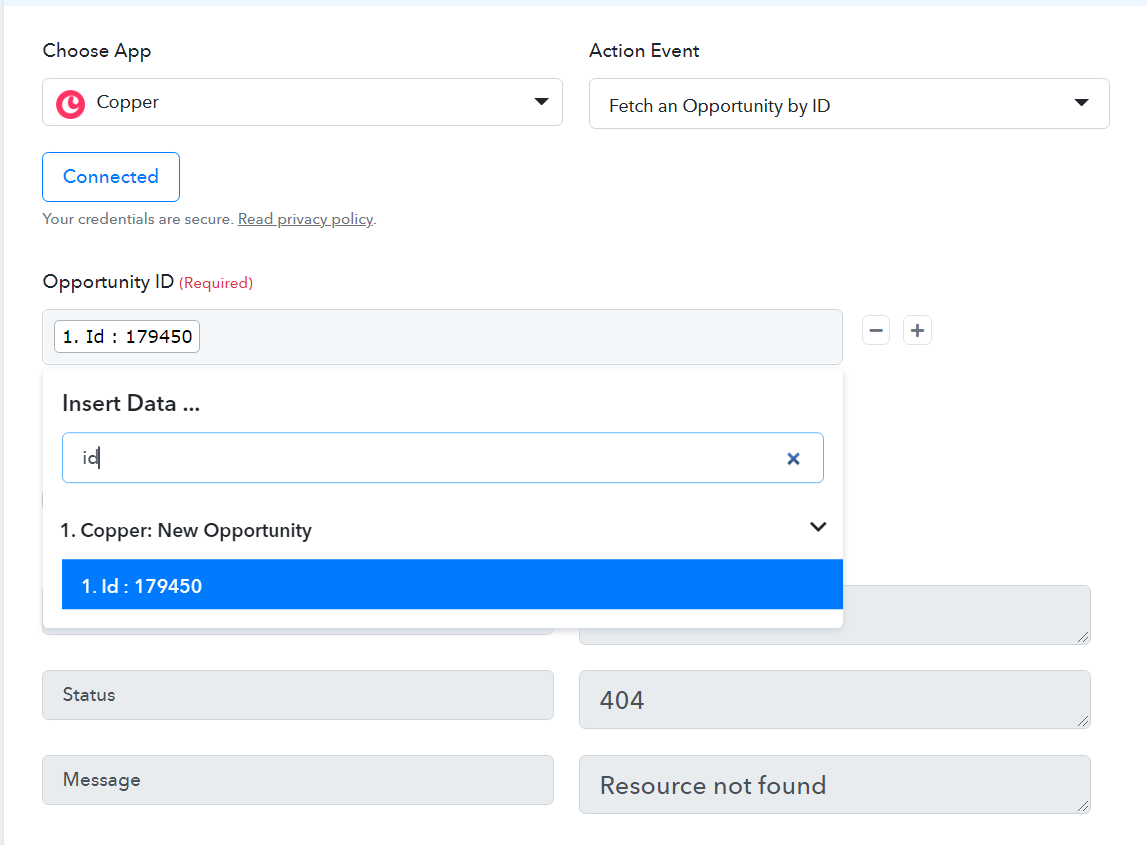
thanks for the info. I am trying to reproduce but for me only can read ID field, (not Ids 0, like in your picture), and with this ID it returns Error 404 ....
I dont know what I am doing wrong...!?
Hey @Saul
Please capture the webhook response correctly.
Further, you have mapped the wrong ID. Please map the last entity IDs from Copper's API response in the Opportunity ID.
now its working. thanks a lot!