Copy Paste value if condition is true in Google Sheet
Status: Closed · Asked by sourav04 on · 0 views
Hi,
So I have 3 columns, ABC. I want the row values of A & B to be copied to another sheet and added to an already existing range of data, if the value in C is True.
Not able to figure out how to do this effectively. Any help appreciated.
Regards,
Sourav
When you say add to existing range of data, you mean addnew row or add at specific row
If at specific row then how do you get at which row we need to add that data
Share screenshot of Sheet2.
Also you want to use column C as trigger or you want to use scheduler everyday to check the value of 'C' column
So here is a sample sheet
https://docs.google.com/spreadsheets/d/1lkcjPGCqJm20ZiSnBosKJeHRFjhB2KUa_q1N7RsOiyw/edit?usp=sharing
If the C Column is True, then it copies the Name and place which corresponds to the True Value and paste it to sheet 2 where database of Name and Place are there.
I would want to use scheduler everyday to check the value of C column
Check this workflow - 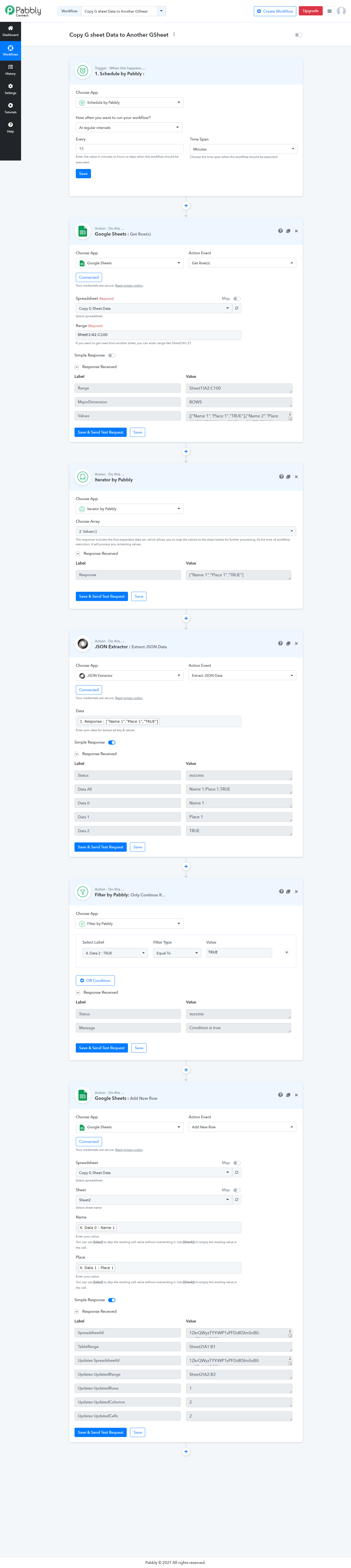
Google Sheet for above Workflow - https://docs.google.com/spreadsheets/d/1ZkrQWyzTYYiWP1sPFDdKSImSnB0-wzSZxWj65lSFXoc/edit usp=sharing
Hi Fagun,
Thank you for this. I just tested it and it copied only the first value. I was wondering what about the remaining values. Will they be processed when the actual process happens?
Please do let me know.
Hi Fagun,Thank you for this. I just tested it and it copied only the first value. I was wondering what about the remaining values. Will they be processed when the actual process happens
Please do let me know.
I used iterator which only passes first value in test, but passed all values in actual workflow execution.
Check sheet 2 of my Gsheet i have set it up to pass values every 1 minute.
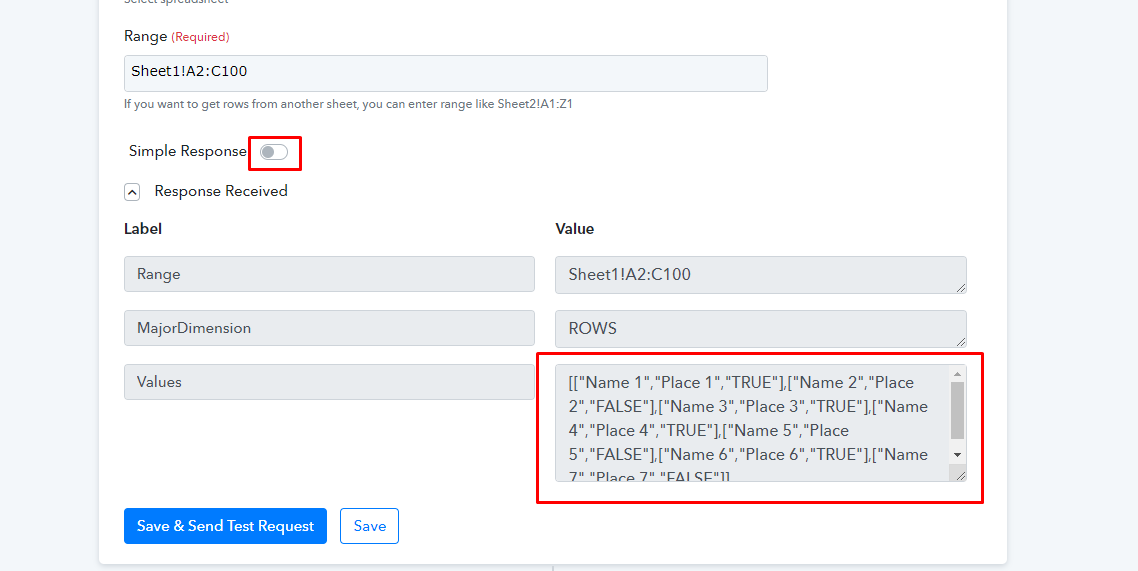
Make sure you have simple response turned off so you get all values,
Hi,
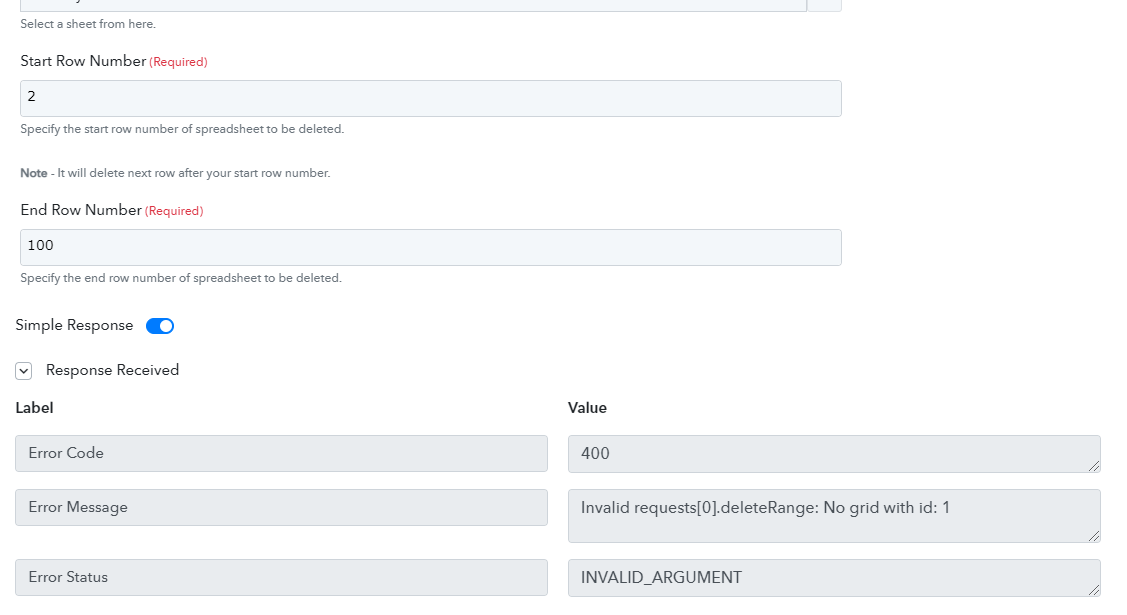
I was trying to do something in addition to this. So once it copies the values. I want the row to be deleted from Sheet 1. But I am getting this error. Also, I wouldn't want Start Row and End Row to be manually entered. I want them to be automatically picked up. Any ideas what should I do?
@sourav04 I think @Pabbly will be more helpful here. Bcoz I was also not able to delete a single row. It at least deletes 2 rows for me.
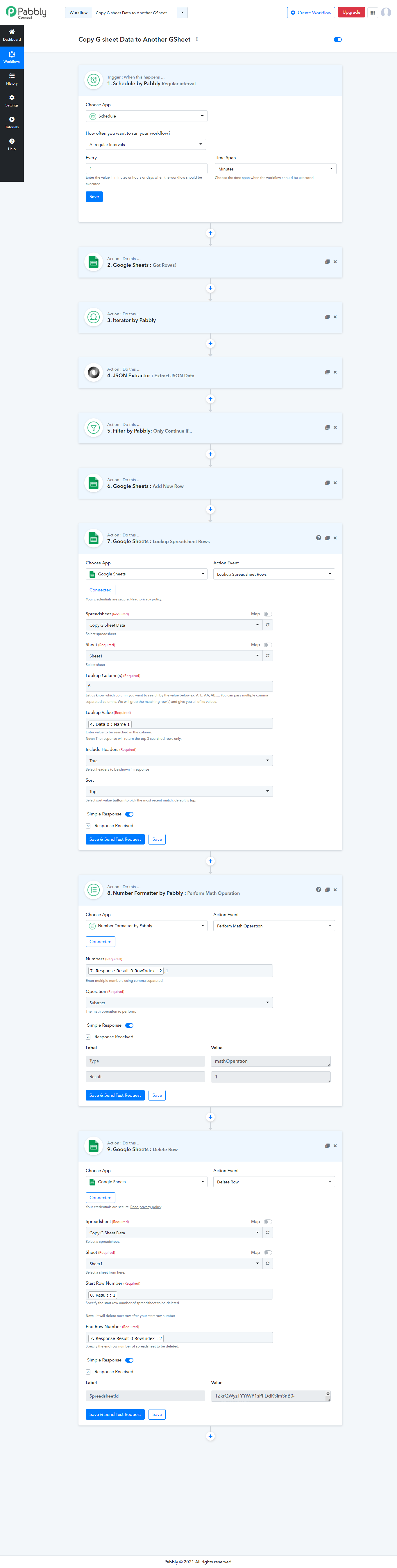
But for start you need to Lookup google sheet go get the row index and then delete that particular row by mapping that row index value.
Let's wait for @Pabbly Team reply on if it is possible to delete a single row or not
Solved this @Pabbly and @sourav04 , it was my mistake in deleting row.
@sourav04 check below workflow for deleting a specific row, Step 7-8-9
Hi Fagun,
I tried this and it's still giving me the same error. Any idea what more can I do?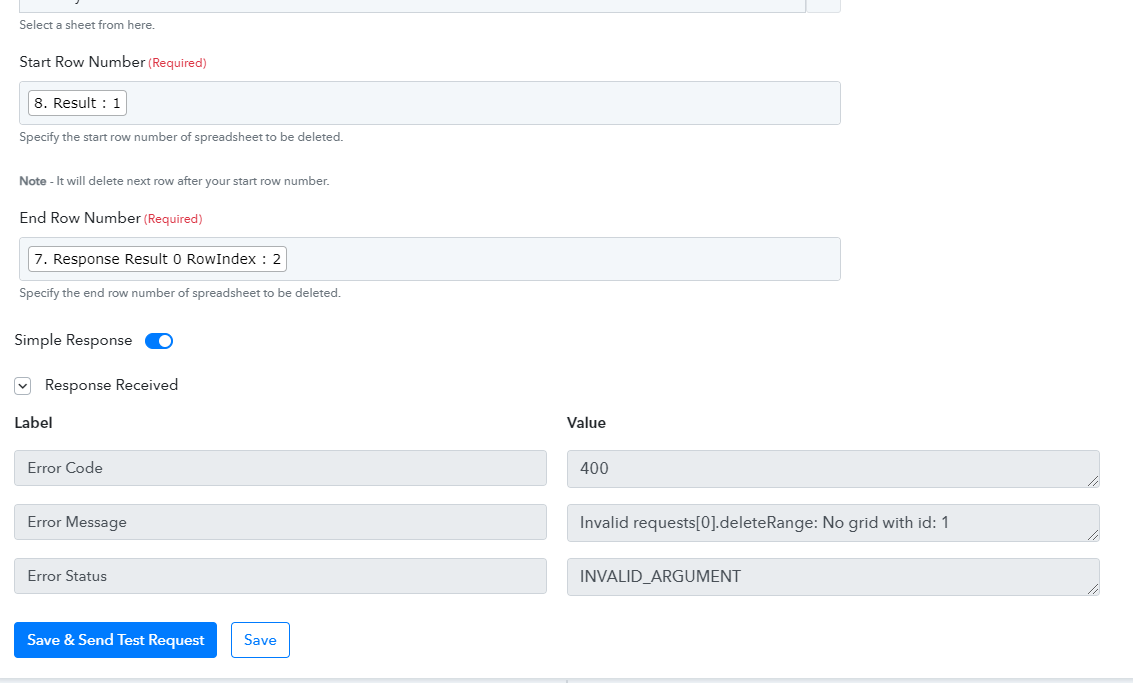
Hi, @Pabbly Team,
So Fagun had a look at this error and he wasn't able to figure out what was going on. He mentioned I should wait for your response to take a look into the issue. The workflow name is "Social Media Post" and the issue arises in Router (Holiday Database - Save & Delete Entry). Awaiting your response.
Hey @sourav04
We have tested the "Delete Row" action event on your given test sheet and it seems to be working fine at our end -https://docs.google.com/spreadsheets/d/1lkcjPGCqJm20ZiSnBosKJeHRFjhB2KUa_q1N7RsOiyw/edit#gid=0
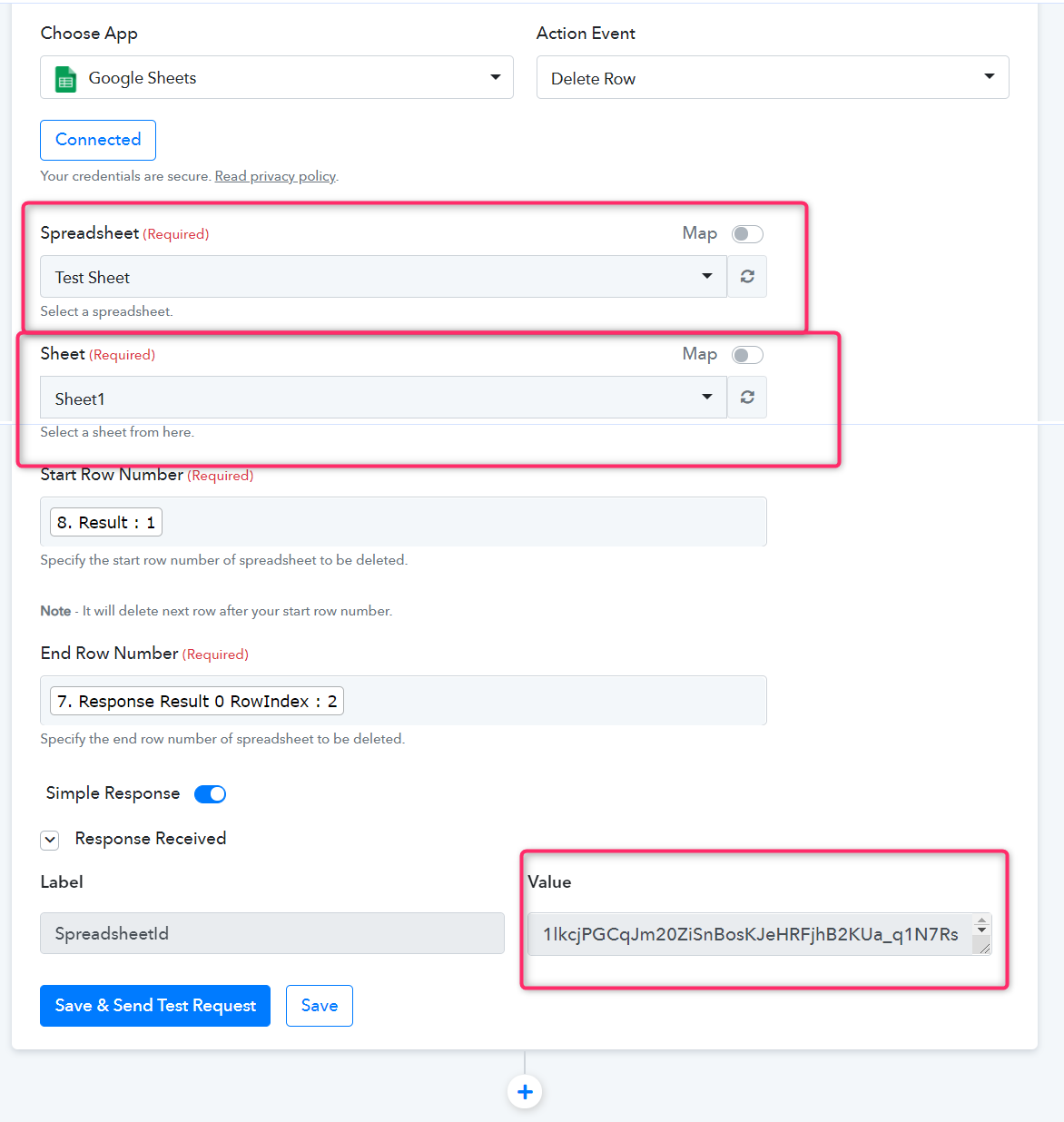
In Google Sheets, we have tested with 1st two entries and it is deleted.
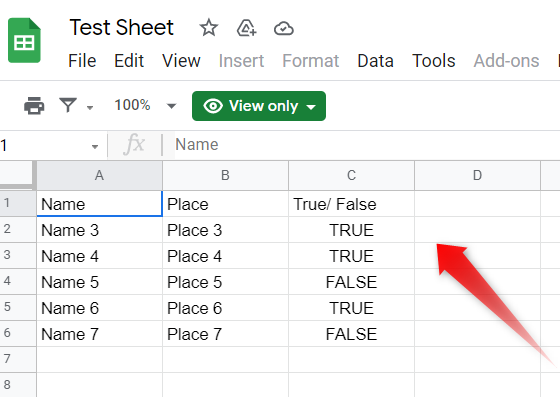
You can also try it at your end.
Please check for the validation on your sheets, if it has any because that might be causing the issue.
Hi,
Yes, it does work in that sheet, but for some reason when I am trying to replicate the same thing in another sheet. It's showing me the error. Any idea what is going on over there. Even Fagun had a look at that one.
Regards,
Sourav
Hey @sourav04
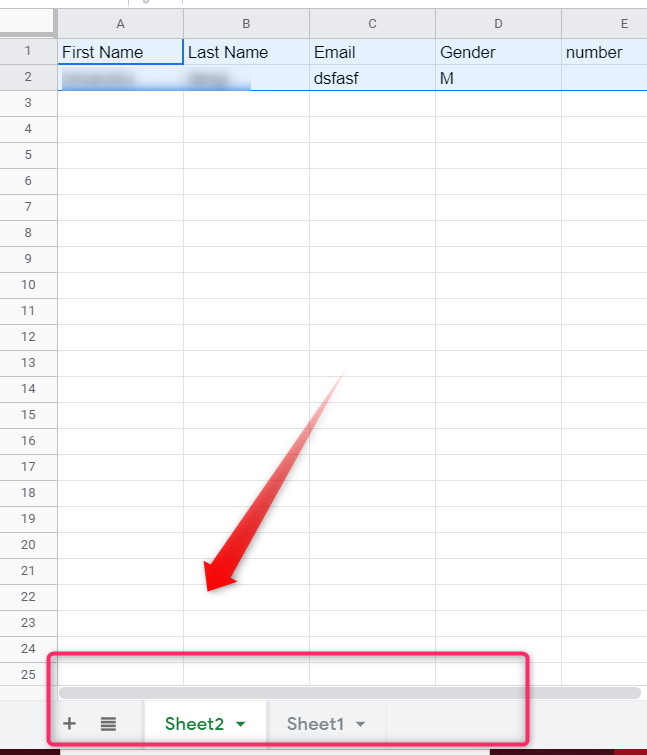
In your spreadsheet, the sheet must be at the first index of your spreadsheet to make this action work.
I have had a word with our developers and it seems you are trying to deleting the data from sheet9 of the same spreadsheet. For your information, the desired action will work only with the first indexed sheet of a spreadsheet.
Please create another spreadsheet and try deleting the data from the first indexed sheet of the same.
Let me know how it goes.
Example -
Ahh Ok, Let me try that and get back to you.
Hi, This worked out well. But had to recreate everything from the scratch.
It would be great if there is some kind of additional information mentioned about the delete row
Hey @sourav04
We have updated the help text beneath the "Sheet" field. Do let us know if you have any other feedback.
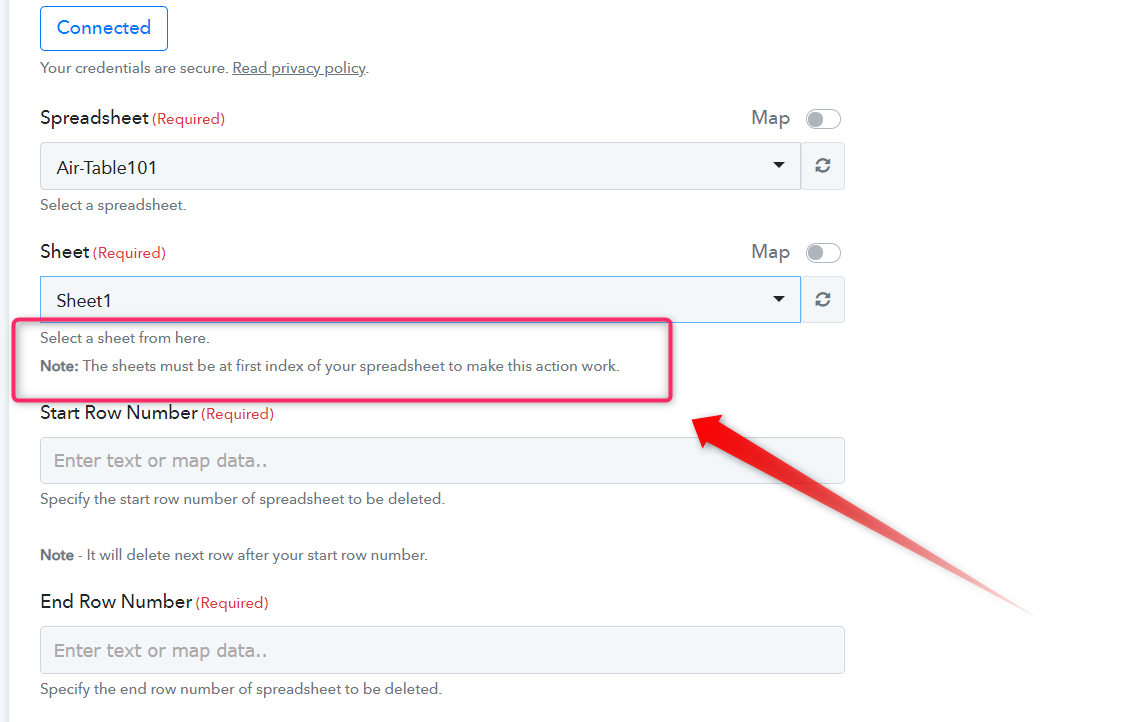
Hey @sourav04We have updated the help text beneath the "Sheet" field.
So I can not delete row from multiple sheets in a single spreadsheet Any plans to add this functionality
So I can not delete row from multiple sheets in a single spreadsheet? Any plans to add this functionality?
As of now, you cannot delete rows from multiple sheets from a Spreadsheet. But for this, you can make multiple Spreadsheets from which you have to delete the row.
Further, the Google API currently does not supports deleting rows from multiple sheets of a Spreadsheet.
Hi,
I was able to figure out the issue.
I was unable to delete the row in my "Form Response Sheet"
Whereas if i copied the data to a new spreadsheet and if the data lies in "Sheet1", i was able to perform the deleting the row option.
Is there any way wherein we can delete the row straightaway from the "Form Response Sheet"?
Thanks
Hey @akgshanmuga
Is there any way wherein we can delete the row straightaway from the "Form Response Sheet"?
As of now, you have to maintain the respective sheet at index 1 in the Spreadsheet in terms to delete the row from the sheets.