Create a google drive folder named based on the person's initials if it does not exist and if it exists route it
Status: Closed · Asked by Julian Tamayo Endocrino on · 0 views
I have the following problem, through typeform a person enters their personal data (names and surnames), and with the initials + a date we check if the created folder exists in Google Drive, if it exists we move a document in Google Docs to that folder. If it does not exist we take the initials and the date that was provided and create the folder and then move the document to it.
However I have some problems:
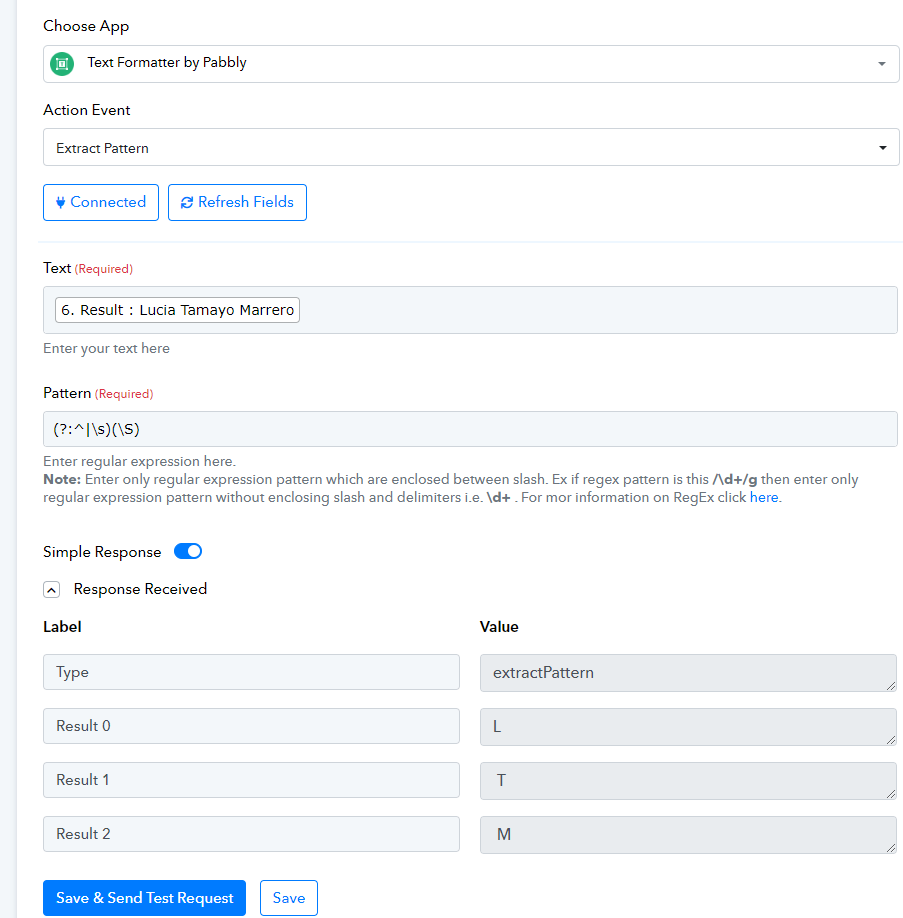
1. The first of them is that sometimes it has 3 variables as in the example and sometimes 4 or 5... and in the next step what I do is group that plus the date with the number format command and it gives me an error.
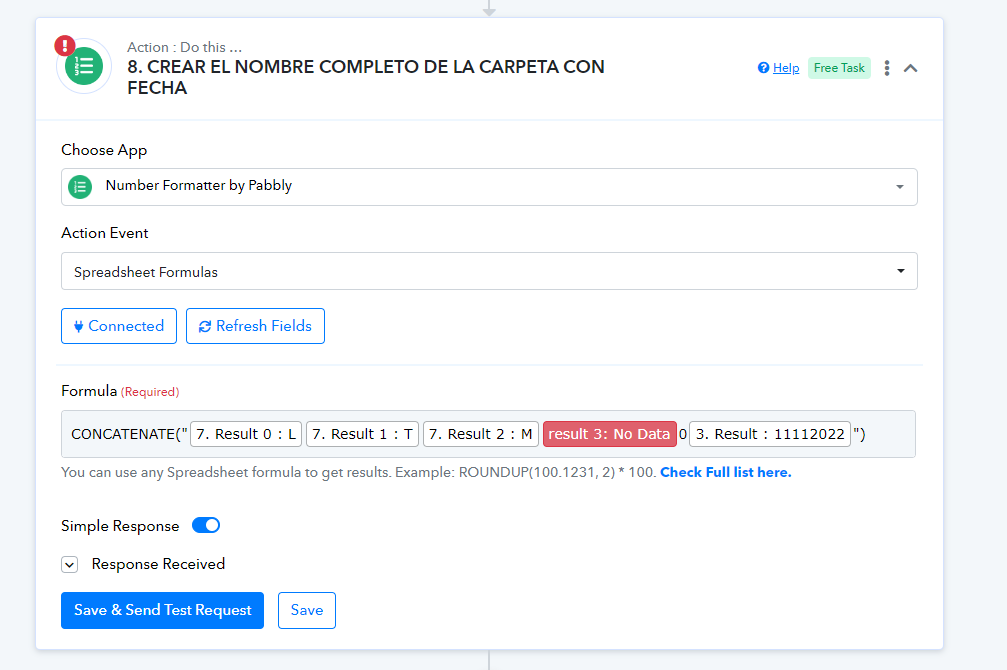
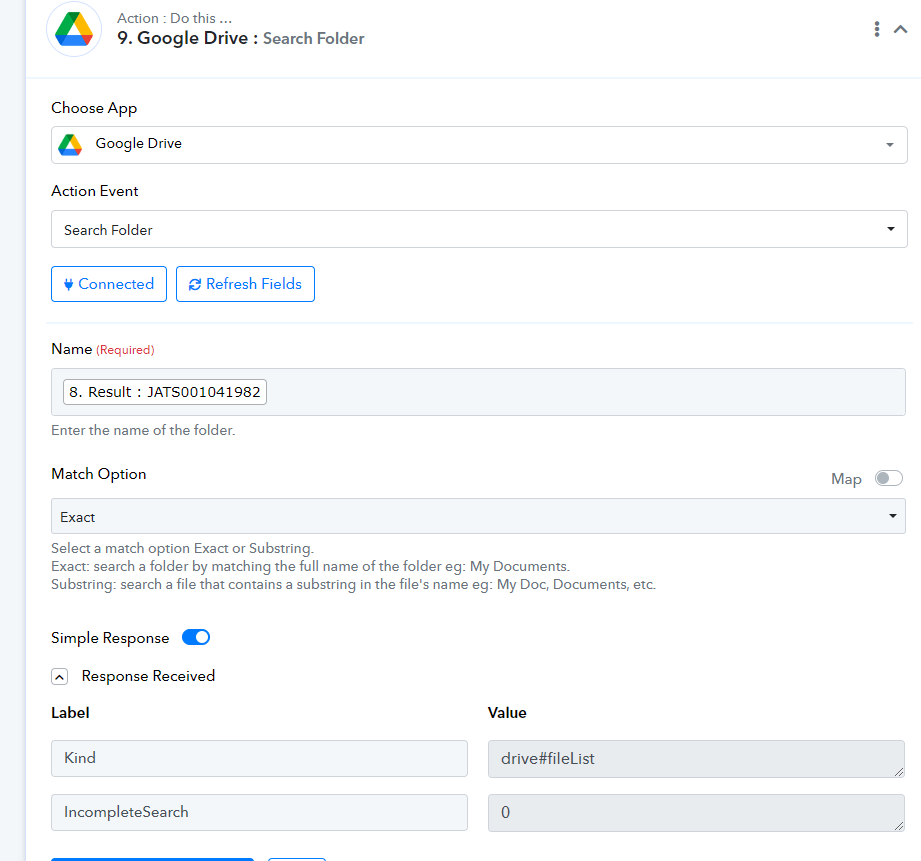
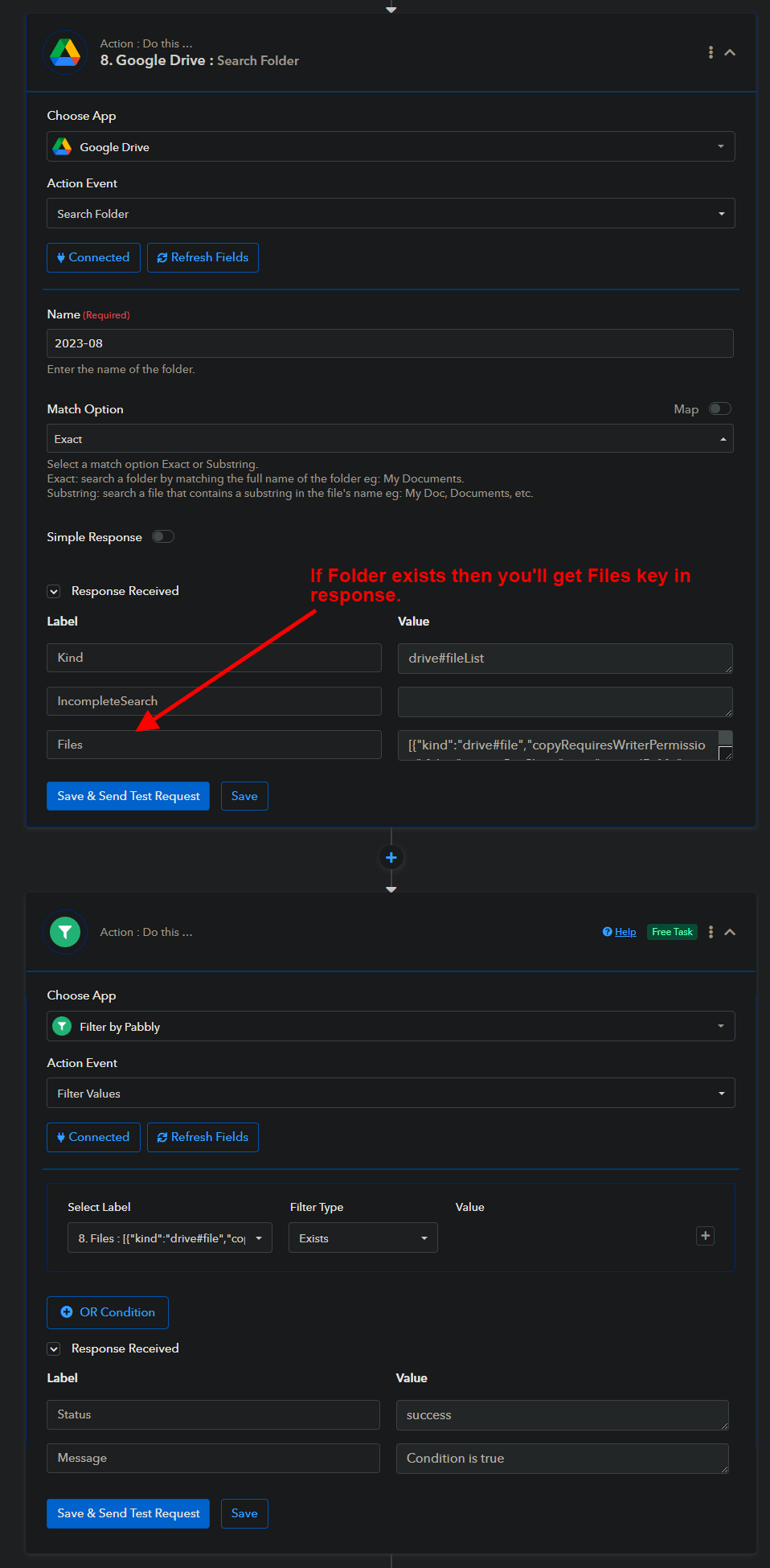
2. The second thing is that I don't know how to verify that the folder already exists. What I usually do is like the search folder command below, but I don't know which variable to compare to make the 2-step router in the end to create the folder and subfolders.
3. What I usually do is within the final router step, filter the incomplete search and if it is empty, create the new folder... but I don't know if it is correct
Could you please help me?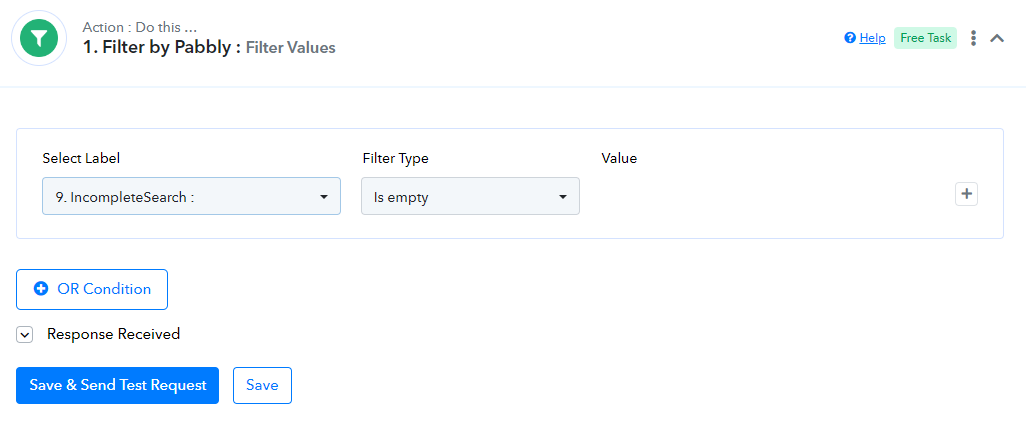
Hello @juliantamayo ,
Try turn off the simple response in your text formatter step it'll give you all the initials without error.
In google drive folder search step use below condition. Feel free to contact me if you need any further help.
Contact me - https://www.facebook.com/himeshsoni07
Email - [EMAIL][email hidden][/EMAIL]
Hello @Himesh
Thank you very much for your response, it has helped me a lot. Now what I have left, I make a router by pabbly and apply the filter by pabbly with a few steps if the folder is there, and if it doesn't exist I create it on the other side of the router... I understand that with the solution you gave me When the label files does not exist, it does not appear and gives an error, right?
In the event that the folder appears, I absolutely need the list of the folder's contents in the next step and by simplifying it to a single answer I cannot take the folder label.
Hello @juliantamayo , Can you please elaborate this or you can DM me your problem so we will look into it.
Contact me - https://www.facebook.com/himeshsoni07
Email - [EMAIL][email hidden][/EMAIL]