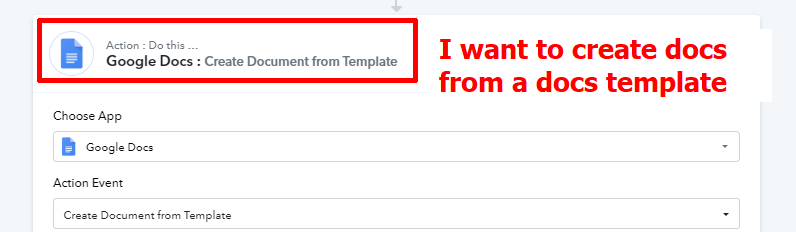
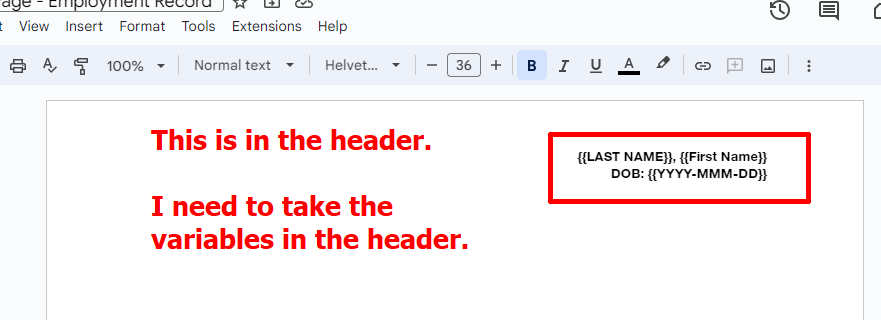
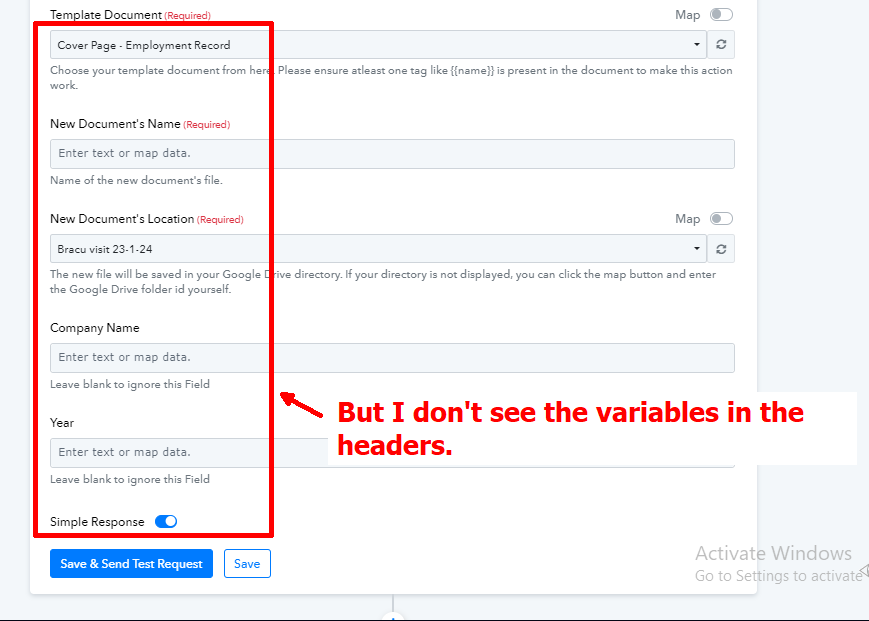
Create docs from template: couldn't find the variables in the header
Status: Open · Asked by Shahidul Islam Pranto on · 0 views
Hi @shahidul islam pranto,
Could you please share the Workflow URL in which you have this concern?
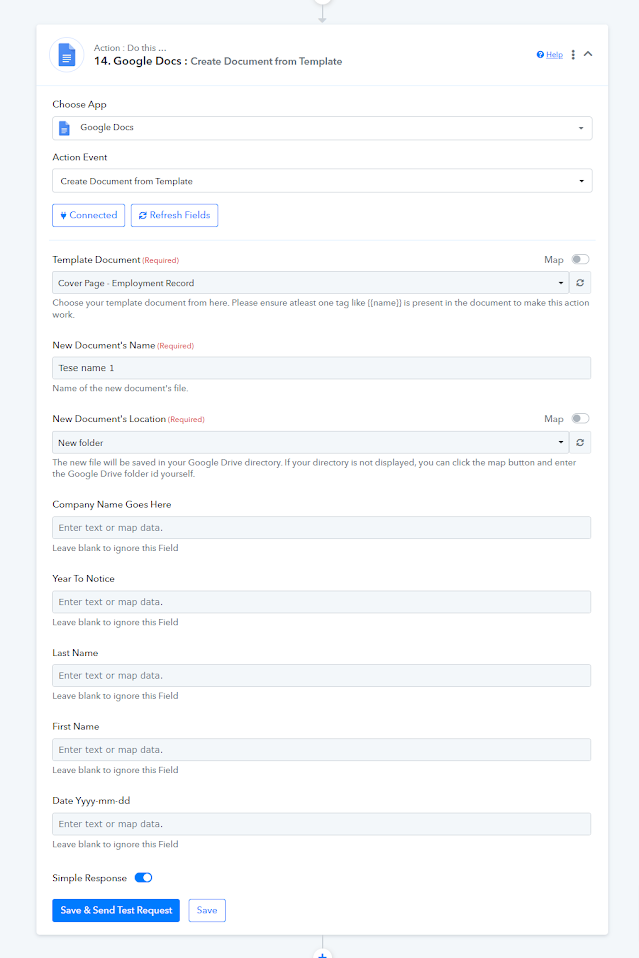
You will find the action below. I am also getting error Insufficient permissions for the specified parent. Check this also.
Hey @shahidul islam pranto
Could you please go ahead and make a quick edit to your template? Just add the variable name again manually if you've copied and pasted it.
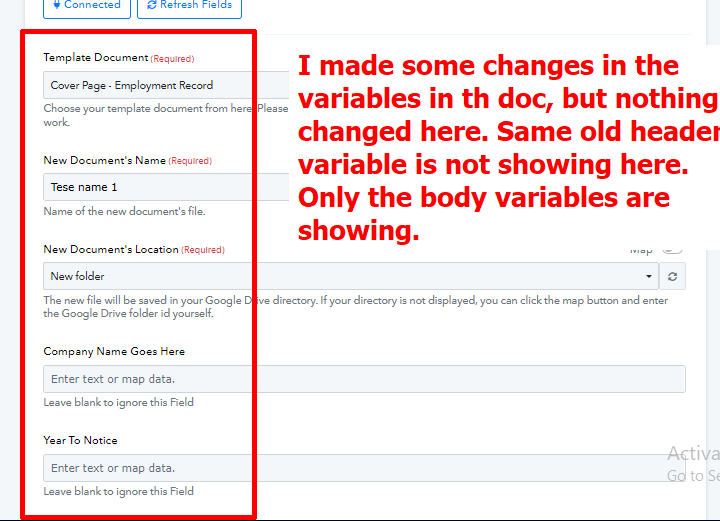
By the way, I shared the doc with support@pabbly.com with editor access. Here is the doc: https://docs.google.com/document/d/1n1ADdeJeTFcZ5NeYnL9PVePFDAa74X-rxBoDDhAHOEc/edit usp=sharing
We are checking on it, please allow us some time.
Hi, also gave access to doc to this email: [EMAIL]arshil.ahmad@pabbly.com[/EMAIL]
We have forwarded your concern to the technical team and they are currently looking into it.
Please, make it work, it is very important for me. And be fast also, please.
Suire @shahidul islam pranto, Duly noted.
Hi, what is the update on the issue Let me know.
Hey @shahidul islam pranto
We have made some changes in the "Create Document From Template" action step and it will reflect the labels from your document header accordingly now.
Ok, will check