Create google business profile posts automatically through google sheets
Status: Closed · Asked by stevenphan on · 0 views
Hi everybody. I am a recent user of pabbly. I would love to be able to create google business profile posts automatically through google sheets. However, I don't know how to make it work in order. Because I want it to post on a schedule and post each post at a fixed time of day. Thank you very much
Hey @stevenphan
You can surely do that with the help of Pabbly Connect. Kindly refer to this video which explains a very similar use case. Please set up the first two steps accordingly.
youtube.com/watch?v=ukXRCcZLzkM
Further, for the last step related to posting in Google My Business, you can follow the instructions mentioned in this video from 4:30,
youtube.com/watch?v=XYMwjdztwL0:271
Kindly let us know if you get stuck at any step.
Hey @stevenphan
Simply map the "The URL for Action" from the Iterator's response for this use case. Please attempt this and click on "Save and Send Test Request" to ensure there are no errors.
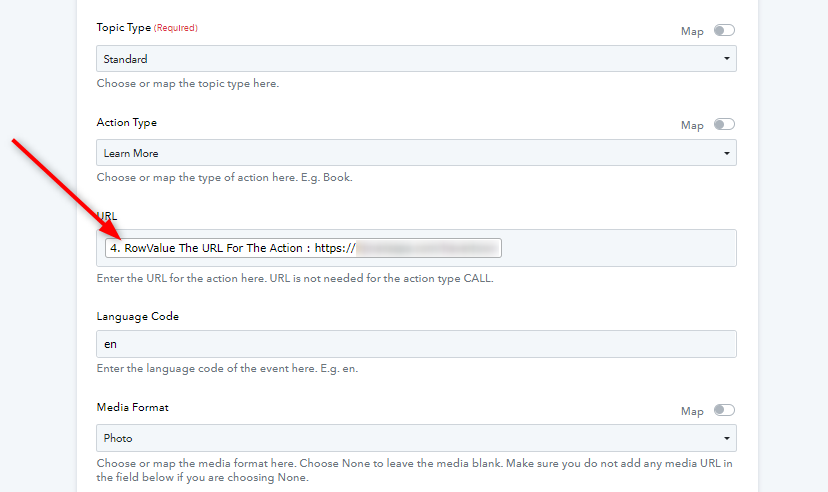
Let us know if this works for you.
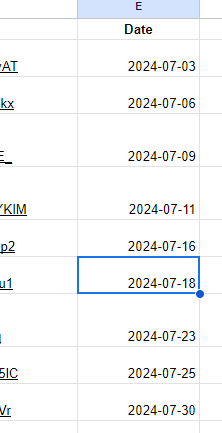
Sorry, I don't use the scheduling function for GMB posts. However, I set the schedule to alternate days but it doesn't work. Consecutive days work well. This Every Day part must be scheduled every day, right? I want it to be according to a specific date, is that possible?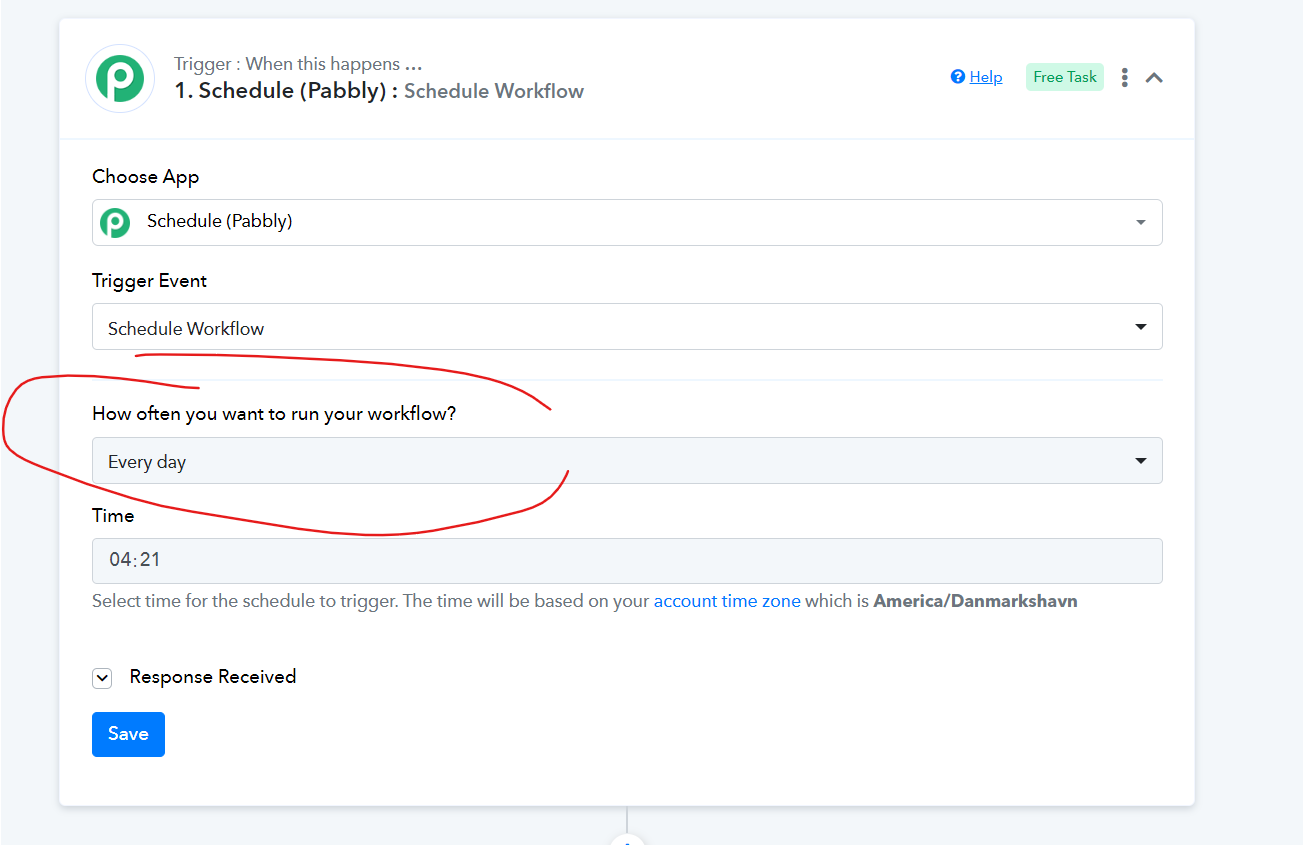
Hey @stevenphan
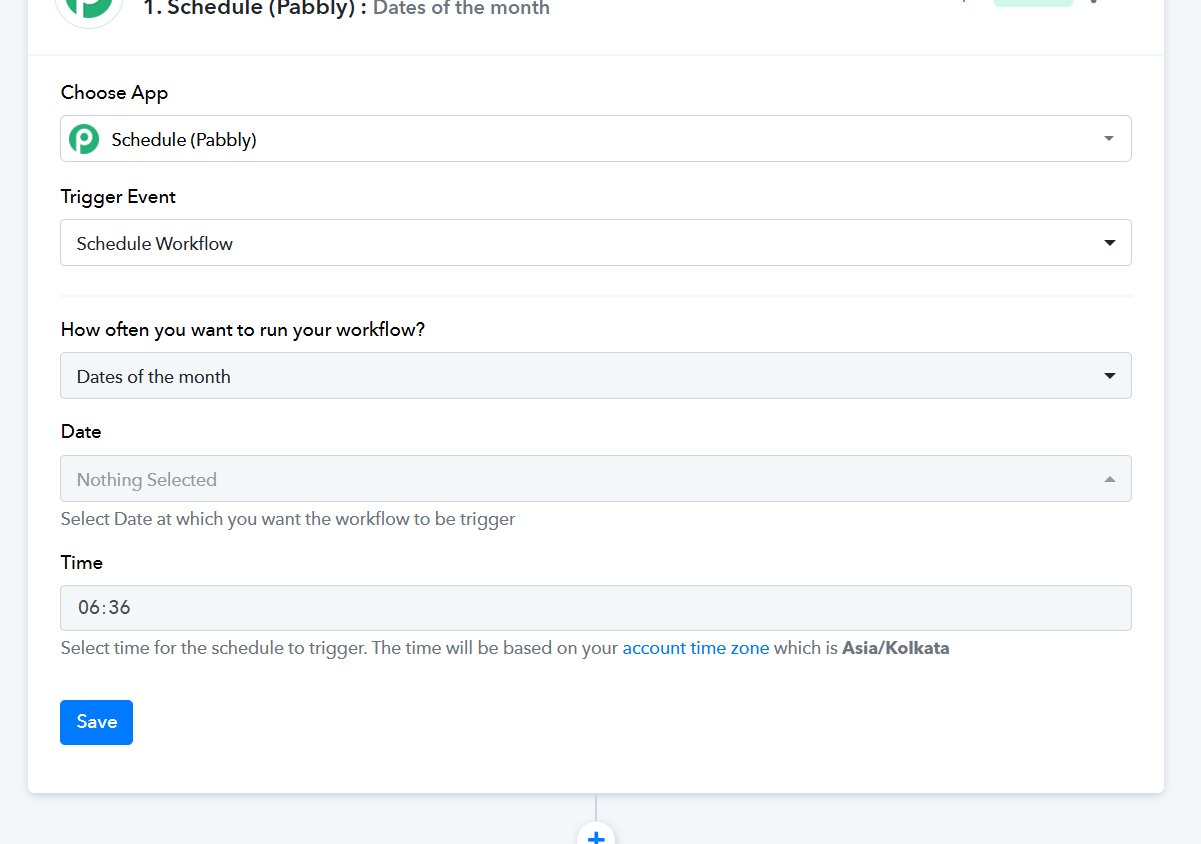
You can use the 'Schedule (Pabbly): Dates of the Month' trigger event as an alternative. This feature allows you to specify the dates of the month on which you want your automation to run, providing you with the flexibility to schedule your workflows according to your needs.
If so, if I don't schedule it every day, I can't use it every day, right?
Hey @stevenphanYou can use the 'Schedule (Pabbly): Dates of the Month' trigger event as an alternative. This feature allows you to specify the dates of the month on which you want your automation to run, providing you with the flexibility to schedule your workflows according to your needs.
If so, if I don't schedule it every day, I can't use it every day, right?
If you prefer not to schedule it daily, you can utilize the 'Dates of the Month' event in Scheduler. Alternatively, if you need it to run daily, you can configure the Schedule Workflow option in Pabbly to process the workflow every day.
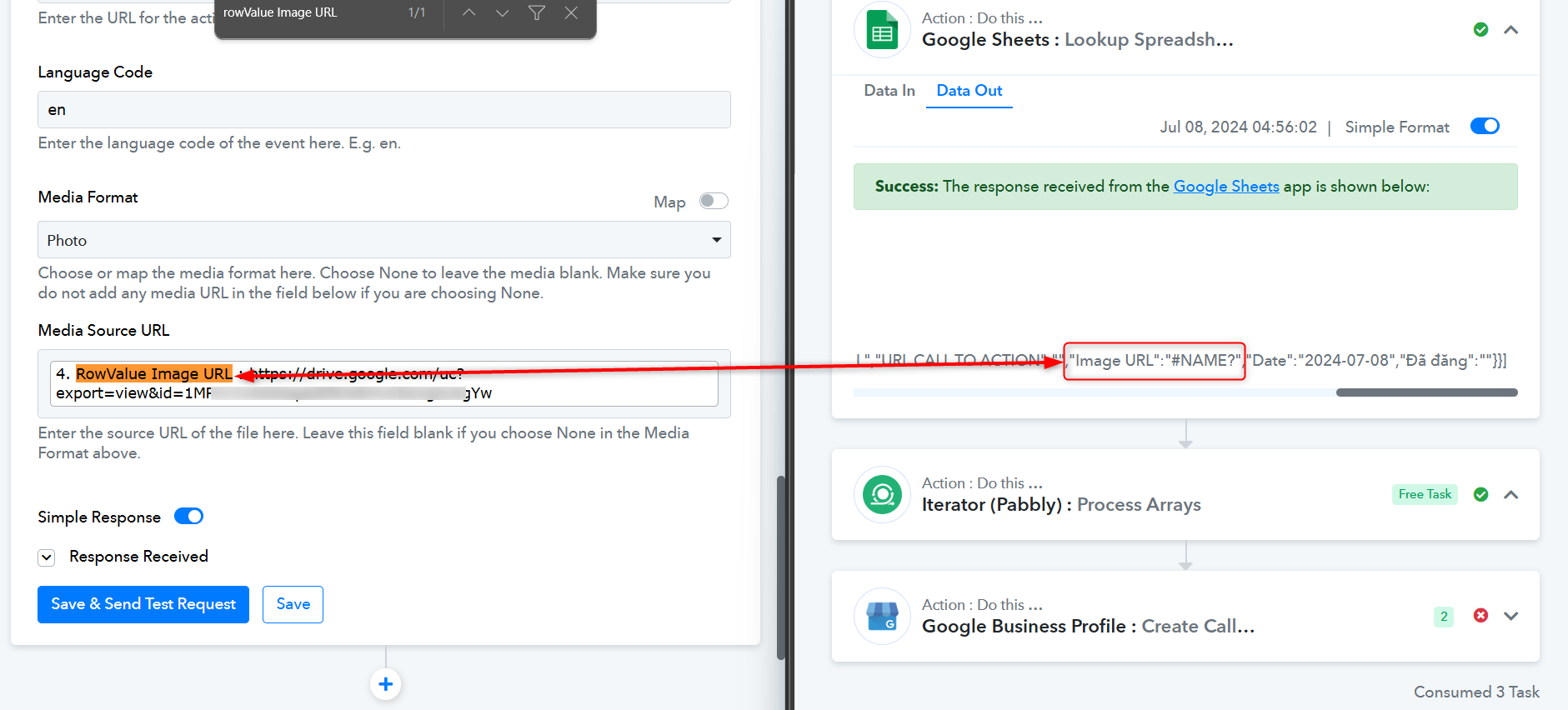
I think it is encountering an error in the last step when receiving data like this.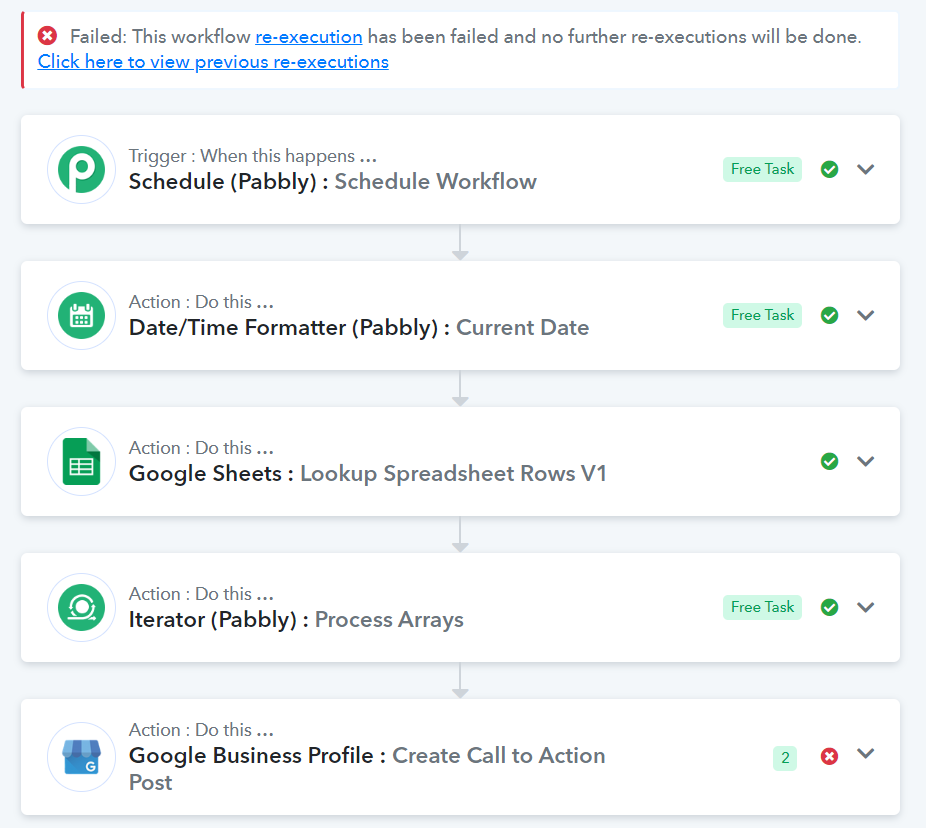
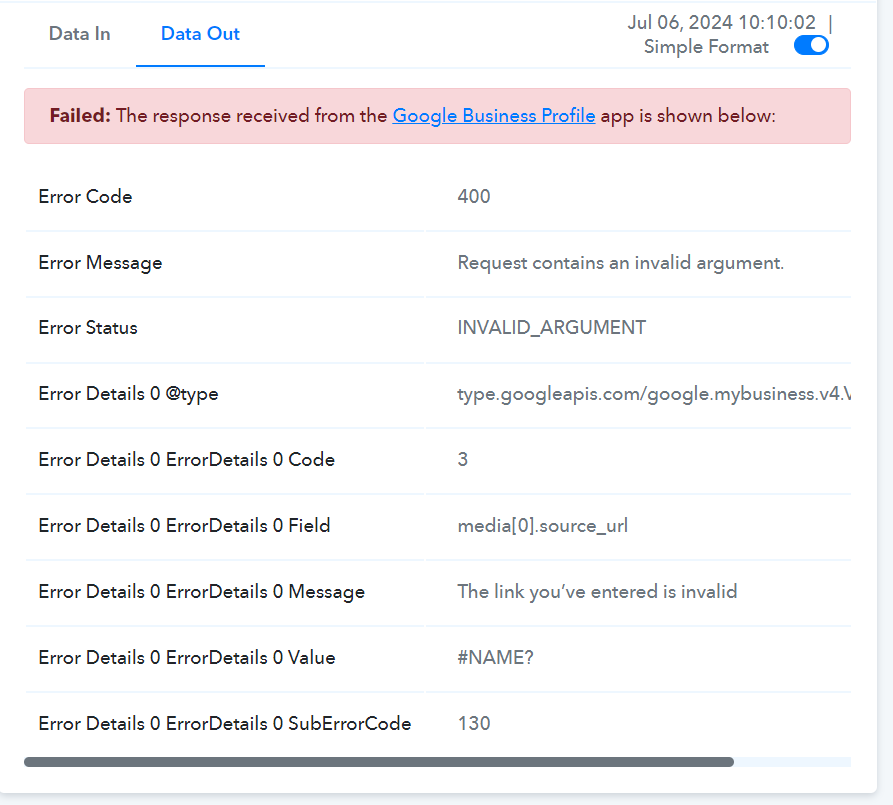
After reviewing your task history and the values you've mapped, we found that the 'Google Business Profile: Create Call to Action Post' action step failed because the Image URL was missing from your Google Sheets. This caused the live automation to lack the necessary field value, resulting in the action step not functioning as expected.
Please ensure that the correct data is provided in the respective fields and try again.