

Create new contact deal from google form to Zoho Bigin

IJpabbly

Member
Hi,
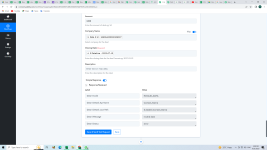
Unfortunately I am facing problem while creating workflow. after doing all steps when I click on Save & send test Request button at the last step it is showing as on attachment. I am unable to solve this issue please do needful.

Please find the attachment
 

Attachments

  • Screenshot (50).png
    Screenshot (50).png
    228.2 KB · Views: 124
P

Pabblymember11

Guest
Hey @IJpabbly

Kindly try the "Zoho Bigin: Create Contact Deal (Beta)" action step once and let us know.

2023-06-21_16h00_45.png
 
P

Pabblymember11

Guest
Hey @IJpabbly

We have tried the same at our end and the action step is working fine.

1687433289851.png


So, we required your Zoho account to check the issue from your account. Please do share the account details at ([email protected]).
 
P

Pabblymember11

Guest
We got the details of your account and we have noticed a few things.

1. You have made the Contact Name field mandatory and because of that running the action step is getting failed.

1687948285895.png


1687948450265.png


So, we have unchcked the mandatory type and the action step is working.

2. If you are having subpipeline in your Deals then you need to pass Subpiple Id from your Zoho account URL.

1687948437450.png


Action step -

1687948478080.png
 
Top