Create New Spreadsheet Help Needed
Status: Closed · Asked by IChild Company on · 0 views
Dear Support
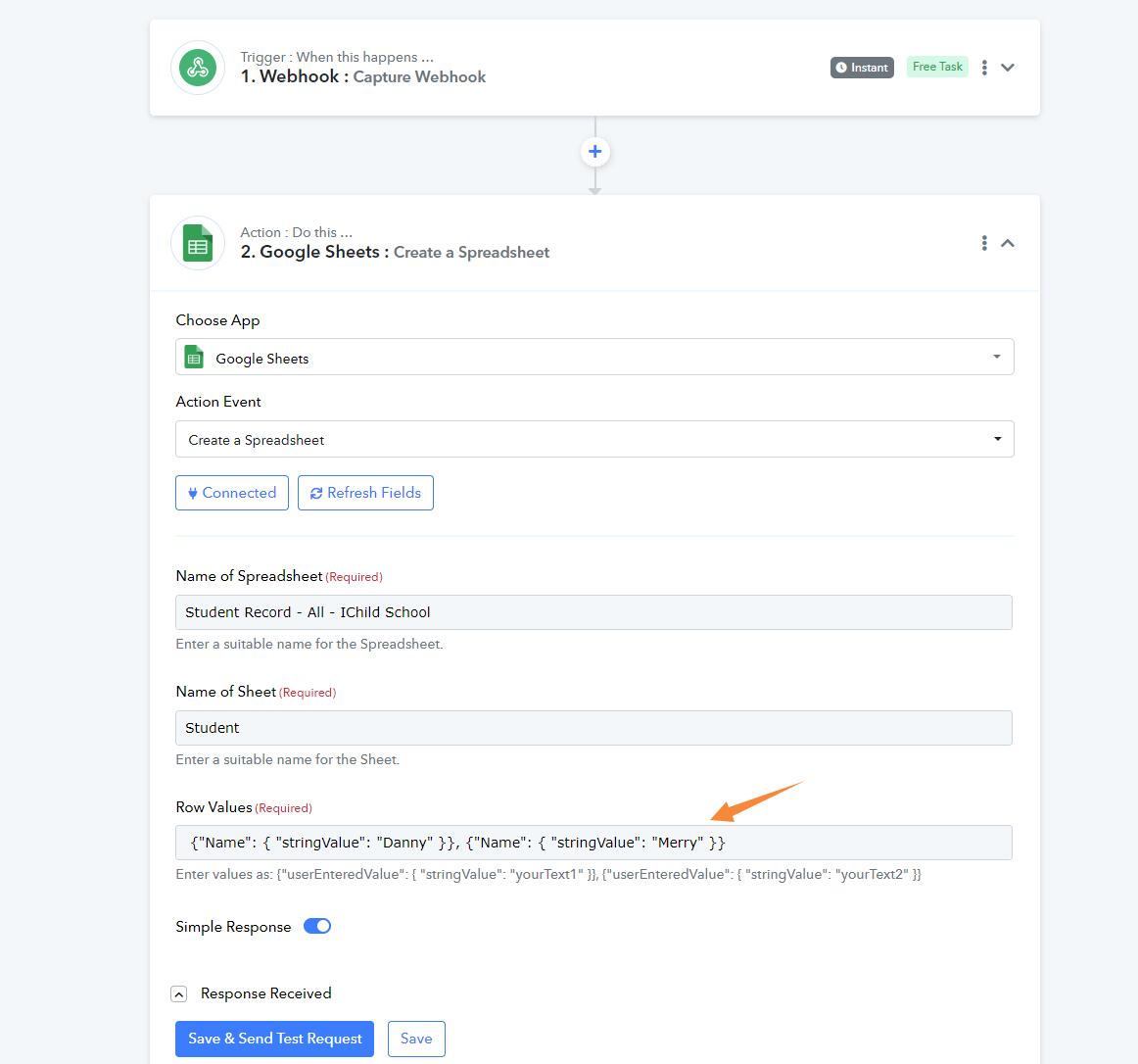
We are trying to create the following file format in Google Sheet.
When we use the Create a Spreadsheet vis Google Sheet, kindly advise how we should structure the JSON for the Row Values? We can share the Workflow if required.
Appreciate!
Hey @ichilddev
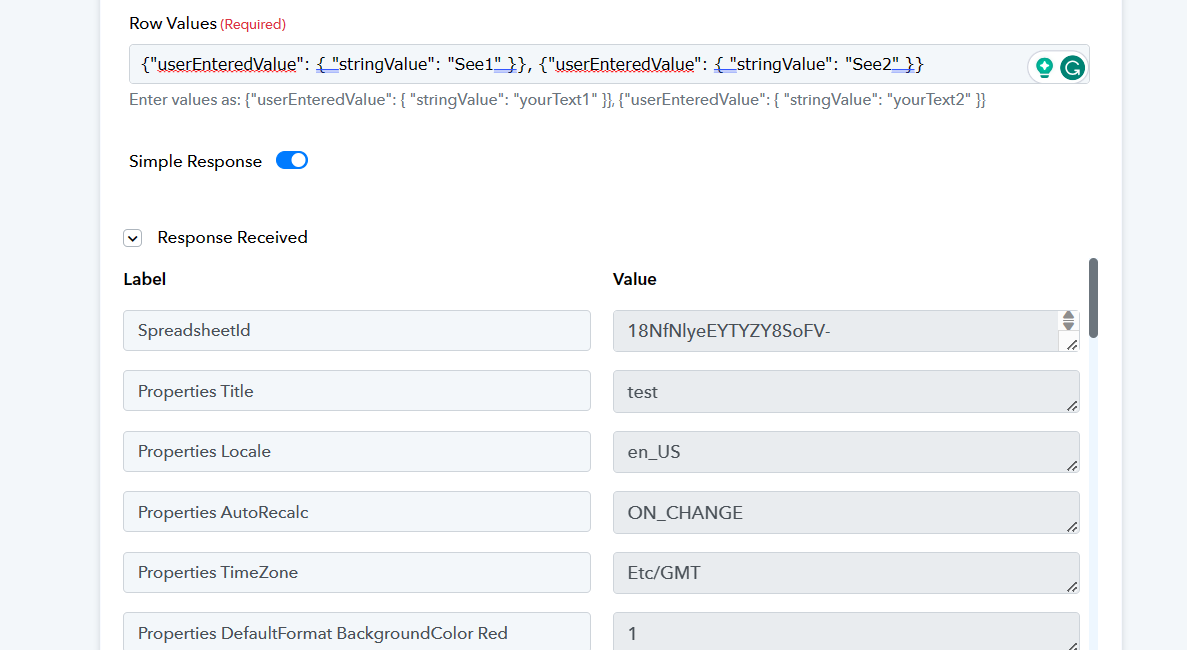
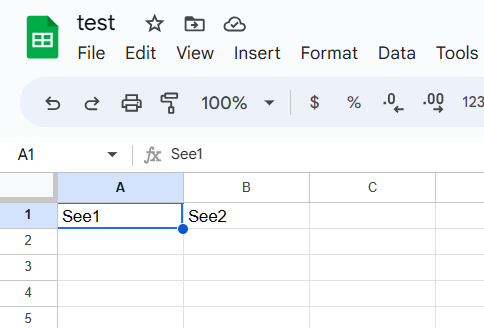
Kindly pass the Row Labels in the following manner and then try again.
{"userEnteredValue": { "stringValue": "yourText1" }}, {"userEnteredValue": { "stringValue": "yourText2" }}
And how can I create a table with a row break, to have the titles and the results below?
And how can I create a table with a row break, to have the titles and the results below?
I am afraid the action step is not available to create the table with a row break.