Create Note in ActiveCampaign from Google Sheets
Status: Closed · Asked by JoseC on · 0 views
Hi, I'm trying to add a note to my contacts from google sheets. The google sheets integration seems to be fine, however, when I try to connect to ActiveCampaign I'm getting errors. I have the "create new note" action selected. The email is mapped and the note is mapped from the google sheet, but I am getting errors when I try to send the data over. I recorded a quick video so you could see what I am encountering. Please help.
https://www.screencast.com/t/0InatjUD
Thank you.
Hey @JoseC
We have checked the workflow and added action step ActiveCampaign - Search contact and searched the contact given by email id and we got the results. Then we have added filter condition in it and checks if id exists then continue else stop the workflow.
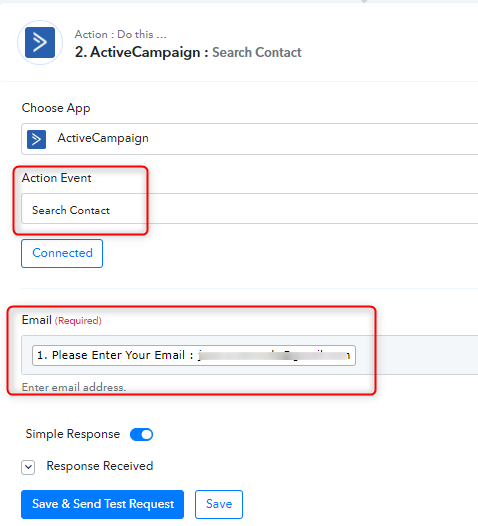
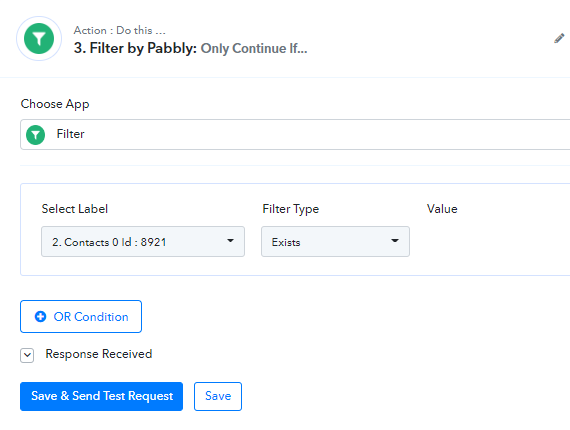
Kindly check and let us know if you have any questions or comments.
Attachments
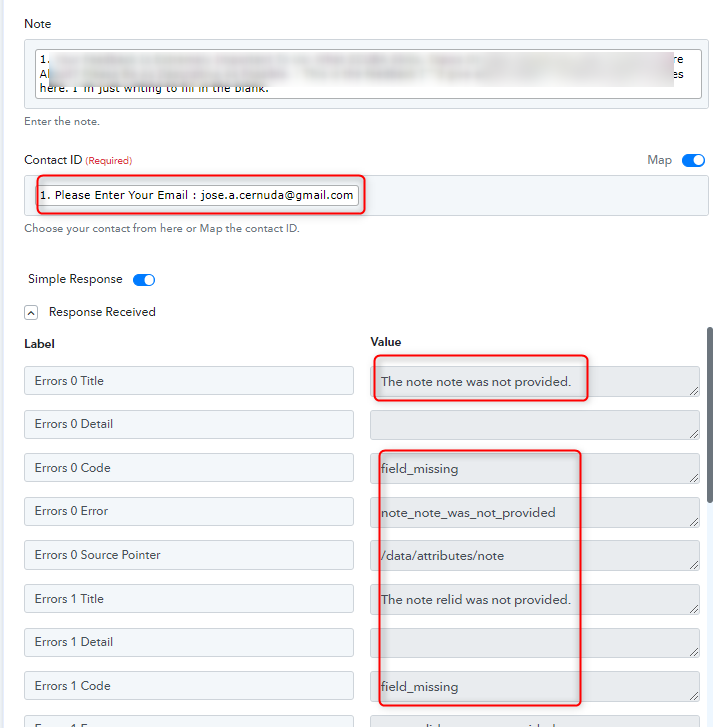
Thank you for the response Kunal,
The problem I am encountering happens when you choose "Create Contact Note" you only have 2 fields to fill out. (see below)
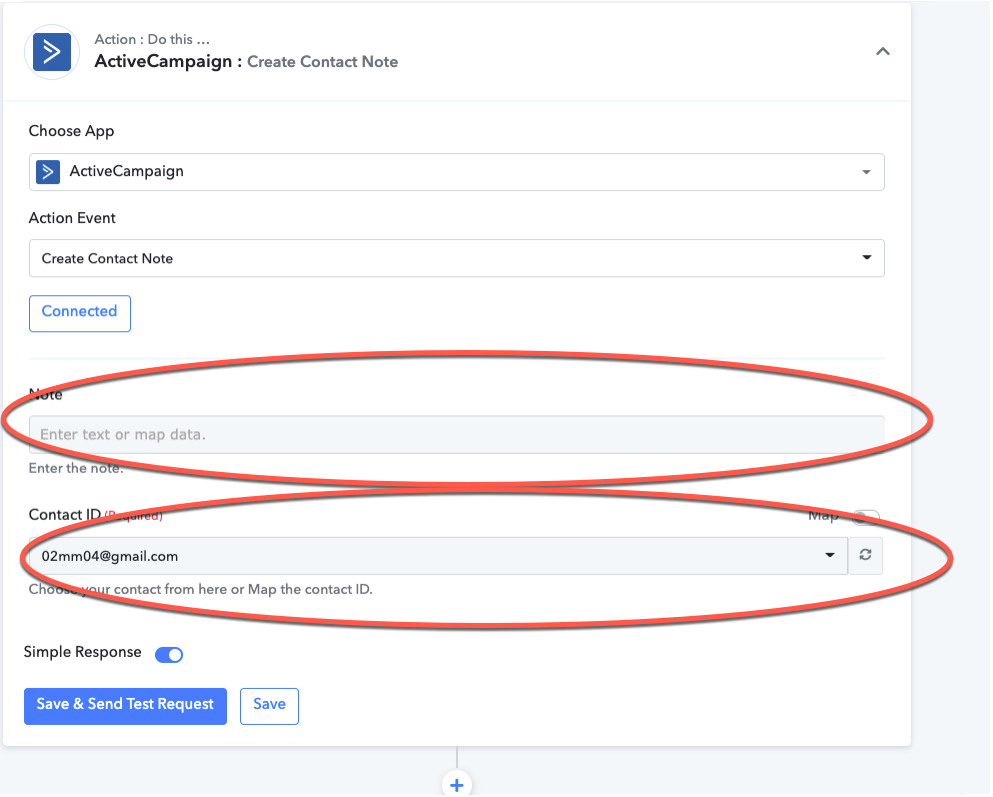
I am mapping the 2 pieces of data that are required and getting an error when I do so. These are really the only 2 pieces that should be needed. Activecampaign needs to know which record you want to change (the contact ID) and what field in that record needs to be changed (Note).
The search contact was me trying to figure out a solution unsuccessfully. I should have left the automation alone after asking for help here. I've left it the way I think it's supposed to work now, but obviously, it doesn't work. Please help.
Thanks again! Jose
Hey @JoseC
In Activecampiagn - Create Contact Note action, it will just add the note in the contact section. It will not check whether contact exists in the system or not. If the contact does not exist in the system API gets a failure message.
That's the reason we have suggested you first search the contact in the Activecampaign and then add a filter condition in it if it exists then only workflow will get continue else it will get stopped.
Thanks
Kunal
Hi Kunal,
The contact already exists inside of ActiveCampaign. Whether I search for it to confirm the existence of the contact before or not is irrelevant since the contact is in fact there. I still do not know why I am getting this error. I shot another quick video so you can see my screens and understand the situation better below. Please help.
https://www.screencast.com/t/rnONOZfAPxpQ
Thank You!
Jose
Hey @JoseC
Kindly note that the field Contact ID is not an email field. You need to pass the contact id here only. If you are getting a contact id from Google sheets then you can pass it here. Else you can use the action "Activecampaign - Search Contact" and retrieve the contact Id from there and then map it in action "Activecampaign - Create Contact Note".
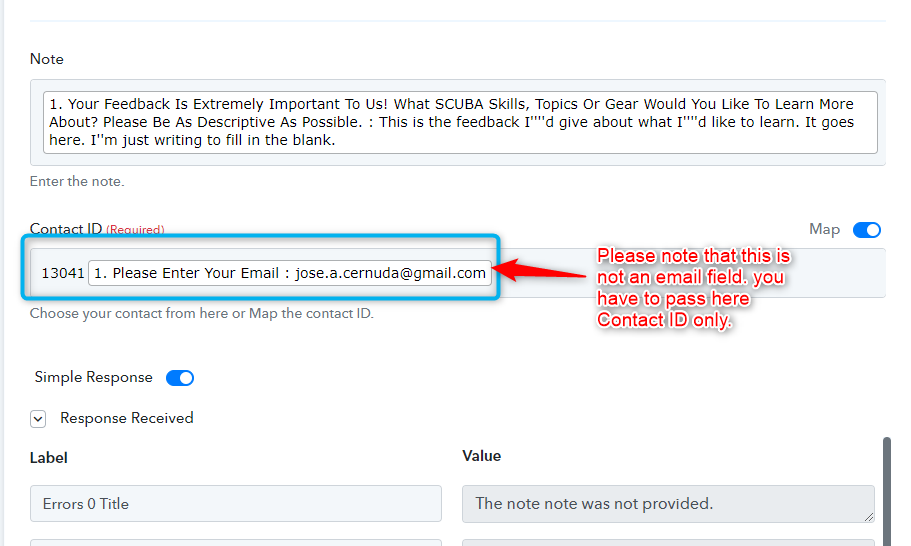
Please use the Search Contact action then add a filter to check if the contact already exists and then you can map the contact id in the Create Contact Note action and run your workflow.
Thanks
Kunal